Android Auto needs both Bluetooth and Wi-Fi for wireless use because they handle different parts of the connection. Bluetooth helps the phone and car find and start talking to each other; Wi-Fi carries the higher-volume connection used for the Android Auto display and app data.
- Bluetooth helps establish the initial connection between a compatible phone and vehicle.
- Wi-Fi carries the main wireless Android Auto connection after setup.
- Bluetooth alone cannot replace Wi-Fi for wireless Android Auto.
- USB Android Auto uses a cable for the main connection, so its radio requirements differ.
- Compatibility depends on the phone, vehicle or receiver, software, and wireless hardware.
Wireless Android Auto splits connection work between two wireless technologies. Bluetooth handles discovery and connection setup, while Wi-Fi provides the faster link that carries the Android Auto experience between phone and vehicle.
That division matters because Bluetooth is useful for finding and pairing nearby devices, but it is not the transport used for the full wireless Android Auto session. Wi-Fi has more capacity for sending the display interface and related data. The phone can still use Bluetooth for ordinary functions such as calls, depending on the vehicle and phone setup.
Think of Bluetooth as the introduction and Wi-Fi as the main conversation. Both radios need to be available for the wireless system to start and keep working as intended. This does not mean Android Auto uses your home Wi-Fi network or requires an internet connection through the car. The phone and vehicle establish a direct wireless connection; mobile data availability is a separate matter for online services such as streaming or live navigation information.
What Bluetooth does during wireless Android Auto setup
Bluetooth helps the phone detect and pair with the vehicle’s compatible infotainment system. During initial setup, the two devices use that connection process to begin establishing wireless Android Auto. Exact prompts and pairing order can vary by vehicle, receiver, phone software, and system firmware.
Once the wireless session is running, Bluetooth remains relevant for functions that use it, including some hands-free calling paths. The precise routing of calls and other audio depends on the vehicle and phone. So, seeing Bluetooth connected does not prove that Android Auto’s Wi-Fi connection is also active.
This distinction helps with troubleshooting. A phone may show as paired in the car’s Bluetooth menu while Android Auto fails to launch. In that case, pairing succeeded at one level, but the separate wireless projection connection may not have started.
What Wi-Fi does during wireless Android Auto
Wi-Fi carries the main wireless Android Auto session. It moves the information needed to show the Android Auto interface on the vehicle display and keep the phone and infotainment system in sync. That higher-capacity connection is why enabling Bluetooth alone is not enough.
Wireless Android Auto does not necessarily connect through a household router. The phone and vehicle create a local connection directly. A phone may therefore show a Wi-Fi connection associated with the car even when it has no internet through that connection. The phone can use cellular data separately, subject to coverage, plan, app settings, and the vehicle environment.
Wi-Fi settings can affect other phone behavior. For example, some phones manage cellular and Wi-Fi connections automatically. A brief change in the Wi-Fi icon does not always mean Android Auto has stopped, but a dropped wireless projection connection can interrupt the display or apps.
Wireless Android Auto versus USB
USB changes how the phone reaches the car. With a compatible wired setup, the cable carries the main Android Auto connection, so wireless Bluetooth and Wi-Fi are not both required to carry that session. The phone may still use Bluetooth for separate car functions, and requirements can vary by vehicle.
| Connection type | Main link to the car | What to check |
|---|---|---|
| Wireless Android Auto | Bluetooth helps setup; Wi-Fi carries the main session | Bluetooth and Wi-Fi are enabled, and phone and vehicle support wireless Android Auto |
| Wired Android Auto | USB cable | Vehicle supports wired Android Auto; cable and port support data, not charging alone |
| Bluetooth audio only | Bluetooth | Phone can make calls or play audio, but this does not mean Android Auto is connected |
USB is a useful test when wireless connection fails, but a successful wired session does not prove every part of wireless compatibility. Wireless use needs the vehicle’s matching hardware and software support, along with a phone capable of the required connection.
Compatibility limits: phone, vehicle, and software
Not every vehicle with Android Auto supports its wireless version. Some systems support Android Auto only over USB, while others support wireless use. Model year alone is not a reliable guide: equipment can vary by trim, region, infotainment option, and software version.
Aftermarket receivers also differ. Check the receiver’s documentation for wireless Android Auto support and any phone or software requirements. An adapter that adds wireless operation to a wired system has its own compatibility limits; it is not a universal substitute for built-in wireless support. For receiver fit and feature context, see our guide to car stereos for Android phones.
Phone OS version and hardware can affect setup and operation. Google’s setup guidance describes supported connection methods and current requirements. Vehicle makers may add instructions or limits for a particular infotainment system. Check both sets of guidance when the car’s manual and phone prompts differ.
Regional rules and hardware can also affect Wi-Fi operation, including which wireless bands a device can use. Avoid assuming that a setting or workaround for another phone or country will apply to your setup. For official setup steps, consult Google’s Android Auto setup instructions.
Quick checks when wireless Android Auto will not connect
- Check the symptom. If Bluetooth audio works but Android Auto does not appear, Bluetooth pairing may be active while the Wi-Fi projection link is not.
- Confirm support. Check the vehicle manual or receiver documentation for wireless Android Auto. A USB-only system cannot gain native wireless support by turning on phone Wi-Fi.
- Enable both radios. Turn on Bluetooth and Wi-Fi on the phone. Follow the infotainment screen’s prompts, since first-time setup can involve both menus.
- Try USB if supported. Use a data-capable cable and the vehicle’s Android Auto USB port. If wired Android Auto works, the phone and app can communicate with the system over USB, but wireless compatibility still needs separate checking.
- Restart the connection. Park safely, then restart the phone and infotainment system if the owner’s manual allows it. Remove an old pairing only if simpler checks fail, since you may need to set up Bluetooth and Android Auto again.
- Check software and instructions. Review phone updates and vehicle or receiver guidance. Do not install unofficial firmware or change service settings to force a connection.
If only one phone fails, compare its settings and software with a compatible phone if available. If several compatible phones fail in the same vehicle, the infotainment system, its configuration, or its software may be involved. This comparison narrows the cause; it does not identify a failed component by itself.
Common mistakes
- Assuming Bluetooth audio means Android Auto is active. Calls or music can work over Bluetooth even when wireless projection has not connected.
- Turning on Bluetooth but leaving Wi-Fi off. Wireless Android Auto needs Wi-Fi for its main connection.
- Expecting every Android Auto vehicle to work wirelessly. Some vehicles and receivers support only wired operation.
- Blaming the cable for a wireless-only failure. A cable matters for wired Android Auto, but does not repair a vehicle’s wireless setup.
- Assuming an internet connection is required for pairing. The phone and car can establish a local Wi-Fi connection. Online apps may still need cellular data or another internet source.
- Treating an adapter as universally compatible. Wireless adapters depend on the vehicle’s existing Android Auto support and the adapter’s own requirements.
When to get professional help
Contact the vehicle dealer or receiver installer when documented setup steps fail across compatible phones, wireless Android Auto repeatedly drops, or infotainment menus do not match the manual. A software update or system configuration may be involved, but symptoms alone cannot prove that a radio or other component has failed.
Use the dealer or receiver maker for model-specific firmware instructions. Avoid disconnecting vehicle wiring or changing hidden service settings to troubleshoot a phone connection. If the issue began after an installation, ask the installer to check the receiver’s wiring and setup against its instructions.
Gear that can help
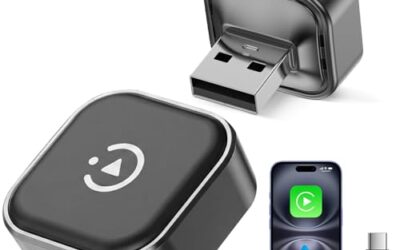
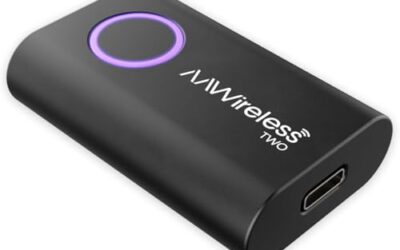
If you need wireless Android Auto adapters for this job, these picks already appear in our wireless Android Auto adapters guides. Check the full guide for fit and who should skip each one.

Pros
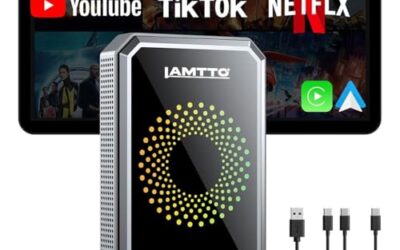
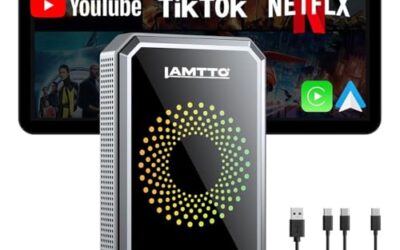
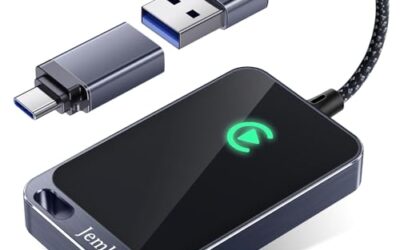
- Supports both wireless CarPlay and wireless Android Auto on compatible factory systems
- Offers app installation, streaming, screen mirroring, and Bluetooth auto-lock features
- Includes cables for USB-C and USB-A connections
- Provides over-the-air updates, online self-service guides, and an 18-month warranty
Cons
- Requires a vehicle with factory wired CarPlay or wired Android Auto and a compatible touch, touchpad, or rotary/remote control system
- Not compatible with BMW, Tesla, most Subaru models, aftermarket head units, or factory systems that only support wireless CarPlay or wireless Android Auto
Specifications
| Color | Black |
|---|---|
| Dimensions | 2.5 x 1.5 x 0.5 inches |
| Weight | 0.1 pounds |
| Product Group | Wireless |
Best For / Avoid If
Best for buyers prioritizing
- Supports both wireless CarPlay and wireless Android Auto on compatible factory systems
- Offers app installation, streaming, screen mirroring, and Bluetooth auto-lock features
- Includes cables for USB-C and USB-A connections
Consider another option if
- Requires a vehicle with factory wired CarPlay or wired Android Auto and a compatible touch, touchpad, or rotary/remote control system
- Not compatible with BMW, Tesla, most Subaru models, aftermarket head units, or factory systems that only support wireless CarPlay or wireless Android Auto
Pros
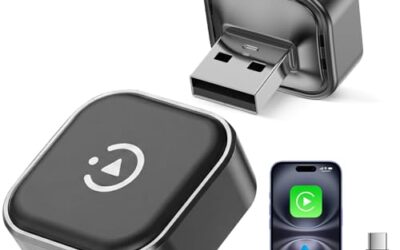
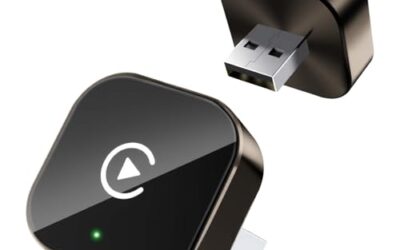
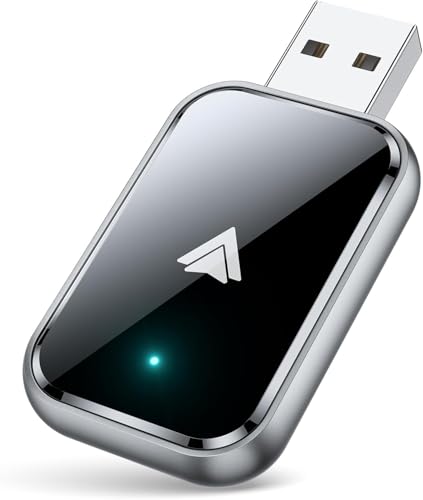
- Supports wireless Android Auto in vehicles with wired Android Auto
- Includes both USB-A and USB-C extension cables
- Offers Bluetooth 5.3 and 5.8 GHz Wi-Fi connectivity
- Includes a 2-year warranty
Cons
- Compatibility is specified only for vehicles that support wired Android Auto
Specifications
| Color | Black |
|---|---|
| Product Group | Wireless |
Best For / Avoid If
Best for buyers prioritizing
- Supports wireless Android Auto in vehicles with wired Android Auto
- Includes both USB-A and USB-C extension cables
- Offers Bluetooth 5.3 and 5.8 GHz Wi-Fi connectivity
Consider another option if
- Compatibility is specified only for vehicles that support wired Android Auto

Pros
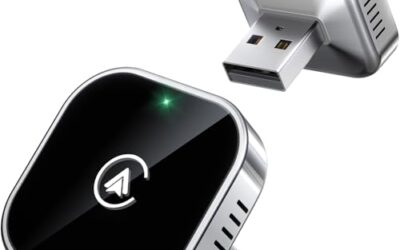
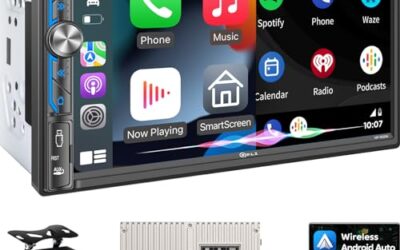
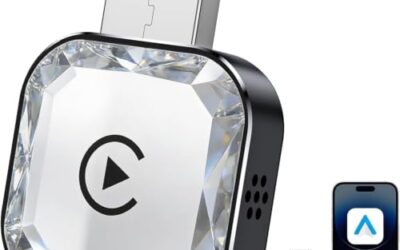
- Combines wireless CarPlay and Android Auto functionality in one adapter
- Advertised automatic pairing and reconnection
- Lists broad vehicle compatibility with 800+ models
- Includes a 2-year replacement guarantee and lifetime technical support
Cons
- Requires a vehicle with factory-wired CarPlay
- Compatibility is limited to iPhone devices running iOS 10+ and Android phones running Android 11+
Specifications
| Color | Black |
|---|---|
| Product Group | Wireless |
Best For / Avoid If
Best for buyers prioritizing
- Combines wireless CarPlay and Android Auto functionality in one adapter
- Advertised automatic pairing and reconnection
- Lists broad vehicle compatibility with 800+ models
Consider another option if
- Requires a vehicle with factory-wired CarPlay
- Compatibility is limited to iPhone devices running iOS 10+ and Android phones running Android 11+
Related reading: Android Auto Adapter Buying Guide and How to Connect Android Auto.
FAQ
Can Android Auto work with Bluetooth only?
Bluetooth alone can support functions such as calls or audio, but it cannot carry a wireless Android Auto session. Wireless Android Auto uses Wi-Fi for its main phone-to-car link.
Does wireless Android Auto use my home Wi-Fi?
It does not need a home router. The phone and vehicle establish a direct local Wi-Fi connection. Internet access for online apps is separate.
Can I use Android Auto with Bluetooth turned off?
Wireless Android Auto normally needs Bluetooth for connection setup, as well as Wi-Fi for the main session. Wired Android Auto uses USB for the main link, though Bluetooth may still serve other vehicle functions.
Why does Bluetooth connect but Android Auto not start?
Bluetooth pairing can succeed while the separate Wi-Fi projection connection fails. Check wireless Android Auto support, enable both radios, and follow the vehicle’s setup prompts.
Sources and further reading
- Set up Android Auto (Google): Review setup steps and connection requirements for Android Auto.