What Is Loop Recording On A Dash Cam
Loop recording on a dash cam is a feature that allows the device to continuously record video in a loop, overwriting the oldest files when the SD card’s storage is full. This ensures that the dash cam always keeps the most recent footage, which is crucial for capturing unexpected events like accidents or near-misses.
Key takeaways
- Loop recording maintains a circular storage system for video files.
- It requires a dash cam with an SD card slot and sufficient storage capacity.
- Understanding its mechanics helps in selecting the right SD card and interpreting footage.
- It is different from event-based recording which only saves clips triggered by motion or impact.
How Loop Recording Works
In a dash cam with loop recording enabled, the camera begins recording video as soon as it powers on or starts the session. The video is stored on the SD card in a sequential manner. As new video files are added, the oldest ones are deleted once the total storage limit is reached. This process is often referred to as a circular buffer because it behaves like a loop where the newest data overwrites the oldest.
This mechanism is similar to how a music playlist loops or how a ring buffer works in computer memory. The dash cam doesn’t stop recording; it just keeps going, deleting files in the background to make room for new ones. Most dash cams with loop recording will display a message or icon when the SD card is full, indicating that it is in loop mode.
It is important to note that the exact behavior can vary slightly between manufacturers. Some dash cams may have settings for loop recording duration or how they handle file naming. For example, some might overwrite files in a first-in-first-out manner, while others might prioritize certain files.
The process begins when the dash cam initializes its storage. It creates a new file for each recording session or continuously appends to the current file. When the file reaches a certain size or time limit, it closes and starts a new one. The loop is managed by the camera’s firmware, which monitors the available space and deletes files as needed. This is transparent to the user and happens in the background without interrupting the recording.
Many dash cams use a fixed buffer size, meaning they record for a set period before starting to overwrite. For instance, some models record the last 30 minutes in loop mode. This is useful for reviewing recent activity but means older footage is lost. Advanced models might allow customization of the loop duration.
Regarding file management, the dash cam typically organizes videos in folders by date and time. When overwriting, it removes the earliest dated file. This ensures chronological order is maintained until the loop kicks in.
Benefits of Loop Recording
One of the primary benefits is convenience. With loop recording, you do not have to worry about manually stopping and starting the recording or deleting old files. The dash cam handles it automatically, which is perfect for long-term monitoring of your vehicle.
Another benefit is the ability to capture the most recent events. If you park your car overnight or leave it for a week, the loop recording will ensure that any incident that happened recently is still on the SD card. This is especially useful for insurance claims or legal purposes where the latest footage is key.
Additionally, loop recording can extend the effective recording time without needing to change SD cards frequently. By using a larger capacity SD card, you can have days or weeks of continuous recording before it starts overwriting.
Loop recording is particularly valuable in parking mode, where the dash cam runs 24/7 to monitor the vehicle while you are away. It also supports constant surveillance in fleet or commercial applications, providing a reliable record of all activity without gaps caused by manual operations.
Furthermore, it reduces the need for frequent SD card swaps, saving time and ensuring uninterrupted coverage during critical periods such as commutes or extended drives.
Limitations and Considerations
Despite its advantages, loop recording has limitations. The most significant is the risk of overwriting important footage. If a critical event occurs after the SD card is full, the older files will be deleted, and you might lose evidence. To mitigate this, it is recommended to use the largest SD card your dash cam supports and to check the card regularly.
Another consideration is power supply. Dash cams with loop recording often need to be connected to the vehicle’s power source, either via a hardwire kit or cigarette lighter adapter. Ensure compatibility with your vehicle’s voltage and that the connection is secure to prevent power interruptions that could affect recording.
Some dash cams may not support loop recording if they have limited storage or specific firmware requirements. Always check the manual for your model to confirm support and any specific settings needed.
Compatibility with vehicle model year is important because older vehicles may have lower electrical output, which could affect sustained recording if not properly wired. Regional differences in power standards can also influence installation requirements. Always verify that the dash cam’s connector matches your vehicle’s cigarette lighter or hardwire kit specifications.
Choosing the Right SD Card for Loop Recording
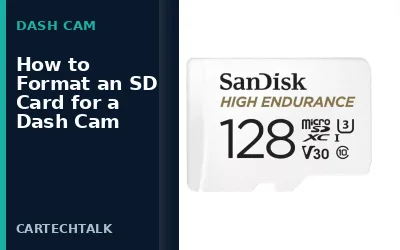
When using loop recording, the SD card is the key component. It needs to be high-speed, Class 10 or UHS-I rated for smooth recording, and of sufficient capacity. For example, a 128GB card might provide several hours of recording depending on resolution and frame rate.
Consider the resolution: Higher resolutions like 1080p or 4K will consume more storage, reducing the loop time. Also, ensure the SD card is compatible with your dash cam’s interface, such as microSD or full-size SD.
It is advisable to use a reputable brand like SanDisk or Samsung to avoid compatibility issues and data corruption.
To calculate approximate recording time, divide the SD card capacity in bytes by the data rate in bytes per second. For 1080p at 30 frames per second, the data rate is typically around 4-6 Mbps, or about 0.5-0.75 MB per second. A 64GB card would therefore support roughly 4-6 hours of continuous recording before overwriting begins. Always format the card in the dash cam before first use to ensure proper file system compatibility.
Common Mistakes
One common mistake is assuming that loop recording means the dash cam stops recording when full. In reality, it continues but overwrites old files.
Another mistake is not checking the SD card status regularly. Ignoring the full indicator can lead to lost footage.
Some users delete files manually, which can interfere with the loop process and cause errors.
Finally, not understanding the difference between loop recording and event recording can lead to confusion when reviewing footage.
Using a low-quality or counterfeit SD card can lead to frequent errors, corruption, and unreliable loop recording. Always opt for genuine high-endurance cards rated for continuous writing.
When to Get Professional Help
If your dash cam is not recording properly or the loop feature is not working as expected, it might be time to consult a professional. This could be due to hardware issues, corrupted SD card, or firmware problems. A technician can diagnose and repair the device or recommend upgrades.
Always ensure that the dash cam is properly installed and all connections are secure before seeking help.
FAQ
What is the difference between loop recording and event recording?
Loop recording records continuously without stopping, while event recording only saves clips when triggered by motion or impact. Loop recording is better for constant monitoring, but event recording is more efficient for storage.
How long does loop recording last on a dash cam?
The duration depends on the SD card capacity, resolution, and frame rate. A 64GB card at 1080p might last about 4-6 hours of continuous recording before starting to overwrite.
Can loop recording be disabled?
Yes, most dash cams allow you to turn off loop recording and use event-based recording instead, which saves storage by only recording when needed.
What happens if the SD card is full?
The dash cam will continue recording by overwriting the oldest files. You may see a message indicating the card is full.
Is loop recording safe for your vehicle?
Yes, when properly installed with a hardwire kit and quality SD card, it provides continuous protection without draining the battery excessively.