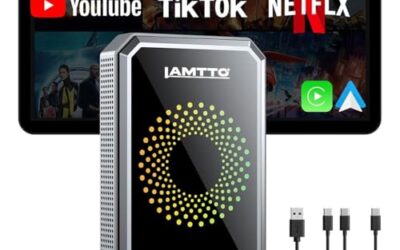
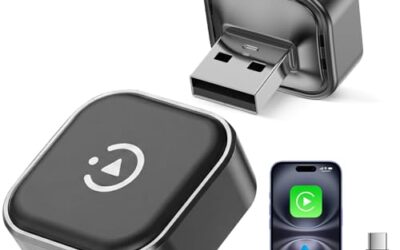
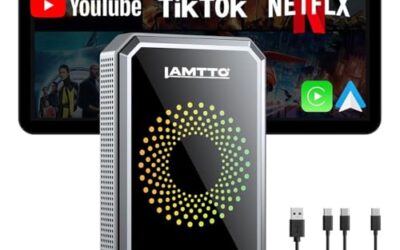
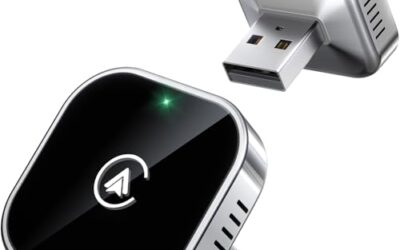
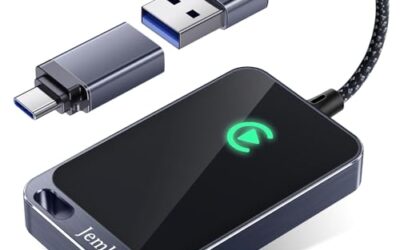
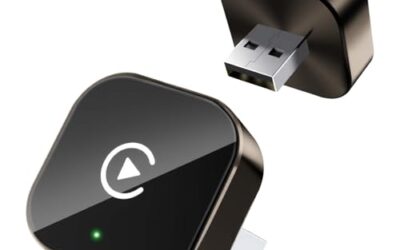
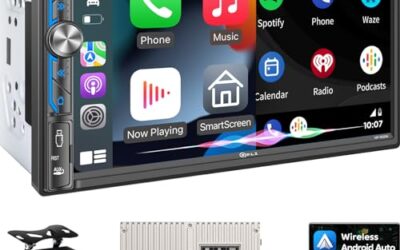
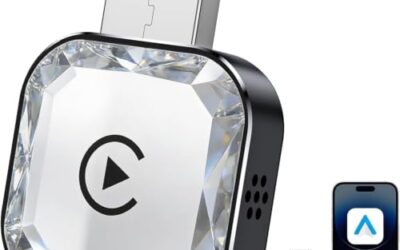
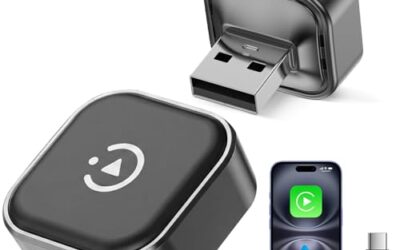
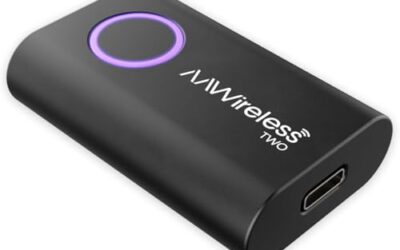
A wireless CarPlay adapter is a small hardware device that allows iPhone users to enjoy Apple CarPlay functionality without the need for a physical cable connecting the phone to the vehicle’s infotainment system. Instead of plugging in a cable every time you start your car, you simply pair your phone wirelessly, and the car’s screen displays the familiar CarPlay interface for navigation, music, messaging, and more.
This technology has become increasingly popular as more vehicles adopt wireless CarPlay standards, but adapters remain essential for older models or those without native wireless support. Understanding what a wireless CarPlay adapter is and how it functions is key to deciding if it fits your driving needs.
Key Takeaways
- Wireless CarPlay adapters bridge the gap for vehicles lacking built-in wireless support.
- They rely on Bluetooth for phone pairing and Wi-Fi for data transfer to the head unit.
- Compatible with most cars that support standard CarPlay since around 2014.
- Provides convenience by eliminating cable clutter and potential damage.
How a Wireless CarPlay Adapter Works
The process begins when you plug the adapter into your vehicle’s USB port. This connection supplies power to the adapter and allows it to communicate with the car’s head unit. Next, you use Bluetooth to pair your iPhone with the adapter. Once connected, the adapter sets up a Wi-Fi network that the car’s system joins. The CarPlay data is then streamed from your iPhone to the car’s display through this wireless link. You can interact with the system using Siri voice commands, touch controls on the car’s screen, or your phone’s interface.
This setup emulates the wired experience but removes the cable dependency. For vehicles with built-in wireless CarPlay, no adapter is needed as the phone connects directly to the car via Wi-Fi. Adapters are particularly useful in older vehicles or those where the USB port is not easily accessible during use.
Benefits of Using a Wireless CarPlay Adapter
One of the primary advantages is convenience. No more fumbling with cables in the dark or dealing with tangled wires that can get caught in your car’s interior. This is especially beneficial during long drives or in vehicles with limited cable management options. Additionally, wireless connections can feel more seamless once set up, as there’s no physical connection to maintain.
Another benefit is reduced risk of damage to your phone’s charging port from repeated plugging and unplugging. Over time, these ports can wear out, leading to connection issues. Wireless adapters help preserve your device’s hardware. Furthermore, they integrate well with modern vehicles that have advanced infotainment systems, allowing for a more premium feel without additional hardware modifications.
Drivers appreciate the ability to use features like Apple Maps for turn-by-turn navigation or streaming music from services like Apple Music directly on the car’s speakers. The wireless nature also means you can move around the car more freely without being tethered to the dashboard. In addition, it can improve overall driving safety by reducing distractions from handling cables while focusing on the road.
Compatibility and Requirements
Wireless CarPlay adapters are designed to work with vehicles that support Apple CarPlay through a wired connection. This typically includes most passenger vehicles, SUVs, and some trucks manufactured from 2014 onward, depending on the model and manufacturer. You will need an iPhone running iOS 12 or later for full compatibility, as earlier versions may not support the wireless protocol.
Vehicle requirements include a USB port that provides both power and data. Voltage is usually 5 volts, and the connector is standard USB-A or USB-C depending on the car. Some adapters may require a specific power output from the vehicle. It’s important to note that not all cars with CarPlay support wireless natively; in those cases, an adapter fills the void. Always check your vehicle’s manual or infotainment system specifications to confirm CarPlay support before purchasing an adapter.
Phone compatibility is straightforward for iPhones, but Android users cannot use these adapters as they are designed exclusively for Apple CarPlay. Firmware updates for both the adapter and your iPhone can improve performance and fix bugs. Regional differences may affect availability and features, such as language support or additional functions like Apple CarPlay on the go. For example, certain countries may have variations in supported languages or additional safety features integrated into the CarPlay system.
Limitations and Considerations
While wireless CarPlay offers many benefits, there are limitations to consider. One common issue is potential latency or delay in response times compared to wired connections. This can be noticeable when using navigation or when Siri responds to voice commands. Signal interference from other wireless devices in the car or poor Wi-Fi coverage in certain areas can also affect performance.
Some vehicles may have restrictions on what features are available through wireless CarPlay, such as limited support for certain apps or no integration with the vehicle’s climate control. Battery life on your iPhone may decrease faster due to the constant wireless connection. Adapters themselves require a stable power source from the car’s USB port, so if your vehicle has a weak USB output, the adapter may not function properly.
Uncertainty in compatibility can arise with aftermarket adapters from lesser-known brands. Always read reviews and check for compatibility lists provided by the manufacturer. In some cases, the adapter might not support all CarPlay features like the ability to use the phone’s keyboard or certain third-party apps. It is also worth noting that the effectiveness can vary based on the specific car’s head unit processing capabilities, meaning some vehicles may experience more noticeable delays than others.
Common Mistakes
One frequent mistake is assuming that any wireless CarPlay adapter will work with any vehicle. Without checking compatibility, you may end up with a device that doesn’t connect or displays errors. Another error is not updating the firmware on the adapter or your iPhone, which can lead to connection problems or missing features.
Some users forget to ensure the car’s USB port is enabled for CarPlay before using the adapter. Others might try to use the adapter in vehicles that do not support CarPlay at all, resulting in no display on the screen. Additionally, ignoring the need for a strong Wi-Fi signal can cause intermittent disconnections. Finally, some people expect the same level of integration as built-in wireless CarPlay, but adapters may have slightly different behaviors in certain scenarios. A common oversight is not considering the adapter’s physical size, as bulkier models can sometimes interfere with nearby controls or the vehicle’s center console.
When to Get Professional Help
If your vehicle does not have any CarPlay support, a wireless adapter will not work, and you may need to consider upgrading the head unit or using a different solution like a screen replacement. Persistent connection issues, such as failing to pair or dropping the Wi-Fi link frequently, could indicate a faulty adapter or problem with the car’s USB port. In such cases, consulting a professional mechanic or automotive technician is recommended to diagnose hardware issues.
Also, if you experience safety concerns related to the adapter, such as it obstructing controls or creating electrical hazards, professional inspection is advised. For complex problems involving multiple vehicle systems, it’s best to seek help from a certified technician rather than attempting DIY fixes that could void warranties. If the issue involves electrical systems or potential damage to the vehicle’s wiring, a qualified professional can perform a thorough inspection to ensure everything is safe and functioning correctly.
FAQ
What exactly is a wireless CarPlay adapter?
A wireless CarPlay adapter is a device that adds wireless connectivity to Apple CarPlay in vehicles without built-in support. It uses Bluetooth and Wi-Fi to connect your iPhone to the car’s system without cables.
Is a wireless CarPlay adapter compatible with all vehicles?
No, compatibility depends on whether the vehicle supports Apple CarPlay. Most cars from 2014 or newer with CarPlay can use these adapters, but you must verify your specific model.
How does a wireless CarPlay adapter differ from built-in wireless CarPlay?
Built-in wireless CarPlay connects directly from the phone to the car without any adapter. Adapters are used when the car lacks this native feature, providing a similar experience through additional hardware.
Can I use a wireless CarPlay adapter with Android phones?
No, wireless CarPlay adapters are designed specifically for iPhones and Apple CarPlay. They are not compatible with Android Auto or Android phones.
What should I do if the adapter doesn’t connect?
Try restarting the adapter and phone, ensure firmware is updated, and confirm USB port compatibility. If issues persist, check vehicle manual or seek professional help.