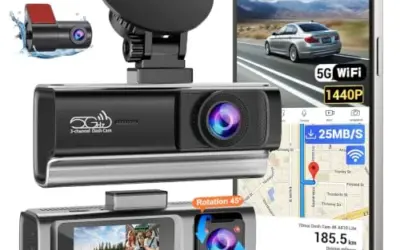

How to use a dash cam with a heated windshield depends on the windshield heating layout, camera signal needs, and available mounting space. Place the lens inside a clear area, keep the camera away from heating elements and coatings, then test video, GPS, Wi-Fi, and power with the windshield heater on and off.
- Heated glass can create image lines, glare, or signal loss.
- Do not cover heating elements, rain sensors, VIN markings, or driver-view areas.
- GPS and Wi-Fi antennas may work poorly behind metallic glass.
- Use the vehicle manual and dash cam manual for mounting limits.
- Test during daylight, darkness, rain, and windshield heating.
Why heated windshields can affect dash cams
Heated windshields use fine conductive elements inside laminated glass. Some use visible wires. Others use a thin conductive layer that looks nearly clear. The system melts frost or clears fog by sending electrical current through the glass.
That construction can affect a dash cam in three ways. First, heating lines may appear as bright or dark streaks in recorded video. Second, metallic layers can weaken radio signals. Third, the glass may have a special area intended for toll tags, GPS devices, or other wireless equipment.
Effects vary by vehicle model-year and windshield replacement. Two vehicles with the same trim name can use different glass, sensors, or antenna layouts. Aftermarket glass may also differ from original equipment glass. A replacement windshield can change camera clearance, heating lines, or signal performance.
How to use a dash cam with a heated windshield
- Read both manuals. Check the vehicle manual for heated windshield zones, sensor locations, camera restrictions, and power limits. Check the dash cam manual for required lens clearance, mounting temperature limits, GPS antenna location, and adhesive instructions.
- Identify the clear mounting zone. Sit in the driver seat and inspect the windshield from inside. Look for a section without dense heating lines, metallic shading, sensor housings, inspection stickers, or dark frit around the glass edge. Keep the camera behind the rearview mirror only if that location gives the lens a clear road view and does not block sensors.
- Keep the lens inside the wiper-cleared area. A dash cam records through glass. Dirt, water, ice, and road film can ruin footage even when the camera works correctly. Mount the lens where the windshield wipers clear the road view.
- Keep the camera away from the glass. Do not press the lens or camera body against the windshield. Leave the clearance required by the camera mount. Heat from the glass, vibration, and condensation can affect focus and adhesion.
- Route power without crossing safety equipment. Tuck the cable along trim only where the vehicle manual permits. Do not place wiring across an airbag cover or inside an airbag deployment path. A loose cable can distract the driver or interfere with service.
- Test recording with heating off. Record a short drive or stationary road scene. Check focus, glare, exposure, plate readability, date and time, audio, and memory card operation.
- Test again with heating on. Activate the windshield heater according to the vehicle manual. Compare the footage. Watch for horizontal lines, flicker, haze, reflections, or a sudden loss of GPS and Wi-Fi.
- Test during different conditions. Repeat the check in daylight, at night, during rain, and after frost or fog. A camera can look clear in a driveway but lose useful detail under headlights or wet glass.
- Move the camera only when testing shows a problem. Shift it a small distance within the legal and safe viewing area. Test each new position. Do not place it where it blocks forward view, sensors, mirror movement, or windshield defrost airflow.
Best mounting positions for heated windshield vehicles
Behind the rearview mirror
This position usually gives a centered road view and keeps the camera out of direct sight. It can fail when the center windshield area contains dense heating elements, a large camera housing, a rain sensor, or a metallic signal-control zone.
Check the lens view from the driver seat. The camera should see the road without the mirror, roof edge, sun visor, or glass tint taking up too much of the frame.
Passenger-side upper windshield
A passenger-side position can avoid a central heated zone or factory sensor cluster. It may produce an off-center view and can make the vehicle hood appear uneven in the frame. Confirm that the camera still records traffic lanes and signs clearly.
Lower windshield position
A lower mount may avoid upper glass hardware, but it can face more dashboard glare. It also sits closer to heat from the defroster vents and may be more visible from outside. Do not place it where the hood blocks too much of the road.
Rear camera placement
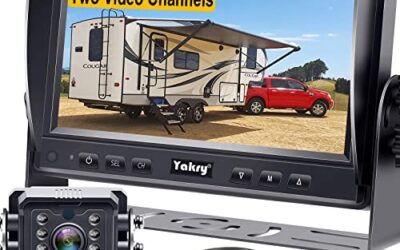
For a front-and-rear system, the rear camera faces a different glass problem. Rear heated glass often has obvious defroster lines. Those lines can appear in footage, especially at night. Mount the camera between lines only if the view remains clear, and keep the lens within the rear wiper-cleaned area when possible.
Heated windshield signal problems
Video recording and wireless communication use different parts of the camera. A dash cam can record normally while GPS, Wi-Fi, or a connected phone works poorly. Treat each symptom separately.
| Symptom | Possible cause | Practical check |
|---|---|---|
| Bright lines in video | Heating wires, reflections, or electrical interference | Compare footage with heater off and move the lens away from dense lines |
| GPS takes longer to lock | Metallic glass, antenna position, or weak sky view | Test outdoors with heater off, then test from another mount position |
| Phone loses camera Wi-Fi | Glass attenuation, phone distance, or radio interference | Move the phone closer and compare heater states |
| Foggy or hazy footage | Condensation, dirty glass, or lens film | Clean both glass surfaces and allow the cabin and glass to stabilize |
| Camera restarts | Loose power connection, voltage drop, heat, or faulty cable | Inspect power connections and test another approved power source |
Heated glass is not the only cause of these symptoms. A dirty lens, failing memory card, weak USB adapter, poor ground, damaged cable, or outdated firmware can create similar results. Change one factor at a time so the cause stays clear.
GPS, Wi-Fi, and phone compatibility
GPS performance depends on antenna placement and the glass between the antenna and sky. Some cameras place GPS inside the main body. Others use a separate mount or antenna. If the antenna sits behind a metallic windshield layer, location data may take longer to appear or may drop during a drive.
Wi-Fi connection depends on camera radio hardware, phone OS, app support, and distance. Heated glass can weaken the link, but app permissions or old firmware can cause the same symptom. Check whether the dash cam app supports the phone’s current iOS or Android version. A camera may record without its phone app, so a failed Wi-Fi link does not always mean failed video.
Vehicle model-year matters for more than glass. Newer vehicles may use camera modules, rain sensors, lane systems, head-up displays, or built-in antennas near the rearview mirror. A dash cam mount must not cover or touch those parts. Some vehicles also limit accessory power after shutdown, while others keep outlets active until a timed sleep cycle.
Power choices and parking mode
Use the power adapter supplied for the camera or one with matching voltage, connector, polarity, and current capacity. A USB-C connector alone does not prove compatibility. USB-C power profiles can differ, and a vehicle outlet may provide power only when the ignition is on.
Parking mode needs special care. A hardwire kit may monitor battery voltage and cut power at a set threshold, but settings differ by kit and vehicle. Hybrid and electric vehicles can have different 12-volt battery behavior. Follow the vehicle and hardwire-kit instructions. Do not route a fuse tap into a safety circuit without identifying its function.
Heated windshield use adds electrical load while the engine or vehicle system manages other loads. The heater does not normally make a properly powered dash cam incompatible, but a weak battery, poor connection, or incorrect hardwire circuit can cause restarts. If parking mode drains the battery or the camera reboots, stop using that setup until the power circuit is checked.
Common mistakes
- Mounting over heating lines without testing: The camera may record permanent streaks or glare.
- Cleaning only the camera lens: Dirt on the windshield creates the same soft image as a dirty lens.
- Using a suction mount in a restricted area: The mount can block view or interfere with sensors.
- Assuming a replacement windshield matches the original: Heating layout, coatings, tint, and sensor windows can change.
- Blaming heated glass for every GPS failure: Firmware, antenna faults, and poor sky view also matter.
- Leaving the heater on during every test: Compare both states to isolate the effect.
- Running cable across an airbag path: A cable can become a hazard during deployment.
- Ignoring rear defroster lines: Rear footage can show lines, glare, or blooming at night.
When to get professional help
Ask a qualified installer or vehicle glass technician for help when the camera view overlaps a factory sensor, camera module, head-up display area, or airbag path. Professional help also makes sense after windshield replacement when driver-assistance systems show warnings or require calibration.
Stop testing and arrange inspection if the windshield heater trips a fuse, smells hot, damages glass, or causes unusual electrical behavior. Do not defeat a fuse, splice into unknown wires, or remove factory sensor housings to make room for a camera.
A professional can also check a hardwire installation that causes battery discharge, repeated camera restarts, or vehicle fault messages. Clearing a code does not repair the wiring, sensor alignment, or power fault that caused it.
Decision checklist
- Does the chosen position keep the road view clear?
- Does the lens sit inside the wiper-cleaned area?
- Does the mount avoid heating lines, sensors, tint bands, and VIN markings?
- Does footage remain clear with the heater on?
- Does GPS work from the chosen position?
- Does phone Wi-Fi remain usable with the vehicle and phone OS?
- Does the power connection match the camera’s voltage and connector needs?
- Does parking mode avoid battery drain and safety-circuit wiring?
Next step: How To Mount A Dash Cam On A Tinted Windshield, How To Check Dash Cam Firmware Version and How To Share Dash Cam Footage With An Insurer.
Next step: How To Aim A Rear Dash Cam.
Next step: How To Set The Date And Time On A Dash Cam and Best Dash Cam for Pickup Trucks.
Next step: How To Set Dash Cam Exposure Compensation and How To Blur Faces And License Plates In Dash Cam Footage.
Gear that can help
If you need dash cams for this job, these picks already appear in our dash cams guides. Check the full guide for fit and who should skip each one.

Pros
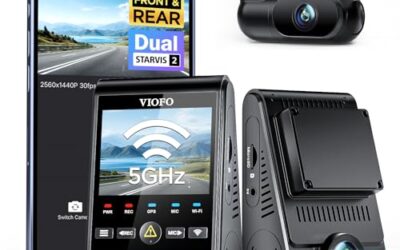
- Four-camera coverage records the front, rear, and both sides of the vehicle
- A 64GB memory card is included for immediate recording
- GPS and 5GHz Wi-Fi support app-based video management and location tracking
- The G-sensor automatically locks footage when sudden shakes or collisions are detected
Cons
- The parking monitoring function requires a separately purchased hardwire kit
Specifications
| Color | Gold |
|---|---|
| Dimensions | 1.5 x 2.2 x 6.3 inches |
| Product Group | Electronics |
Best For / Avoid If
Best for buyers prioritizing
- Four-camera coverage records the front, rear, and both sides of the vehicle
- A 64GB memory card is included for immediate recording
- GPS and 5GHz Wi-Fi support app-based video management and location tracking
Consider another option if
- The parking monitoring function requires a separately purchased hardwire kit

Pros
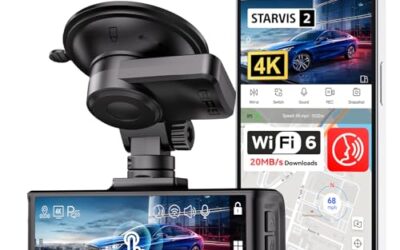
- High-resolution 4K front and 1080P rear recording
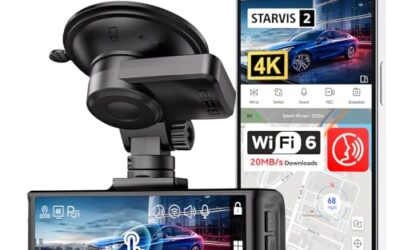
- STARVIS 2 sensor with WDR and HDR features for varied lighting conditions
- Supercapacitor design is specified as more heat-resistant than a lithium battery
- Includes an 18-month warranty and customer support
Cons
- A hardwire kit is needed for the listed parking modes
Specifications
| Color | black |
|---|---|
| Size | F7NP-128GB SD Card |
| Dimensions | 3.7401574765 x 1.46062991977 x 0.79133858187 inches |
| Weight | 0.25 Pounds |
| Product Group | Electronics |
| Binding | Electronics |
Best For / Avoid If
Best for buyers prioritizing
- High-resolution 4K front and 1080P rear recording
- STARVIS 2 sensor with WDR and HDR features for varied lighting conditions
- Supercapacitor design is specified as more heat-resistant than a lithium battery
Consider another option if
- A hardwire kit is needed for the listed parking modes
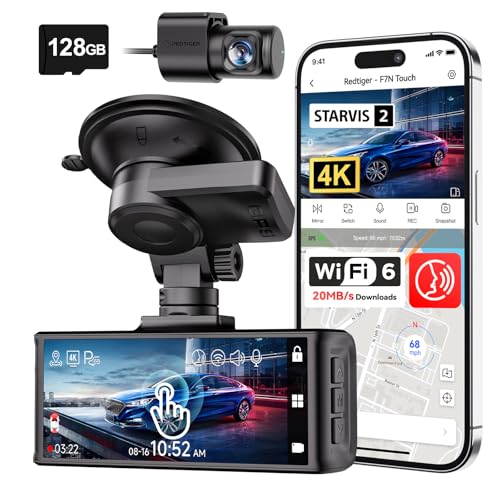
Pros
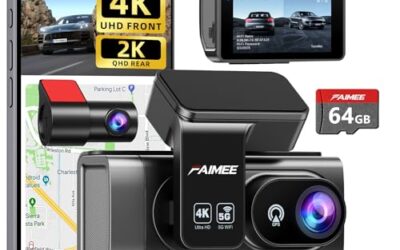
- High-resolution 4K front and 1080P rear recording
- Multiple control options, including voice commands, touchscreen, and physical buttons
- Built-in GPS and wireless smartphone connectivity
- Includes a 128GB card and supports automatic loop recording
- Includes an 18-month guarantee and 24/7 customer support
Cons
- Parking monitoring requires a separate hardwire kit
- Rear camera resolution is limited to 1080P compared with the 4K front camera
Specifications
| Color | Black |
|---|---|
| Dimensions | 2.362204722 x 1.2598425184 x 3.8188976339 inches |
| Weight | 0.25 pounds |
| Product Group | Wireless |
| Binding | Electronics |
Best For / Avoid If
Best for buyers prioritizing
- High-resolution 4K front and 1080P rear recording
- Multiple control options, including voice commands, touchscreen, and physical buttons
- Built-in GPS and wireless smartphone connectivity
Consider another option if
- Parking monitoring requires a separate hardwire kit
- Rear camera resolution is limited to 1080P compared with the 4K front camera
FAQ
Can a dash cam damage a heated windshield?
A correctly mounted dash cam should not damage the glass. Damage risk rises if the mount presses hard on the windshield, the adhesive is used outside its temperature range, or wiring interferes with factory equipment.
Will heated windshield wires show in dash cam video?
They can. Visibility depends on wire spacing, camera exposure, lighting, focus, and viewing angle. Test the actual camera position with the heater on before fixing the mount permanently.
Can a dash cam work behind metallic windshield glass?
Video may work normally, while GPS, Wi-Fi, or other radio functions weaken. A separate GPS antenna or another mounting zone may help if the camera supports that setup.
Should the windshield heater stay off while recording?
No blanket rule applies. Use the heater when needed, but test footage first. If it creates lines or signal loss, move the camera or use another supported position.
Does windshield replacement change dash cam performance?
It can. Replacement glass may use different heating elements, coatings, tint, or sensor windows. Recheck camera focus, GPS, wireless connection, and driver-assistance systems after replacement.
Sources and further reading
- Check for Recalls (NHTSA): Check open safety recalls that may affect vehicle cameras or related equipment.