
To share dash cam footage with an insurer, preserve the original recording and send a playable copy through the claims channel the insurer specifies. Include the claim number and incident details requested by the adjuster. Keep the original files rather than replacing them with an edited or compressed copy.
- Protect original evidence: Stop recording over files after crash.
- Use insurer-approved delivery: Upload portal, claim email, mobile app, or adjuster link.
- Send context: Include date, time, location, vehicle, direction of travel, and file names.
- Keep privacy in mind: Video can capture faces, plates, homes, audio, and unrelated events.
- Preserve chain of custody: Keep original card and untouched files until claim closes.
What you need before sending dash cam footage
Gather evidence before opening the dash cam app or removing its memory card. Many cameras use loop recording. New driving footage can overwrite older clips when storage fills. A locked event file may resist deletion, but do not rely on that protection.
- Original microSD card, if available
- Front, rear, cabin, or side-camera files tied to incident
- Any event, parking-mode, or emergency-lock files
- Camera date and time settings
- Vehicle location and direction of travel
- Claim number and adjuster contact
- Computer or phone with enough storage for copied files
- Playback software that supports camera file format
Check camera time before describing events. GPS time, camera time, and phone time can differ. If timestamp looks wrong, report that fact instead of silently correcting video metadata.
How to share dash cam footage with an insurer
1. Stop recording over incident files
Turn off camera, remove its memory card, or copy needed files immediately. Follow camera instructions for safe shutdown. Pulling a card during active writing can corrupt files.
If camera uses internal storage or cloud recording, stop automatic deletion if its app offers that control. Do not format card after copying. Do not keep driving with full storage if doing so might overwrite incident footage.
2. Identify every relevant file
Review folders for normal driving, event, parking, rear-camera, and cabin-camera clips. File names often use camera time rather than actual time. Open each candidate file and note its start and end time.
Save a short list with file name, camera view, duration, and event relationship. Include clips before and after collision when available. A few seconds before impact can show traffic signal, lane position, speed changes, or another driver’s approach.
| File type | Why insurer may need it | Handling step |
|---|---|---|
| Original camera file | Preserves native metadata and recording format | Keep untouched on original card or backup drive |
| Copied video | Allows upload and review without using card | Copy without editing or conversion first |
| Exported MP4 | Often plays on common phones and computers | Send only as a viewing copy when needed |
| Still image | Shows plate, damage, signal, or road position | Label image and retain source video |
| GPS or telemetry file | May show location, speed, or route | Send only when requested or relevant |
3. Make an untouched backup
Copy files from card to computer or external storage. Do not trim, filter, stabilize, add captions, change speed, or convert original files during first backup. Editing can remove metadata or create questions about what changed.
Make a second copy in another safe location. Keep original card separate from working copy. If card shows errors, stop repeated attempts. Recovery software can alter storage, and professional recovery may provide better odds for important evidence.
4. Contact insurer before choosing delivery method
Tell adjuster that dash cam footage exists. Ask for approved upload method and accepted file types. Insurers may use claim portals, secure links, mobile apps, email instructions, or physical media. Method varies by insurer, claim type, state, and adjuster.
Do not send large video files to an unverified email address. Confirm address through insurer app, claim paperwork, official website, or phone number on insurance card. Public file links can expose footage to anyone with the link.
5. Upload or send original-quality copies
Follow portal limits for file size and format. Upload a direct copy when accepted. If portal rejects native files, export a playable copy from camera software and keep originals unchanged.
Do not record a screen with another phone unless no usable export exists. Screen recordings can lose detail, sound, timestamps, and field of view. If that method becomes necessary, state how recording was made and preserve original footage.
6. Add a factual evidence note
Use short facts, not conclusions. State what camera recorded and when. Avoid saying video proves fault unless adjuster asks for your view. Insurance liability decisions can depend on statements, police reports, vehicle damage, witnesses, traffic rules, and other evidence.
Useful note format:
Claim number: [number]. Incident date: [date]. Approximate incident time: [time and time zone]. Location: [street, city, state]. Vehicle direction: [direction]. Camera views: [front, rear, cabin]. Files: [names]. Camera clock appeared [accurate, fast, or slow] by approximately [amount], if known. Original files and memory card retained.
7. Confirm receipt and preserve everything
Save upload confirmation, email headers, portal receipt, file names, and submission date. Ask adjuster whether all files opened correctly. If one file failed, send replacement through approved channel instead of deleting or renaming original.
Keep card, backups, camera, and related photographs until claim closes and any dispute or legal process ends. An insurer may ask for another export, a higher-quality file, or footage from another camera angle.
Phone and computer compatibility limits
Dash cams can use MP4, MOV, AVI, proprietary video, H.264, H.265, or companion-app exports. Phone OS version, camera firmware, and app version can affect playback and export. Older phones may lack hardware support for H.265 video, while some insurer portals reject large 4K files.
Try playback on the device used for export before uploading. Check image, sound, timestamp, and full duration. A file that plays in camera app may fail in a browser. A computer can offer more storage and file control than a phone.
Some cameras split one drive into several short files. Send adjacent clips when they cover same event. Do not assume one locked file contains entire incident. Front and rear cameras may save files in separate folders or under different time stamps.
Vehicle power setup also matters. A hardwired camera may record parking footage through low-voltage protection, while a camera powered from switched USB may stop when ignition turns off. Do not change wiring after incident just to recover footage. Vehicle model-year, fuse circuit, accessory socket behavior, and camera firmware can affect what parking files exist.
Privacy, audio, and legal concerns
Dash cam footage may show passengers, pedestrians, children, license plates, private property, or unrelated crashes. Audio may record conversations inside vehicle. Privacy and recording rules vary by state and situation. An insurer may need a full clip, but that does not mean public posting is wise.
Ask adjuster whether audio is needed. Do not mute or remove audio from original. Provide an unedited original and a muted viewing copy only when insurer accepts that arrangement.
Do not post footage on social media before claim review. Public posts can remove context, expose personal data, or complicate statements. Do not confront another driver using information captured in video.
Common mistakes
- Continuing to drive: Loop recording may overwrite incident clips.
- Formatting card: Formatting removes accessible file entries and can complicate recovery.
- Sending only a trimmed clip: Missing seconds may hide useful lead-up or aftermath.
- Changing speed or adding captions: Edits can raise questions about accuracy.
- Using a public cloud link: Anyone with access may view or download footage.
- Relying on camera time: Wrong time zone or clock drift can mislead review.
- Sending screenshots alone: Still images cannot show sequence, movement, or sound.
- Deleting the original after upload: Portal receipt does not replace preserved evidence.
- Making fault claims from one angle: Camera field of view may omit signals, lanes, or driver actions.
When to get professional help
Contact a qualified data-recovery specialist when card is unreadable, files disappeared, camera will not power on, or footage matters to a serious injury or disputed claim. Stop using damaged storage first. Continued recording can overwrite recoverable data.
Consider legal advice when crash involves serious injury, death, disputed liability, commercial vehicle, police investigation, lawsuit, or demand for recorded statements. A lawyer can address preservation duties, privacy questions, and evidence requests. An insurer’s request for footage does not itself answer every legal question.
Seek vehicle or camera service when hardwired power stays active, camera overheats, battery protection cuts power repeatedly, or firmware update fails. Do not probe vehicle wiring around airbags or alter fuse protection without correct vehicle instructions.
Decision tree for sending footage
- Footage still exists? Stop recording and preserve card. If missing, avoid repeated use and ask about recovery.
- Files play normally? Make untouched backup. If not, try original camera software before conversion.
- Insurer gave upload instructions? Use that channel. If not, contact adjuster through verified insurer contact.
- Portal rejects native file? Keep original, create compatible viewing copy, and label conversion.
- More than one relevant angle? Send front, rear, cabin, and adjacent clips when they cover event.
- Upload completed? Save receipt and confirm adjuster can open each file.
Related dash cam guidance
Camera placement, vehicle fit, and recording coverage affect evidence before crash occurs. CarTechTalk’s guide to the best dash cam for ford bronco covers OEM-fit and front-rear setup questions. Its Thinkware dash cam comparison explains differences among several camera systems and recording approaches.
For vehicle-specific coverage, see the guide to the best dash cam for hyundai kona. Check camera instructions for storage limits, app behavior, firmware, and power requirements because those details affect file recovery.
Gear that can help
If you need dash cams for this job, these picks already appear in our dash cams guides. Check the full guide for fit and who should skip each one.

Pros
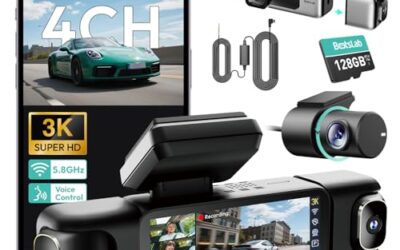
- Provides four-camera coverage around the vehicle
- Includes night vision with eight infrared lights and WDR technology
- Supports time-lapse, loop recording and incident-lock functions
- Offers Wi-Fi app integration for iOS and Android devices
Cons
- GPS tracking requires a separately sold GPS logger
- Parking mode requires a separately sold ACC hardwire kit
Specifications
| Color | Black |
|---|---|
| Size | Compact size |
| Dimensions | 6.5 x 1.8 x 2.5 inches |
| Weight | 0.3125 pounds |
| Product Group | Wireless |
| Binding | Electronics |
Best For / Avoid If
Best for buyers prioritizing
- Provides four-camera coverage around the vehicle
- Includes night vision with eight infrared lights and WDR technology
- Supports time-lapse, loop recording and incident-lock functions
Consider another option if
- GPS tracking requires a separately sold GPS logger
- Parking mode requires a separately sold ACC hardwire kit

Pros
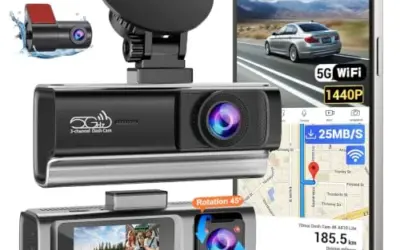
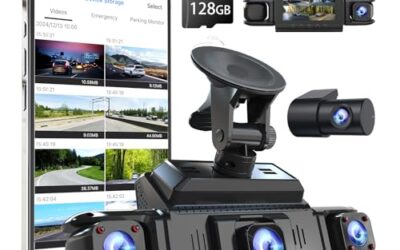
- Three-camera coverage records the road ahead, rear view, and cabin simultaneously
- GPS data is embedded in recordings for route and speed reference
- Includes a 128GB memory card and supports automatic collision footage protection
- Supports wireless control and video downloads through the TERUNSOUl app
Cons
- Parking mode requires a separate hardwire kit
- The listing does not identify the exact iOS or Android version requirements
Specifications
| Color | Black |
|---|---|
| Dimensions | 1.574803148 x 3.149606296 x 1.3779527545 inches |
| Weight | 0.551155655 pounds |
| Product Group | Electronics |
Best For / Avoid If
Best for buyers prioritizing
- Three-camera coverage records the road ahead, rear view, and cabin simultaneously
- GPS data is embedded in recordings for route and speed reference
- Includes a 128GB memory card and supports automatic collision footage protection
Consider another option if
- Parking mode requires a separate hardwire kit
- The listing does not identify the exact iOS or Android version requirements

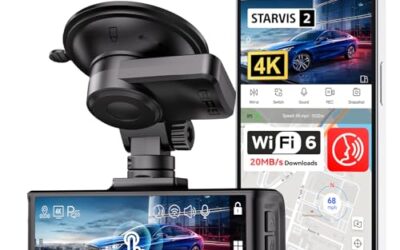
Pros
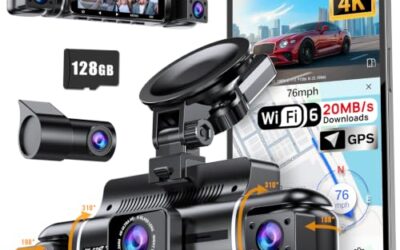
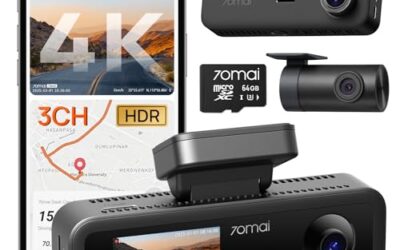
- 4K recording is specified for both the front and rear cameras
- Includes a 128GB card for recording out of the box
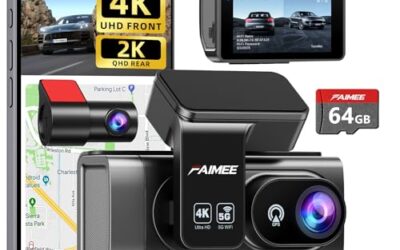
- Provides built-in GPS and dual-band WiFi 6 connectivity
- Includes a stated 3-year guarantee and 24/7 customer support
Cons
- The hardwire kit needed for 24-hour parking monitoring is sold separately
Specifications
| Color | Black |
|---|---|
| Size | 3 |
| Dimensions | 1.3779527545 x 3.7401574765 x 1.7716535415 Inches |
| Weight | 0.3968320716 Pounds |
| Product Group | Electronics |
Best For / Avoid If
Best for buyers prioritizing
- 4K recording is specified for both the front and rear cameras
- Includes a 128GB card for recording out of the box
- Provides built-in GPS and dual-band WiFi 6 connectivity
Consider another option if
- The hardwire kit needed for 24-hour parking monitoring is sold separately
FAQ
Should I send dash cam footage before filing a claim?
Open or report claim according to insurer procedure, then tell adjuster footage exists. Ask for approved delivery method before sending files.
Can I email dash cam video to an insurer?
Sometimes. Use email only when insurer or adjuster provides and verifies address. Large files may require secure portal or upload link.
Should I edit dash cam footage before sending it?
Keep original untouched. A short export can help viewing, but label it as a copy and retain native files, metadata, and memory card.
What if dash cam timestamp is wrong?
Send footage and explain known clock error. Do not rewrite timestamp or present camera time as exact if clock drift exists.
How long should I keep dash cam footage?
Keep original card, backups, and submission records until claim closes and no dispute, lawsuit, or evidence request remains. Ask adjuster or lawyer about longer retention when claim is contested.