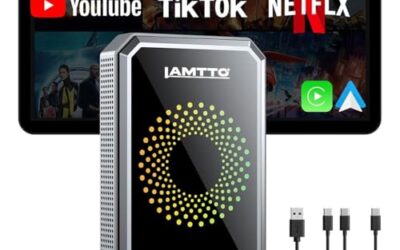
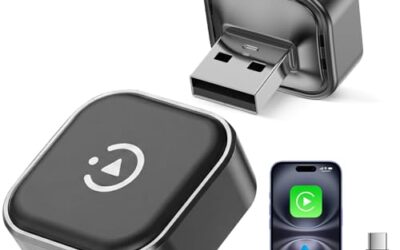
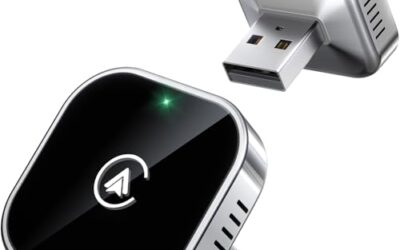
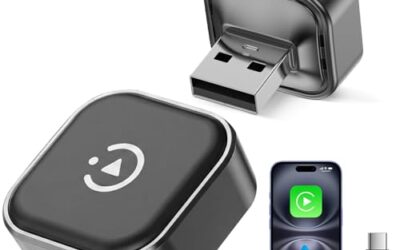
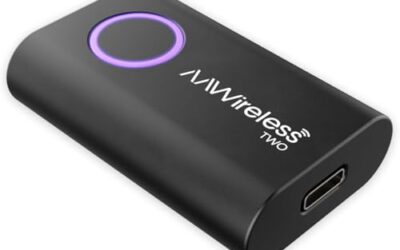
A wireless CarPlay adapter allows you to stream Apple CarPlay or Android Auto wirelessly from your smartphone to your vehicle’s dashboard display. This setup enhances safety by keeping your eyes on the road while providing access to navigation, music, and messaging apps. Resetting the adapter is often the first step to fix connectivity problems, restore functionality, or recover from temporary glitches. The process is usually simple and can be completed in a few minutes.
In this guide, we will cover the reasons for resetting, the prerequisites, detailed step-by-step instructions, compatibility factors, common mistakes to avoid, and when to seek professional help. By following these steps, you can ensure your wireless CarPlay adapter operates smoothly with your specific vehicle and phone combination.
Key takeaways
- Resetting clears temporary software issues in the adapter.
- Power cycling is the safest and most effective initial reset method.
- Always disconnect your phone before resetting the adapter.
- Check compatibility with your vehicle model year and phone OS.
- Firmware updates should be performed after a reset for best results.
What is a Wireless Carplay Adapter?
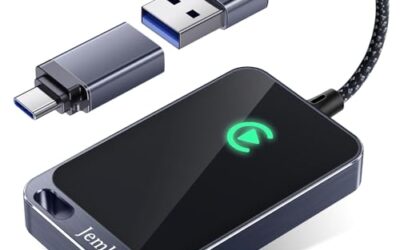
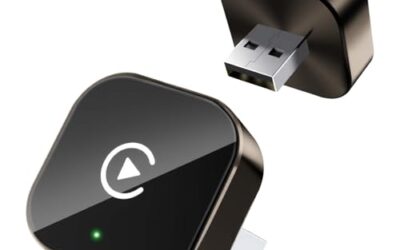
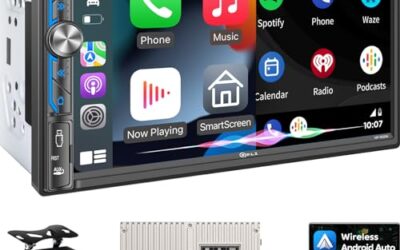
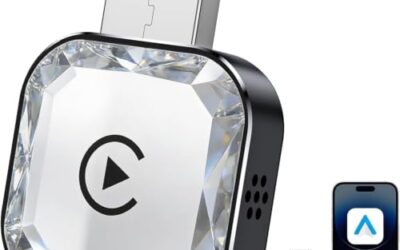
A wireless CarPlay adapter is a small electronic device designed to enable wireless connectivity between your smartphone and the car’s infotainment system. It typically plugs into the car’s USB port or connects via Bluetooth to the head unit. Once paired with your phone, it allows the CarPlay interface to appear on the car’s screen, mirroring functions like maps, music streaming, and phone calls.
These adapters have become popular because many vehicles, especially older models or those without built-in wireless support, can benefit from this upgrade. The technology relies on wireless protocols such as Bluetooth for initial pairing and sometimes Wi-Fi for the data transfer of CarPlay content. This setup provides a cable-free experience, reducing clutter in the car and improving overall safety.
However, it is important to understand the limitations. Wireless connections can have a slight delay compared to wired CarPlay, though modern adapters minimize this. Range is usually limited to about 30 feet, and interference from other wireless devices like microwaves or neighboring Wi-Fi networks can affect performance. Additionally, the adapter requires a stable power source, often from the vehicle’s USB port.
Compatibility varies by vehicle make, model, and year. For instance, vehicles from 2010 and newer with CarPlay support may have different requirements than those from earlier years. Similarly, iPhone users may experience different behaviors than Android users due to OS differences.
How Does Wireless Carplay Work?
Wireless CarPlay works by creating a secure wireless link between your phone and the adapter. First, the adapter and phone establish a Bluetooth connection for authentication and control. Once connected, the adapter communicates with the car’s system, which then displays the CarPlay interface.
The data flow includes audio, video, and input signals. For Apple CarPlay, it uses Apple’s CarPlay protocol over the wireless connection. Android Auto has its own wireless counterpart using similar wireless standards. The car’s head unit acts as the host, and the adapter as the client in this wireless network.
This technology is backward compatible with many vehicles that support wired CarPlay, allowing the same features without the cable. It is particularly useful in modern cars with touchscreens or voice control systems, where the interface integrates seamlessly with the vehicle’s existing controls.
Understanding this mechanism helps in troubleshooting. If the connection drops, it could be due to interference or a need for a reset to re-establish the link.
Why Reset A Wireless Carplay Adapter?
Resetting a wireless CarPlay adapter is necessary when you encounter issues such as the adapter not appearing in the car’s CarPlay menu, slow response times, frequent disconnections, or the inability to pair the phone. It can also be required after an update to the phone’s operating system or the car’s firmware, as these changes can disrupt wireless connections.
Resetting restores the adapter to its factory settings without deleting any saved configurations, provided you do not manually forget the device on your phone. This process is non-destructive and helps maintain the adapter’s performance over time.
Regular resets can prevent minor issues from escalating. For example, if your car has multiple passengers or you frequently change phones, resetting ensures the adapter is always ready for a new connection.
Prerequisites For Resetting
To successfully reset your wireless CarPlay adapter, gather the following items:
- Your smartphone with the latest software updates installed.
- The wireless CarPlay adapter connected to a power source or turned on.
- Access to your vehicle’s infotainment system to test connections.
- The manufacturer’s instructions or app if your adapter requires them.
It is also helpful to note your vehicle model year, as this can affect compatibility. For example, vehicles with Android Automotive OS may have different reset behaviors compared to traditional infotainment systems.
Ensure you have a stable internet connection if you plan to update firmware during the process. This preparation will make the reset smoother and reduce the chance of complications.
Step-by-Step Guide To Resetting A Wireless Carplay Adapter
Step 1: Power Cycle The Adapter
Power cycling is the recommended first step for resetting a wireless CarPlay adapter. Start by disconnecting the adapter from its power source, whether it is a USB cable or an internal battery. Wait at least 60 seconds to allow the internal capacitors to discharge and clear any residual power.
After waiting, reconnect the adapter and turn it on. It may take 2-5 minutes for the device to fully boot up and initialize all wireless modules. During this time, avoid touching the adapter to prevent accidental interference.
This step works because it resets the device’s memory and clears temporary data that might be causing glitches. Once powered on, the adapter should be ready for re-pairing with your phone.
Step 2: Re-pair Your Smartphone
After the adapter is powered on, disconnect your phone from the adapter if it was previously connected. Go to your phone’s Bluetooth settings and select the option to forget or unpair the adapter. This ensures a clean slate for the new connection.
Next, put the adapter into pairing mode if it does not do so automatically. This is often indicated by a blinking LED light or a specific sound. On your phone, search for available Bluetooth devices and select the adapter’s name.
Once paired, navigate to the car’s CarPlay settings and select the adapter as the connection source. Your phone’s CarPlay interface should now appear on the car’s screen. Test basic functions like music playback to confirm the reset was successful.
Step 3: Update Firmware If Necessary
Firmware updates are crucial for maintaining compatibility and fixing known issues. After resetting the adapter, check for updates using the companion app or by visiting the manufacturer’s website.
Connect the adapter to your phone via the app and follow the prompts to download and install the latest firmware. This process can take several minutes and requires the phone to remain connected to power and the internet.
Updating after a reset ensures that any bugs introduced by the reset or previous issues are resolved. It also improves performance with newer vehicle models that may have stricter compatibility requirements.
Step 4: Verify And Test The Connection
After completing the reset and any updates, thoroughly test the wireless CarPlay connection. Drive your vehicle and use various features to ensure there is no lag, dropouts, or recognition issues.
Check the connection in different environments, such as city driving where there might be more interference. Adjust the adapter’s position if needed for optimal signal strength.
If everything works as expected, your wireless CarPlay adapter should now function reliably. Document the steps you took in case issues arise again.
Compatibility Considerations For Wireless Carplay Adapters
Wireless CarPlay adapters are designed to work with a wide range of vehicles and phones, but certain factors can influence the reset process and overall compatibility.
Vehicle compatibility: Most adapters work with vehicles from 2014 onward that support CarPlay or Android Auto. However, some older vehicles may require additional hardware or have limited support. Always check the vehicle’s manual or specifications for wireless CarPlay support.
Phone compatibility: iOS users benefit from Apple’s optimized protocol, while Android users may need to ensure their phone meets minimum OS requirements like Android 10 or higher. Some adapters support both platforms seamlessly.
Power and voltage: Adapters typically operate on 5V from USB ports. Ensure your car’s USB ports provide enough power, especially if using multiple accessories.
Regional factors: Voltage and power standards vary by country, so adapters sold in different regions may have different requirements. For international travel, confirm compatibility.
These considerations help explain why resets might behave differently in various setups. If your vehicle is not listed as compatible, the adapter may not function properly even after resetting.
Common Mistakes To Avoid When Resetting A Wireless Carplay Adapter
One frequent mistake is not disconnecting the phone before resetting the adapter. This can lead to pairing conflicts and failed connections after the reset.
Another common error is skipping the wait time after power cycling. Rushing the process can result in the adapter not fully initializing, leading to continued issues.
Some users attempt to reset by forgetting the device in their phone’s settings without actually resetting the adapter itself. This only affects the phone side and does not resolve adapter-specific problems.
Overlooking firmware updates after resetting is also a mistake. Updates can introduce new features or fix compatibility issues that a basic reset does not address.
Finally, assuming the reset will fix all problems without checking other factors like cable quality or interference. Persistent issues may require further troubleshooting or professional diagnosis.
When To Seek Professional Help
If you have followed the reset steps and the wireless CarPlay adapter still does not connect or functions inconsistently, it may be time to consult a professional. This could indicate a hardware issue such as a faulty wireless module or damaged components.
Consider contacting the adapter’s manufacturer for support. They can provide model-specific troubleshooting or replacement options if the device is under warranty.
Automotive technicians can also diagnose issues related to the vehicle’s electrical system that might be interfering with the adapter’s performance. Avoid opening the adapter yourself if it is still under warranty, as this could void the coverage.
Professional help is especially important if the problem occurs after a software update or if multiple resets fail to resolve it.
FAQ
How Often Should I Reset My Wireless Carplay Adapter?
There is no strict schedule for resetting a wireless CarPlay adapter. It is best to reset it when you notice problems like connection failures or slow performance. Many users perform a reset every 6-12 months as a preventive measure, especially if using the adapter frequently.
Does Resetting Affect The Warranty On The Adapter?
Resetting the adapter through standard methods like power cycling does not affect the warranty. However, if you open the device, use unauthorized tools, or modify it in any way, it could void the warranty. Always follow the manufacturer’s guidelines to stay within warranty terms.
What Should I Do If The Reset Does Not Resolve The Connection Issue?
If the reset fails to fix the problem, try a different power cycle or check for firmware updates. Ensure the adapter is placed in a location with minimal interference and that the car’s USB port is providing stable power. If issues continue, contact the manufacturer or a professional for further assistance.
Can I Use The Phone’s Settings To Reset The Wireless Carplay Adapter?
Some adapters support app-based resets through a companion application on your phone. Check the documentation or app store for your specific model to see if this feature is available. This method can be more convenient for certain adapters.
What Is The Difference Between Resetting The Adapter And Forgetting The Device On My Phone?
Resetting the adapter clears its internal memory and restores default settings, which is necessary for hardware-related issues. Forgetting the device on your phone only removes the pairing information from the phone’s Bluetooth list, which may not resolve adapter-specific problems.