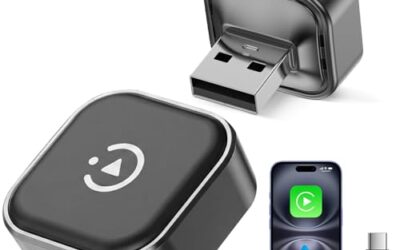
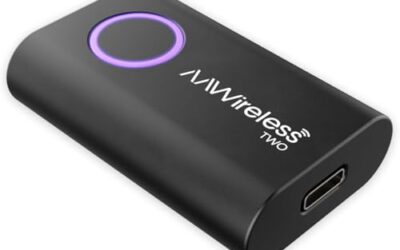
How Do Wireless CarPlay Adapters Work
Wireless CarPlay adapters enable you to use your iPhone’s CarPlay features without the need for a physical cable connecting your phone to the car. These adapters work by creating a wireless link between your iPhone and the vehicle’s infotainment system, allowing the CarPlay interface to appear on the car’s screen. They are particularly useful for older vehicles that do not have built-in wireless CarPlay support.
Key Takeaways
- Wireless CarPlay adapters use Wi-Fi to transmit the user interface from your phone to the car.
- Bluetooth is used for sending control signals from the car to the phone.
- Adapters are compatible with most modern vehicles that have a USB port.
- Proper setup ensures low latency and reliable connection.
What is a Wireless CarPlay Adapter?
A wireless CarPlay adapter is a small hardware device that adds wireless connectivity to Apple’s CarPlay system. It allows drivers to access navigation, music, messaging, and other CarPlay features without plugging in their iPhone. These adapters are designed to work with vehicles that support the CarPlay protocol but lack native wireless capability.
How Wireless CarPlay Adapters Work
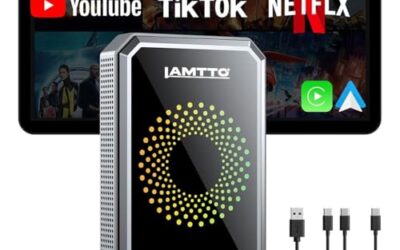
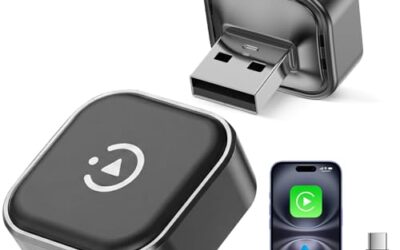
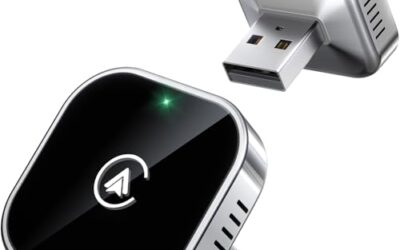
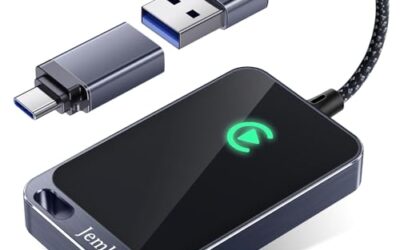
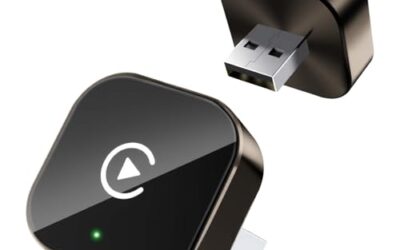
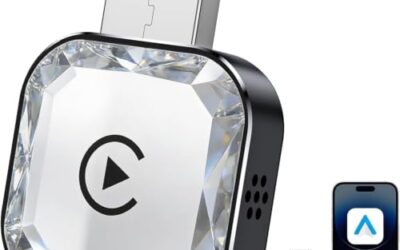
The operation of wireless CarPlay adapters involves several key components and technologies. First, the adapter hardware is typically a small dongle that plugs into the car’s USB port. It contains a Wi-Fi receiver and a Bluetooth module. Some adapters are designed to connect directly to the car’s head unit via a proprietary cable.
On your iPhone, the CarPlay interface runs the same as wired, but the data is sent wirelessly. The phone must be running a compatible iOS version, typically iOS 7.1 or later for basic CarPlay, but wireless support came with iOS 11 or later for better performance.
When you start the car, the adapter powers on and begins scanning for devices. Your iPhone connects to the adapter using Wi-Fi Direct for the high-bandwidth video stream and Bluetooth for low-bandwidth control signals.
The CarPlay app on the iPhone generates the interface, which includes maps, controls, and apps. This data is compressed and sent over Wi-Fi to the adapter. The adapter then forwards the video signal to the car’s display system, which integrates it into the vehicle’s menu.
As you interact with the interface on the car’s screen, commands are sent back to the iPhone via Bluetooth. This includes touch inputs, voice commands, and steering wheel controls.
To ensure safety, many adapters use specialized chips that minimize delay, keeping the lag under 200 milliseconds, which is generally imperceptible during normal driving.
Types of Wireless CarPlay Adapters
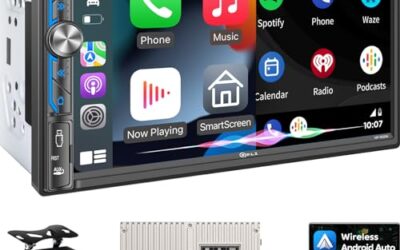
There are several types of wireless CarPlay adapters available. Plug-and-Play dongles are the most common, simply plugging into the USB port and pairing with your phone. Receiver adapters connect to the car’s existing CarPlay hardware and add wireless capability without replacing the head unit. Integrated solutions are head units with built-in wireless CarPlay, but for aftermarket, adapters are used. Full replacement units replace the entire dashboard unit with one that has wireless CarPlay. Each type has different installation requirements and compatibility.
Compatibility and Requirements
Wireless CarPlay adapters have specific compatibility limits. They work with vehicle model years from 2010 onwards that have a USB port and support CarPlay. They require 5V from the USB port. The connector is USB-A or USB-C depending on the car model. The phone OS must be iOS 11 or higher for optimal wireless performance. Both the adapter and the car’s head unit firmware should be updated for best results. Always check the manufacturer’s compatibility list for your specific vehicle and phone model.
Setting Up a Wireless CarPlay Adapter
Setting up a wireless CarPlay adapter is usually simple. First, plug the adapter into the car’s USB port. Then, turn on the car and wait for the adapter to initialize. On your iPhone, go to Settings > General > CarPlay and select the adapter. Follow the on-screen instructions to pair the devices. Once paired, CarPlay will launch wirelessly. If the connection doesn’t establish, check for interference or update firmware.
Limitations and Considerations
While convenient, wireless CarPlay has some limitations. There can be a slight delay in response despite minimized latency. The connection typically works within 30 feet line of sight. The adapter draws power from the car, but the phone’s battery may drain faster. Wi-Fi signals can be affected by other devices or metal in the car. Some advanced CarPlay features may not be available wirelessly. Users should be aware of these factors when choosing an adapter.
Common Mistakes
One common mistake is assuming all adapters are identical. Different adapters have varying latency and reliability. Another is ignoring firmware updates, which can cause connection issues. Using in vehicles without proper USB support is also a pitfall, as some cars have restricted USB ports. Not checking phone compatibility can lead to issues with older iPhones and newer adapters. Overlooking installation requirements may be necessary for some adapters that connect to the head unit.
When to Get Professional Help
If you experience persistent connection problems, no power to the adapter, or the adapter is not recognized by the car, it may be best to consult a professional automotive technician. They can diagnose hardware issues or wiring problems that DIY adapters may not address.
FAQ
What is the main difference between wired and wireless CarPlay?
Wired CarPlay uses a physical cable for both data and power, while wireless uses Wi-Fi and Bluetooth for the same functionality without cables.
How does wireless CarPlay affect my phone’s battery life?
Wireless CarPlay can cause slightly faster battery drain on your iPhone due to the constant data transmission, but most adapters include power-saving features.
Are there safety concerns with wireless CarPlay?
Yes, like any in-car technology, distractions from the interface should be minimized, and drivers should focus on the road. Low latency is designed to reduce risks.
Can I use wireless CarPlay with Android Auto?
Wireless CarPlay is specifically for iPhone and Apple’s CarPlay system. Android Auto has its own wireless versions, but they are separate technologies.
What should I do if my wireless CarPlay connection drops frequently?
Try restarting the adapter and phone, ensure they are within range, update firmware, and check for interference from other wireless devices.