Finding the best phones for ANDROID AUTO comes down to thermal efficiency, modern system-on-chip performance, and certified USB-C or Wi-Fi standards rather than screen size or camera quality. Google Pixel devices, Samsung Galaxy S series, and high-spec mid-range handsets offer the most dependable baseline performance for wired and wireless car integration. Reliable vehicle operation requires active background processing, clean power routing, and robust wireless radios that avoid disconnects during long commutes.
Key Takeaways
- Android 9.0 or higher is required for wired Android Auto, but Android 11.0 or newer is mandatory for native wireless projection on 5 GHz networks.
- Thermal throttling causes most in-dash stutter and system dropouts; devices with efficient processors handle simultaneous navigation, music streaming, and charging better.
- USB-IF certified cables rated for USB 3.0 or USB 2.0 with clean data lines prevent handshake dropouts in wired vehicle ports.
- High-tier processors from Google, Qualcomm, and Samsung yield faster route recalculation and input response on the infotainment digitizer.
Core Hardware Demands: How Projection Strains Mobile Devices
Android Auto does not run natively on car infotainment processors. Head unit hardware acts primarily as an external display digitizer and audio pipeline. Mobile phone chips perform map rendering, GPS calculations, background network streaming, and video compression simultaneously via H.264 or H.265 video encoding protocols.
Video encoding generates steady processor heat. When vehicle cockpits warm up from ambient sunlight, phone chips throttle clock speeds to prevent hardware damage. This results in lagging map scrolls, delayed touch response on the car screen, and intermittent disconnects. Phones with robust internal vapor chambers and lower operating voltages maintain vehicle sessions far better than budget handsets running dense plastic frames without passive heat dissipation.
Hardware Classes: Best Phones for Android Auto Integration
Google Pixel Series (Pixel 7, 8, and Later)
Google Pixel hardware delivers reference Android Auto implementation because Google controls the underlying Android operating system stack. Updates, bug patches, and wireless protocol tweaks land on Pixel devices first.
- Operating System: Clean implementation directly from Google reduces background memory-killing issues that break navigation processes.
- Connectivity: Standard 5 GHz and 6 GHz Wi-Fi radio configurations deliver reliable handshakes to wireless automotive infotainment units.
- Limitation: Tensor processors run warm under prolonged wireless projection when paired with Qi wireless induction charging pads.
Samsung Galaxy S and Z Lines (Galaxy S22, S23, S24, and Fold Series)
Samsung Galaxy flagship devices provide stable projection performance across global vehicle platforms. Samsung works directly with automotive OEMs to optimize Bluetooth handshakes and system sleep policies.
- Thermal Management: Aluminum frames and wide vapor chambers disperse heat faster, reducing crash frequency during multi-hour drive sessions.
- USB Hardware: Samsung implementations of USB-C 3.2 support clean DisplayPort protocol handling and steady high-rate data pass-through.
- Customization: Samsung Routines allow users to automate battery-protection toggling or hotspot generation when vehicle Bluetooth connects.
Performance Mid-Tier Devices (Samsung A-Series, Motorola Edge)
Affordable mid-range devices can handle vehicle tasks if hardware specifications clear minimal processing limits.
- Baseline Needs: Minimum 6 GB of system RAM is needed. Devices with 4 GB or less often terminate Spotify or Google Maps due to aggressive background memory recovery.
- Power Optimization: Mid-tier chips like Qualcomm Snapdragon 7-series often generate less heat than unlocked flagship silicon, keeping dashboard thermals balanced during short-to-medium trips.
- Limitation: Delayed operating system updates can leave connection bugs unpatched for longer periods compared to flagship tiers.
Comparison of Smartphone Hardware Tiers for Vehicle Projection
| Device Class | Recommended RAM | Thermal Headroom | Wireless Stability | Ideal Usage Scenario |
|---|---|---|---|---|
| Flagship (Pixel / Galaxy S) | 8 GB – 12 GB | High (Active cooling recommended on pads) | Excellent (Wi-Fi 6 / 6E clean handshakes) | Daily multi-app multitasking, daily long-distance trips |
| Upper Mid-Range (Galaxy A54/A55) | 6 GB – 8 GB | Moderate to High | Good (5 GHz certified) | Standard daily commutes, wired connections |
| Budget Class (Sub-$250 phones) | 4 GB or less | Low (Prone to dropouts under heat) | Variable (May lack robust 5 GHz vehicle routing) | Short drives, single-app reliance (Audio or Navigation only) |
Wired vs. Wireless Android Auto Hardware Requirements
Connection method alters the performance load on smartphone hardware.
Wired Android Auto Prerequisites
Wired connectivity relies on physical data pins. Vehicles output limited amperage through standard USB-A ports (often 0.5A to 1.5A at 5 volts). This setup slowly drains phone batteries if phone chips consume more power than the head unit delivers.
- Requires USB-IF certified cable no longer than 3 feet (1 meter) to prevent packet latency.
- Requires phone with undamaged USB-C port clear of pocket lint and debris.
- Eliminates Wi-Fi interference issues in dense urban radio corridors.
Wireless Android Auto Prerequisites
Wireless projection decouples physical cables by using high-speed Wi-Fi Direct. Handshakes begin through standard vehicle Bluetooth, then transition data throughput to local 5 GHz Wi-Fi generated by the car.
- Requires smartphone running Android 11.0 or higher with 5 GHz Wi-Fi infrastructure support.
- Consumes significant internal battery reserves; phone temperature rises rapidly.
- Requires vehicle infotainment hardware configured for wireless pass-through, or an aftermarket USB wireless gateway module.
Common Connection Mistakes
- Using Cheap USB Charging Cables: Many budget convenience store cables contain physical wires for 5V charging power only, omitting internal twisted data pairs. The infotainment unit will fail to establish a data handshake.
- Running Restrictive Battery Savers: Aggressive power management configurations in Android operating systems can kill Google Play Services, location services, or media streaming engines while the screen is dark.
- Relying on Faulty In-Car Wireless Charging Pads: Induction charging creates excess exterior heat. Combining high vehicle dashboard temperatures, wireless data transmission, and induction charging forces smartphones into thermal protection mode.
- Overlooking Vehicle USB Hub Degradation: Factory dashboard USB ports face physical wear. Loose connector retention clips interrupt data feeds over bumpy roads.
Troubleshooting Android Auto Hardware Issues
- Verify smartphone operating system version in Settings > About Phone > Android Version. Ensure operating build is updated.
- Clear storage caches inside the Android Auto application container via Settings > Apps > Android Auto > Storage > Clear Cache.
- Inspect the phone charging port with a light source. Remove compressed pocket lint using a non-conductive wooden or plastic pick.
- Swap out the data harness for a short, shielded USB-C cable rated for 10 Gbps (USB 3.1/3.2 Gen 2) or standard high-grade USB 2.0 data compliance.
- Reset vehicle head unit settings. Modern infotainment units running proprietary operating systems (such as Ford Sync, Stellantis Uconnect, or GM Infotainment) occasionally require full electrical power-cycles to clear corrupted mobile handshakes.
When to Seek Professional Automotive Tech Help
If verified, compatible smartphones consistently drop connections across different cables, the issue often stems from vehicle electronics rather than the handset. Automotive service technicians or 12-volt car audio specialists should step in when:
- The factory USB interface port is physically loose, intermittent, or dropping auxiliary power pins.
- The infotainment system requires OEM dealer-level firmware flashes to correct known projection protocol bugs.
- Aftermarket head unit installations involve poor harness shielding, missing reverse/parking brake wire tie-ins, or low-voltage accessory lines that trigger vehicle reboot loops.
For related guidance on this topic, see Android Auto Adapter Buying Guide, Best Tablets for Android Auto and Best Single DIN Touchscreen With Android Auto.
Frequently Asked Questions
Do all Android phones support wireless Android Auto?
No. Smartphones must run Android 11.0 or higher and feature dual-band Wi-Fi capable of operating on 5 GHz networks. Older handsets running Android 9 or 10 generally support wired Android Auto only, unless they are specific legacy Google or Samsung devices with customized 5 GHz firmware configurations.
Why does my phone get extremely hot when running Android Auto?
Android Auto forces the phone processor to decode audio, run GPS location algorithms, download mobile network data, and compress real-time video feeds simultaneously. Doing this inside a car—often under direct sun or on an inductive wireless charging pad—generates massive heat within compact device chassis.
Can I add wireless Android Auto to a phone that only supports wired?
If the phone runs Android 11.0 or newer and possesses 5 GHz Wi-Fi capabilities, it supports wireless output natively. If the vehicle head unit only accepts wired USB connections, an aftermarket wireless adapter module can bridge the connection between the car USB port and phone Wi-Fi.
Does RAM size affect Android Auto performance?
Yes. Devices with 4 GB of RAM or less struggle to keep navigation maps, music applications, and messaging listeners loaded in background memory simultaneously. Devices with 6 GB, 8 GB, or 12 GB of RAM provide smoother operation and avoid app termination while driving.

Pros
- Supports wireless Android Auto in vehicles and head units with wired-only Android Auto
- Includes a multifunction button for pairing and switching between phones
- Companion app supports updates, troubleshooting, customization, and localized Wi-Fi settings
Cons
- Only compatible with vehicles or head units that exclusively support wired Android Auto
- Requires an Android 11 or higher phone on Google's official Android Auto compatible smartphone list
- External interference from sources such as cell towers, Wi-Fi hotspots, dashcams, or other wireless devices may affect connection stability
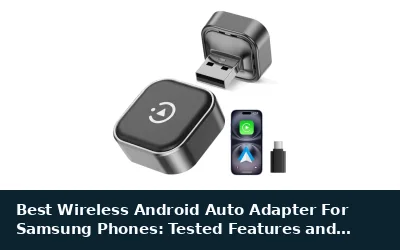
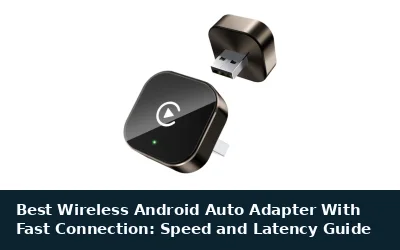
AAWireless TWO is a wireless Android Auto adapter for vehicles and head units that exclusively support wired Android Auto. It requires a compatible phone running Android 11 or higher and includes a multifunction button for pairing and switching between phones. The plug-and-play adapter works with a free companion app for updates, troubleshooting, customization, and localized Wi-Fi settings. External wireless interference may affect connection stability.
Specifications
| Color | Black |
|---|---|
| Dimensions | 2.16535 x 1.37795 x 0.59055 inches |
| Weight | 0.03968320716 pounds |
| Product Group | Wireless |
| Binding | Electronics |
Verify the current product variation before purchase; specifications may change.
Detailed Review
What stands out in the currently available product data:
- Converts compatible factory wired Android Auto systems to wireless Android Auto
- Supports phones running Android 11 or higher
- Multifunction button supports phone pairing and switching
- Can connect unlimited phones for shared vehicle use
- Plug-and-play setup is designed without technical skills
- Free companion app provides updates, troubleshooting, and customization
Best For / Avoid If
Best for buyers prioritizing
- Supports wireless Android Auto in vehicles and head units with wired-only Android Auto
- Includes a multifunction button for pairing and switching between phones
- Companion app supports updates, troubleshooting, customization, and localized Wi-Fi settings
Consider another option if
- Only compatible with vehicles or head units that exclusively support wired Android Auto
- Requires an Android 11 or higher phone on Google's official Android Auto compatible smartphone list
- External interference from sources such as cell towers, Wi-Fi hotspots, dashcams, or other wireless devices may affect connection stability
Pros
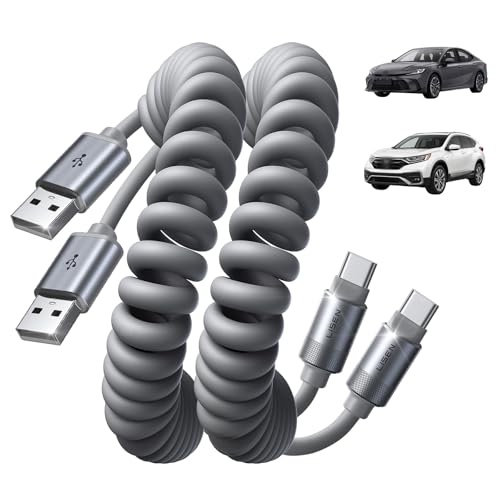
- Coiled form helps reduce loose cable length around the vehicle's center console
- Supports both charging and data transfer for compatible USB-C devices
- Reinforced construction includes UV adhesive sealing, molded unibody construction, and a bend-resistant connector joint
- Two-pack supports separate car and home use
Cons
- Uses a USB-A connector on the source end rather than USB-C
- Not compatible with Lightning devices or USB-C-to-USB-C connection requirements
- The published data does not specify individual cable dimensions when coiled or extended beyond the stated 1-to-4-foot range
The LISEN Coiled USB C Cable is a two-pack of USB-A to USB-C cables for charging and USB 2.0 data transfer at up to 480 Mbps. The cables are designed for wired CarPlay and Android Auto when connected to a vehicle's factory USB port.
- Length: 1-foot natural length, extending to 4 feet
- Connector type: USB-A to USB-C
- Data speed: Up to 480 Mbps
- Construction: Silicone exterior, UV adhesive sealing, molded unibody construction, precision metal connectors, and reinforced connector joints
- Protection features: Over-voltage, over-current, short-circuit, and over-temperature protection
- Compatibility listed by the manufacturer: iPhone 17/16/15 series, Samsung Galaxy S, Note, and A series, Google Pixel, LG, Moto, OnePlus, power banks, and other USB-C devices
- Limitations: This is not a USB-C-to-USB-C or Lightning cable. The published data does not provide a specific vehicle compatibility list.
Specifications
| Color | Space Gray |
|---|---|
| Size | 4FT |
| Product Group | Personal Computer |
| Binding | Unknown Binding |
Verify the current product variation before purchase; specifications may change.
Detailed Review
What stands out in the currently available product data:
- Designed for wired CarPlay and Android Auto connections through a vehicle's factory USB port
- Coiled design extends from 1 foot to 4 feet for adjustable cable length
- Supports charging and USB 2.0 data transfer at up to 480 Mbps
- Two-cable pack provides one cable for the car and one for home
- Silicone exterior is described as waterproof and resistant to dirt and spills
- Includes over-voltage, over-current, short-circuit, and over-temperature protection features
Best For / Avoid If
Best for buyers prioritizing
- Coiled form helps reduce loose cable length around the vehicle's center console
- Supports both charging and data transfer for compatible USB-C devices
- Reinforced construction includes UV adhesive sealing, molded unibody construction, and a bend-resistant connector joint
Consider another option if
- Uses a USB-A connector on the source end rather than USB-C
- Not compatible with Lightning devices or USB-C-to-USB-C connection requirements
- The published data does not specify individual cable dimensions when coiled or extended beyond the stated 1-to-4-foot range

Pros
- Supports CarPlay and Android Auto connectivity
- Data transfer rate is listed up to 10Gbps
- Tangle-resistant cable design
- Broad compatibility with listed USB-C smartphones and tablets
Cons
- Cable length is not provided
- Charging wattage and voltage are not provided
- Specific iOS, Android, and vehicle requirements are not provided
The ienza USB-A to USB-C Media CarPlay, Android Auto, Navigation & Charger Cable Cord is listed for connecting compatible vehicles and USB-C devices. The cable is described as supporting wired Apple CarPlay, Android Auto, navigation, music streaming, charging, and data transfer rates up to 10Gbps.
Listed compatible devices include iPhone 17, iPhone 16, iPhone 15, iPhone Air, iPad 10th generation, iPad Pro, iPad Air 4th and 5th generation, iPad mini 6th generation, Samsung Galaxy and Note devices, Google Pixel, Motorola or Moto, LG, and other smartphones with a USB-C port. The cable is also described as tangle-resistant. Cable length, charging wattage, voltage, and specific operating-system or vehicle requirements are not provided.
Specifications
| Size | 20 inches |
|---|---|
| Weight | 0.0375 pounds |
| Product Group | Personal Computer |
| Binding | Unknown Binding |
Verify the current product variation before purchase; specifications may change.
Detailed Review
What stands out in the currently available product data:
- USB-A to USB-C connector configuration
- Listed for wired Apple CarPlay and Android Auto
- Supports navigation and music streaming connections
- Data transmission rate listed up to 10Gbps
- Tangle-resistant design
- Compatible with listed iPhone, iPad, Samsung, Google Pixel, Motorola, LG, and other USB-C devices
Best For / Avoid If
Best for buyers prioritizing
- Supports CarPlay and Android Auto connectivity
- Data transfer rate is listed up to 10Gbps
- Tangle-resistant cable design
Consider another option if
- Cable length is not provided
- Charging wattage and voltage are not provided
- Specific iOS, Android, and vehicle requirements are not provided

Pros
- Combines Android Auto connectivity with charging and data transfer
- Retractable design is intended to reduce tangling and save space
- Two-pack provides a spare or an additional cable
- Lists compatibility with many Samsung Galaxy, Google Pixel, and Motorola devices
Cons
- Vehicle compatibility details are not provided
- iOS compatibility requirements are not provided
- The cable is 1.3ft before stretching and reaches 3ft when extended
The ANDHOT Android Auto USB-C cable is a two-pack of retractable, coiled cables for compatible Android devices and vehicles. Each cable measures 1.3ft before stretching and extends to 3ft. The product supports 5V/3A fast charging and data transfer speeds up to 480Mbps.
Compatibility listed by the seller includes Samsung Galaxy S26, S26+, S26 Ultra, S25 Edge, Z Flip7, Z Fold7, S25, S24 FE, S24, S24+, S24 Ultra, A57, A37, A17, A56, A36, A26, A16, A55, A35, A25, A15, A54 5G, A14 5G, S23, S23 Ultra, S23+, S22, S22 Ultra, S22+, S21 FE, S21, S21 Ultra, S21+, S20 FE, S20, S20 Ultra, S20+, Note 20, A53 5G, A23, A13 5G, A03S, A12, A32, A52, A21, A51, A71, A10E, A20, A50, and A70; Google Pixel 10a, 10, 9a, 9, 8a, 8 Pro, 7a, 7, 7 Pro, 6a, 6, 6 Pro, 5, 4a, and 4 XL; and Moto G Power, G Stylus 5G, G Pure, and G Play.
The cable uses a USB-C connector and is described as compatible with USB Type-C devices. The seller recommends a Quick Charge 3.0 wall charger or Samsung Adaptive Fast Charging adapter for listed Samsung fast-charging models. A 12-month warranty and 24/7 customer service are included.
Specifications
| Color | 2Pack Black |
|---|---|
| Size | 3FT |
| Weight | 0.0110231131 Pounds |
| Product Group | Wireless |
| Binding | Electronics |
Verify the current product variation before purchase; specifications may change.
Detailed Review
What stands out in the currently available product data:
- Supports Android Auto connectivity
- Provides 5V/3A fast charging
- Supports data transfer speeds up to 480Mbps
- Retractable coiled design stretches from 1.3ft to 3ft
- USB-C connector is reversible
- Includes two 3ft cables
Best For / Avoid If
Best for buyers prioritizing
- Combines Android Auto connectivity with charging and data transfer
- Retractable design is intended to reduce tangling and save space
- Two-pack provides a spare or an additional cable
Consider another option if
- Vehicle compatibility details are not provided
- iOS compatibility requirements are not provided
- The cable is 1.3ft before stretching and reaches 3ft when extended

Pros
- Combines wireless CarPlay and Android Auto in one device
- Supports automatic reconnection after initial Bluetooth pairing
- Includes both USB-A and USB-C connection options
- Retains listed factory control functions, including touchscreen and steering-wheel controls
Cons
- Only compatible with vehicles that already support factory wired CarPlay or wired Android Auto
- Android compatibility requires Android 11 or above
- The product listing does not provide a detailed specifications table
The Teeran 2-in-1 Wireless CarPlay and Android Auto Adapter converts a compatible factory wired system to wireless connectivity. It is intended for vehicles with original wired CarPlay or wired Android Auto and is not compatible with vehicles that lack either wired system.
- Device compatibility: iPhone 6 or later and Android 11 or above
- Connections: USB-A and USB-C extension cables included
- Wireless features: Bluetooth pairing, automatic reconnection, and 2.4GHz plus 5GHz dual-band chips
- Supported functions: Apple Maps, Google Maps, Spotify, Siri, Voice Assistant, touchscreen controls, steering-wheel buttons, rotary knobs, and voice commands
- Design: Compact tapered housing designed for a flush fit near the USB port
- Operating range: -20°C to 70°C
- Support: 18 months of product protection, lifetime technical support, and free firmware updates listed through 2026
- ASIN: B0GWMFSZW
Detailed Review
What stands out in the currently available product data:
- Supports wireless CarPlay and wireless Android Auto through one adapter
- Compatible with vehicles that already have factory wired CarPlay or wired Android Auto
- Supports iPhone 6 or later and Android 11 or above devices
- Includes USB-A and USB-C extension cables for different vehicle USB ports
- Supports touchscreen, steering-wheel buttons, rotary knobs, and voice commands
- Compact tapered design is intended to sit nearly flush with the USB port
Best For / Avoid If
Best for buyers prioritizing
- Combines wireless CarPlay and Android Auto in one device
- Supports automatic reconnection after initial Bluetooth pairing
- Includes both USB-A and USB-C connection options
Consider another option if
- Only compatible with vehicles that already support factory wired CarPlay or wired Android Auto
- Android compatibility requires Android 11 or above
- The product listing does not provide a detailed specifications table

Pros
- 10Gbps data-transfer specification
- 3-foot length helps reduce cable clutter
- Supports Android Auto and Apple CarPlay according to the product listing
- Nylon braiding and an aluminum alloy case are specified
Cons
- Not intended for high-wattage laptops rated at 65W or higher
- The listing limits intended use to cables no longer than 3 feet
- iOS system requirements and detailed connector specifications are not provided
The CONMDEX USB Cable 2-Pack includes 3-foot cables designed for vehicle consoles and desktop setups. The listing specifies support for Android Auto and Apple CarPlay, 10Gbps data transfer, and 3A/18W fast charging for smartphones and tablets.
- Brand: CONMDEX
- Category: USB Cables
- Package: 2 cables
- Length: 3 feet
- Data transfer: Up to 10Gbps, listed as USB 3.1 Gen 2 performance
- Charging: 3A/18W for smartphones and tablets
- Materials: Aluminum alloy case and nylon braiding
- Listed compatibility: Android Auto, Apple CarPlay, iPhone 17/16, Samsung Galaxy S25/S24 Ultra, PS5/PS4 controllers, and external SSDs
- Limitations: Not intended for laptops requiring 65W or higher, and intended for use at lengths no longer than 3 feet
Detailed Review
What stands out in the currently available product data:
- Designed for stable Android Auto and Apple CarPlay connectivity
- Supports stated data transfer speeds of up to 10Gbps
- Provides 3A/18W fast charging for smartphones and tablets
- Includes two 3-foot cables for car consoles and desktop setups
- Uses a premium nylon braid and aluminum alloy case
- Listed for use with iPhone 17/16, Samsung Galaxy S25/S24 Ultra, PS5/PS4 controllers, and external SSDs
Best For / Avoid If
Best for buyers prioritizing
- 10Gbps data-transfer specification
- 3-foot length helps reduce cable clutter
- Supports Android Auto and Apple CarPlay according to the product listing
Consider another option if
- Not intended for high-wattage laptops rated at 65W or higher
- The listing limits intended use to cables no longer than 3 feet
- iOS system requirements and detailed connector specifications are not provided
Pros
- Supports wireless Android Auto for compatible vehicles
- Includes a USB-to-USB-C adapter
- Compact aluminum design is intended to fit without obstructing the driver's view
- Includes a 365-day warranty and lifetime technical support
Cons
- Requires a vehicle equipped with wired Android Auto
- Requires an Android 10 or later phone and is not for iOS
- The published data does not provide a specific vehicle compatibility list
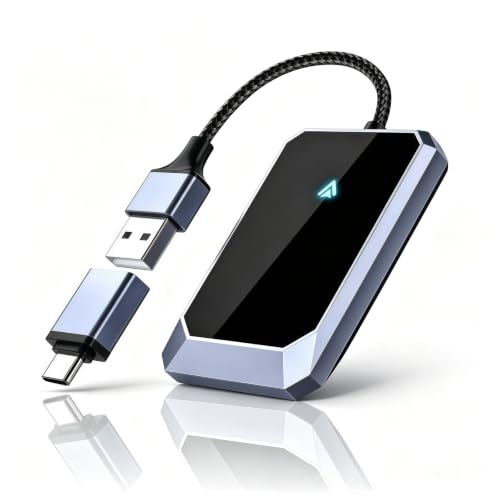
The Aswoema wireless Android Auto adapter connects Android 10 or later phones to compatible vehicles equipped with wired Android Auto. The listing names Google, Samsung, OnePlus, and other Android phones as supported devices and claims compatibility with more than 800 car models.
The adapter has a compact, lightweight aluminum construction and includes a USB-to-USB-C adapter. The listed features also describe access to navigation, music, calls, messages, and voice assistant functions while retaining the vehicle's original control logic and sound system. Compatibility with iOS is explicitly excluded. The product includes a 365-day warranty and lifetime technical support.
Specifications
| Color | Gray |
|---|---|
| Dimensions | 2.64 x 1.65 x 0.35 inches |
| Weight | 0.1 pounds |
| Product Group | Personal Computer |
Verify the current product variation before purchase; specifications may change.
Detailed Review
What stands out in the currently available product data:
- Converts wired Android Auto connectivity to a wireless connection
- Supports Android 10 or later phones, including Google, Samsung, and OnePlus devices
- Advertised compatibility with over 800 car models
- Compact, lightweight aluminum construction
- Includes a USB-to-USB-C adapter for wider port compatibility
- Uses an A7S chip for wireless connection stability
Best For / Avoid If
Best for buyers prioritizing
- Supports wireless Android Auto for compatible vehicles
- Includes a USB-to-USB-C adapter
- Compact aluminum design is intended to fit without obstructing the driver's view
Consider another option if
- Requires a vehicle equipped with wired Android Auto
- Requires an Android 10 or later phone and is not for iOS
- The published data does not provide a specific vehicle compatibility list

Pros
- USB 3.1 Gen 2 supports data transfer speeds up to 10Gbps
- Supports Android Auto and iPhone 15 series CarPlay connections
- Uses a nylon-braided cable and includes a 56KΩ pull-up resistor
- Listed compatibility includes Samsung T7 Shield, Extreme Portable SSD and other devices
Cons
- Does not support video output
- The published data does not provide an iOS requirement or detailed vehicle compatibility list
- The cable is limited to 1.5 feet in length
The SUNGUY USB-C to USB-A cable is a 1.5-foot USB 3.1 Gen 2 cable rated for data transfer speeds up to 10Gbps and charging power up to 3A. It is listed for Android Auto, iPhone 15 series CarPlay connections, computers, tablets, smartphones and portable SSDs.
- Connector type: USB-C to USB-A
- Data standard: USB 3.1 Gen 2
- Maximum listed data transfer speed: 10Gbps
- Maximum listed charging power: 3A
- Backward compatibility: USB 3.0 and USB 2.0
- Video output: Not supported
- Included: One 1.5-foot cable
- Support: 12-month product replacement warranty and lifetime 24/7 technical support
Specifications
| Color | Grey |
|---|---|
| Size | 1.5ft |
| Product Group | Personal Computer |
| Binding | Unknown Binding |
Verify the current product variation before purchase; specifications may change.
Detailed Review
What stands out in the currently available product data:
- Supports data transfer speeds up to 10Gbps
- Supports charging up to 3A
- Listed for use with Android Auto and CarPlay
- 1.5-foot cable length suits compact car and device connections
- Backwards compatible with USB 3.0 and USB 2.0
- Compatible with listed phones, computers, tablets and portable SSDs
Best For / Avoid If
Best for buyers prioritizing
- USB 3.1 Gen 2 supports data transfer speeds up to 10Gbps
- Supports Android Auto and iPhone 15 series CarPlay connections
- Uses a nylon-braided cable and includes a 56KΩ pull-up resistor
Consider another option if
- Does not support video output
- The published data does not provide an iOS requirement or detailed vehicle compatibility list
- The cable is limited to 1.5 feet in length

Pros
- Supports Android Auto and CarPlay use
- Offers up to 10Gbps data transfer
- Provides up to 15W charging
- Listed compatibility includes smartphones, tablets, and USB-C SSDs
Cons
- USB 2.0 vehicle ports may cause protocol mismatch, device recognition failure, slow charging, or charging failure
- The published data does not specify iOS or Android operating-system requirements beyond the Android Auto and CarPlay claims
The DteeDck 3ft USB-A to USB-C cable is designed for Android Auto and CarPlay users. It supports up to 10Gbps synchronous data transfer and charging up to 15W at 5V and 3A. Listed compatible devices include Galaxy series phones, Google Pixel series phones, iPhone series devices, tablets, USB-C solid-state drives, and SSD enclosures.
The cable uses a TPE inner layer and a braided outer layer described as providing interference resistance. USB 2.0 vehicle ports may experience protocol mismatch with the USB 3.2 cable, which can result in device recognition failure, slower charging, or charging failure. The product listing includes 2-year Coverage Care and DT Technical Support.
Specifications
| Color | Grey |
|---|---|
| Size | 3 Feet |
| Product Group | Personal Computer |
| Binding | Misc. |
Verify the current product variation before purchase; specifications may change.
Detailed Review
What stands out in the currently available product data:
- Designed for Android Auto and CarPlay users
- Supports up to 10Gbps synchronous data transfer
- Supports charging up to 15W at 5V and 3A
- 3ft cable length
- Compatible with USB-C devices including Galaxy, Google Pixel, iPhone, tablets, and USB-C SSDs
- Braided outer layer and TPE inner layer are described as providing interference resistance
Best For / Avoid If
Best for buyers prioritizing
- Supports Android Auto and CarPlay use
- Offers up to 10Gbps data transfer
- Provides up to 15W charging
Consider another option if
- USB 2.0 vehicle ports may cause protocol mismatch, device recognition failure, slow charging, or charging failure
- The published data does not specify iOS or Android operating-system requirements beyond the Android Auto and CarPlay claims