Wireless CarPlay Adapter Compatibility Explained
Wireless CarPlay adapters enable wireless connectivity between your iPhone and your vehicle’s infotainment system. These devices facilitate the transmission of CarPlay features such as navigation, music, and messaging without the need for a physical cable. Compatibility with wireless CarPlay adapters is influenced by multiple factors, including the specific vehicle model, the type of adapter used, and the iPhone’s operating system version.
Key takeaways
- Wireless CarPlay adapters work by establishing Bluetooth and Wi-Fi connections between the phone and the car.
- Compatibility depends on vehicle support, adapter design, and phone firmware.
- Always confirm compatibility to prevent connection failures or performance issues.
- Wireless setups may introduce slight latency compared to wired connections.
- Regular firmware updates can improve reliability and compatibility.
What Are Wireless CarPlay Adapters?
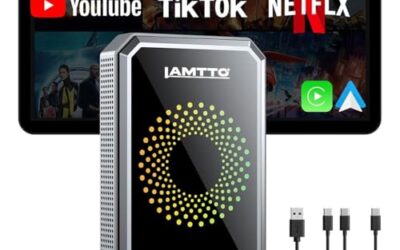
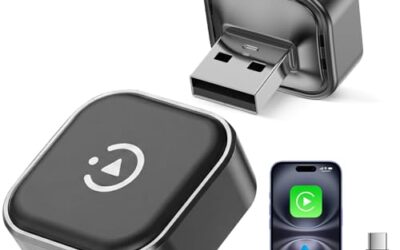
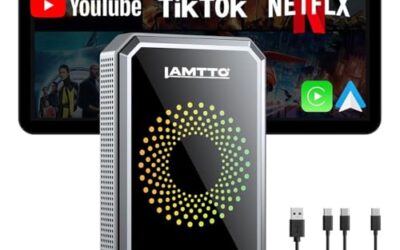
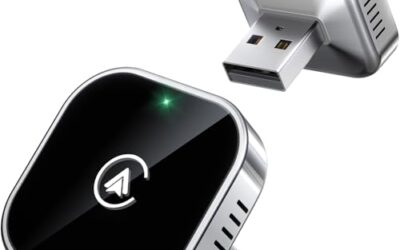
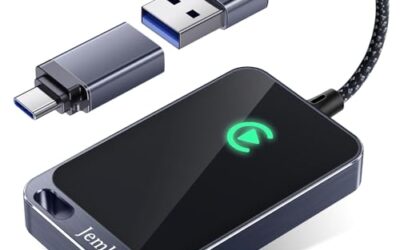
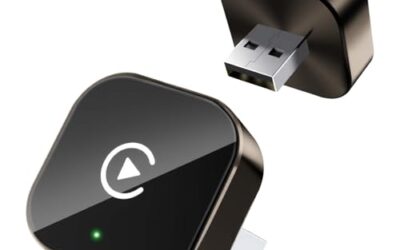
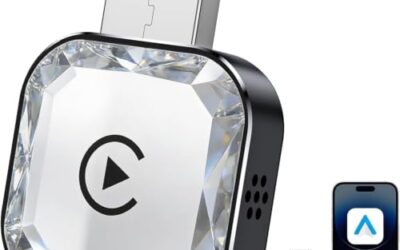
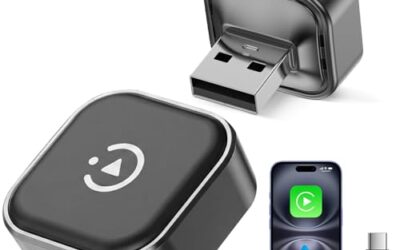
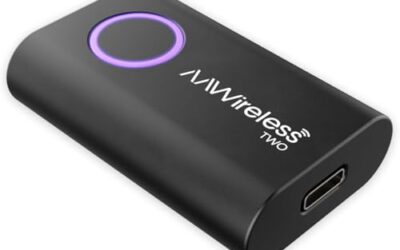
Wireless CarPlay adapters are aftermarket devices designed to provide wireless access to Apple’s CarPlay interface in vehicles that do not support it natively. They typically plug into the vehicle’s USB port or use an OBD-II port for power and data. These adapters pair with your iPhone via Bluetooth and then create a Wi-Fi connection to stream the CarPlay interface to the car’s display.
The technology behind wireless CarPlay relies on standard wireless protocols. Bluetooth handles the initial pairing and control signals, while Wi-Fi manages the high-bandwidth video and audio streaming. This setup allows for a cable-free experience, which is particularly useful in modern vehicles where space is limited or where the original equipment manufacturer (OEM) did not include wired CarPlay.
How Do Wireless CarPlay Adapters Work?
The operation of a wireless CarPlay adapter involves several steps. First, the adapter must be powered by the vehicle’s electrical system, usually through a USB connection. It then pairs with your iPhone using Bluetooth Low Energy (BLE) for low-power communication.
Once paired, the adapter creates a temporary Wi-Fi network or connects directly to the car’s existing network. The iPhone then sends the CarPlay data over this Wi-Fi link. The car’s head unit receives this data and displays it on the screen, mirroring the iPhone’s interface.
Key components include:
- Bluetooth module for pairing and control
- Wi-Fi module for data transmission
- Power management circuitry to handle vehicle voltage
- Microcontroller to process signals and manage connections
This process can vary slightly depending on the adapter model, but the core principle remains the same: wireless transmission of CarPlay data.
Factors That Affect Wireless CarPlay Adapter Compatibility
Several elements determine whether a wireless CarPlay adapter will work seamlessly with your setup.
Vehicle Model and Year
Compatibility often starts with the vehicle’s native support for wireless CarPlay. Many vehicles from 2018 and newer include this feature in their infotainment systems, but compatibility can vary by model and trim level. For older vehicles, an adapter is necessary. Always check the vehicle’s manual or the manufacturer’s website for supported models.
Head Unit Type
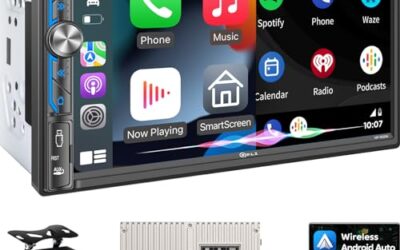
The car’s head unit plays a critical role. Some head units are designed for wireless CarPlay, while others are not. Adapters are typically used when the head unit lacks native wireless support. Ensure the adapter is compatible with your specific head unit’s interface, such as the USB port location or type.
Adapter Type and Design
There are different types of wireless CarPlay adapters, including plug-and-play devices that insert directly into the car’s USB port and more complex OBD-II based systems that tap into the vehicle’s diagnostic port. Each type has its own compatibility requirements. For example, some adapters require a specific power output from the car’s USB port, while others may need additional wiring.
iPhone Model and iOS Version
Your iPhone must meet certain requirements for wireless CarPlay to function properly. The adapter requires iOS 13 or later, and it works best with iPhone 8 and newer models. Older iPhones may not support the necessary protocols or have limited features. Additionally, the iPhone’s firmware should be up to date to ensure optimal performance.
Power Source and Voltage
Wireless CarPlay adapters draw power from the vehicle’s USB port or OBD-II port. Ensure that the adapter is rated for the voltage and current output of your vehicle’s electrical system. Mismatched power requirements can lead to connection drops or device damage.
To summarize these factors, consider the following compatibility checklist:
| Factor | Details | Potential Impact |
|---|---|---|
| Vehicle Model Year | 2018 and newer often support natively | Older vehicles require adapter |
| Head Unit | Wired vs wireless capable | May need specific adapter |
| Adapter Type | Plug-in or OBD-II | Must match vehicle port |
| iPhone Model | iPhone 8 and newer, iOS 13+ | Update or replace phone |
| Power Requirements | USB or OBD-II voltage compatibility | Check adapter specs |
Common Compatibility Issues and How to Address Them
While many users experience smooth wireless CarPlay, issues can arise. Here are some common problems and their solutions:
- No connection detected: Ensure the adapter is properly powered and paired via Bluetooth. Restart both the phone and the car.
- Intermittent disconnections: This can be due to interference from other wireless devices. Move to a location with less interference or increase the distance if possible.
- Lag or buffering: Wireless connections can introduce latency. Ensure the adapter’s firmware is updated, and test in an area with strong Wi-Fi signal.
- Audio not syncing with video: Check for software updates on both the adapter and the iPhone.
- Compatibility errors on specific vehicles: Verify the adapter’s supported vehicle list against your car’s make and model.
Limitations of Wireless CarPlay Adapters
Wireless CarPlay adapters have several limitations compared to wired connections. The primary one is range; the connection typically works within 10 to 30 feet, beyond which signal strength may drop. Latency is another factor, with wireless connections sometimes adding a 1-2 second delay, which can be noticeable during navigation or when using Siri.
Security is also a consideration. While adapters use encryption, they introduce an additional wireless link that could potentially be intercepted if not properly secured. Some features of CarPlay, such as certain navigation apps, may not work as seamlessly over wireless as they do wired.
Additionally, not all vehicles support wireless CarPlay even with an adapter, and some adapters may not work with all iPhone models or regional variants.
Troubleshooting Wireless CarPlay Compatibility Issues
If you encounter problems with your wireless CarPlay adapter, start with basic troubleshooting steps:
- Verify compatibility: Double-check that your adapter is listed as compatible with your vehicle model and your iPhone’s iOS version.
- Update firmware: Ensure the adapter has the latest firmware by checking the manufacturer’s website or using any provided update tool.
- Restart devices: Power cycle the car, the adapter, and your iPhone to clear any temporary glitches.
- Test the connection: Try connecting in a different location or with the car engine running to rule out power-related issues.
- Check for interference: Move away from other electronic devices that might interfere with Bluetooth or Wi-Fi signals.
If these steps do not resolve the issue, consider consulting the adapter’s user manual for advanced troubleshooting or seeking professional assistance.
When to Seek Professional Help
Professional help may be necessary if you are unable to establish a connection after following the basic troubleshooting steps. This could involve a technician who specializes in automotive electronics or the adapter’s manufacturer support team. They can diagnose hardware issues, such as faulty wiring or damaged ports, that require specialized tools or repairs.
Common Mistakes to Avoid
– Assuming all wireless CarPlay adapters are compatible with every vehicle: Always verify specific compatibility.
– Ignoring firmware updates: Outdated firmware can cause compatibility problems.
– Using the wrong power source: Ensure the adapter is powered correctly to avoid connection failures.
– Not updating your iPhone: Older iOS versions may not support wireless CarPlay features.
– Overlooking regional differences: Some features or protocols may vary by region.
Frequently Asked Questions
Does my vehicle support wireless CarPlay?
Most vehicles manufactured after 2018 support wireless CarPlay natively, but compatibility varies by model and trim. Check the owner’s manual or Apple’s CarPlay compatibility list for your specific vehicle.
Can any wireless CarPlay adapter work with my iPhone?
No, the adapter must be compatible with your iPhone’s model and iOS version. Ensure your iPhone is at least iOS 13 and meets the minimum hardware requirements.
How do I improve the compatibility of my wireless CarPlay setup?
Update the adapter’s firmware, ensure your iPhone is updated, and verify that the adapter is designed for your vehicle’s head unit. Testing in various conditions can also help identify issues.
What are the differences between wireless CarPlay and wired CarPlay?
Wireless CarPlay offers cable-free convenience but may have slightly higher latency and limited range compared to the direct, low-latency wired connection.
Is wireless CarPlay safe to use while driving?
Yes, when used correctly, wireless CarPlay maintains the same level of safety as wired CarPlay by not requiring the driver to interact with the phone while driving. However, always ensure the setup does not distract from safe driving practices.