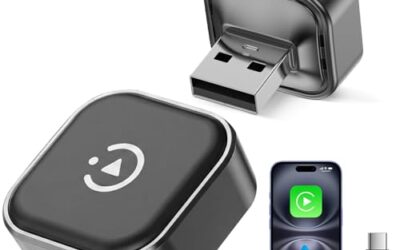
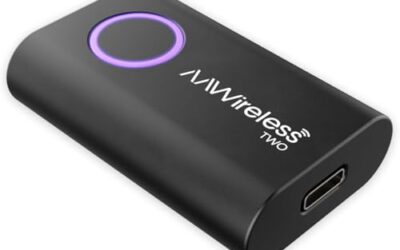
Wireless CarPlay adapters can introduce audio lag, but the degree of delay varies depending on several factors including the quality of the adapter, the distance between devices, and the presence of interference. While they provide the benefit of a cable-free connection, they may not always match the performance of wired CarPlay in terms of audio synchronization. This article explains the reasons behind potential lag, the factors that influence it, and methods to achieve the best possible experience.
By understanding these elements, drivers can make informed decisions about whether to use a wireless adapter or stick with a wired connection for their CarPlay setup.
Key Takeaways
- Wireless CarPlay adapters may add some audio lag due to wireless transmission
- Distance, interference, and adapter quality play key roles in lag levels
- Optimizing setup can help minimize lag
- Wired CarPlay offers the most reliable audio performance
- Compatibility with vehicle and phone models affects results
What Is Wireless CarPlay?
Wireless CarPlay is a wireless version of Apple’s CarPlay system that enables iPhone users to connect to their vehicle’s infotainment system without needing a cable. It allows access to navigation, music, messaging, and other features using the car’s screen and controls. The technology was developed to offer greater convenience for drivers.
Originally, CarPlay was available only as a wired connection. The wireless iteration was introduced later to expand usability, particularly in vehicles without easy cable access points.
How Does Wireless CarPlay Work?
Wireless CarPlay operates using a combination of Bluetooth and Wi-Fi technologies. Bluetooth is used for initial connection and sending control signals from the car to the phone. Once the connection is established, Wi-Fi handles the transfer of audio, video, and other data streams from the iPhone to the car’s display.
This setup allows for a wireless experience but introduces the potential for delays in data transmission. The audio data, in particular, must travel through these wireless channels, which can result in slight synchronization issues between the phone’s output and the car’s speakers.
Why Might Wireless CarPlay Adapters Have Audio Lag?
Audio lag refers to the delay between the sound generated by an app on the iPhone and the sound produced by the car’s speakers. This phenomenon occurs because wireless connections rely on radio waves to transmit information, which inherently takes more time than a direct wired link.
Key reasons for lag include:
- The time required for data packets to travel through the air and be decoded by the receiving hardware.
- Potential for signal interference from other electronic devices or networks.
- Additional processing time required by the adapter to manage the wireless connection.
- Variations in how different adapters implement the wireless protocols.
While manufacturers work to reduce these delays, some level of lag is a characteristic of wireless systems. The impact can be more pronounced in certain situations, such as when multiple devices are connected or when the signal is weak.
Factors That Affect Audio Lag
Distance Between Phone and Adapter
The physical separation between your iPhone and the wireless CarPlay adapter can impact performance. Greater distances may lead to weaker signals and increased transmission times. Positioning the adapter in a central area of the vehicle and keeping the phone relatively close can help maintain better connection quality.
Interference from Other Signals
Other wireless devices operating in the same frequency bands can cause interference, leading to retransmissions and delays. Using a dedicated 5GHz Wi-Fi network, which is less crowded, can improve signal stability and reduce lag.
Vehicle Hardware Capabilities
The vehicle’s ability to support wireless CarPlay depends on its built-in Bluetooth and Wi-Fi components. Older vehicles may have less capable hardware, resulting in higher lag compared to newer models with improved wireless systems. Adapters must work within the limitations of the vehicle’s wireless modules.
Phone Model and Software Version
Different iPhone models and the version of iOS installed can affect how the wireless connection is managed. Newer phones with more powerful processors may handle data streaming more efficiently, potentially leading to less lag. Keeping the phone’s software up to date is important for optimal performance.
Adapter Design and Technology
The design of the wireless CarPlay adapter itself plays a role. Adapters that are engineered with low-latency features and efficient data handling can provide better performance. It is important to select an adapter that is compatible with the specific vehicle and phone combination.
Methods to Reduce Audio Lag
While wireless CarPlay cannot always achieve zero lag, several strategies can help minimize any delays:
- Choose a high-quality adapter designed for minimal latency. Look for options that emphasize low-delay technology in their specifications.
- Ensure a strong and stable Wi-Fi connection by using a 5GHz band and avoiding crowded networks.
- Minimize physical obstacles between the phone and the adapter to maintain signal integrity.
- Update the firmware on the adapter if updates are available, as they may include improvements to connection stability.
- Keep the iPhone’s operating system updated to the latest version for any connectivity enhancements.
- Place the adapter in an optimal location with good line-of-sight to the phone.
These steps can help create a more reliable wireless experience.
Comparison of Wired and Wireless CarPlay
To better understand the differences, consider the following comparison:
| Aspect | Wired CarPlay | Wireless CarPlay |
|---|---|---|
| Audio Lag | None or minimal | Potential for some delay |
| Connection Method | Requires cable | Cable-free |
| Convenience | Less convenient | More convenient |
| Performance in Ideal Conditions | Seamless | Generally good but with possible minor delays |
| Interference Sensitivity | None | Can be affected by other signals |
This table highlights the trade-offs between the two approaches. Wired CarPlay is preferred when audio lag is a priority, while wireless is chosen for its ease of use.
Common Mistakes to Avoid
A frequent error is believing that any wireless CarPlay adapter will perform identically. Differences in technology and implementation mean that adapter quality can vary significantly.
Another mistake is not accounting for the vehicle’s wireless capabilities. Some vehicles may not have the best wireless hardware, leading to suboptimal performance with adapters.
Overlooking the need for a stable power supply to the adapter can also cause issues, as power fluctuations can lead to connection problems and lag.
Finally, not considering the phone’s capabilities or not keeping software updated can result in unexpected lag.
When to Seek Professional Assistance
If lag persists despite trying different adapters and optimizing the setup, it may be necessary to seek professional help. This could include:
- Consulting the adapter manufacturer’s support for troubleshooting steps or firmware updates.
- Having a technician inspect the vehicle’s infotainment system for any underlying issues.
- Exploring alternative solutions such as additional adapters or vehicle modifications.
- Checking for any known compatibility issues with specific vehicle models or phone versions.
Professional assistance can help identify if the problem is with the adapter, the vehicle, or the phone.
FAQ
Do wireless CarPlay adapters have audio lag?
Yes, they can have audio lag to some degree due to the wireless connection. However, many adapters are designed to reduce this effect as much as possible.
What causes audio lag in wireless CarPlay?
Audio lag is caused by the time it takes for data to be transmitted wirelessly using Bluetooth and Wi-Fi, along with any interference or processing delays in the adapter.
How can I reduce audio lag with a wireless CarPlay adapter?
You can reduce lag by selecting a quality adapter, optimizing your Wi-Fi connection, minimizing distance and interference, and keeping all devices updated.
Is wireless CarPlay safe for driving?
Wireless CarPlay is generally safe when used responsibly. Ensure the adapter is securely installed and do not let it interfere with driving controls. Always focus on safe driving practices.
How does wireless CarPlay differ from wired CarPlay?
Wireless CarPlay offers cable-free convenience but may introduce some audio lag, whereas wired CarPlay provides the most reliable, lag-free performance.