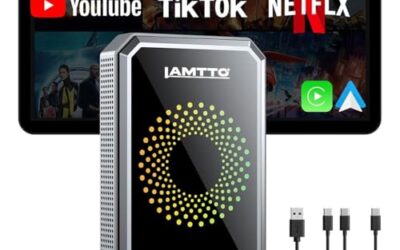
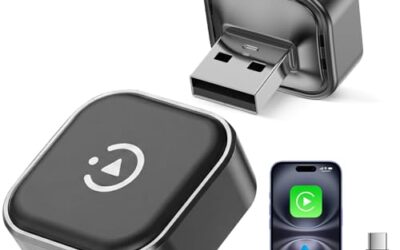
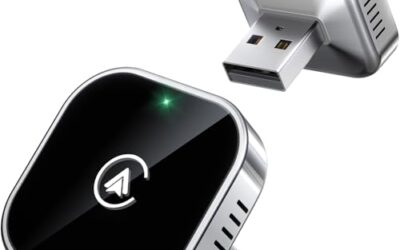
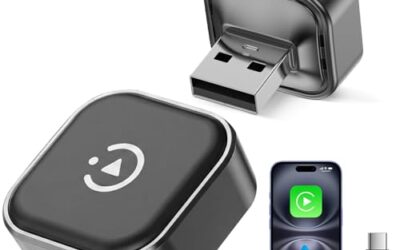
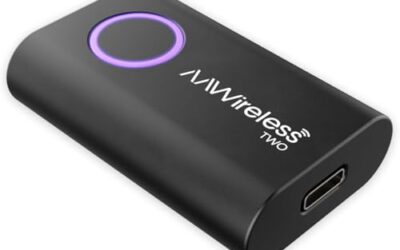
Most CarPlay adapters are designed to connect with one smartphone at a time. You can usually switch between two phones, but using both simultaneously is not supported. This limitation is due to the adapter’s hardware and the way it manages the connection to the vehicle’s infotainment system.
Key takeaways
- Standard CarPlay adapters support single-device connection only.
- Simultaneous use of two phones is not possible with typical adapters.
- Switching between phones is common and convenient for many users.
- Compatibility varies based on vehicle, adapter model, and phone types.
Understanding CarPlay Adapters
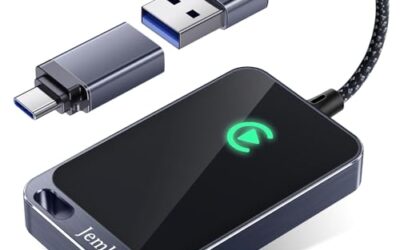
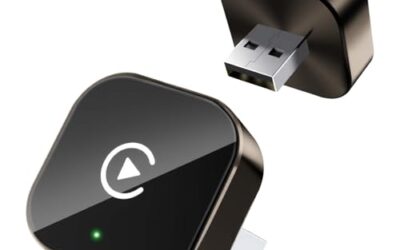
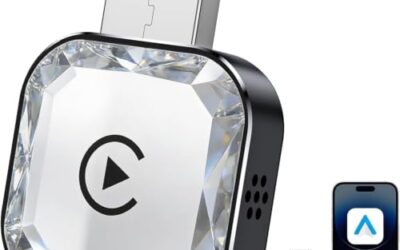
CarPlay adapters are aftermarket accessories that enable Apple CarPlay functionality in vehicles without built-in support. They can be either wired or wireless. Wired adapters connect via a USB cable, while wireless ones use Bluetooth and Wi-Fi connections.
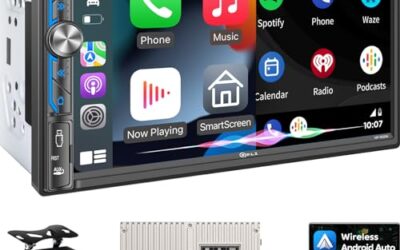
These adapters have become popular since the launch of CarPlay in 2014, especially for older vehicles. They allow drivers to access navigation, music, and other smartphone features through the car’s display and controls.
How CarPlay Works
CarPlay creates a secure, simplified interface from your phone to the car’s screen. In a wired setup, the phone connects to the adapter, which then plugs into the car’s USB port. The adapter translates the data so the car recognizes it as a CarPlay device.
For wireless CarPlay, the phone pairs with the adapter over Bluetooth for commands and uses Wi-Fi for the high-bandwidth data transfer. This setup provides a cable-free experience but requires the adapter to be powered and the phone to be close enough for a stable connection.
The entire process involves secure pairing and authentication. Both the phone and the adapter use encryption to ensure data privacy and prevent tampering.
Can Two Phones Use One CarPlay Adapter?
The answer is generally no for simultaneous use. Most CarPlay adapters are built to handle one phone connection at any given moment. When the adapter is active, it is paired with one phone, and attempting to connect a second phone will typically result in the first connection being dropped or rejected.
This design prevents conflicts in the communication protocol between the phone, adapter, and vehicle. The vehicle’s head unit expects a single CarPlay session to avoid system overload or errors.
However, many adapters do support multiple phone pairings. You can pair two or more phones with the adapter beforehand. Then, you can switch the active phone from the car’s interface or the adapter’s settings. The switch happens quickly, usually in a few seconds, but it is a sequential process, not simultaneous.
Some advanced adapters may have additional features like quick switching or notifications for both phones, but they still operate on a single connection at a time. True simultaneous connection would require the adapter to manage two independent data streams, which is not standard and could cause performance issues.
Factors That Affect Compatibility
Several elements can impact whether two phones can use one CarPlay adapter, even for switching purposes.
Vehicle Model and Year
Vehicles manufactured before 2016 often need adapters because they lack native CarPlay. Newer models usually have it built-in. Make sure your vehicle’s USB ports and system can accommodate the adapter without issues. Some vehicles have multiple USB ports, which might allow using two adapters if needed.
Adapter Type and Specifications
Wired adapters are simpler but require a cable. Wireless adapters are more convenient but may have range limits. Check the product specifications for support of multiple devices. Most support switching, but confirm if it explicitly mentions multi-device capability.
Phone Operating System and Firmware
iOS and Android have different connection requirements. Ensure both phones are running the latest software updates to maintain compatibility. Some older phone models may not work well with newer adapters.
Connector and Power Requirements
Adapters come with different connectors to match phone ports like Lightning or USB-C. The car’s USB port must provide enough power, typically 5 volts. Using an incompatible connector or insufficient power can lead to connection failures.
Regional and Legal Considerations
Wireless adapters must comply with local regulations on radio frequencies. In some areas, there may be restrictions that affect performance.
To assess compatibility, use this checklist:
- Identify your vehicle make, model, and year.
- Check the adapter’s manual or website for supported devices.
- Pair both phones with the adapter and test switching.
- Ensure the adapter is powered correctly and within range if wireless.
Limitations and Practical Considerations
While switching is possible, there are some drawbacks. The time required to switch can interrupt your flow, especially if you’re navigating or listening to music. This delay can be 5 to 10 seconds.
Phone battery life might decrease as the device connects and disconnects repeatedly. If one phone is used for navigation and the other for calls, you can’t use both features at once.
Safety is paramount. The design of adapters minimizes the risk of confusion between devices, but drivers should be cautious not to rely on the wrong phone’s data.
Power consumption is another factor. Adapters need a stable USB connection, and shared ports might cause problems if other devices are plugged in.
Common Mistakes to Avoid
One frequent error is assuming all CarPlay adapters support multiple phones. Many users select adapters based on general reviews without verifying the multi-device feature.
Another mistake is not checking compatibility lists. Adapters may not work with all phone models or vehicle years, leading to frustration.
Overlooking the power source can result in unstable connections. Some adapters require a dedicated USB port to function properly.
Using the wrong cable or adapter for your specific setup can also cause issues.
When to Seek Professional Help
If the adapter fails to connect with either phone or experiences frequent disconnections, contact the manufacturer or a professional automotive technician. They can help diagnose hardware or software problems.
For complex vehicle installations, professional help ensures the adapter is integrated correctly, avoiding potential electrical issues or warranty problems.
If you need simultaneous use of two phones, consider alternatives such as upgrading to a vehicle with native CarPlay support or using a multi-input media hub that supports multiple sources.
Alternatives to Using One CarPlay Adapter for Two Phones
If simultaneous use is essential, there are other options. Some vehicles have two USB ports, allowing two adapters. Newer cars may have native support for both Apple CarPlay and Android Auto, but still typically one at a time.
Another option is using a dedicated car media center that supports multiple phone connections through different ports or wireless methods. However, these are more complex and may not be as seamless as a single adapter.
Always research the latest options, as technology evolves quickly in the automotive space.
FAQ
Can two phones use one CarPlay adapter?
Generally, no for simultaneous use. Most adapters support switching between two phones but not both at the same time.
What are the main limitations of CarPlay adapters?
Key limitations include single-device connection at a time, switching delays, and compatibility issues with certain vehicles and phones.
Do wireless CarPlay adapters support multiple phone connections?
Wireless adapters usually support multiple pairings for switching, but simultaneous connection is not available.
How can I check if an adapter supports two phones?
Review the adapter’s specifications or user manual for mentions of multi-device or multiple pairing support.
Is there a solution for using two phones simultaneously with one adapter?
Not with standard adapters. Consider using two adapters or upgrading your vehicle for native support.