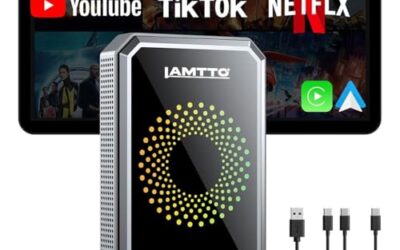
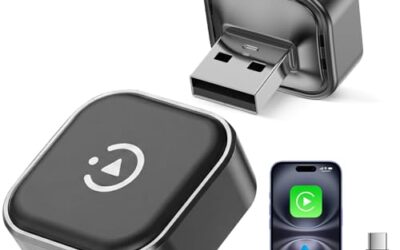
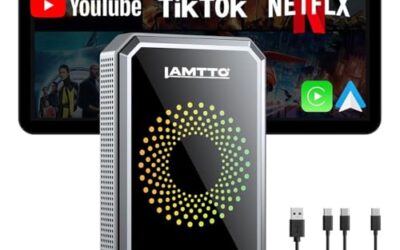
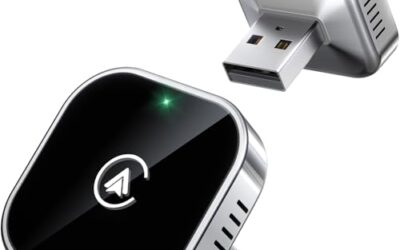
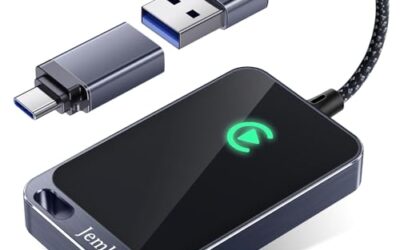
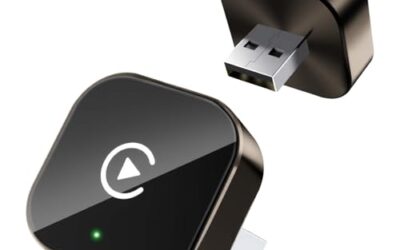
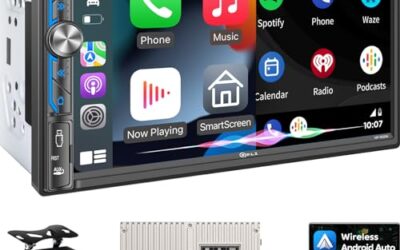
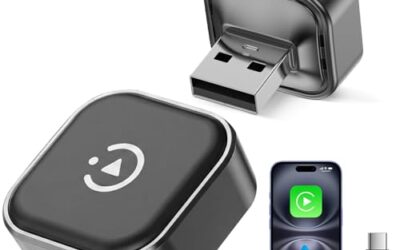
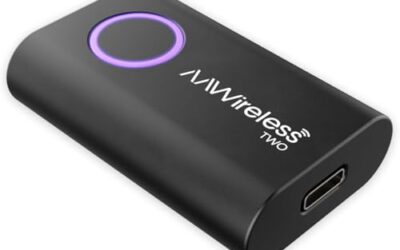
Wireless CarPlay connects your iPhone to the car’s infotainment system using Wi-Fi technology. It does not rely on mobile data or cellular connections for the primary interface. This setup allows drivers to enjoy Apple CarPlay features without the hassle of cables, but it does require a stable Wi-Fi network for optimal performance. The technology behind this is designed to provide a reliable and efficient way to use your iPhone in the car. By using Wi-Fi, it avoids the limitations of wired connections and offers more freedom of movement within the vehicle. This is particularly beneficial for drivers who prefer not to deal with cables or who use their phones in different positions during the drive. Wireless CarPlay has evolved from the original wired system to meet the demands of modern drivers who value convenience and safety. The shift to wireless was a significant step forward in making in-car technology more user-friendly.
Many users are curious about whether their cellular data plan plays any role in wireless CarPlay usage. The answer is generally no, as the streaming happens over Wi-Fi. However, understanding the nuances can help avoid unexpected issues during your drive. Users should be aware that while the CarPlay interface itself does not use mobile data, the phone’s operating system may still use cellular data for other purposes such as receiving iCloud updates or app notifications. However, these are separate from the CarPlay functionality.
Key Takeaways
- Wireless CarPlay uses Wi-Fi exclusively for its connection, bypassing mobile data.
- A data plan is not required to use wireless CarPlay.
- Ensure your phone is connected to Wi-Fi to maintain the CarPlay session.
- Check vehicle and phone compatibility for the best experience.
- Be aware of potential battery drain from continuous Wi-Fi streaming.
What is Wireless CarPlay?
Wireless CarPlay is Apple’s wireless version of its popular CarPlay system, designed to integrate iPhone features into a vehicle’s dashboard display. Unlike the wired version, which requires a USB cable to link the phone to the car, wireless CarPlay establishes a connection through Wi-Fi. This technology was developed to provide greater convenience and flexibility for drivers. By removing the cable dependency, it reduces the risk of cable damage and allows for more natural interaction with the car’s controls. Wireless CarPlay is particularly useful in modern vehicles equipped with large touchscreens and advanced infotainment systems. It supports a wide range of features including navigation, music streaming, messaging, and phone calls, all displayed and controlled through the vehicle’s interface. The system aims to keep drivers focused on the road by presenting information in a safe, accessible format.
How Does Wireless CarPlay Work?
The working mechanism of wireless CarPlay involves the iPhone and the car’s head unit establishing a direct Wi-Fi connection. This connection allows the phone to stream its CarPlay interface wirelessly to the vehicle’s display. Once the connection is made, the iPhone’s apps and features are mirrored onto the car’s screen. Users can then interact with these features using the car’s steering wheel controls, touch interface, or voice commands. The process is designed to be seamless and low-latency to ensure a responsive driving experience. Key to this technology is the use of Wi-Fi, which operates on local networks rather than cellular towers. This means the data transfer happens within the immediate vicinity of the phone and car, without needing to connect to a mobile network. In addition to the core connection, wireless CarPlay can support features that might seem data-related, but they are actually handled through the Wi-Fi link. For instance, when using CarPlay for navigation, the route information is sent from the phone to the car over Wi-Fi, not cellular.
Does Wireless CarPlay Use Mobile Data?
No, wireless CarPlay does not use mobile data. The entire connection and data streaming for the CarPlay interface occur over Wi-Fi. This is a crucial distinction because it means your cellular plan remains untouched for the purpose of using wireless CarPlay. However, there are some related considerations. If your iPhone is not on Wi-Fi and attempts to use cellular data, the CarPlay connection may not establish or could disconnect. In such scenarios, the phone might fall back to cellular for other functions like app updates or notifications, but this does not affect the CarPlay session itself. Some features within CarPlay, such as real-time navigation or weather updates, might involve data if the phone is configured to use cellular. But the core CarPlay protocol, including the UI mirroring, is Wi-Fi based. This design allows wireless CarPlay to work independently of your mobile data availability. It’s worth noting that manufacturers and Apple have optimized the system to prioritize Wi-Fi for reliability and to avoid consuming cellular bandwidth unnecessarily. This is beneficial for users with limited data allowances or those in areas with poor cellular coverage.
Requirements for Wireless CarPlay
Vehicle Support
For wireless CarPlay to function, the vehicle must have the necessary hardware and software integration. This includes a compatible infotainment system that supports wireless connections. Not all vehicles from all manufacturers offer this feature equally; it is more common in newer models. Always verify with the manufacturer to ensure the feature is officially supported. Older vehicles may support it through aftermarket solutions, but these can vary in quality and compatibility. Check your vehicle’s manual or manufacturer’s website to confirm wireless CarPlay support for your specific model and year.
Phone Requirements
Your iPhone must support CarPlay, which is available on most models since the iPhone 5. However, for the best wireless experience, use the latest iOS version. The phone also needs to have Wi-Fi enabled and be within range of the car’s wireless network. Compatibility can also be affected by the specific iOS version running on the device, as updates often include improvements to wireless connectivity protocols.
Network Setup
Wireless CarPlay typically connects directly or through the car’s Wi-Fi. Ensure your phone’s Wi-Fi is turned on and that it can connect to the available network without password issues or interference. A strong and stable signal is essential to prevent interruptions during use.
Compatibility and Limitations
While wireless CarPlay offers many advantages, it has some limitations. The Wi-Fi connection can be affected by distance, interference, or weak signals, potentially leading to dropped connections or lag. In such cases, switching to wired CarPlay might be necessary for reliability. Additionally, not all apps are fully optimized for CarPlay, and some features may be limited in wireless mode. Battery life can also be a concern as Wi-Fi streaming consumes more power than a wired connection. Users should monitor their phone’s battery and charge it as needed. Regional differences in network standards and vehicle software versions can also impact compatibility. Always ensure your vehicle and phone firmware are up to date to maximize performance. It is also important to consider that wireless CarPlay may have different performance characteristics compared to wired. For example, the initial connection time might take a few seconds longer, and maintaining the connection requires a good signal.
Benefits of Wireless CarPlay
The primary benefit is convenience. Without cables, drivers can focus more on the road and less on managing connections. This is especially helpful in vehicles with multiple USB ports or when using a phone holder. Wireless CarPlay also enhances safety by allowing voice commands and reducing the need to interact with the phone directly. It integrates well with Apple’s ecosystem, providing a unified experience across compatible devices. Another advantage is the ability to use CarPlay in different vehicles without needing to carry cables. This makes it ideal for commuters or those who switch between cars. Furthermore, wireless CarPlay can improve the overall driving experience by reducing distractions. Studies and user reports suggest that cable-free systems lead to fewer instances of drivers fiddling with their phones, which is a major factor in road safety.
Troubleshooting Wireless CarPlay Connection Problems
If you encounter issues with wireless CarPlay, begin with simple steps. Restart your iPhone and the vehicle’s infotainment system. This can resolve temporary glitches in the connection. Check that Wi-Fi is enabled on your phone and that you are connected to the correct network. If the connection fails, try forgetting the network and reconnecting. Ensure the car’s software is updated, as outdated firmware can cause compatibility issues. If you notice that the CarPlay connection is dropping after a short time, it could be because your phone is switching between Wi-Fi and cellular networks. In this case, you can force the phone to stay on Wi-Fi by disabling cellular data temporarily or adjusting the network settings. Common troubleshooting steps include:
- Verify Wi-Fi strength and move closer if needed.
- Update iOS and vehicle software.
- Disable any VPN that might interfere with the connection.
- Reset network settings on the iPhone as a last resort.
Common Mistakes When Using Wireless CarPlay
A frequent mistake is believing that wireless CarPlay consumes mobile data. This can lead to unnecessary concerns about data usage and plan limits. Another error is not ensuring a stable Wi-Fi connection before starting the session. Users might start CarPlay and then move out of range, causing the connection to drop. Some also overlook updating their devices, leading to unexpected bugs or feature limitations. Finally, assuming all features work the same as in wired mode can result in frustration when certain apps don’t support wireless fully. A common mistake is not realizing that wireless CarPlay can still work even if your data plan is exhausted, as long as Wi-Fi is available. This can save you from worrying about data usage while on the road.
When to Get Professional Assistance
If troubleshooting does not fix the problem, it may be time to seek help. This could involve visiting an authorized dealer to check the vehicle’s system or contacting Apple Support for iPhone diagnostics. Persistent connection issues or unusual behavior might indicate a hardware problem that requires repair. In such cases, professional evaluation is recommended to avoid further complications. If basic steps fail, it is advisable to have the vehicle’s infotainment system checked by a technician familiar with wireless connectivity issues.
FAQ
Does wireless CarPlay use mobile data?
No, wireless CarPlay uses Wi-Fi and does not use mobile data for its connection.
Can wireless CarPlay work without a data plan?
Yes, wireless CarPlay can work without a data plan since it relies on Wi-Fi.
Will wireless CarPlay drain my iPhone battery?
Yes, it can drain the battery faster because of the Wi-Fi streaming process. Keep your phone plugged in if possible.
Is wireless CarPlay available in all cars?
No, availability depends on the vehicle make, model, and year. Not every car supports wireless CarPlay.
How does wireless CarPlay compare to wired CarPlay?
Wireless uses Wi-Fi while wired uses a USB cable. Both provide similar functionality but differ in setup and convenience.
What should I do if wireless CarPlay keeps disconnecting?
Check your Wi-Fi signal strength, update your devices, and ensure no VPN is interfering with the connection.
Conclusion
Wireless CarPlay does not use mobile data; it operates on Wi-Fi for a cable-free experience. This technology offers convenience and safety benefits for drivers using iPhones. By understanding how it works and its requirements, you can ensure a smooth and reliable in-car experience. Remember to maintain a stable Wi-Fi connection and keep your devices updated for the best performance. In summary, wireless CarPlay provides a flexible solution for in-car use that is independent of cellular data plans, making it suitable for a wide range of drivers regardless of their data usage needs.
| Aspect | Wireless CarPlay | Wired CarPlay |
|---|---|---|
| Connection Type | Wi-Fi | USB Cable |
| Mobile Data Usage | None for CarPlay | None |
| Convenience | High, cable-free | Lower, requires cable |
| Potential Issues | Wi-Fi signal dependent | Physical cable management |