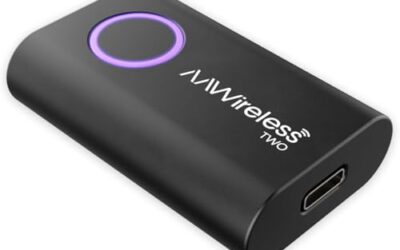
Wireless CarPlay uses Wi-Fi as the primary connection technology for the data exchange between your iPhone and the car’s infotainment system. Bluetooth is also integrated for specific functions like audio streaming and initial pairing. The answer is that it uses both, with Wi-Fi being the main driver for the CarPlay experience.
This article will provide a detailed explanation of the technology, compatibility, and how to optimize your wireless CarPlay setup. We will address common questions and dispel any misconceptions about the connectivity methods.
Key Takeaways
- Wireless CarPlay relies on Wi-Fi for high-bandwidth data transfer.
- Bluetooth is used for low-bandwidth tasks such as audio and pairing.
- Compatibility is limited to vehicles with compatible head units and iOS devices.
- Understanding the roles helps in troubleshooting and maximizing performance.
What is Wireless CarPlay?
Wireless CarPlay is Apple’s wireless implementation of its popular CarPlay platform. It allows iPhone users to interact with navigation, music, messaging, and other apps through the car’s display without needing to connect a cable. This feature enhances convenience and safety by keeping drivers’ eyes on the road.
The system was introduced to provide a more seamless experience compared to the wired version. It uses wireless technology to mirror the iPhone’s interface onto the car’s screen, allowing for hands-free operation using Siri or the car’s controls.
How Does Wireless CarPlay Work?
The working of wireless CarPlay involves several steps. First, the iPhone and the car’s head unit must be paired via Bluetooth for initial setup. Once paired, the phone connects to the car’s Wi-Fi network to establish the CarPlay session.
During this connection, the head unit acts as a host for the CarPlay interface. The phone sends data over Wi-Fi, and the car processes it and displays it on the screen. Controls from the car are sent back to the phone via the same connection.
For audio, the system can use Wi-Fi streaming for better quality or Bluetooth if the car supports it. This dual capability allows flexibility depending on the vehicle’s capabilities.
The Importance of Wi-Fi in Wireless CarPlay
Wi-Fi is critical because it provides the high-speed, low-latency connection needed for the CarPlay interface. The data transfer includes not just the interface but also real-time updates from navigation apps, streaming music, and more.
Without sufficient Wi-Fi bandwidth, the CarPlay experience can become laggy or unresponsive. Modern cars use dedicated Wi-Fi modules to ensure stable connections, often with multiple antennas for better signal strength.
The use of Wi-Fi also allows for easier integration with other smart features in the car, such as Apple CarPlay on the go, which can connect to multiple devices. This technology supports features like live traffic updates and high-quality audio streaming without the need for a physical cable.
Bluetooth’s Role in Wireless CarPlay
Bluetooth serves as a supporting technology in wireless CarPlay. It is used for the initial pairing process, which is essential for secure and quick setup. Once paired, the Bluetooth connection can be used to stream audio to the car’s speakers if the Wi-Fi connection is not ideal.
In some vehicles, Bluetooth audio is the default for CarPlay audio output. This is because Bluetooth is already part of the car’s audio system for phone calls and other features. By using Bluetooth for audio, the car can leverage its existing hardware for better sound quality or lower power use.
However, it is worth noting that the primary CarPlay data connection remains Wi-Fi. Bluetooth alone cannot support the full CarPlay interface due to its limitations in speed and range for the required data. This combination allows for a balanced approach that prioritizes performance while utilizing available vehicle technologies.
Wi-Fi vs Bluetooth Comparison
To better understand the roles, let’s look at a comparison table:
| Feature | Wi-Fi | Bluetooth |
|---|---|---|
| Connection Type | Wireless data network | Short-range personal area network |
| Primary Function in CarPlay | CarPlay interface and data | Audio streaming and pairing |
| Bandwidth | High (hundreds of Mbps) | Low (few Mbps) |
| Range | 10-30 meters | 10 meters |
| Latency | Low for data | Low for audio |
| Power Consumption | Moderate | Low |
This table shows why Wi-Fi is the main technology for the CarPlay experience while Bluetooth handles the audio side. The differences in bandwidth and range make Wi-Fi essential for the interface while Bluetooth complements it for audio.
Compatibility and Limitations
Wireless CarPlay compatibility depends on several factors. The vehicle model year must support the feature, which is more common in newer models from 2018 onwards. The head unit must have the necessary hardware and software for wireless CarPlay.
On the phone side, iOS version 11 or later is recommended for best performance. The phone must also be within the Wi-Fi range of the car’s system. Regional differences may apply, such as in some countries where certain frequencies are restricted. Always check the vehicle’s manual for specific compatibility.
Limitations include potential interference from other Wi-Fi networks, the need for a strong signal, and the fact that some features like CarPlay on the go may have restrictions. The system’s performance can vary based on the vehicle’s voltage and connector type, as well as the phone’s operating system. For example, older iPhones may not support the latest wireless protocols as effectively as newer models.
Common Mistakes
A common mistake is believing that wireless CarPlay is purely Bluetooth-based. Many users expect it to work like Bluetooth audio, but the interface requires the higher bandwidth of Wi-Fi. This misconception can lead to frustration when the system does not perform as expected.
Another mistake is not considering interference from other devices. Other Wi-Fi networks or even microwaves can disrupt the connection. Users should also avoid using the phone while the car is in motion if it affects the signal strength.
Some users also forget to update their devices, leading to compatibility issues. Keeping both the iPhone and car firmware updated is essential for smooth operation. Failing to do so can result in dropped connections or reduced functionality.
Troubleshooting Guide
If you are having trouble with wireless CarPlay, start with these steps:
- Ensure the car is within range of the phone’s Wi-Fi.
- Restart the car and the iPhone.
- Forget the Bluetooth pairing and re-pair.
- Check for software updates on both devices.
- Try switching audio to Bluetooth if available.
- Disable any VPN or proxy on the phone that might interfere with the connection.
If these steps don’t work, it may indicate a problem with the car’s head unit or wiring. Restarting the car’s infotainment system can sometimes resolve temporary glitches.
When to Get Professional Help
If you encounter persistent connectivity issues or the feature does not work at all, it is advisable to seek professional help. This could be from a car dealership or a certified technician. They can diagnose hardware issues or software glitches that require specialized tools.
Never attempt to open the car’s dashboard yourself unless you are experienced, as it can void warranties or cause safety issues. Professional help ensures that any repairs are done correctly and safely.
Future of Wireless Connectivity in Cars
As technology advances, we can expect more seamless wireless connections in vehicles. The integration of 5G and better Wi-Fi standards will likely improve the performance of wireless CarPlay and similar systems.
Manufacturers are also exploring ways to reduce battery drain and increase range, making wireless features even more practical for everyday use. This evolution will continue to enhance driver safety and convenience.
FAQ
Does Wireless CarPlay use Bluetooth or WiFi?
Wireless CarPlay uses both. Wi-Fi is the primary connection for the CarPlay interface, while Bluetooth is used for audio streaming and pairing.
Is the audio streamed over WiFi or Bluetooth?
Audio can be streamed over either, depending on the vehicle’s capabilities. Many systems use Bluetooth for audio to utilize existing hardware.
What are the limitations of wireless CarPlay?
Limitations include limited range, potential for interference, and the need for compatible hardware. Not all vehicles support wireless CarPlay.
How do I set up wireless CarPlay?
To set up, ensure compatibility, pair via Bluetooth, connect to Wi-Fi, and follow the on-screen prompts.
Does wireless CarPlay drain the phone battery?
Yes, wireless connections can consume more battery than wired ones. Using a car charger can help mitigate this.
This article has provided a comprehensive overview of how wireless CarPlay uses Bluetooth and WiFi. By understanding the technology, users can make the most of this convenient feature in their vehicles.