
How to choose dash cam recording resolution starts with matching image detail to your driving, lighting, storage, and evidence needs. Higher resolution can show more detail, but it cannot fix poor night exposure, motion blur, a dirty lens, or a plate that sits too far from the camera.
For many drivers, 1440p offers a useful balance between detail and storage. Choose 4K when distant plates, road signs, or wide front views matter most and your camera, memory card, phone, computer, and storage plan support larger files. Choose 1080p when lower storage use, simpler playback, or a rear camera with limited resolution matters more.
Key takeaways
- Resolution describes image dimensions, not total evidence quality.
- 1440p often balances detail, file size, and device compatibility.
- 4K helps with distant detail but needs more storage and processing power.
- Frame rate affects motion clarity. Resolution alone cannot stop blur.
- Night exposure, lens quality, HDR, camera position, and clean glass affect plate visibility.
- Check front and rear camera limits separately on dual-camera systems.
What dash cam resolution means
Dash cam resolution is the number of pixels recorded across an image and down its height. Common labels include 1080p, 1440p, 2.5K, and 4K. More pixels can preserve smaller details when you crop or pause video, but pixel count does not equal guaranteed clarity.
A 1080p recording usually contains 1,920 by 1,080 pixels. A 1440p recording usually contains 2,560 by 1,440 pixels. A 4K recording usually contains 3,840 by 2,160 pixels. Some listings use 2.5K or other labels for different dimensions, so check the actual pixel count when available.
Resolution applies to each camera view. A front camera may record 4K while its rear camera records 1080p. A dual-channel camera may also reduce frame rate or image quality when both channels record. Read front, rear, and interior specifications separately.
Resolution comparison for common driving needs
| Resolution | What it helps with | Tradeoff | Good fit |
|---|---|---|---|
| 1080p | Basic road events and lower storage use | Less crop detail for distant plates | Simple front or rear coverage |
| 1440p | More detail than 1080p without 4K file sizes | Higher storage and processing needs | Daily driving and mixed conditions |
| 4K | Fine detail, signs, and distant objects | Large files and greater heat or power demand | Front coverage where detail matters most |
| Lower rear-camera resolution | Basic following-distance and impact evidence | Less detail behind the vehicle | Systems pairing high-resolution front with simpler rear video |
How to choose dash cam recording resolution step by step
1. Define what video must show
Start with your likely evidence need. If you mainly want a record of traffic lights, lane changes, and collisions, 1080p may cover basic events. If you drive at highway speed, want to read signs, or need to inspect a vehicle farther ahead, 1440p or 4K gives you more pixels to work with.
Distance matters. A plate close to the camera can appear readable at lower resolution. The same plate may remain unreadable at 4K if it occupies only a few pixels, moves quickly, reflects headlights, or sits behind tinted glass.
Parking mode creates a separate need. A camera watching a driveway or curb may benefit from more detail, but continuous recording can fill a card quickly. Confirm how the camera handles motion clips, time-lapse recording, low-bitrate recording, and impact events.
2. Compare resolution with frame rate
Frame rate describes how many images the camera records each second. Common settings include 30 frames per second and 60 frames per second. Higher frame rates can make moving objects easier to inspect, but they may reduce available light or increase file size.
A 4K camera recording at 30 frames per second may show more static detail than a 1080p camera at 60 frames per second. The 1080p camera may show smoother motion. Neither setting automatically produces readable plates at night.
Check whether the camera records its advertised resolution and frame rate on every channel. Some dual-camera systems lower the front frame rate when the rear or cabin camera is active.
3. Check night performance
Night video often limits plate detail before resolution does. A camera needs controlled exposure, useful dynamic range, and suitable lens performance. Headlights can wash out reflective plates. Streetlights can create glare. Dark roads can produce noise and motion blur.
HDR can help manage bright and dark areas in one scene, but its result depends on the camera sensor, processing, shutter behavior, and firmware. Night vision may use infrared light for cabin recording, while front-road recording usually depends on visible light. Do not treat an infrared cabin feature as proof of better road video.
Read sample clips from the exact resolution and frame-rate setting you plan to use. A daytime 4K sample does not show how that camera handles dark roads, headlights, rain, or snow.
4. Match resolution to storage capacity
Higher resolution creates larger video files. Storage use also changes with frame rate, compression, scene movement, HDR, audio, camera count, and recording mode. A busy road can produce different file sizes from an empty highway.
Use a high-endurance microSD card that matches the camera manual. Dash cams write and overwrite video repeatedly, which can expose weak cards quickly. Card capacity limits how much normal driving or parking footage remains before loop recording replaces older files.
Loop recording does not protect every clip forever. Locked files, impact events, and manual saves can fill space. When storage reaches its limit, the camera may stop recording, overwrite older protected files, or show a card error, depending on its design.
5. Check camera and vehicle compatibility
Resolution affects more than the camera. Large 4K files need a phone, tablet, or computer that can decode them smoothly. The camera app may require a current iOS or Android version. Wi-Fi transfer can take longer for larger clips, and some apps limit preview quality.
Power also matters. A USB connector, hardwire kit, and adapter must match the camera’s required voltage and connector type. A vehicle’s USB port may stop power when the ignition turns off, which can prevent parking mode. A hardwire kit may need an ignition source, constant battery source, low-voltage cutoff, and fuse location suited to the vehicle.
Vehicle model-year differences can change fuse access, trim routing, USB behavior, and available accessory power. Do not assume a cable kit fits every version of one model. Follow the camera and vehicle manuals during installation.
6. Consider the lens angle
A wide lens covers more lanes but spreads pixels across a larger scene. That can reduce detail on each vehicle or sign. A narrower view may show distant objects larger but miss activity near the sides.
Resolution and field of view work together. A 4K camera with an extremely wide lens may not resolve a plate as well as expected. Look for a practical view that covers your lane and nearby traffic without stretching the image heavily at the edges.
7. Check front, rear, and interior limits
Front video usually receives the highest resolution because it covers the main road view. Rear and interior cameras often use lower resolution to control storage and processing load. That tradeoff may be acceptable for collision context, but it can limit plate detail behind you.
Check cable length, connector type, mounting position, and weather exposure for a rear camera. A rear camera mounted inside tinted glass may lose detail, especially at night. An exterior camera may need a housing and wiring rated for its mounting location.
When 1080p, 1440p, or 4K makes sense
Choose 1080p when simplicity matters
1080p fits drivers who want basic event recording, smaller files, and broad device compatibility. It can work well for rear coverage or a secondary cabin view. Its limits become more visible when you crop distant objects or record fast highway traffic.
Choose 1440p for balanced daily coverage
1440p gives more image detail than 1080p while using less storage than many 4K settings. It suits drivers who want clearer signs and nearby plates without managing the largest files. Check whether the camera keeps 1440p when rear or interior channels run.
Choose 4K for detail at distance
4K makes sense when front-view detail has high value and storage management is acceptable. It can help with signs, lane markings, and objects farther ahead. It cannot guarantee plate readability after glare, blur, compression, or underexposure.
Common mistakes
- Choosing by pixel count alone: A high-resolution sensor cannot correct poor focus, glare, or a dirty windshield.
- Ignoring frame rate: Low frame rate can make fast events harder to inspect.
- Using a basic memory card: Repeated dash cam recording can cause card failures and missing footage.
- Assuming 4K applies to every view: Rear and cabin channels may use lower settings.
- Expecting digital zoom to create detail: Cropping enlarges existing pixels. It does not recreate lost information.
- Forgetting parking-mode storage: Long parked periods can consume card space quickly.
- Mounting behind a tinted area: Tint, defroster lines, dirt, and reflections can reduce image quality.
- Leaving the highest setting on without checking heat: Some cameras may run warmer or reduce recording options at high settings.
Quick decision checklist
- Choose the view that matters most: front, rear, cabin, or all three.
- Pick 1080p for basic coverage, 1440p for balance, or 4K for front-view detail at distance.
- Check frame rate at the chosen resolution.
- Review night clips with headlights, streetlights, and moving traffic.
- Estimate storage needs for normal and parking-mode recording.
- Use a compatible high-endurance microSD card.
- Check connector, voltage, phone OS, firmware, and model-year installation limits.
- Set the lens angle and mount position to cover useful road area without excessive distortion.
When to get professional help
Ask an installer for help if wiring requires fuse access, airbag-area trim removal, headliner work, or a permanent parking-mode connection. Incorrect wiring can drain the battery, damage a circuit, interfere with trim, or place a cable near an airbag deployment path.
Get help when a camera repeatedly corrupts cards, loses power, overheats, drops rear video, or shows a voltage warning. Replace the card only after checking the manual, firmware, power supply, and recording settings. Clearing an error does not repair its cause.
Gear that can help
If you need dash cams for this job, these picks already appear in our dash cams guides. Check the full guide for fit and who should skip each one.

Pros
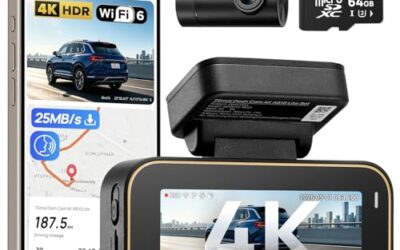
- 4K recording is specified for both the front and rear cameras
- Includes a 128GB card for recording out of the box
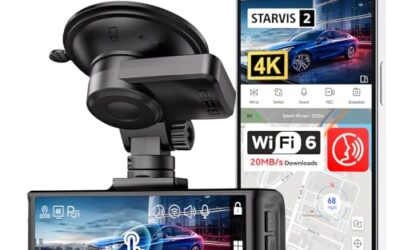
- Provides built-in GPS and dual-band WiFi 6 connectivity
- Includes a stated 3-year guarantee and 24/7 customer support
Cons
- The hardwire kit needed for 24-hour parking monitoring is sold separately
Specifications
| Color | Black |
|---|---|
| Size | 3 |
| Dimensions | 1.3779527545 x 3.7401574765 x 1.7716535415 Inches |
| Weight | 0.3968320716 Pounds |
| Product Group | Electronics |
Best For / Avoid If
Best for buyers prioritizing
- 4K recording is specified for both the front and rear cameras
- Includes a 128GB card for recording out of the box
- Provides built-in GPS and dual-band WiFi 6 connectivity
Consider another option if
- The hardwire kit needed for 24-hour parking monitoring is sold separately

Pros
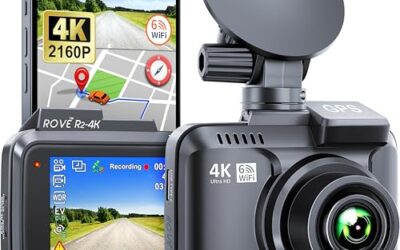
- Records front-facing video in 4K UHD resolution
- Includes a pre-installed 32GB memory card and supports cards up to 256GB
- Offers 5GHz WiFi connectivity and app-based video access
- Compact, screen-free design is intended to minimize visual distraction
Cons
- The Type-C hardwire kit required for 24-hour parking mode is not included
- The included memory card capacity is 32GB, reduced from the previously stated 64GB
Best For / Avoid If
Best for buyers prioritizing
- Records front-facing video in 4K UHD resolution
- Includes a pre-installed 32GB memory card and supports cards up to 256GB
- Offers 5GHz WiFi connectivity and app-based video access
Consider another option if
- The Type-C hardwire kit required for 24-hour parking mode is not included
- The included memory card capacity is 32GB, reduced from the previously stated 64GB

Pros
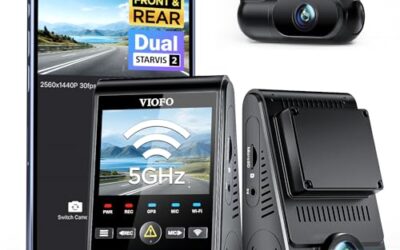
- Multiple camera views are designed to reduce blind spots and capture more driving footage
- GPS data can be reviewed through the app or GPS player
- The included 128GB card reduces the need to purchase storage separately
- Adjustable cameras are listed as compatible with sedans, SUVs, trucks, vans, and rideshare vehicles
Cons
- A hardwire kit is required for 24-hour parking mode and is not included
Specifications
| Color | Black |
|---|---|
| Dimensions | 1 x 1 x 1 inches |
| Product Group | Wireless |
Best For / Avoid If
Best for buyers prioritizing
- Multiple camera views are designed to reduce blind spots and capture more driving footage
- GPS data can be reviewed through the app or GPS player
- The included 128GB card reduces the need to purchase storage separately
Consider another option if
- A hardwire kit is required for 24-hour parking mode and is not included
FAQ
Is 4K dash cam resolution always better?
No. 4K records more pixels, but exposure, lens quality, focus, frame rate, compression, and mounting determine usable detail. A well-tuned 1440p camera can produce more useful footage than a poor 4K setup.
Is 1440p enough to read license plates?
It may be enough when the plate is close, well lit, in focus, and moving slowly. Distance, glare, speed, weather, and lens angle can make any resolution insufficient.
Does higher resolution use more storage?
Usually. File size also depends on frame rate, compression, HDR, audio, scene movement, and the number of cameras recording.
What resolution should a rear dash cam use?
1080p may cover basic rear events. Choose higher resolution when rear plates and distant traffic matter, but check whether the system reduces front performance or frame rate when both cameras operate.
Can a phone play 4K dash cam video?
Many current phones can play 4K video, but app support, phone OS, Wi-Fi transfer, storage space, and processor performance vary. Downloading the original clip may work better than streaming a preview.
Related CarTechTalk guides
Vehicle-specific installation needs can change by trim and model year. See the dash cam guide for Ford Bronco and the dash cam guide for Hyundai Kona for fit and front-rear coverage considerations.
For broader camera feature differences, read the Thinkware dash cam comparison. Browse the Dash Cams & Vehicle Cameras category for related coverage.