
To remove an iPhone’s saved CarPlay connection, open Settings on the iPhone, choose General, then CarPlay, select the vehicle and use Forget This Car. If you are handing over the car, also remove the phone from its saved-device list using the vehicle manual.
Unplugging a USB cable ends a wired session. It does not, by itself, delete a saved pairing or remove personal information stored by the car.
Remove the saved car on your iPhone
- Park before changing connection settings.
- Open the iPhone’s Settings app and go to General, then CarPlay.
- Select the car you want to remove and choose Forget This Car.
- Confirm the action if prompted. Repeat for other cars only if you also want to remove them.
Apple documents this sequence in its CarPlay connection guidance. You can set up CarPlay again later if you want to reconnect.
Remove the phone from the vehicle
Open the vehicle’s phone, connectivity or smartphone-projection settings while parked. Select the saved phone and follow the owner’s manual to delete its connection. Menu names and the relationship between Bluetooth and CarPlay records vary by vehicle and head unit.
If you no longer have the iPhone, use the car’s own device-management instructions. Do not assume deleting a Bluetooth record also clears every CarPlay record, contact list or other stored item.
Wired, wireless and adapter connections
| What you want | What to do |
|---|---|
| End the current wired session | Disconnect the cable when safe. |
| Delete the iPhone’s saved CarPlay car | Use Forget This Car in iPhone settings. |
| Remove a phone from the head unit | Use the vehicle’s device list and manual. |
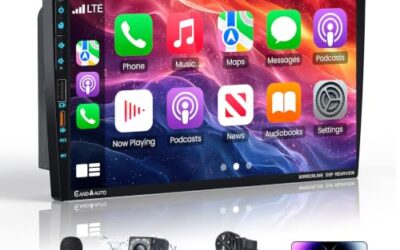
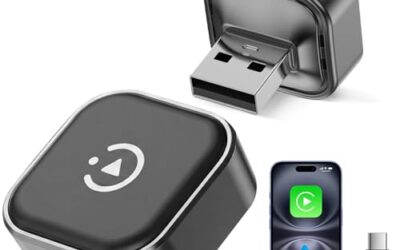
| Remove a phone saved in an aftermarket adapter | Follow that adapter’s pairing-management instructions as well. |
If the phone keeps reconnecting
Check which connection is active: the car’s native wired CarPlay, its native wireless connection, or a separate adapter. Remove the relevant saved records, then check the result while parked. A cable can start a new wired session even after you previously forgot the car.
Before selling or returning a vehicle, use its documented personal-data removal procedure. Do not start a factory reset merely to remove one phone without first checking which settings and data it erases.
Readers weighing these picks also look at How To Forget A CarPlay Connection On iPhone and Wireless CarPlay Adapter Compatibility Explained.
Stop CarPlay from connecting without deleting the car
If you only want CarPlay to stop starting automatically, you do not have to forget the car. On the iPhone, open Settings, then General, then CarPlay, select the car and review the options shown there, such as allowing CarPlay while the phone is locked. To switch CarPlay off entirely on that iPhone, Screen Time can restrict it: Settings, Screen Time, Content and Privacy Restrictions, Allowed Apps, then turn off CarPlay. Turn it back on the same way when you need it.
Rental, loaner and shared cars
A car you return to someone else can keep your phone name, recent calls, contacts and messages in its own memory. Before you hand it back:
- Forget the car in the iPhone’s CarPlay settings.
- Delete your phone from the car’s phone or device list.
- Check the car’s Bluetooth device list separately and remove your phone there too.
- If the car offers a documented option to delete personal data for one profile, use it rather than a full factory reset.
Rental companies often provide their own instructions for clearing data. Following them protects your information without changing settings that belong to the vehicle owner.
Common questions
Do I need to buy an adapter to remove a phone?
No. Removing a saved connection is a settings task.
Will forgetting CarPlay erase my iPhone?
This removes the saved CarPlay relationship; it is not an iPhone erase operation. Removing the car’s separate Bluetooth pairing can also change how hands-free calls connect.
Why are my vehicle’s menu names different?
The device-management menus depend on the make, model, year and head unit. Use the owner’s manual rather than assuming a Kia, Mercedes or aftermarket unit has the same controls.
If you use a wireless adapter
If the problem concerns a separate adapter, see how adapter firmware updates differ from phone pairing before changing its software.