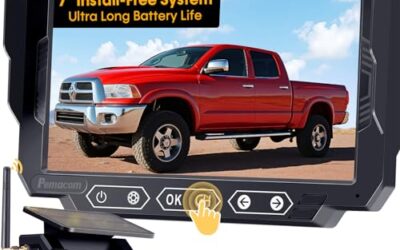
To check a used car electronic accessories, inspect installation, test every function, confirm vehicle and phone compatibility, and look for wiring damage before purchase. Bring your phone, charging cable, flashlight, and a written checklist so a short test drive does not hide faults.
Key takeaways
- Check power, wiring, connectors, mounts, and physical damage first.
- Test accessories with ignition off, accessory power on, and engine running.
- Match voltage, connector type, vehicle model-year, phone OS, and firmware.
- Check whether an accessory works alone or depends on factory systems.
- Do not treat a working screen, light, or app as proof of safe installation.
- Ask for original manuals, adapters, reset codes, and removed factory parts.
What counts as used car electronic accessories?
Used car electronic accessories include equipment added after factory production or factory equipment sold with a used vehicle. Examples include dash cams, backup cameras, parking sensors, remote starters, alarms, aftermarket stereos, amplifiers, subwoofers, GPS units, OBD2 scanners, tire-pressure monitors, USB chargers, wireless phone adapters, and trailer-brake controllers.
Some accessories use the vehicle’s 12-volt system. Others connect through USB, Bluetooth, Wi-Fi, the OBD2 port, a fuse panel, or factory data networks. That connection affects testing. A device can appear functional while its wiring creates battery drain, blocks another module, or fails after a vehicle software update.
What to bring before inspecting accessories
- Flashlight for dark areas under dashboards and seats.
- Your phone with current iOS or Android software.
- Known-good charging cable that matches the accessory.
- Small USB power meter if you already own one.
- OBD2 scanner for basic diagnostic checks.
- Paper or phone checklist for each accessory.
- Owner manuals, installation instructions, and app details from seller.
Do not probe unknown terminals with a test light or jumper wire. Airbag wiring often uses yellow connectors, but wire colors vary by vehicle and repair history. Do not remove trim panels during a casual inspection unless seller agrees and the panel can return without damage.
How to check used car electronic accessories
1. Make an accessory list
Walk around vehicle and record each nonstandard electronic item. Include visible cameras, sensors, antennas, displays, switches, speakers, amplifiers, chargers, and wiring. Check glovebox, center console, trunk, cargo area, windshield, grille, and rear license-plate area.
Ask seller what each item does, who installed it, and whether it came with vehicle. Ask for remote controls, app access, PINs, mounting hardware, wiring adapters, and manuals. A missing remote or account login can make an accessory difficult to use even when hardware works.
2. Inspect fit and physical condition
Look for loose mounts, cracked housings, clouded camera lenses, damaged screens, cut trim, exposed copper, and pinched wires. Press lightly on switches and displays. Movement can point to broken clips or poor installation.
Inspect windshield-mounted devices for a clear view. A dash cam or camera must not block driver sight lines. Check that adhesive mounts have not lifted. A camera image may look normal while its bracket points too high, too low, or away from its intended coverage area.
3. Trace wiring without pulling it
Follow visible wires from accessory to power source. Look for loose fuse taps, twisted wires covered with tape, household wire connectors, crushed cable sections, and wires passing through sharp metal. Factory-style connectors and protected wire loom usually indicate cleaner work, but they do not prove correct installation.
Check wires near pedals, hinges, seat rails, steering parts, and trunk lids. These areas move or rub during normal use. Wiring near water leaks also deserves attention. Moisture can cause intermittent faults that do not appear during a short viewing.
4. Test power in three vehicle states
- Turn vehicle fully off. Check whether accessory shuts down after its normal delay.
- Switch ignition to accessory or run position without starting engine. Test display, lights, controls, and charging.
- Start engine. Watch for flicker, resets, warning messages, unusual noise, or charging changes.
Measure vehicle voltage only at safe access points if you know how to use a meter. A 12-volt accessory may tolerate normal charging voltage, but a device built for another system may not. Hybrid and electric vehicles can contain high-voltage circuits. Do not inspect or alter orange high-voltage cables.
5. Test each control and function
Do not stop after a screen turns on. Test every button, knob, remote, voice command, camera view, sensor alert, recording mode, and storage function. Test both day and night image settings when possible. Listen for speaker distortion at low and medium volume rather than only maximum volume.
For a dash cam, check recording start, parking mode, date and time, memory-card recognition, microphone setting, and file playback. For a backup camera, check reverse-image activation, guide lines, image delay, and night view. For a remote starter, test lock, unlock, start, shutdown, and safety behavior only in an open area with vehicle secure.
For an aftermarket stereo, test radio, Bluetooth calls, microphone, USB audio, steering-wheel controls, backup camera, and Apple CarPlay or Android Auto. Phone compatibility can change with iOS or Android versions, cable type, app version, and stereo firmware.
6. Check connector and phone compatibility
Identify connection type before assuming compatibility. USB-A and USB-C plugs can carry power, data, or both. A cable that charges a phone may not carry data. Bluetooth audio support does not always include hands-free calling or wireless Android Auto.
Check vehicle model-year and trim. Factory connectors can look alike across vehicles while using different pin layouts. A stereo, camera interface, remote starter, or steering-wheel adapter may work only with certain model-years. Regional versions can also change radio bands, cellular service, emergency-call functions, and navigation maps.
Pair your own phone during inspection if seller allows it. Remove your account afterward. Do not leave personal contacts, saved locations, dash-cam files, or Wi-Fi passwords in vehicle.
7. Check OBD2 and diagnostic accessories
Inspect OBD2 accessories for damaged pins, loose housings, and excessive heat. Plug a scanner into the vehicle’s OBD2 port and confirm that it powers on without forcing connector alignment. A basic scanner may read emissions-related codes but miss body, airbag, ABS, or manufacturer-specific systems.
Read stored and pending codes, then record them before clearing anything. Clearing codes does not repair fault. It can erase useful history and reset readiness monitors. A recently cleared vehicle may need drive time before emissions monitors return to ready status.
Check whether an OBD2 dongle remains connected after vehicle shutdown. Some ports stay powered. Continuous connection can drain a battery or interfere with service work. Remove device after testing unless its instructions and vehicle behavior support permanent use.
8. Check chargers, inverters, and power outlets
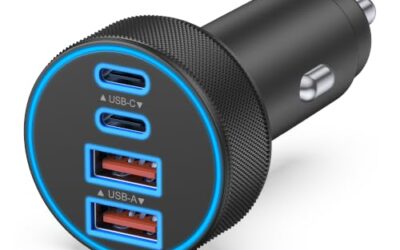
Test every USB port with your own cable and phone. Confirm that charging starts, remains steady, and does not stop when cable moves slightly. Test 12-volt sockets with a known accessory. Inspect for heat, discoloration, loose fit, or blown fuses.
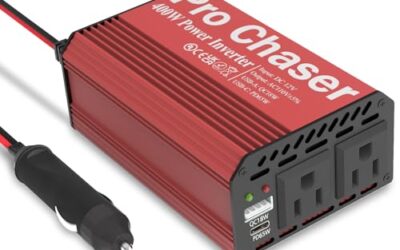
For an inverter, connect only a small known load during inspection. Check fan noise, shutdown behavior, and outlet condition. Do not test high-power tools, heaters, medical equipment, or sensitive electronics from an unknown inverter. Output waveform and protection features can affect what devices tolerate.
9. Test cameras and parking sensors safely
Use an open area with a spotter. Test camera activation, image direction, guide lines, and sensor alerts at walking speed. Do not rely on aftermarket camera or sensor as replacement for direct sight checks. Dirt, rain, glare, tinted lenses, and poor mounting angle can reduce warning quality.
Check whether the camera works only in reverse or also offers a manual view. Confirm that guide lines match vehicle direction. Incorrect calibration can make a clear image misleading.
10. Look for battery drain and warning signs
Ask whether vehicle has needed jump starts, overnight battery charging, repeated fuse replacement, or unexplained warning lights. Inspect battery terminals and added ground wires. A clean engine bay does not rule out a hidden cabin drain.
During test drive, watch for flickering displays, radio resets, false sensor alerts, steering-wheel-control failures, and warning lights. Turn accessories on together. A system may work alone but fail when blower motor, headlights, heated seats, or rear defroster add electrical load.
Quick compatibility table
| Accessory | Check first | Common limit |
|---|---|---|
| Aftermarket stereo | Model-year, dash kit, steering controls, camera input | Factory amplifier or data features may need an adapter |
| Dash cam | Power method, memory card, parking mode, phone app | App may depend on phone OS and firmware |
| Remote starter | Key type, transmission, immobilizer, climate controls | Some vehicles need model-specific modules |
| OBD2 scanner | Vehicle systems covered and port condition | Basic units may not read ABS, airbag, or body codes |
| USB charger | Port type, output behavior, heat, cable fit | Power delivery varies by port and cable |
| Backup camera | Image angle, reverse trigger, display input | Weather and poor calibration can reduce usefulness |
Common mistakes
- Testing only with engine off. Alternator noise and charging voltage can expose faults.
- Assuming factory-looking wiring means professional installation.
- Buying an accessory based only on connector shape.
- Clearing diagnostic codes before recording them.
- Testing Bluetooth without checking phone-call microphone quality.
- Ignoring missing remotes, passwords, apps, manuals, or adapters.
- Leaving OBD2 devices connected during long parking periods.
- Trusting parking sensors or cameras as the only safety check.
- Ignoring warning lights because accessory still powers on.
When to get professional help
Use an automotive electrician when wiring enters airbag areas, fuse panels, body control modules, or high-current circuits. Get diagnostic help when vehicle shows battery drain, repeated fuse failure, network communication faults, warning lights, or intermittent starting.
Ask for a pre-purchase inspection when accessories affect braking, steering, visibility, immobilizer operation, remote starting, trailer braking, or driver alerts. A technician can inspect hidden wiring and scan vehicle modules that basic code readers cannot access.
For recalls involving factory safety equipment, use the NHTSA recall lookup. Recall status concerns vehicle safety campaigns, not proof that aftermarket electronics were installed correctly.
How to decide after testing
Keep accessory in purchase decision only when it powers down correctly, passes function tests, fits vehicle, and has usable controls or account access. Treat intermittent faults, exposed wiring, battery drain, and unknown modifications as repair costs rather than minor quirks.
Ask seller to remove personal accounts and provide included parts. Get accessory condition and any promised repair in writing. If accessory creates uncertainty around safety systems or starting, value vehicle as though accessory needs professional diagnosis.
FAQ
Can a used accessory work but still damage vehicle?
Yes. Poor wiring can cause battery drain, fuse faults, heat, data-network problems, or interference with factory systems. Short testing may not reveal every issue.
Should I remove an aftermarket OBD2 device before buying?
Remove it during inspection and test vehicle without it. Some ports stay powered, and some devices can affect battery life or service access.
How can I test a used remote starter?
Check remote range, start, shutdown, door response, and climate operation in an open area. Confirm transmission, immobilizer, key, and model-year compatibility before relying on it.
Does a working backup camera prove safe installation?
No. Check image angle, reverse trigger, cable routing, guide-line accuracy, and night view. Use direct sight and mirrors during every maneuver.
What should I do if diagnostic codes were recently cleared?
Record that fact and ask for a full scan. Cleared codes erase useful history, while readiness monitors may need drive cycles before showing their current state.
Sources and further reading
- J1962 Diagnostic Connector standard (SAE International): Connector standard information for vehicle diagnostic equipment.
- J1979 E/E Diagnostic Test Modes standard (SAE International): Diagnostic test mode information used by compatible scan tools.
- Vehicle Emissions Inspection and Maintenance (I/M) (US EPA): State emissions inspection and readiness-monitor information.