To check car accessories before a holiday road trip, inspect their fit, power source, condition, controls, and vehicle compatibility before loading the car. Test each item under normal conditions, then pack its cables, adapters, manuals, and backup parts.
Accessory failure can create delays, distraction, battery drain, or a safety risk. A few minutes in the driveway can expose a loose phone mount, wrong charging cable, weak tire inflator, or incompatible diagnostic tool.
Key takeaways
- Match every accessory to vehicle model year, voltage, connector, and mounting point.
- Test powered devices with the engine running and the car parked safely.
- Check tire tools against the vehicle’s tire pressure label, not the tire sidewall maximum.
- Update phone apps, firmware, and operating systems before departure.
- Keep cables, fuses, adapters, batteries, and manuals with each accessory.
- Remove any accessory that blocks airbags, controls, mirrors, windows, or driver view.
Start with vehicle and trip details
Write down vehicle year, make, model, trim, engine type, and powertrain. Hybrid and electric vehicles can use different 12-volt systems, charging equipment, storage layouts, and recovery procedures than gasoline vehicles.
Check whether your trip crosses regions with different electrical standards, toll systems, emergency rules, or cellular coverage. A device that works with one phone OS, vehicle trim, or wireless band may not work with another.
Read the vehicle owner’s manual and each accessory manual. Pay attention to maximum outlet load, fuse ratings, approved mounting areas, tire pressure, lift points, charging limits, and warnings about battery use.
How to check car accessories before a holiday road trip
1. Inspect physical condition
Look for cracked housings, bent pins, frayed cables, loose buttons, swollen batteries, missing insulation, and corrosion. Flex cables near plugs and strain reliefs. Replace any cable that exposes copper or disconnects when moved.
Check suction cups, adhesive pads, clamps, straps, brackets, and hooks. A mount that holds in a garage may release after heat, cold, vibration, or a dirty windshield. Clean contact surfaces according to the accessory instructions.
Inspect storage cases and emergency bags. Confirm that tools remain dry and that sharp items cannot move into the passenger area during sudden braking.
2. Confirm vehicle fit and connector type
Compare every plug with the vehicle outlet. USB-A, USB-C, 12-volt accessory sockets, OBD-II connectors, trailer plugs, and EV charging connectors serve different purposes. A physical fit does not prove correct voltage, data support, or charging speed.
Check the vehicle model year and trim. Factory wiring, USB ports, fuse layouts, wireless charging pads, infotainment systems, and OBD access can change between model years. A device that works in one trim may need an adapter or may lack a required port in another.
For a scan tool, confirm protocol and software support. Some tools read generic powertrain codes but cannot access manufacturer-specific systems such as air bags, ABS, body modules, or advanced driver assistance systems.
3. Test power accessories safely
Test chargers, tire inflators, coolers, heated items, dash cameras, and inverters while parked. Start the engine when the manual requires engine-running power. Never test an unfamiliar electrical device while driving.
Watch for flickering, heat, burning smells, tripped fuses, warning messages, or a plug that fits loosely. Stop using any accessory that becomes unusually hot or causes electrical symptoms.
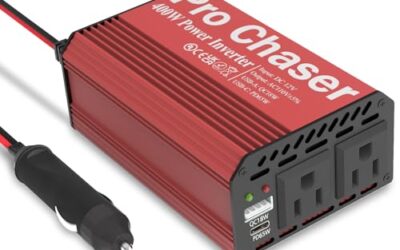
Check outlet limits in the owner’s manual. A high-wattage inverter can overload a 12-volt socket even when its plug fits. Some outlets remain active after the ignition turns off and can drain the 12-volt battery.
For electric vehicles, check whether the accessory draws power while charging and whether it can operate from the vehicle’s available outlets. Vehicle-to-load capability depends on model, equipment, software, and regional configuration.
4. Test tire and roadside tools
Compare the tire inflator’s connector with the valve stems. Check hose length, power cable length, gauge readability, and automatic shutoff settings. Test the inflator on one tire while parked near the vehicle, then compare its reading with a separate gauge if available.
Use the pressure shown on the driver’s door label or owner’s manual. The tire sidewall number usually identifies a maximum cold pressure, not the vehicle’s normal target.
Inspect the spare tire, jack, lug wrench, wheel lock key, towing eye, and warning equipment. Confirm that tools fit the wheel fasteners. A locking lug key from another vehicle will not help.
Do not rely on a tire inflator to repair a puncture. Sealant can have expiration limits and may be unsuitable for some tire pressure monitoring sensors. Follow the vehicle and sealant instructions, then arrange proper tire repair.
For floor jacks, ramps, and jack stands, use only approved lift points and rated equipment from the manuals. Never work beneath a vehicle supported only by a jack. ASME portable automotive service equipment guidance covers safety standards for this equipment.
5. Check phone mounts and navigation gear
Place the phone mount where it does not block the windshield, instrument cluster, mirrors, air bags, or controls. Test the mount with the phone inside its case. A mount that grips the phone without its case may fail after the case is installed.
Test wired and wireless charging. Confirm that the phone reaches the required charge level and does not overheat. Thick cases, metal plates, camera bumps, and vehicle wireless charging pads can interfere with charging.
Check navigation maps for offline coverage along rural or remote sections. Save hotel addresses, charging locations, and emergency contacts before leaving areas with weak service. Keep route changes for passenger use or safe parking.
Phone integration depends on phone OS version, vehicle infotainment software, cable quality, and wireless support. Apple CarPlay and Android Auto have separate compatibility requirements. Apple lists supported vehicle models on its CarPlay available models page, while Google explains setup requirements for Android Auto.
6. Update firmware and apps
Update dash camera firmware, navigation apps, wireless adapters, scan-tool software, and phone operating systems before the trip. Charge devices first and use stable Wi-Fi for updates.
Read update notes for changes to pairing, saved settings, memory cards, or supported vehicles. Some firmware updates reset wireless connections or erase stored preferences.
Pair devices at home. Confirm Bluetooth names, passwords, permissions, microphone access, location settings, and automatic reconnection. Carry a known-good USB cable because wireless pairing can fail after an update.
7. Check dash cameras and memory cards
Confirm the camera starts when the vehicle starts and stops when the vehicle shuts down. Check date, time zone, lens position, image clarity, audio setting, and parking mode.
Format the memory card through the camera when its manual calls for it. A full, damaged, or unsupported card can stop recording without an obvious warning. Test playback from the card before departure.
Route the cable away from pedals, steering parts, airbags, and the driver’s view. Do not tuck wiring into an airbag deployment path unless the vehicle and camera instructions permit that route.
8. Check battery and jump-start equipment
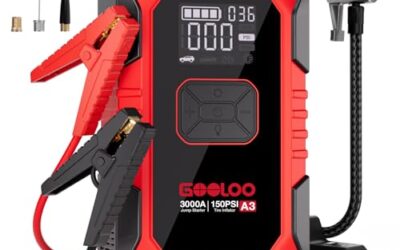
Inspect jump cables for clean clamps, intact insulation, and flexible leads. For a lithium jump starter, check charge level, storage temperature, clamp connection, and the vehicle types it supports.
Follow the exact connection order in both manuals. Reverse polarity can damage electronics, cause sparks, or injure a person. Keep sparks and flames away from batteries.
A jump starter cannot fix a failed alternator, damaged cable, or battery that will not hold charge. If the car needs repeated starts, diagnose the charging system instead of treating each jump as a repair.
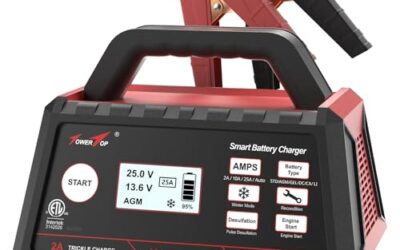
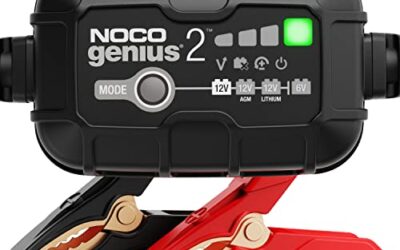
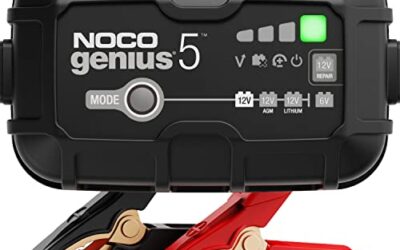
Battery chargers and maintainers also need correct battery chemistry, voltage, and connection procedure. AGM, flooded lead-acid, lithium, and hybrid systems may require different settings.
9. Test trailer, cargo, and visibility accessories
Check trailer-light adapters, hitch wiring, roof racks, cargo nets, tie-downs, and tailgate accessories. Confirm that connectors lock, lamps work, and straps have no cuts or damaged stitching.
Load the accessory with the same type of cargo planned for the trip. Check clearance at the hatch, doors, antenna, sunroof, backup camera, and license plate. Follow vehicle roof-load, hitch, tongue-weight, and speed limits from the manuals.
Inspect auxiliary lights and confirm that they do not create glare or hide required vehicle lamps. Test brake lights, turn signals, hazard lights, and reverse lights after installation.
Quick accessory check table
| Accessory | Check before departure | Stop using it when |
|---|---|---|
| Tire inflator | Connector, hose, pressure reading, power draw | Plug, cable, or housing overheats |
| Phone mount | Grip with phone case, view, airbag clearance | Phone blocks controls or falls during braking |
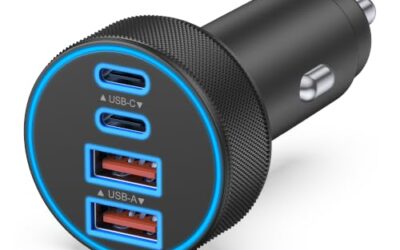
| USB charger | Connector type, charge rate, outlet behavior | Port becomes hot or fuse trips |
| Dash camera | Startup, recording, date, memory card, cable route | Image fails or wiring crosses a safety path |
| Jump starter | Charge level, clamp condition, vehicle support | Battery swells or clamps spark unexpectedly |
| Scan tool | Connector, app, software, vehicle coverage | It causes warning lights or communication errors |
Common mistakes
- Testing accessories only with the vehicle parked and engine off. Some outlets change behavior after ignition shutdown.
- Assuming every USB-C port supports fast charging or data. Port function varies by vehicle and trim.
- Using a household extension cord with an EV charging setup without checking its rating and installation requirements.
- Leaving a dash camera, cooler, inverter, or charger connected overnight.
- Trusting a code reader to diagnose every vehicle system. Generic OBD2 access has limits.
- Clearing a warning code before recording it. Clearing the code does not repair the fault and can reset emissions readiness monitors.
- Placing loose tools, power banks, or metal objects near pedals or airbag covers.
- Packing an accessory without its special adapter, fuse, memory card, clamp, or charging cable.
When to get professional help
Ask a qualified technician to inspect the vehicle if an accessory blows fuses, causes warning lights, interferes with starting, or requires wiring changes. Get help before travel if the battery repeatedly goes dead, charging behavior changes, or an EV reports a high-voltage fault.
Do not probe orange high-voltage cables or open EV battery components. Do not bypass a fuse with foil or a larger fuse. Stop roadside work when traffic, weather, unstable ground, or poor visibility creates danger.
For tire, wheel, brake, steering, suspension, trailer, and lifting problems, use the vehicle manual and professional service procedures. Roadside accessories cannot replace a safe mechanical repair.
Gear that can help
If you need jump starters or tire inflators or fast car chargers for this job, these picks already appear in our jump starters guides. Check the full guide for fit and who should skip each one.
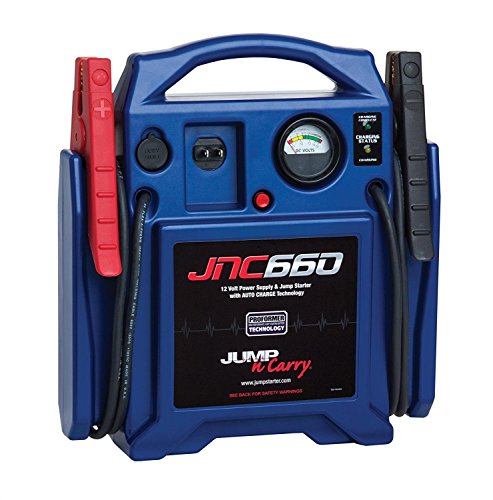
Pros
- High 1700-amp peak rating
- Long 46-inch cables with heavy-duty #2 AWG construction
- Built-in voltmeter provides charge-status information
- DC outlet supports powering 12V accessories
Specifications
| Color | Blue |
|---|---|
| Size | One Size |
| Dimensions | 16.3 x 14.1 x 5.1 inches |
| Weight | 18 Pounds |
| Product Group | Automotive Parts and Accessories |
| Binding | Automotive |
Best For / Avoid If
Best for buyers prioritizing
- High 1700-amp peak rating
- Long 46-inch cables with heavy-duty #2 AWG construction
- Built-in voltmeter provides charge-status information

Specifications
| Color | Yellow |
|---|---|
| Size | Large |
| Dimensions | 8.27 x 3.74 x 6.69 Inches |
| Weight | 650 Grams |
| Product Group | Automotive Parts and Accessories |
| Binding | Tools & Home Improvement |

Pros
- Retractable cable mechanism eliminate console wire mess
- 180-degree swivel plug ease positioning in tight lighter sockets
- Supports multiple device power delivery protocols simultaneously
Cons
- No CarPlay, Bluetooth, or data transfer capability
- Maximum 45W output require 24V power supply; 12V socket cap at 36W
- No support for Micro-USB hardware
Specifications
| Color | Grey |
|---|---|
| Size | 31.5 Inch |
| Dimensions | 2.19291338359 x 1.33464566793 x 5.3543307032 inches |
| Product Group | Wireless |
| Binding | Electronics |
Best For / Avoid If
Best for buyers prioritizing
- Retractable cable mechanism eliminate console wire mess
- 180-degree swivel plug ease positioning in tight lighter sockets
- Supports multiple device power delivery protocols simultaneously
Consider another option if
- No CarPlay, Bluetooth, or data transfer capability
- Maximum 45W output require 24V power supply; 12V socket cap at 36W
- No support for Micro-USB hardware
FAQ
How long before a holiday trip should I check accessories?
Check them several days before departure. This leaves time to replace a cable, charge a battery pack, update software, or arrange service.
Can I test accessories without driving?
Yes. Test power, mounting, pairing, recording, inflation, and lighting while parked. Do not test handling, visibility, or a loose mount on public roads.
Why does a charger fit but charge slowly?
The port, cable, phone, charger, and vehicle may support different power levels. Heat, battery state, phone settings, and wireless alignment can also reduce charging speed.
Should I bring a code reader on a road trip?
It can read some diagnostic information, but coverage depends on vehicle model year, protocol, software, and system. It cannot repair a fault or replace professional diagnosis.
What should I do if an accessory fails during travel?
Park safely, disconnect the accessory if it causes heat or electrical symptoms, and use roadside assistance when needed. Do not continue with equipment that blocks visibility or affects vehicle control.
Sources and further reading
- Tire Safety (NHTSA): Tire pressure, inspection, and maintenance guidance.
- Check for Recalls (NHTSA): Vehicle safety recall search tools.
- J1962 Diagnostic Connector standard (SAE International): Connector details for vehicle diagnostic equipment.