
Battery terminal corrosion usually forms when gas or electrolyte from a battery reacts with metal at or near its terminals. A loose or damaged connection, overcharging, battery age, or a leak can contribute, but visible residue alone cannot identify the exact cause.
- White, blue, or green deposits can come from chemical reactions involving battery materials and terminal metals.
- Corrosion can increase electrical resistance, leading to starting trouble or charging issues.
- Repeated buildup deserves diagnosis, not repeated cleaning alone.
- Battery type, vehicle design, and charging system affect the cause and safe service steps.
What causes battery terminal corrosion?
Battery terminal corrosion develops when material from the battery or its surroundings reacts with the terminal, cable clamp, or nearby metal. The deposits often contain compounds formed from battery acid, lead, copper, or other metals. Their color and location can offer clues, but they do not prove one specific failure.
Lead-acid batteries can release small amounts of gas during normal operation. If gas escapes near a post, it can react with metal and leave residue. Excessive charging, a damaged battery case, or a poor seal can increase the chance of material escaping. Corrosion may also begin where a cable clamp does not fit tightly or where moisture and dirt collect.
How overcharging and heat contribute
An alternator or charger that applies more voltage than the vehicle or battery allows can cause excessive gassing in some lead-acid batteries. High under-hood temperatures can also affect battery life and behavior. These conditions can help explain recurring deposits, but corrosion by itself does not confirm an alternator or regulator fault.
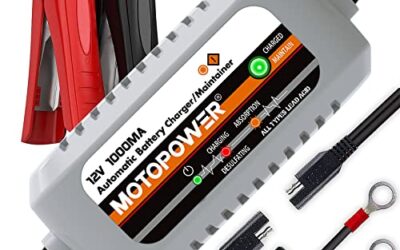
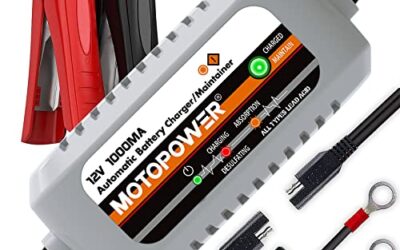
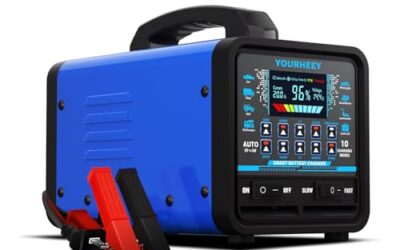
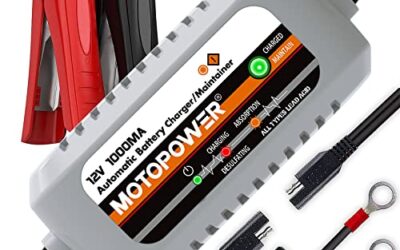
Charging requirements vary by battery chemistry and vehicle. A conventional flooded lead-acid battery, an AGM battery, and a lithium-based auxiliary battery may need different charging settings. Follow the battery and vehicle instructions rather than choosing a charger mode by appearance alone. For charging basics and safety, see how to recharge a car battery.
How leaks, age, and loose connections contribute
A cracked case, damaged post seal, or other battery defect can let electrolyte escape. A battery that is old or physically damaged deserves closer inspection, especially if deposits return soon after cleaning. Do not touch wet residue or attempt to seal a damaged case.
A loose clamp can move on the post, interrupt current, and create a poor electrical contact. That may produce heat or encourage corrosion around the joint. A clamp that is too tight can also damage a post or connector. Use the vehicle maker’s service instructions for fit and tightening.
Corrosion can also form on cable ends even when the battery itself is sound. Road salt, moisture, and dirt may attack exposed metal. A battery’s location matters too: some vehicles place it in the engine bay, while others use a trunk or under-seat compartment with different access and ventilation needs.
What does corrosion color and location tell you?
Color helps describe what you see, but it is not a reliable diagnosis by itself. White or pale powder may appear around lead-acid battery posts. Blue-green deposits commonly involve copper in a cable or connector reacting with chemicals or moisture. A crust around one post may point toward a local seal, terminal, or connection issue, while buildup across several exposed metal parts may suggest broader exposure.
| Visible sign | Possible explanation | Useful next check |
|---|---|---|
| White or pale deposits near a post | Reaction involving battery gases or electrolyte and nearby metal | Check for a damaged case, loose clamp, or deposits that return |
| Blue-green buildup on a cable end | Copper or another metal reacting with moisture or battery residue | Inspect cable strands and connector condition |
| Corrosion on one terminal only | Local connection, post seal, or cable issue may be involved | Compare clamp fit and inspect that side for damage |
| Repeated corrosion after cleaning | Underlying leak, charging, connection, or environmental issue may remain | Arrange battery and charging-system diagnosis |
Can battery terminal corrosion stop a car from starting?
Yes. Corrosion between a battery post and cable clamp can raise electrical resistance. The starter needs a strong current, so a poor connection may cause slow cranking, clicking, dim lights, or no start. Those symptoms also have other possible causes, including a discharged or failed battery, a starter fault, or a wiring problem.
A vehicle may still start with some visible corrosion. That does not prove the connection is healthy. If a warning light appears or starting trouble continues after a professional checks the battery connections, the charging system and vehicle wiring may need diagnosis.
How to inspect corrosion safely
Battery inspection carries risks. Lead-acid batteries can release explosive gas and contain corrosive electrolyte. Metal tools can create a short if they bridge a terminal and vehicle metal. Follow the vehicle and battery manuals. If the battery is swollen, cracked, leaking, hot, or giving off a strong unusual odor, do not handle or charge it. Seek qualified service.
- Park in a safe place, switch the vehicle off, and follow its instructions for battery access. Keep flames, sparks, and smoking materials away.
- Look for loose clamps, damaged insulation, frayed cable strands, a cracked case, swelling, wet residue, or corrosion extending into the cable.
- Do not touch deposits with bare hands or brush them toward your eyes. Wear eye protection and gloves suitable for battery work.
- If you lack the correct tools or instructions, stop and have a qualified technician inspect the battery and connections.
- After service, monitor whether deposits return and note any slow cranking, warning lights, or charging concerns.
Disconnecting or replacing a battery can affect vehicle settings and electronics. Some model years require specific procedures, memory support, or battery registration after replacement. See safe steps for removing a car battery and safe battery installation steps. The correct procedure depends on vehicle make, model year, battery location, and equipment.
Common mistakes
- Assuming color identifies the fault: Deposits can suggest a reaction, but they do not confirm a failed battery or charging system.
- Cleaning without finding why it returned: Recurring buildup may point to a leak, loose connection, or charging issue that cleaning cannot fix.
- Using a charger setting that does not match the battery: Charging mode must suit battery chemistry and vehicle requirements.
- Ignoring damaged cables: Corrosion may travel beneath insulation or weaken cable strands, even when the outside looks mostly clean.
- Working around a leaking or swollen battery: Physical damage raises risk. Stop and arrange professional service.
When to get professional help
Ask a qualified technician to inspect the vehicle if corrosion returns quickly, the battery case is damaged, a terminal moves, cable strands are corroded, or the vehicle repeatedly cranks slowly. Professional diagnosis is also sensible when the battery is difficult to reach or the vehicle manual calls for a special disconnect or replacement procedure.
A battery and charging-system check can separate a weak battery from a charging fault or poor cable connection. Results depend on battery condition, vehicle design, temperature, and test method. A charger may restore charge to a suitable battery, but charging does not repair a damaged case or corroded cable. Read guidance on choosing a winter battery charger if you are assessing charging equipment.
Frequently asked questions
Is battery terminal corrosion dangerous?
It can be. Deposits may irritate or burn skin and eyes, and battery work can create spark and short-circuit risks. Keep residue away from your face, avoid contact, and leave damaged or leaking batteries to qualified service.
Does corrosion mean my battery is bad?
No. Corrosion can appear with a usable battery, a poor connection, a leak, or a charging issue. A battery test and inspection of the cables and charging system can help identify the cause.
Why does corrosion keep coming back?
Recurring deposits can mean the original source remains, such as a leaking post seal, loose connection, damaged cable, or charging problem. Repeated cleaning alone does not address those faults.
Can I prevent terminal corrosion?
Keep battery connections in good condition and follow the vehicle’s inspection and service instructions. A technician can check clamp fit, battery condition, and charging behavior. Protective products may suit some connections, but apply them only as directed and never use them to hide damage.
Does every car battery use the same cleaning procedure?
No. Battery chemistry, terminal layout, vehicle electronics, and model year can change the safe procedure. Use the specific vehicle and battery instructions, especially before disconnecting terminals or connecting a charger.
Sources and further reading
- Battery Council International: Information about batteries, their use, and safe handling.