
To install a battery in a car, match the replacement to the vehicle’s specifications, secure it in the tray, then connect the positive cable before the negative cable. Check the owner’s manual first because battery-management systems, vent tubes, and memory settings can change the procedure.
- Match battery type, size, terminal layout, and electrical specifications to the vehicle.
- Keep the ignition off, remove metal jewelry, and use eye protection and insulated tools.
- Install positive first and negative last unless vehicle-specific instructions say otherwise.
- Some vehicles require battery registration or a prescribed memory-saving procedure.
Before installing a car battery
A replacement battery must fit the vehicle physically and meet its electrical requirements. Check the owner’s manual, the label on the existing battery, and a reliable fitment source for the exact model year, engine, and equipment. A similar-looking battery may have different terminal positions, capacity, or hold-down points.
Compare battery chemistry, group size, terminal orientation, and the vehicle’s required capacity and cold-cranking rating. If the vehicle came with an absorbed glass mat (AGM) battery, do not assume a conventional flooded battery is an acceptable substitute. Some vehicles require a particular battery type because of their charging system or stop-start equipment.
Check whether your vehicle requires battery registration, coding, or a battery-monitor reset after replacement. Many newer vehicles use a battery-management system that tracks battery condition and charging. If the system is not updated when required, charging behavior or battery-life estimates may be affected. The exact procedure depends on vehicle make, model, and year.
Also check for a vent hose or other battery vent connection. A battery mounted inside the passenger compartment or trunk may need to vent gases outside the vehicle. The replacement must support the required connection, and the vent must be reattached as specified.
Tools and preparation
- Correct replacement battery and any vehicle-specified vent fittings.
- Wrench or socket that fits the terminal clamps and hold-down hardware.
- Eye protection and gloves suitable for battery work.
- Owner’s manual or service instructions for battery removal, installation, and registration.
Park on a level surface away from flames, cigarettes, and sparks. Set the parking brake, switch off the ignition and accessories, and remove the key or keep the key fob away from the vehicle as the manual directs. Let the vehicle shut down its electrical systems before working.
Do not place tools across battery terminals. A short circuit can cause burns, sparks, or battery damage. Keep the battery upright, and do not work on a battery that is cracked, leaking, swollen, or unusually hot. Stop and get qualified help if you see damage or smell a strong sulfur odor.
How to install battery in car: numbered steps
- Confirm the battery and procedure. Match the replacement against the vehicle requirements. Read the manual for the terminal sequence, access steps, and any battery-management instructions. If the manual specifies a different sequence, follow it.
- Locate and inspect the battery area. Battery location varies. It may be under the hood, in the trunk, or elsewhere. Remove only the covers needed for access. Look for a hold-down, terminal covers, and a vent hose. Do not disturb orange high-voltage cables in a hybrid or electric vehicle.
- Disconnect the old battery if it is still connected. The usual procedure is to loosen and remove the negative terminal first, then the positive terminal. Keep each cable from touching the battery posts or metal parts. For full removal details, follow the vehicle manual or see how to remove a car battery safely.
- Remove the hold-down and lift out the battery. Batteries are heavy. Use a secure grip and keep the case upright. Do not pull on cables or lift by terminal posts. If the battery is difficult to reach or lift safely, stop rather than strain or tip it.
- Inspect the tray and cables. Check for corrosion, loose cable ends, damaged insulation, and a corroded or broken hold-down. Do not install a battery on a damaged tray or connect it to a cable with a loose or damaged terminal. Clean corrosion only with a method suitable for the vehicle and battery; avoid letting residue enter battery cells.
- Set the replacement in the correct position. Orient it so positive and negative posts line up with their cables. Confirm the case sits flat and the hold-down can secure it without pressing on or damaging the battery. Attach the required vent hose to the correct outlet, and close any unused vent opening as the battery instructions direct.
- Secure the battery. Reinstall the hold-down and tighten it according to vehicle instructions. A loose battery can move, damage its cables, or short against nearby parts. Do not overtighten hardware or use a clamp that does not fit the battery.
- Connect the positive terminal first. Place the positive cable on the positive post, marked with a plus sign or “+,” and tighten the clamp as specified. Keep tools away from the negative post and surrounding metal while making the connection.
- Connect the negative terminal last. Attach the negative cable to the negative post, marked with a minus sign or “−.” Check that both clamps sit securely and do not rotate by hand. Refit terminal covers and battery-area panels.
- Complete required vehicle setup. Follow the manual for battery registration, battery-monitor reset, or any needed settings recovery. Start the vehicle only after the battery is secured and all tools are clear. Check the instrument panel for warnings and confirm that the vehicle starts and its electrical accessories work.
What changes on newer cars, hybrids, and vehicles with memory settings?
Some vehicles lose clock, radio, seat, window, or other settings when the battery is disconnected. A memory saver can preserve selected low-voltage settings, but its connection method and use vary. Follow the vehicle instructions. Do not improvise a power connection or let a memory device interfere with safe disconnection.
Battery registration is a separate issue from preserving settings. A vehicle may retain its settings yet still need a scan tool or service procedure to record the new battery. Check the instructions for the specific model year rather than assuming every vehicle needs registration or that none do.
Hybrid vehicles generally have a 12-volt battery as well as a high-voltage traction battery. This article covers only a compatible 12-volt battery replacement where the vehicle manual allows owner service. Do not touch high-voltage components, orange cables, or traction-battery service parts. Some models use special access steps or require trained service personnel.
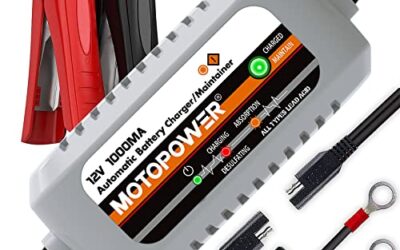
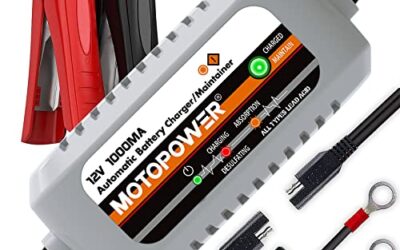
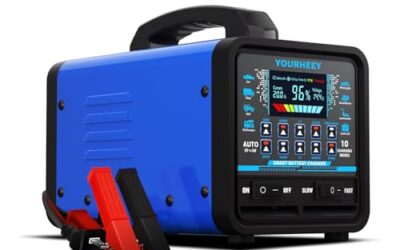
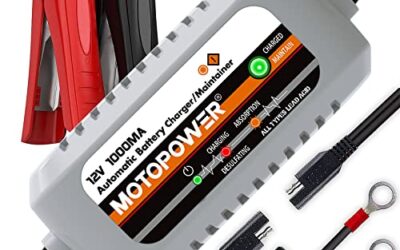
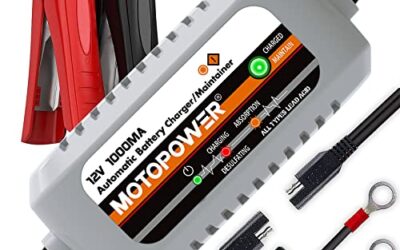
For charging a discharged battery rather than replacing it, use a charger suited to the battery chemistry and vehicle. Our guide to car battery chargers for winter explains charger and maintainer use in cold-weather conditions.
Common mistakes
- Buying by appearance alone. The wrong size or terminal layout can prevent safe installation or strain the cables.
- Using the wrong battery type. Chemistry and charging requirements may differ, especially on vehicles with stop-start systems.
- Connecting negative first. On many conventional vehicles, connecting negative last reduces the chance that a tool touching vehicle metal will complete a circuit while tightening the positive terminal. Follow the vehicle’s specified procedure.
- Leaving the battery loose. Movement can damage connections or the battery case.
- Forgetting the vent hose. A battery in an enclosed area may require venting outside the vehicle.
- Assuming every warning means the battery is faulty. A warning after replacement may relate to registration, a loose connection, or another system fault. Diagnose it rather than replacing parts by guesswork.
- Working around high-voltage parts. A 12-volt battery does not make hybrid or electric vehicle high-voltage systems safe to handle.
When to get professional help
Use a qualified technician if the battery is inaccessible, the terminals or cables are damaged, the tray is corroded, or the replacement requires a procedure you cannot identify. Professional service is also the safer choice when the manual calls for battery registration, special electrical isolation, or high-voltage precautions you cannot perform.
Stop immediately if a battery is leaking, cracked, swollen, or hot, or if a cable sparks repeatedly when connected. Do not jump-start or charge a visibly damaged battery. If the vehicle will not start after installation, check only that the battery is secured and the terminal clamps are properly seated. Avoid repeated attempts when you hear unusual electrical sounds or see smoke.
Frequently asked questions
Which battery terminal do I connect first?
For many conventional vehicles, connect positive first and negative last. During removal, the usual order is negative first and positive second. The vehicle manual takes priority because some models require a specific procedure.
Can I install a different battery group size?
Only if the vehicle’s fitment instructions allow it. The battery must fit the tray, accept the hold-down, place terminals where cables reach without strain, and meet the vehicle’s electrical and chemistry requirements.
Will replacing the battery erase my car settings?
It can. Depending on the vehicle, settings such as the clock or radio presets may need to be restored. Some vehicles also need window or other system relearning. Check the manual for your model year.
Does every car need battery registration after replacement?
No. The requirement depends on the vehicle’s battery-management system and model year. Check the service instructions or ask a technician familiar with your vehicle.
Can I replace a hybrid’s 12-volt battery myself?
Only if the owner’s manual permits it and you can follow the specified access and safety steps. Do not touch high-voltage components or orange cables. Use qualified service if the battery location or procedure is unclear.
Sources and further reading
- Battery Council International: General information on lead-acid batteries and battery safety.