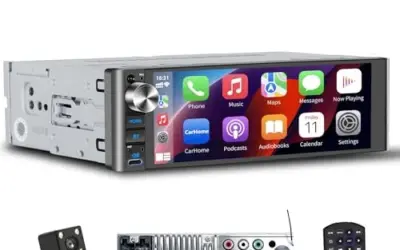
Best 4 Volt Single Din Head Unit: Preamp Voltage and Fitment Guide
A technical buying guide evaluating single-DIN head units for 4-volt preamp outputs, noise floor reduction, amplifier gain matching, and dashboard fitment.

We independently review automotive electronics and diagnostic tools. When you buy through links on our site, we may earn a commission at no extra cost to you. Learn more ›
Find guides to phone compatibility, wired and wireless connections, adapters and head units. Start with the connection type your car supports, then follow setup or troubleshooting instructions for your phone and equipment.
A technical buying guide evaluating single-DIN head units for 4-volt preamp outputs, noise floor reduction, amplifier gain matching, and dashboard fitment.
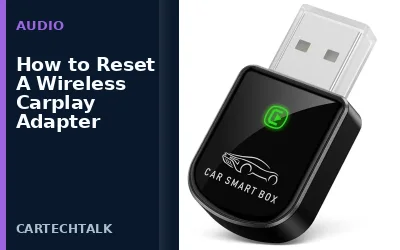
A wireless CarPlay adapter allows you to stream Apple CarPlay or Android Auto wirelessly from your smartphone to your vehicle's dashboard display. This setup enhances safety by keeping your eyes on the road while providing access to navigation, music, and messaging apps. Resetting the adapter is often the first step to fix connectivity problems, restore functionality, or recover from temporary glitches.
Android Auto allows you to connect your Android smartphone to your car's infotainment system, providing a safe interface for navigation, music, and more. This guide details the steps for both wired and wireless connections, compatibility checks, and troubleshooting steps.
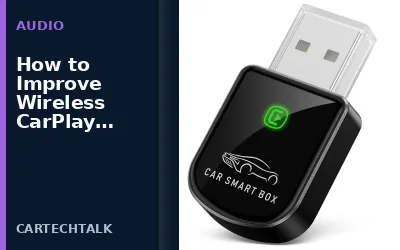
Wireless CarPlay lets you access Apple CarPlay features without a physical cable connecting your iPhone to the vehicle's infotainment system. Improving the connection often requires addressing signal strength, interference, and software updates to ensure a seamless experience.
Wireless CarPlay can keep disconnecting due to Bluetooth interference, weak Wi-Fi signals, or software issues. This guide explains common causes and troubleshooting steps to restore a stable connection.
To remove a phone from CarPlay, forget the device on your iPhone or disconnect the cable. This guide explains the process for wired and wireless connections, troubleshooting tips, and compatibility details for various vehicles.
Wireless CarPlay can take too long to connect due to network interference, router problems, or device compatibility issues. This guide will help you identify the root cause and implement fixes to get a faster connection every time.
Android Auto connects to your car but the interface doesn't appear on the screen. This comprehensive guide explains the most common reasons for this issue and provides detailed troubleshooting steps to get Android Auto working properly.
Android Auto keeps disconnecting due to Bluetooth interference, outdated software, or hardware problems. This guide provides step-by-step fixes for a stable connection.
A black CarPlay screen can result from power issues, connection problems, or software glitches. Follow these troubleshooting steps to restore your CarPlay interface quickly and safely. Ensure your vehicle is in the accessory mode before attempting fixes. If the problem persists, it may indicate a hardware fault that requires professional diagnosis.