Menu

We independently review automotive electronics and diagnostic tools. When you buy through links on our site, we may earn a commission at no extra cost to you. Learn more ›

CarPlay & Android Auto

Find guides to phone compatibility, wired and wireless connections, adapters and head units. Start with the connection type your car supports, then follow setup or troubleshooting instructions for your phone and equipment.

134+ Reviews
Updated daily
CarPlay Not Working After iPhone Update

CarPlay Not Working After iPhone Update

After an iPhone update, CarPlay may stop working due to compatibility issues with your vehicle's head unit or temporary glitches in the connection process. This guide provides step-by-step troubleshooting to get your CarPlay working again without losing data or settings.
Daniel Carter Aug 21, 2026
CarPlay Connected But No Sound

CarPlay Connected But No Sound

CarPlay connects to your phone but no sound comes out. This common issue can be fixed by checking phone settings, cables, and car audio configurations.

Daniel Carter Aug 21, 2026
Wireless CarPlay Adapter Compatibility

Wireless CarPlay Adapter Compatibility

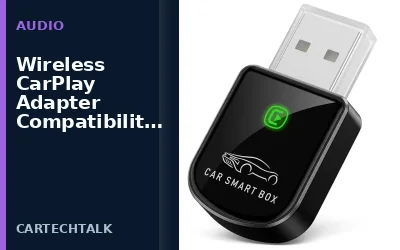
Wireless CarPlay adapters let you connect your iPhone to your car's screen without cables. Compatibility is determined by your vehicle's head unit, the adapter, and your iPhone's software.

Daniel Carter Aug 21, 2026
Wireless CarPlay Audio Lag: Causes & Solutions

Wireless CarPlay Audio Lag: Causes & Solutions

Wireless CarPlay adapters can introduce audio lag due to wireless transmission delays. This article explains the causes, factors affecting lag, and ways to minimize or eliminate it for a better driving experience.

Daniel Carter Aug 21, 2026
Single Din vs Double Din Head Units

Single Din vs Double Din Head Units

Single DIN and double DIN head units differ primarily in their physical size and the amount of screen real estate they provide, which directly impacts their effectiveness in supporting CarPlay and Android Auto. Single DIN units are smaller and more compact, making them suitable for vehicles with limited dashboard space, while double DIN units are larger and offer a more spacious interface for enhanced user experiences with navigation and media apps.

Daniel Carter Aug 21, 2026
Does Wireless CarPlay Use Mobile Data?

Does Wireless CarPlay Use Mobile Data?

Wireless CarPlay connects your iPhone to the car's infotainment system using Wi-Fi rather than cellular mobile data. This allows for a cable-free experience but has some important limitations. Learn how it works and whether your phone's data plan is needed.

Daniel Carter Aug 21, 2026
Wireless CarPlay: Bluetooth vs WiFi

Wireless CarPlay: Bluetooth vs WiFi

Wireless CarPlay primarily uses Wi-Fi for its connection between your iPhone and the car's infotainment system. Bluetooth is used for audio streaming and pairing in many configurations. This guide explains the technology, compatibility, and how to optimize your setup.

Daniel Carter Aug 21, 2026
Wireless CarPlay Adapter: What It Is

Wireless CarPlay Adapter: What It Is

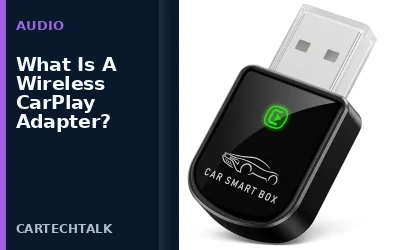
A wireless CarPlay adapter is a device that enables wireless Apple CarPlay in vehicles without built-in support. It connects your iPhone to the car using Bluetooth and Wi-Fi for a cable-free experience. This article details how these adapters work, their compatibility, benefits, and limitations.

Daniel Carter Aug 21, 2026
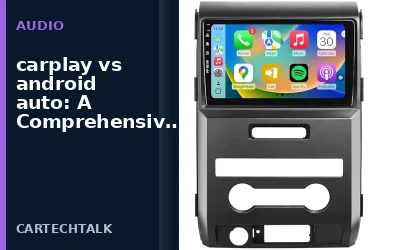
CarPlay vs Android Auto: Comparison Guide

CarPlay vs Android Auto: Comparison Guide

CarPlay and Android Auto are smartphone integration systems for cars. CarPlay is Apple's version optimized for iPhones, while Android Auto is Google's for Android devices. This article compares them in detail, covering compatibility, features, and how to choose the right one for your setup.

Daniel Carter Aug 21, 2026
Wired vs Wireless CarPlay: Key Differences

Wired vs Wireless CarPlay: Key Differences

Wired CarPlay provides a direct, low-latency connection using a cable, while wireless CarPlay offers cable-free convenience through Bluetooth and Wi-Fi. Understanding the differences helps you choose the right option for your vehicle and iPhone.

Daniel Carter Aug 21, 2026