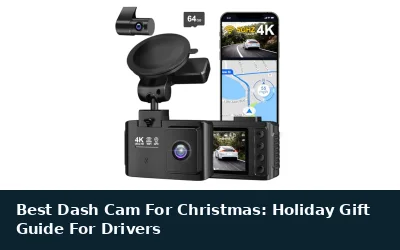
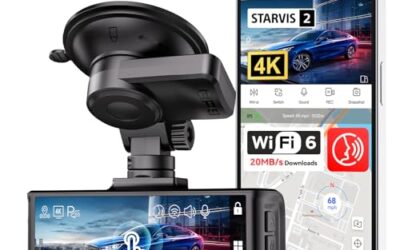
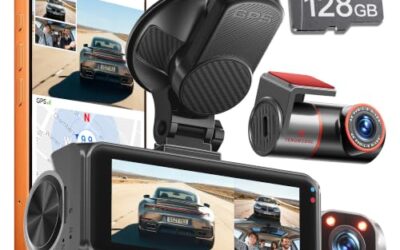
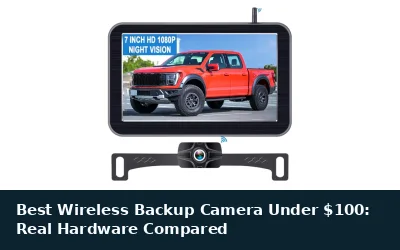
A dash cam with a backup camera does two jobs in one purchase: it records the road as insurance evidence and puts a live rear view on your mirror or dashboard when you reverse. The formats differ. Streaming mirrors replace or cover your factory mirror with a full-time rear display, while dash-mounted screens switch to the rear camera automatically when you shift into reverse. This guide compares six dash cams whose manufacturers document a backup or reversing function, drawn from the nine-item list below; the other three items sit outside that scope for reasons explained under Compatibility and Buying Advice. Prices were observed at the time of writing and can change, so confirm the current price on each product page. If you buy through links on this page, CarTechTalk may earn a commission at no extra cost to you.

Pros
- High-resolution 4K front and 1080P rear recording
- Multiple control options, including voice commands, touchscreen, and physical buttons
- Built-in GPS and wireless smartphone connectivity
- Includes a 128GB card and supports automatic loop recording
- Includes an 18-month guarantee and 24/7 customer support
Cons
- Parking monitoring requires a separate hardwire kit
- Rear camera resolution is limited to 1080P compared with the 4K front camera
- The published data does not specify connector type, operating-system requirements, or vehicle compatibility
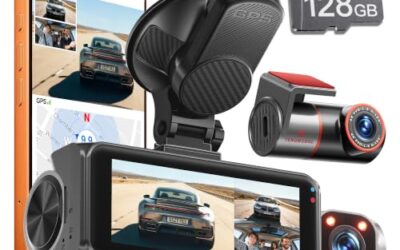
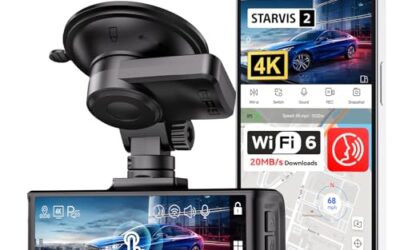
The REDTIGER F7N TOUCH is a dual-channel on-dash camera that records 4K UHD video from the front camera and 1080P FHD video from the rear camera. The front camera has a 170° viewing angle and STARVIS 2 sensor, while the rear camera has a 140° viewing angle. WDR, HDR, and enhanced night vision are included for low-light recording.
Control options include voice commands, a touchscreen, and physical buttons. Built-in GPS records location, speed, and route information. The dashcam connects with Android and iOS devices through the REDTIGER Cam app using 5.8GHz WiFi, with a stated download speed of up to 20MB/s.
Loop recording automatically overwrites older footage when the memory card is full. The built-in G-sensor can lock footage when sudden movement or an impact is detected. The included 128GB card supports recording, and parking monitoring offers G-Sensor and time-lapse modes. A separate hardwire kit is required for parking monitoring.
Installation uses a windshield suction cup, included pry tool, and rear camera. REDTIGER lists an 18-month guarantee and 24/7 customer support.
Specifications
| Color | Black |
|---|---|
| Dimensions | 2.362204722 x 1.2598425184 x 3.8188976339 inches |
| Weight | 0.25 pounds |
| Product Group | Wireless |
| Binding | Electronics |
Verify the current product variation before purchase; specifications may change.
Detailed Review
What stands out in the currently available product data:
- Records 4K UHD from the front camera and 1080P FHD from the rear camera
- Uses a STARVIS 2 sensor with WDR and HDR for enhanced low-light visibility
- Supports voice commands plus touchscreen and physical-button controls
- Built-in GPS records location, speed, and route information
- 5.8GHz WiFi supports wireless control and up to 20MB/s download speed through the REDTIGER Cam app
- Includes a 128GB memory card with loop recording and G-sensor emergency video protection
Best For / Avoid If
Best for buyers prioritizing
- High-resolution 4K front and 1080P rear recording
- Multiple control options, including voice commands, touchscreen, and physical buttons
- Built-in GPS and wireless smartphone connectivity
Consider another option if
- Parking monitoring requires a separate hardwire kit
- Rear camera resolution is limited to 1080P compared with the 4K front camera
- The published data does not specify connector type, operating-system requirements, or vehicle compatibility

Pros
- High-resolution 4K front video and 1080p rear video
- Large 12-inch display with front and rear camera viewing options
- GPS tracking and Wi-Fi access for viewing, playback, and video sharing
- Includes a 32GB card and a 12-month guarantee
Cons
- A hardwire kit is required for 24-hour parking monitoring
- The published data does not specify the hardwire kit or connector type
- The published data does not provide detailed operating-system requirements beyond iOS and Android app support
The WOLFBOX G840S is a 12-inch in-mirror video system with a 4K UHD front camera and a 1080p rear camera. Its display provides 1.5 times the viewing area of a standard mirror, while the 170-degree front lens and 140-degree rear lens are designed to provide a wider view. The system supports split-screen monitoring of both cameras.
The G840S includes an external GPS antenna for displaying real-time GPS data and supports 5.8GHz Wi-Fi connectivity through the WOLFBOX app on iOS and Android devices. The app supports real-time viewing, playback, and video sharing. Additional features include a low-reflectivity LCD, WDR and HDR, a professional-grade sensor, and a 6-glass lens.
Loop recording and a 24-hour parking monitor are included. Parking monitoring uses time-lapse recording and requires a hardwire kit. The product includes a 32GB card and a 12-month guarantee. WOLFBOX states that original brand accessories should be used and that damage related to non-original accessories or improper installation may not be covered.
Specifications
| Color | Black |
|---|---|
| Size | G840S |
| Dimensions | 11.85037 x 2.83464 x 0.70866 inches |
| Weight | 1.8298367746 pounds |
| Product Group | Wireless |
| Binding | Electronics |
Verify the current product variation before purchase; specifications may change.
Detailed Review
What stands out in the currently available product data:
- 4K UHD front camera paired with a 1080p rear camera
- 12-inch display provides 1.5 times the viewing area of a standard mirror
- 170-degree front lens and 140-degree rear lens
- Built-in GPS data display with an external GPS antenna
- 5.8GHz Wi-Fi connectivity with the WOLFBOX iOS and Android app
- Split-screen viewing supports simultaneous front and rear monitoring
Best For / Avoid If
Best for buyers prioritizing
- High-resolution 4K front video and 1080p rear video
- Large 12-inch display with front and rear camera viewing options
- GPS tracking and Wi-Fi access for viewing, playback, and video sharing
Consider another option if
- A hardwire kit is required for 24-hour parking monitoring
- The published data does not specify the hardwire kit or connector type
- The published data does not provide detailed operating-system requirements beyond iOS and Android app support

Pros
- The front and rear cameras are both listed with 1080P resolution
- The full-touch display supports front/rear camera switching, viewing-angle adjustment, playback, exposure, and brightness controls
- The rear camera is specified as IP68 waterproof
- The G-sensor can automatically lock certain video files after a collision
Cons
- A microSD card is not included
- Time-lapse video and 24-hour parking monitoring require the separately sold Jansite hardwire kit
- The display cannot be used as a mirror when turned off
The Jansite mirror dash cam features a 10-inch IPS full-touch display with front and rear camera views. Both cameras are listed at 1080P, and the rear camera is IP68 waterproof. The system supports loop recording, G-sensor video locking, backup-camera display, adjustable parking-assist lines, exposure adjustment, screen brightness adjustment, playback, and front/rear view switching.
The device supports microSD cards up to 128GB, but the card is not included. Time-lapse video and 24-hour parking monitoring require the separately sold Jansite hardwire kit. The mirror weighs 0.72 lb (326 g), measures 9.06 inches (230 mm) wide at the top and 10.24 inches (260 mm) wide at the bottom, and should be checked against the original mirror's size and weight capacity before purchase. The display cannot be used as a mirror when turned off.
Specifications
| Color | Black |
|---|---|
| Size | 10 Inch |
| Dimensions | 2 x 10.2 x 3 inches |
| Weight | 0.2821875 Pounds |
| Product Group | Wireless |
| Binding | Electronics |
Verify the current product variation before purchase; specifications may change.
Detailed Review
What stands out in the currently available product data:
- Dual 1080P front and rear video recording
- 10-inch IPS streaming-media full-touch screen
- IP68 waterproof rear camera
- Rear camera supports enhanced low-light processing and six-layer glass lens construction
- Automatic full-screen rear-camera view and adjustable parking-assist lines when reversing
- Loop recording with G-sensor video-locking protection
Best For / Avoid If
Best for buyers prioritizing
- The front and rear cameras are both listed with 1080P resolution
- The full-touch display supports front/rear camera switching, viewing-angle adjustment, playback, exposure, and brightness controls
- The rear camera is specified as IP68 waterproof
Consider another option if
- A microSD card is not included
- Time-lapse video and 24-hour parking monitoring require the separately sold Jansite hardwire kit
- The display cannot be used as a mirror when turned off
Pros
- High front-camera resolution with a 1080P rear camera
- Includes 5.8GHz WiFi and app-based video access
- Provides GPS data, loop recording, and G-sensor video locking
- Includes a 64GB card for recording storage
Cons
- The rear camera resolution is lower than the front camera's 4K resolution
- Vehicle compatibility details are not provided
- Power, connector, and operating-system requirements are not provided
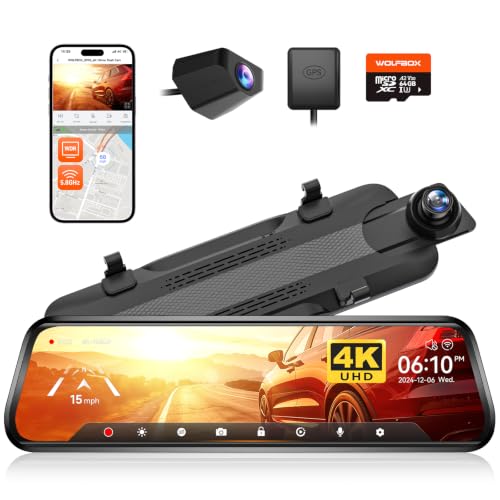
The WOLFBOX G930 is a 10-inch in-mirror video camera with a front 4K camera and a rear 1080P camera. Its display can be adjusted vertically and can show front-and-rear split-screen images or the rear-camera view.
The system includes 5.8GHz WiFi for connecting to the WOLFBOX app, a 64GB card, GPS tracking, WDR, a low-reflectivity LCD screen, and a six-glass lens. Loop recording can overwrite older footage at one-, two-, or three-minute intervals, while the G-sensor locks current video when it detects a collision.
Specifications
| Color | Black |
|---|---|
| Dimensions | 4.724409444 x 13.385826758 x 2.9527559025 inches |
| Weight | 0.74 pounds |
| Product Group | Wireless |
| Binding | Electronics |
Verify the current product variation before purchase; specifications may change.
Detailed Review
What stands out in the currently available product data:
- Front camera records in 4K resolution while the rear camera records in 1080P
- 10-inch mirror display supports front-and-rear split-screen or rear-camera viewing
- 5.8GHz WiFi supports connections to the WOLFBOX app for video access and sharing
- Includes a 64GB memory card
- GPS receiver enables real-time speed and direction display and GPS video data review
- WDR, a low-reflectivity LCD screen, and a six-glass lens are designed for challenging lighting conditions
Best For / Avoid If
Best for buyers prioritizing
- High front-camera resolution with a 1080P rear camera
- Includes 5.8GHz WiFi and app-based video access
- Provides GPS data, loop recording, and G-sensor video locking
Consider another option if
- The rear camera resolution is lower than the front camera's 4K resolution
- Vehicle compatibility details are not provided
- Power, connector, and operating-system requirements are not provided

Pros
- Combines native 4K front and native 2.5K rear recording
- Provides app-based video access and GPS detail viewing through Wi-Fi 6
- Rear camera offers a full-time 2.5K view with IP67-rated waterproofing
- Includes an external GPS module and 64GB card
Cons
- A hardwire kit is required for 24/7 parking surveillance
- The included 19.6 ft rear cable may not suit full-size SUVs, extended-cab pickups, RVs, or campers
- The 50 ft replacement rear cable for larger vehicles is listed as coming soon
The Pelsee S12 is an in-mirror video system with native 4K front recording and native 2.5K rear recording. The front camera records at 3840×2160P using an 8MP GC8613 sensor and a 160° field of view, while the rear camera records at 2560×1440P with a 140° viewing angle.
Features include Wi-Fi 6 connectivity, Pelsee app access, OTA upgrades, an external GPS module, and starlit color night vision with an f/1.5 aperture. The rear camera provides a full-time 2.5K view and has IP67-rated waterproofing.
The package includes a 64GB card and a 19.6 ft rear cable. A hardwire kit is required for 24/7 parking surveillance. A 50 ft rear camera replacement cable for larger vehicles is listed as coming soon.
Specifications
| Color | Black |
|---|---|
| Dimensions | 1.4960629906 x 11.81102361 x 2.9921259812 inches |
| Weight | 2.38 Pounds |
| Product Group | Wireless |
Verify the current product variation before purchase; specifications may change.
Detailed Review
What stands out in the currently available product data:
- Native 3840×2160P front recording with an 8MP GC8613 sensor
- Native 2560×1440P rear recording with a 140° viewing angle
- Wi-Fi 6 supports video downloads of up to 30MB/s through the Pelsee app
- OTA updates help keep the camera software current
- Included external GPS module records speed, location, and route data
- Starlit color night vision uses an f/1.5 aperture for low-light footage
Best For / Avoid If
Best for buyers prioritizing
- Combines native 4K front and native 2.5K rear recording
- Provides app-based video access and GPS detail viewing through Wi-Fi 6
- Rear camera offers a full-time 2.5K view with IP67-rated waterproofing
Consider another option if
- A hardwire kit is required for 24/7 parking surveillance
- The included 19.6 ft rear cable may not suit full-size SUVs, extended-cab pickups, RVs, or campers
- The 50 ft replacement rear cable for larger vehicles is listed as coming soon

Pros
- Supports flexible 180° camera-angle adjustment
- Does not require drilling into the vehicle
- Adhesive mounting can be used inside or outside the vehicle
Cons
- Specific compatible camera models and dimensions are not provided
- The mount is made from resin rather than metal
- The adhesive installation requires a clean window and a 24-hour setting period before use
The jelkuz Rear Camera Holder Backup Camera Mount is a resin bracket for mounting a rear camera or dash cam camera without drilling. The camera attaches to the bracket with two screws, while strong adhesive double-sided tape secures the mount to an interior or exterior vehicle surface.
- Adjustment: 180° angle adjustment
- Vehicle types: Cars, SUVs, RVs, and trucks
- Material: High-density resin polymerization material
- Installation: Clean the window before applying the adhesive and allow it to sit for one day before use
- Compatibility: The listing states suitability for 90% of rearview mirror cameras with a fixed metal plate; specific camera models and dimensions are not provided
- Category: Vehicle Backup Cameras
- ASIN: B0CWRTH5W7
Specifications
| Color | Black-Plastic |
|---|---|
| Dimensions | 2.5 x 3 x 2 inches |
| Product Group | Wireless |
| Binding | Electronics |
Verify the current product variation before purchase; specifications may change.
Detailed Review
What stands out in the currently available product data:
- No-drilling installation using two screws to secure the camera to the bracket
- Strong adhesive double-sided tape for mounting inside or outside the vehicle
- 180° angle adjustment for different glass angles and mounting positions
- Designed not to obstruct the rear windshield view
- Listed as suitable for cars, SUVs, RVs, and trucks
- High-density resin polymerization construction
Best For / Avoid If
Best for buyers prioritizing
- Supports flexible 180° camera-angle adjustment
- Does not require drilling into the vehicle
- Adhesive mounting can be used inside or outside the vehicle
Consider another option if
- Specific compatible camera models and dimensions are not provided
- The mount is made from resin rather than metal
- The adhesive installation requires a clean window and a 24-hour setting period before use
Pros
- Four camera channels provide simultaneous coverage around the vehicle.
- The front camera combines 2.5K resolution, an F1.8 aperture, and WDR.
- Local 5GHz WiFi transfers footage through the Viidure app without requiring a subscription.
- Includes a 64GB microSD card and accessories such as a dual-port car charger, USB card reader, and trim-removal tool.
Cons
- The rear, left, and right cameras are limited to 720P HD recording.
- Parking mode requires the separately sold ACC hardwire kit.
- The listed operating temperature range is -10°C to 50°C.
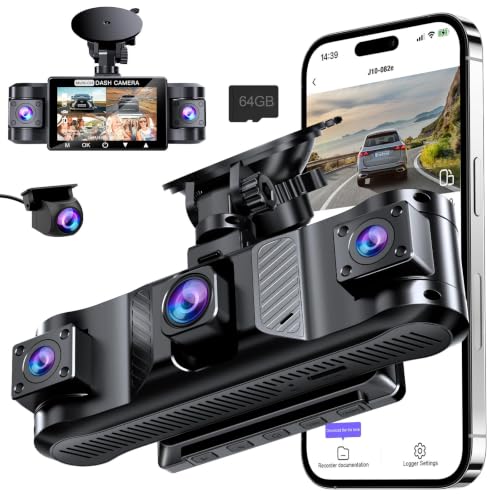
The Tehclife four-channel dash cam records front, rear, left, and right views simultaneously. The front camera records 2560×1440P video with an F1.8 aperture, while the rear, left, and right cameras record at 720P HD. WDR is included, and the interior camera uses 8 infrared LEDs for dark-cabin recording.
Built-in 5GHz WiFi works with the Viidure app on iOS and Android for live viewing, playback, video downloads, sharing, settings adjustments, card formatting, and firmware updates. The system includes a pre-installed 64GB microSD card and supports up to 256GB Class 10 cards. Loop recording is available in 1-, 2-, or 3-minute intervals, and time-lapse recording supports 1, 2, or 4 FPS.
Parking mode uses a G-sensor to lock recordings after a collision or sudden movement and requires the separately sold ACC hardwire kit. The waterproof rear camera supports mounting on the rear windshield or near the license plate. Included accessories include a dual-port car charger, suction cup mount, 3M adhesive pads, cable clips, a USB card reader, a crowbar tool, cable clamps, a reset pin, and a quick start guide.
The dash cam has a Type-C power port, a 3.0-inch LCD, an adjustable microphone, 50Hz and 60Hz light-frequency settings, MOV video with H.264 compression, JPEG photo support, and a 300mAh polymer lithium battery for emergency backup. The listed operating temperature range is -10°C to 50°C, with storage temperatures from -20°C to 60°C. The product includes a 2-year warranty, with an additional 6 months available after activation.
Specifications
| Color | Flat Black |
|---|---|
| Dimensions | 7.44 x 2.55 x 5.15 Inches |
| Weight | 1.08 Pounds |
| Product Group | Electronics |
Verify the current product variation before purchase; specifications may change.
Detailed Review
What stands out in the currently available product data:
- Four-channel recording captures front, rear, left, and right views simultaneously.
- Front camera records at 2.5K QHD, while the other three cameras record at 720P HD.
- 5GHz WiFi and the Viidure app support live viewing, playback, downloads, settings changes, and firmware updates.
- An included 64GB microSD card is pre-installed, with support for cards up to 256GB Class 10.
- The interior camera includes 8 infrared LEDs for recording in dark cabin conditions.
- A waterproof rear camera can be mounted on the rear windshield or near the license plate.
Best For / Avoid If
Best for buyers prioritizing
- Four camera channels provide simultaneous coverage around the vehicle.
- The front camera combines 2.5K resolution, an F1.8 aperture, and WDR.
- Local 5GHz WiFi transfers footage through the Viidure app without requiring a subscription.
Consider another option if
- The rear, left, and right cameras are limited to 720P HD recording.
- Parking mode requires the separately sold ACC hardwire kit.
- The listed operating temperature range is -10°C to 50°C.

Pros
- Both front and rear cameras are specified at 1080P resolution
- The long 19.6-foot rear-camera cable may help with cable routing during installation
- Automatic rear-camera display when shifting into reverse
- Touchscreen controls allow view, camera, and brightness adjustments
- Parking monitor can record locked video after a detected parking collision when used with an additional ACC hardwire kit
Cons
- Memory card is not included
- An additional ACC hardwire kit is required for the parking-monitor function
- The provided data does not specify vehicle compatibility or operating-system requirements
The Jansite B07Z3LXZLH is a 10-inch full-touchscreen mirror dash cam with 1080P front and rear cameras. It features a 170° front viewing angle, a 140° rear viewing angle, loop recording, G-sensor collision footage locking, night-vision features, and a waterproof rear camera with parking guidelines.
- Rear-camera cable: 19.6 feet, or 6 meters
- Memory-card support: Up to 128GB; card not included
- Display controls: Touchscreen view adjustment, camera switching, and brightness adjustment
- Reverse view: Automatically switches to the rear-camera perspective when the vehicle is shifted into reverse
- Parking monitor: Requires an additional ACC hardwire kit
- Installation: Stretchable front-camera mounting straps are included; the rear camera is specified as IP68 waterproof
Specifications
| Color | black |
|---|---|
| Product Group | Wireless |
| Binding | Electronics |
Verify the current product variation before purchase; specifications may change.
Detailed Review
What stands out in the currently available product data:
- 10-inch full-touchscreen mirror display
- 1080P front and 1080P rear cameras
- 170° front and 140° rear viewing angles
- 19.6-foot rear-camera cable for installation flexibility
- Loop recording and G-sensor collision footage locking
- Waterproof rear camera with parking guidelines
Best For / Avoid If
Best for buyers prioritizing
- Both front and rear cameras are specified at 1080P resolution
- The long 19.6-foot rear-camera cable may help with cable routing during installation
- Automatic rear-camera display when shifting into reverse
Consider another option if
- Memory card is not included
- An additional ACC hardwire kit is required for the parking-monitor function
- The provided data does not specify vehicle compatibility or operating-system requirements

Pros
- Combines a 4K front dash cam and 1080p rear camera in one receiver
- Supports wireless CarPlay, Android Auto, navigation apps, and smartphone screen mirroring
- Offers several audio connection methods, including Bluetooth, FM transmission, and AUX output
- Includes loop recording with automatic overwriting and collision-locked video claims
Cons
- The published product data does not specify voltage, connector type, or detailed installation requirements
- The published product data does not provide iOS or Android version requirements
- The rear camera requires correct installation for automatic reverse-image switching
The Antika wireless car screen is a 10.26-inch in-dash receiver with wireless Apple CarPlay, Android Auto, navigation access, and smartphone mirror linking. It includes a rotating 4K front dash cam with loop recording and a stated 64GB SD card, plus a 1080p IP65 rear camera that switches to the reversing image when the vehicle is in reverse after correct installation.
Audio options include Bluetooth 5.0, FM transmission, AUX output, and built-in speakers. The screen supports full-screen or split-screen presentation and is described as compatible with cars and trucks while retaining the vehicle's original radio. Voltage, connector type, and operating-system requirements are not provided in the published data.
Specifications
| Color | Black |
|---|---|
| Size | 10.26 Inch |
| Dimensions | 1 x 9 x 2 inches |
| Weight | 1.0361726314 Pounds |
| Product Group | Wireless |
| Binding | Electronics |
Verify the current product variation before purchase; specifications may change.
Detailed Review
What stands out in the currently available product data:
- 4K front dash cam with a wide-angle lens, loop recording, 360-degree rotation, and adjustable vertical positioning
- 1080p IP65 rear camera with automatic reverse-image switching and reversing guide lines
- Wireless Apple CarPlay and Android Auto support for smartphone navigation apps
- 10.26-inch 2.5D IPS screen with full-screen and split-screen modes
- Wireless mirror linking through AirPlay for iPhone and Miracast for Android smartphones
- Bluetooth 5.0, FM transmission, AUX output, and built-in speakers provide multiple audio options
Best For / Avoid If
Best for buyers prioritizing
- Combines a 4K front dash cam and 1080p rear camera in one receiver
- Supports wireless CarPlay, Android Auto, navigation apps, and smartphone screen mirroring
- Offers several audio connection methods, including Bluetooth, FM transmission, and AUX output
Consider another option if
- The published product data does not specify voltage, connector type, or detailed installation requirements
- The published product data does not provide iOS or Android version requirements
- The rear camera requires correct installation for automatic reverse-image switching
For related guidance on this topic, see Best Dash Cam With Multiple Cameras, Best Front And Rear Dash Cam Cameras and Best Selling Dashboard Dash Cam Cameras.
Quick Verdict
- Best overall mirror display: WOLFBOX G840S 12″ 4K Mirror Dash Cam Backup Camera — a 12-inch streaming mirror with 4K front capture, split-screen viewing, and an external GPS antenna.
- Best rear image quality: Pelsee S12 Native 4K + 2.5K Mirror Dash Cam — the only pick with a native 2.5K rear camera and an f/1.5 aperture.
- Best value with parking guide lines: 10’’ Mirror Dash Cam Front and Rear View Mirror — documented auto-reverse display with adjustable park assist lines.
- Budget pick: Upgraded 10” Rear View Mirror Camera Mirror Dash — the lowest price here with a reverse-trigger display and a 19.6-foot rear cable.
- Best for older vehicles: Wireless Carplay Screen for Car 10.26″ 4K 360 — wireless CarPlay and Android Auto plus a reversing camera in one dash unit.
- Best 10-inch mirror fit: WOLFBOX G930 10” 4K Rear View Mirror Camera — 4K front capture, GPS, and a 64GB card when a 12-inch unit is too large.
How We Chose
This guide is an editorial evaluation of the manufacturer-listed specifications, compatibility details, and included accessories for each model. CarTechTalk did not conduct laboratory or road testing for this article, and customer review excerpts were not available for these listings at the time of writing, so every claim below traces to the manufacturer’s listing. We prioritized four things: a documented backup or reversing function, rear-camera image hardware, honest documentation of parking-mode power requirements, and fit data such as mirror dimensions and cable lengths. Where the manufacturer does not publish a figure — frame rate, maximum storage capacity, field of view in several cases — we say so rather than guessing.
Comparison Table
| Model | Observed price | Channels | Front / rear resolution | Reverse display | GPS | Max storage | Parking mode |
|---|---|---|---|---|---|---|---|
| WOLFBOX G840S 12″ | $139.99 | 2 | 4K / 1080p | Full-time rear view on 12-inch mirror; trigger and lines not documented | External antenna | Not provided | Hardwire kit required |
| Pelsee S12 | $139.99 | 2 | 4K / 2.5K | Full-time 2.5K rear view; trigger and lines not documented | External module | Not provided | Hardwire kit required |
| Jansite 10’’ Mirror | $62.99 | 2 | 1080p / 1080p | Auto full-screen reverse view with adjustable park assist lines | Not provided | 128GB | Jansite hardwire kit required |
| Jansite Upgraded 10” | $56.99 | 2 | 1080p / 1080p | Auto-switch on reverse with guidelines | Not provided | 128GB | ACC hardwire kit required |
| Antika Carplay Screen | $93.59 | 2 | 4K / 1080p | Auto-switch on reverse with auxiliary lines | Not provided | Not provided | Not provided |
| WOLFBOX G930 10” | $149.99 | 2 | 4K / 1080p | Full-time rear view on 10-inch mirror; trigger and lines not documented | External receiver | Not provided | Not documented |
Compatibility and Buying Advice
Check mirror fit first. Streaming mirrors strap over or cover your factory mirror, and weight matters: Jansite publishes 0.72 lb and top/bottom widths for its 10-inch model, which is the only listing here with exact dimensions. Measure your mirror and confirm your stalk or wiring will not fight the added bulk. The WOLFBOX pair splits by size — 12 inches versus 10 inches — so match the screen to the mirror, not just the budget.
Plan the cable run and power. The Pelsee S12 and the Jansite Upgraded list 19.6-foot rear cables for sedans through standard pickups; the Pelsee’s 50-foot replacement cable is listed as coming soon, and the Jansite 10-inch supports a vertical-flip roof or trailer install with a separately sold camera. Every documented parking mode here — both Jansite models, the WOLFBOX G840S, and the Pelsee S12 — requires a hardwire kit sold separately, and none of these listings documents low-voltage protection for your vehicle battery. Vehicle 12V and USB outlets may cut power with the ignition or stay live; if yours stays live, any continuously powered camera can drain a battery over days. Confirm low-voltage behavior with the manufacturer or use a professional installer before enabling parking surveillance.
Budget the extras and the card. Both Jansite mirrors cap at 128GB microSD and ship without a card, so buy a named-brand endurance-rated card sized for continuous overwriting. Format the card before first use, expect locked G-sensor clips to accumulate and shrink your loop capacity, and reformat periodically. The WOLFBOX, Pelsee, and Antika units include 32–64GB cards but do not publish maximum supported capacity, so confirm before upgrading.
Know the rules where you drive. Windshield-object restrictions, mirror-obstruction rules, and recording or audio-consent laws vary by state and change over time; interior-facing lenses raise additional privacy questions. This is general guidance, not jurisdiction-specific legal advice. For deeper primers, CarTechTalk’s guides on how to choose a dash cam, how to hardwire a dash cam, dash cam parking mode, dash cam storage, and dash cam battery drain cover each topic in detail.
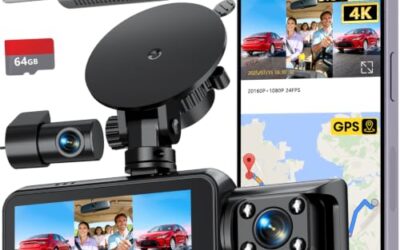
Scope note: the product list above contains nine items. Two of them — the REDTIGER 4K STARVIS 2 Dashcam Front Rear and the 4 Channel 360° Dash Cam Front and Rear Inside — document rear-facing lenses for recording road evidence rather than a reversing display, and the remaining item is an adhesive rear camera mount (listed at $5.88 at the time of writing) rather than a camera. That mount can still help you position a rear camera inside the rear window without drilling, but none of the three is a backup-camera pick in this guide.
How to Choose a Dash Cam With Backup Camera
- Pick your display format. A streaming mirror gives a full-time wide rear view; a dash screen with a reverse trigger appears only when you shift into reverse and keeps a lower profile.
- Decide how much rear detail matters. If night plate readability behind you is the priority, the Pelsee’s native 2.5K rear camera and f/1.5 aperture are the strongest documented hardware here; if evidence from the front matters most, the 4K front options lead.
- Verify fit and cabling. Mirror dimensions, strap clearance, and rear cable length determine whether a clean install is even possible in your vehicle.
- Price the total system. Add a card where none is included and a hardwire kit if you want parking surveillance; those two line items can rival the camera’s cost.
- Match transfer habits. App-based downloads (WOLFBOX, Pelsee) suit frequent clip sharing; card-removal models (both Jansites) are simpler but less convenient.
FAQ
Do I need a hardwire kit for parking mode?
Yes, for every model that documents one: both Jansite mirrors, the WOLFBOX G840S, and the Pelsee S12 all require separately sold hardwire kits. The WOLFBOX G930 and the Antika screen do not document parking modes at all. No listing documents low-voltage protection, so verify with the manufacturer before wiring anything to a constant power source.
Will one of these fit my vehicle?
Measure first. Jansite publishes exact dimensions and weight for its 10-inch mirror; the WOLFBOX choice is 12 inches versus 10 inches. For rear cables, the documented 19.6-foot lengths cover most sedans through standard pickups, while larger SUVs and RVs may need the Pelsee’s forthcoming 50-foot cable or an extension.
Does 4K guarantee readable license plates?
No. None of these manufacturers publishes plate-readability distances or frame rates, and real-world detail depends on exposure, motion, compression, and headlight glare as much as resolution. Treat higher resolution as potential clarity, not a promise — especially at night.
Are dash cams with backup cameras legal?
Generally yes, but windshield-mounting restrictions and recording or audio-consent laws vary by state, and cabin-facing lenses or microphones can raise consent issues. Check your local regulations before installing; this is general information, not legal advice.
Final Verdict
There is no single winner here because the right pick depends on your dashboard, your mirror, and your priorities. Choose the WOLFBOX G840S if you want the biggest documented mirror display with 4K front evidence and GPS; choose the Pelsee S12 if rear-camera clarity is the deciding factor; choose one of the two Jansite mirrors if you want a documented reverse-trigger display with guide lines on a budget — the step-up model adds a glare-treated screen and adjustable lines, the cheaper one adds a longer cable at the lowest price here. The Antika screen is the clear fit for an older vehicle that also deserves CarPlay, and the WOLFBOX G930 serves smaller factory mirrors that cannot take a 12-inch unit. Whichever you choose, confirm the current price, order a card if none is included, and settle the hardwire question before you rely on parking surveillance.