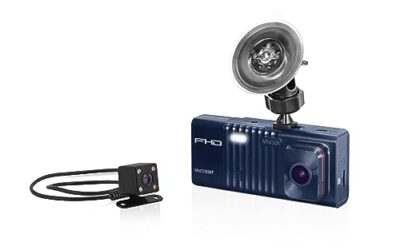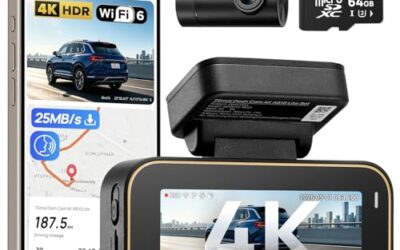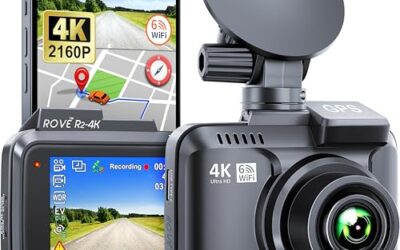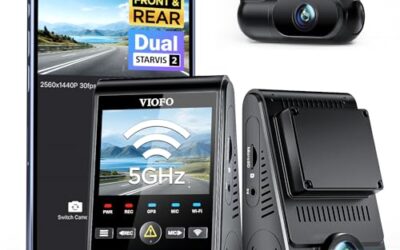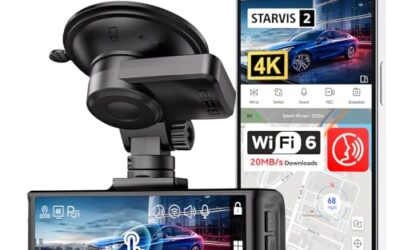

A dash cam G-sensor measures acceleration and can trigger event protection when movement exceeds the camera’s threshold. During normal driving, many dash cams already record continuously; the sensor marks or protects the relevant clip rather than starting all recording from scratch. Event handling depends on the model and settings.
Understanding the G sensor’s function helps users appreciate why certain dash cams are more reliable for safety and insurance purposes. It works by sensing G-forces, which are units of acceleration, and responding when they exceed a set threshold.
Key Takeaways
- A G sensor detects sudden acceleration changes to identify collisions.
- It automatically saves relevant video clips for evidence.
- Check the model’s sensor and event-protection specifications rather than assuming every camera has the same hardware.
- Limitations include potential false triggers from road irregularities if not properly calibrated.
- It is distinct from GPS or gyroscopic sensors used in other dash cam features.
What Is a G Sensor?
The term G sensor comes from the measurement of acceleration in multiples of G, where one G equals the acceleration due to gravity, approximately 9.8 meters per second squared. In automotive applications, G sensors monitor how the vehicle is accelerating or decelerating in real time.
These sensors are typically small electronic components, often based on Micro-Electro-Mechanical Systems (MEMS) technology. They contain tiny masses or structures that move in response to acceleration, generating electrical signals that the dash cam’s processor interprets.
How Does a G Sensor Work in a Dash Cam?
On a dash cam with a three-axis accelerometer, the sensor can measure movement in three directions. The camera’s firmware decides whether that movement meets its event threshold. A sharp movement is not, by itself, proof of a collision.
When acceleration exceeds the configured threshold, the camera can flag or protect the relevant recording. The threshold and saved interval vary by model. Do not assume a universal G-force threshold or that event detection guarantees footage from every collision.
Some advanced systems use multiple G sensors or combine them with gyroscopes to determine the direction and severity of the impact, enhancing accuracy.
Why Is a G Sensor Important for Dash Cams?
A G-sensor can make an important recording easier to find and reduce its exposure to normal loop overwrite. It does not replace continuous recording or remove the need to check that the memory card is working.
Protected clips can help document an incident, but their usefulness depends on what the camera actually captured. A camera without automatic event detection can still record ordinary driving video, and some models let you save an event manually.
Additionally, it contributes to vehicle safety by providing data that can be analyzed post-incident to understand collision dynamics, though this is more advanced.
Types of G Sensors in Dash Cams
Dash cams vary in the type of G sensors they use, which affects their performance in detecting impacts.
| Type | Axes | Description | Best For |
|---|---|---|---|
| Single-Axis | 1 | Measures acceleration in one direction, usually forward or backward. | Basic front impact detection |
| Dual-Axis | 2 | Measures in two directions, such as forward and lateral. | Detecting side and front collisions |
| 3-Axis | 3 | Measures in all three dimensions: forward, side, and vertical. | Comprehensive impact detection in various scenarios |
Axis count describes the sensor’s measurement directions. It does not, by itself, establish that one camera detects incidents more accurately than another. Check the model’s documented event behavior.
Limitations and Calibration Considerations
While G sensors are effective, they have limitations. They may be overly sensitive to minor bumps or potholes, leading to false triggers and unnecessary video saving. Conversely, if too insensitive, they might miss actual collisions.
Manufacturers calibrate these sensors at the factory to balance sensitivity and specificity. However, some models allow users to adjust the sensitivity settings through the dash cam’s menu system. Always refer to the manufacturer’s instructions for your specific model to understand the optimal settings.
Compatibility is generally high, as G sensors are standard in most aftermarket and OEM dash cams. However, ensure the dash cam supports the vehicle’s voltage and has the appropriate connector type. Regional differences in regulations may affect certain features, but G sensor functionality is usually universal.
Common Misconceptions About G Sensors in Dash Cams
One common misconception is that a G sensor is the same as a GPS module. While both are important in dash cams, a G sensor focuses on acceleration and impact detection, whereas GPS provides location data.
Event protection and ordinary recording are separate functions. The camera can continue recording outside detected events, while its event function marks or protects selected clips. Protected files still need to be checked and copied when important.
Some users believe it is solely for parking mode monitoring. While some dash cams use G sensors in conjunction with motion detection for parking surveillance, the primary role of the G sensor is impact detection during driving.
Finally, there is confusion with gyroscopic sensors. A gyroscope measures rotational movement, which can complement the G sensor in determining impact direction and severity.
Integrating G Sensors with Other Dash Cam Features
GPS, Wi-Fi and event detection perform different jobs. GPS can add supported position or time data, Wi-Fi can provide a transfer connection, and a G-sensor can trigger event protection. Having one feature does not establish that all the others are present or accurate.
Wi-Fi can provide access to saved clips on supported models. A supercapacitor is not an independent parking-mode power supply; check the camera’s documented power requirements rather than assuming it can keep recording without external power.
This integration makes dash cams more robust tools for safety and documentation.
Choosing a Dash Cam with a Reliable G Sensor
When selecting a dash cam, look for models that specify the type of G sensor and its sensitivity settings. Reading user reviews can provide insights into real-world performance, though always verify specifications directly from the manufacturer.
Consider the resolution and field of view as well, as a high-quality G sensor paired with good video quality ensures clear evidence. For vehicles with specific needs, such as larger SUVs or trucks, ensure the dash cam is compatible with the required mounting and power sources.
Common Mistakes When Using Dash Cams with G Sensors
A frequent error is assuming that the G sensor will save footage regardless of settings. Users should check the impact detection sensitivity and ensure it is set appropriately for their driving conditions.
Another mistake is not understanding that without a G sensor, the dash cam may not automatically save critical moments. Always confirm if your model has this feature before purchase.
Overlooking the need for proper installation can lead to issues, such as the G sensor not being triggered correctly due to poor mounting angle or connection problems.
Finally, some users disable the G sensor thinking it causes false triggers, but this can leave them without evidence in actual accidents. Balance is key.
When to Get Professional Help
If your dash cam is not triggering on impacts or is saving footage incorrectly, it may indicate a problem with the G sensor or its connection. In such cases, it is advisable to consult a professional technician or the manufacturer’s support team.
Regular maintenance, such as checking the memory card for errors or ensuring the device is updated with the latest firmware, can prevent issues. If the dash cam is under warranty, contact the seller or manufacturer for assistance.
FAQ
What is the difference between a G sensor and a gyroscope?
A G sensor measures linear acceleration, while a gyroscope measures angular velocity or rotational movement. Both can be used in dash cams, with the G sensor focusing on impacts and the gyroscope aiding in direction detection.
Do all dash cams have G sensors?
No, not all dash cams include G sensors. Basic models may rely on time-based recording or manual activation, while advanced ones use G sensors for automatic impact detection.
How does a G sensor affect dash cam performance?
The G-sensor can trigger the model’s event-recording or clip-protection function. It does not establish image quality, storage savings or battery runtime by itself.
Can the G sensor be adjusted?
Many dash cams allow adjustment of G sensor sensitivity through their settings menu. Consult the user manual for specific instructions on how to modify these settings.
Is a G sensor necessary for all dash cams?
A G-sensor is not required for basic continuous recording. It can add automatic event protection, but you still need a working recording setup and a way to preserve important files.
This concludes the explanation of what a G sensor on a dash cam is and its significance in vehicle technology.
Gear that can help
If you need dash cams for this job, these picks already appear in our dash cams guides. Check the full guide for fit and who should skip each one.

Pros
- 4K front and 2.5K rear recording
- Built-in GPS and 5GHz WiFi connectivity
- 64GB SD card included
- G-sensor helps preserve impact-related footage
Cons
- Parking monitoring requires a separately sold hardwire kit
- Some Viidure app features, including video speed adjustment and cloud uploads, require membership
Specifications
| Color | Black |
|---|---|
| Size | A13-WiFi+GPS-64GB |
| Dimensions | 19.49999998011 x 6.49999999337 x 10.49999998929 Inches |
| Product Group | Wireless |
| Binding | Electronics |
Best For / Avoid If
Best for buyers prioritizing
- 4K front and 2.5K rear recording
- Built-in GPS and 5GHz WiFi connectivity
- 64GB SD card included
Consider another option if
- Parking monitoring requires a separately sold hardwire kit
- Some Viidure app features, including video speed adjustment and cloud uploads, require membership

Pros
- Three-camera coverage records the road ahead, rear view, and cabin simultaneously
- GPS data is embedded in recordings for route and speed reference
- Includes a 128GB memory card and supports automatic collision footage protection
- Supports wireless control and video downloads through the TERUNSOUl app
Cons
- Parking mode requires a separate hardwire kit
- The listing does not identify the exact iOS or Android version requirements
Specifications
| Color | Black |
|---|---|
| Dimensions | 1.574803148 x 3.149606296 x 1.3779527545 inches |
| Weight | 0.551155655 pounds |
| Product Group | Electronics |
Best For / Avoid If
Best for buyers prioritizing
- Three-camera coverage records the road ahead, rear view, and cabin simultaneously
- GPS data is embedded in recordings for route and speed reference
- Includes a 128GB memory card and supports automatic collision footage protection
Consider another option if
- Parking mode requires a separate hardwire kit
- The listing does not identify the exact iOS or Android version requirements

Pros
- 4K recording is specified for both the front and rear cameras
- Includes a 128GB card for recording out of the box
- Provides built-in GPS and dual-band WiFi 6 connectivity
- Includes a stated 3-year guarantee and 24/7 customer support
Cons
- The hardwire kit needed for 24-hour parking monitoring is sold separately
Specifications
| Color | Black |
|---|---|
| Size | 3 |
| Dimensions | 1.3779527545 x 3.7401574765 x 1.7716535415 Inches |
| Weight | 0.3968320716 Pounds |
| Product Group | Electronics |
Best For / Avoid If
Best for buyers prioritizing
- 4K recording is specified for both the front and rear cameras
- Includes a 128GB card for recording out of the box
- Provides built-in GPS and dual-band WiFi 6 connectivity
Consider another option if
- The hardwire kit needed for 24-hour parking monitoring is sold separately
Sources and further reading
- Dash cam recording and event saving — Garmin’s manual for the listed models; other cameras can handle event files differently.