
Can a dash cam record through tinted glass? Yes, but dark tint can reduce detail, add reflections, and make night footage much worse. A front camera mounted inside a tinted windshield may record usable video when the glass has mild tint, while rear-camera footage through dark privacy glass often needs more light and careful placement.
Key takeaways
- Factory-tinted glass usually permits usable dash cam footage.
- Aftermarket film can lower exposure, reduce contrast, and add haze.
- Dark rear tint affects a cabin-mounted rear camera more than a camera mounted outside the glass.
- Infrared night vision can create reflections from glass and tint.
- Clean glass, correct camera placement, and a short test drive reveal real results.
- Local tint rules vary by state and window position, so check current local requirements.
How tinted glass affects dash cam recording
Glass tint reduces visible light reaching the camera sensor. The camera then has less information for bright highlights, road signs, lane markings, faces, and license plates. Automatic exposure may brighten the image, but brighter footage can show more noise and motion blur.
Tint can also change color. Some films block or absorb parts of visible light more than others. Video may appear darker, warmer, cooler, or less balanced than footage recorded through clear glass. This effect depends on film type, darkness, glass angle, camera sensor, and lighting.
Windshield tint and rear-window tint create different problems. Many vehicles use a shaded strip near the top of the windshield. A camera placed below that strip may see little effect. A camera placed behind a dark rear window faces the full tint layer, plus possible defroster lines and reflections.
Factory privacy glass versus aftermarket tint film
Factory privacy glass usually colors glass during production. Aftermarket film adds another optical layer to existing glass. Both can reduce light, but aftermarket film may introduce bubbles, haze, scratches, adhesive marks, or extra reflections.
Privacy glass often appears dark from outside while allowing more useful light from inside than its appearance suggests. This varies by vehicle and glass panel. Do not judge camera performance from outside appearance alone.
Can a dash cam record through tinted glass at night?
Yes, but night performance usually suffers first. Dark tint leaves less light for the sensor. Streetlights and headlights may still produce bright spots, while unlit areas lose detail. The result can show a sharp-looking road center and nearly black areas around it.
Night vision does not remove this limit. A camera can brighten its image, but it cannot recover detail that never reached the sensor. Higher sensor sensitivity, wider aperture, and good exposure control may help. They do not make dark tint optically clear.
Infrared LEDs create another issue. Infrared light can reflect off inside glass, tint film, dust, or dashboard surfaces. This can produce a white veil or bright spots. A rear camera with infrared lights may perform worse behind glass than a camera without active infrared illumination.
Does tint affect front and rear dash cameras differently?
Front cameras often sit behind the windshield. Many windshields have clear areas around the camera mount, plus only a narrow sun strip near the roof. Correct placement can keep the lens below dark shading and away from stickers, sensors, and glass damage.
Rear cameras face more variation. A camera inside the cabin must record through rear glass, which may have factory privacy glass, aftermarket film, defroster wires, wiper marks, and reflections from seats or cargo. A camera mounted outside the rear glass avoids that tint layer, but its housing needs weather protection and a suitable mounting location.
| Setup | Typical tint concern | What it means |
|---|---|---|
| Front camera behind clear windshield | Low concern | Usually good daytime recording if lens placement is clear. |
| Front camera behind sun strip | Moderate concern | Dark top tint can reduce exposure and hide signs or signals. |
| Rear camera inside tinted hatch glass | High concern | Night detail and contrast may drop sharply. |
| Rear camera outside glass | Lower optical concern | Camera avoids glass tint but needs weather-resistant mounting and wiring. |
| Camera with infrared LEDs behind glass | Reflection concern | Infrared light can bounce back into the lens. |
How to test dash cam performance through tinted glass
Test the actual mounting position. Camera specifications alone cannot predict results through a specific vehicle window. Use the same glass, tint, lighting, and angle the camera will face during normal driving.
- Clean both sides of the glass near the planned mount. Remove dust, film residue, and fingerprints.
- Mount the camera behind the tint, not several inches away on a temporary surface. Distance and angle change reflections.
- Record daytime footage on roads with signs, lane markings, parked vehicles, and mixed shadows.
- Record after sunset on roads with streetlights and unlit sections.
- Review paused frames, not only the live screen. Check signs, plates, lane lines, glare, and dark areas.
- Compare footage with the camera temporarily placed in front of the glass, if safe and practical. This shows how much tint changes the image.
- Test with headlights behind the vehicle if evaluating a rear camera. Bright headlights expose glare and reflection problems.
Do not hold or adjust a camera while driving. Complete setup and review while parked. A camera that looks acceptable on its small display may show more noise or blur on a computer.
Camera features that matter behind tinted glass
Sensor and low-light performance
A larger or more sensitive image sensor may preserve more detail in low light. The sensor does not remove tint loss, but it can reduce the penalty. Read footage samples from similar glass conditions when available. A sample through clear glass says little about rear footage through dark film.
Exposure control
Exposure control affects how the camera handles headlights, streetlights, and dark roads. A camera that overexposes headlights may lose surrounding detail. A camera that underexposes the road may hide objects outside bright areas.
High dynamic range
HDR can help balance bright and dark areas in one frame. It may improve signs near headlights or sunlight, but it cannot restore detail blocked by dark tint. HDR settings can also change motion rendering, so test both available modes when possible.
Infrared night vision
Infrared lighting may help inside a dark cabin. Behind glass, it can cause reflections. If a rear camera shows a bright haze, disable infrared lighting if the camera allows it, then compare footage.
Polarizing filter
A circular polarizing filter can reduce some dashboard and windshield reflections. It also cuts incoming light. Behind dark tint, that tradeoff may make nighttime footage worse. Use it only after testing daytime glare and nighttime exposure.
Can tint block a dash cam completely?
Most ordinary automotive tint does not make recording impossible. It can make footage too dark for useful identification, especially after sunset. Very dark film, layered tint, reflective film, damaged film, or a window covered by cargo can block practical visibility even when the camera still records a video file.
Metallic or reflective films may create extra glare or interfere with other vehicle electronics, depending on construction and placement. Camera image problems remain separate from GPS, Wi-Fi, Bluetooth, or cellular signal issues. Tint that blocks radio signals does not automatically block visible camera light, and visible darkness does not prove a signal problem.
Common mistakes
- Judging tint by appearance outside: Exterior darkness does not show how much useful light reaches a camera inside.
- Mounting behind a dark sun strip: The camera may record a darker scene than expected during daylight.
- Ignoring glass reflections: Dashboard trim, seats, and defroster lines can appear in footage.
- Using infrared by default: Infrared light may reflect off glass and create a bright veil.
- Adding a polarizer without testing: Reflection reduction can cost too much light at night.
- Testing only while parked in daylight: Night driving exposes tint-related problems faster.
- Assuming higher resolution fixes darkness: More pixels cannot recover light blocked before it reaches the sensor.
- Placing a camera in a restricted viewing area: Tint and camera placement may affect visibility rules. State requirements vary by window and vehicle.
Decision guide for tinted windows
- Front windshield with mild tint: Mount below any dark shade band and test daytime glare.
- Front windshield with dark film: Test night footage before permanent installation. Consider a clear section or another legal mounting position.
- Rear window with factory privacy glass: Test a cabin-mounted rear camera during day and night.
- Rear window with dark aftermarket film: Expect greater risk of lost night detail. An exterior rear camera may solve the optical problem if its installation suits the vehicle.
- Rear camera with infrared LEDs: Compare infrared on and off. Keep the setting that produces less reflection and more usable detail.
- Footage remains dark after placement changes: Check camera exposure, lens cleanliness, firmware, and power stability. Replace tint only after confirming camera settings and mounting.
Vehicle compatibility and installation limits
Vehicle model-year matters because glass shape, privacy glass, factory camera systems, windshield sensor zones, and rear hatch wiring can change between generations. A mount that works on one trim may block a rain sensor, forward-collision camera, inspection label, or driver sightline on another.
Power also matters. A dash cam may use USB-C, mini-USB, a 12-volt adapter, or a hardwire kit. Connector shape alone does not prove electrical compatibility. Hardwire installation can involve constant power, switched power, fuse type, parking-mode behavior, and battery protection. Follow the camera and vehicle instructions.
Phone OS and firmware can affect setup apps, live preview, exposure controls, and video transfer. A camera may record without a phone, but app support can vary between iOS and Android versions. Firmware updates may change image processing or menu names. Update only with the correct file and stable power.
For vehicle-specific camera placement ideas, see the dash cam guide for Ford Bronco and the dash cam guide for Hyundai Kona. Different vehicles use different windshield shapes and rear-hatch layouts.
When to get professional help
Use a professional installer when rear-camera wiring passes through a powered hatch, airbag area, headliner, or factory camera harness. Seek help if removing or adding film could damage a defroster grid, antenna, sensor, or glass seal.
Professional help also makes sense when footage stays unusable after clean mounting and setting changes. A technician can check focus, lens alignment, power voltage, cable damage, firmware, and glass condition. A camera that records a file is not necessarily recording useful evidence.
Do not place equipment where it blocks the driver view or interferes with airbags, sensors, wipers, or mirror visibility. Follow vehicle instructions and local tint rules.
Next step: How To Share Dash Cam Footage With An Insurer.
Gear that can help
If you need dash cams for this job, these picks already appear in our dash cams guides. Check the full guide for fit and who should skip each one.

Pros
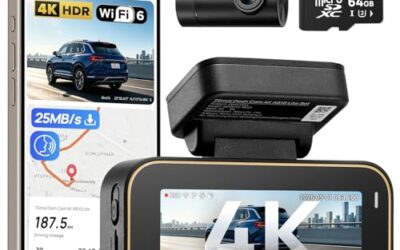
- 4K front and 2.5K rear recording
- Built-in GPS and 5GHz WiFi connectivity
- 64GB SD card included
- G-sensor helps preserve impact-related footage
Cons
- Parking monitoring requires a separately sold hardwire kit
- Some Viidure app features, including video speed adjustment and cloud uploads, require membership
Specifications
| Color | Black |
|---|---|
| Size | A13-WiFi+GPS-64GB |
| Dimensions | 19.49999998011 x 6.49999999337 x 10.49999998929 Inches |
| Product Group | Wireless |
| Binding | Electronics |
Best For / Avoid If
Best for buyers prioritizing
- 4K front and 2.5K rear recording
- Built-in GPS and 5GHz WiFi connectivity
- 64GB SD card included
Consider another option if
- Parking monitoring requires a separately sold hardwire kit
- Some Viidure app features, including video speed adjustment and cloud uploads, require membership

Pros
- Provides four-camera coverage around the vehicle
- Includes night vision with eight infrared lights and WDR technology
- Supports time-lapse, loop recording and incident-lock functions
- Offers Wi-Fi app integration for iOS and Android devices
Cons
- GPS tracking requires a separately sold GPS logger
- Parking mode requires a separately sold ACC hardwire kit
Specifications
| Color | Black |
|---|---|
| Size | Compact size |
| Dimensions | 6.5 x 1.8 x 2.5 inches |
| Weight | 0.3125 pounds |
| Product Group | Wireless |
| Binding | Electronics |
Best For / Avoid If
Best for buyers prioritizing
- Provides four-camera coverage around the vehicle
- Includes night vision with eight infrared lights and WDR technology
- Supports time-lapse, loop recording and incident-lock functions
Consider another option if
- GPS tracking requires a separately sold GPS logger
- Parking mode requires a separately sold ACC hardwire kit

Pros
- Three-camera coverage records the road ahead, rear view, and cabin simultaneously
- GPS data is embedded in recordings for route and speed reference
- Includes a 128GB memory card and supports automatic collision footage protection
- Supports wireless control and video downloads through the TERUNSOUl app
Cons
- Parking mode requires a separate hardwire kit
- The listing does not identify the exact iOS or Android version requirements
Specifications
| Color | Black |
|---|---|
| Dimensions | 1.574803148 x 3.149606296 x 1.3779527545 inches |
| Weight | 0.551155655 pounds |
| Product Group | Electronics |
Best For / Avoid If
Best for buyers prioritizing
- Three-camera coverage records the road ahead, rear view, and cabin simultaneously
- GPS data is embedded in recordings for route and speed reference
- Includes a 128GB memory card and supports automatic collision footage protection
Consider another option if
- Parking mode requires a separate hardwire kit
- The listing does not identify the exact iOS or Android version requirements
FAQ
Will dash cam footage show through 5 percent tint?
It may record, but dark tint can make night footage too dim for useful detail. Camera sensor, lighting, glass type, and film condition matter. Test the exact vehicle window before permanent installation.
Does window tint affect dash cam GPS?
Ordinary visible-light tint mainly affects the image. Metallic or reflective films may affect radio signals in some installations. GPS performance depends on antenna location, vehicle glass, camera design, and surrounding conditions.
Can a rear dash cam work behind factory privacy glass?
Often, yes. Daytime footage may work well, while night footage can lose contrast. Defroster lines and interior reflections may also appear. Test with headlights behind the vehicle.
Should infrared night vision stay on behind tinted glass?
Not always. Infrared LEDs can reflect from glass and tint. Compare footage with infrared on and off, then use the setting that produces clearer video.
Will a polarizing filter fix recording through tint?
No. It may reduce some reflections, but it also cuts light. That can hurt night footage through dark glass. Treat it as a reflection-control option, not a tint fix.
Sources and further reading
- Check for Recalls (NHTSA): Use this page to check vehicle and equipment recall information.