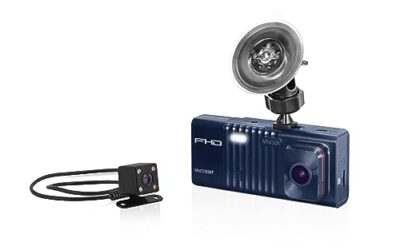

A dash cam does not need GPS for basic video recording. It needs the power, storage and recording settings required by that model. GPS can add location or speed information, but losing a GPS signal is different from losing the video recording itself.
Key takeaways
- GPS is not required for basic dash cam video recording.
- A camera can keep recording after losing GPS signal, though location and speed data may disappear.
- GPS may help prove where and when an event occurred, but its data can contain errors.
- Parking mode, cloud features, phone apps, and driver-assistance alerts can have separate GPS requirements.
- Power, microSD card condition, heat, firmware, and camera settings affect recording more directly than GPS.
What GPS does in a dash cam
GPS receives signals from satellites and calculates the camera’s position. A dash cam with GPS can attach that position to each recording file or store it in a separate data track.
Depending on the camera, GPS data can show latitude, longitude, speed, direction, route, and coordinated time. Some cameras display speed and coordinates on the video. Others keep the data inside a viewing program or map screen.
This information can help place footage on a road or show the vehicle’s travel path. It can also help set the camera clock. GPS does not improve the camera sensor, raise video resolution, or make a night recording clearer.
How dash cams record without GPS
Basic recording needs three things: electrical power, a functioning camera, and storage space. The camera captures frames, compresses them into video, and writes files to its microSD card or internal storage.
GPS works beside this process. If the GPS receiver cannot get a satellite lock, the camera can often continue recording with no location data. The exact behavior depends on firmware and model settings.
Some cameras place a GPS icon on screen while waiting for a lock. Others hide the status. A camera may record immediately after startup, then add GPS data once the receiver connects. Initial signal acquisition can take longer inside a garage, near tall buildings, under heavy tree cover, or after the camera has been unplugged for a long period.
GPS versus recording: practical difference
| Feature | Needs GPS? | What this means |
| Basic video capture | No | The camera can record road footage without satellite data. |
| Location shown with footage | Usually yes | The camera needs GPS data or another location source. |
| Speed overlay from satellites | Usually yes | GPS supplies speed estimates used by the overlay. |
| Accurate camera time | Often helpful | GPS can set time automatically, but the camera may use its own clock. |
| Parking-mode recording | Usually no | Power and motion, impact, or time-lapse settings control this feature. |
| Cloud location tracking | Model-dependent | The camera may use GPS, a phone, cellular hardware, or no location service. |
When GPS matters
Showing route and location
GPS matters when you want footage tied to a particular road or place. A viewer may see a map trail, coordinates, or a speed display alongside the video. This can help organize clips from a long trip.
Location data does not prove every detail of an incident. GPS accuracy changes with signal conditions, antenna placement, software, and nearby obstructions. Speed from GPS can also differ from the vehicle speedometer or another measured value.
Setting the date and time
Many dash cams use GPS to set their clock. This reduces manual clock adjustments after power loss or daylight-saving changes. Cameras without GPS may keep time with an internal clock or a connected phone.
A camera clock can still be wrong if its time zone, daylight-saving setting, firmware, or internal backup power has a problem. Check the timestamp before relying on it for an incident record.
Using speed and coordinate overlays
GPS can place speed and coordinates on screen. Some drivers prefer this data. Others turn it off because a speed overlay could distract from the video or raise questions during a claim.
Review local rules and your insurer’s process before treating any overlay as proof. Rules can vary by state and situation. Do not edit original files before saving a copy.
When GPS does not matter
GPS does not matter for ordinary loop recording if you only need a visual record of traffic, road conditions, or a collision. The camera can save video without knowing its position.
GPS also does not control most impact-triggered recordings. A G-sensor detects sudden movement, while motion detection uses changes in the camera view. These systems may work without satellite reception.
Parking mode usually depends on a hardwire kit, an always-on power source, battery protection, and the correct parking-mode setting. GPS may shut down during parked recording to save power. A camera can still capture an event without a GPS lock.
Why a dash cam may stop recording
GPS loss rarely explains a complete recording failure. Check these causes first:
- Power interruption: A loose USB connector, damaged cable, weak adapter, or hardwire-kit fault can restart the camera.
- Bad or incompatible microSD card: Continuous recording puts repeated write loads on the card. A worn card can cause missing files, freezes, or restart loops.
- Full card setting: Loop recording must be active if the camera should overwrite older protected space. Locked files can consume storage.
- High temperature: Heat can cause shutdowns or unstable operation, especially behind a windshield in direct sun.
- Firmware problem: A camera may need an update or a factory reset after a software fault. Follow the model’s instructions before changing settings.
- Wrong power mode: Some cameras stop after ignition-off unless parking mode has suitable power and wiring.
- Incorrect date or time: This affects file sorting and timestamps, but it does not usually stop video capture.
Test one change at a time. First check the power connection and recording indicator. Then inspect the card in the camera menu, back up needed clips, and replace the card with one that matches the camera’s capacity and speed limits. Format the card in the camera when its manual calls for that process.
Compatibility limits to check
Vehicle power and connector
Most dash cams use a USB-style connection or a model-specific plug. Connector shape alone does not prove electrical compatibility. Check required voltage, supplied adapter ratings, fuse position, and cable routing.
A 12-volt socket may switch off with the ignition, while another vehicle may keep it powered after shutdown. Newer vehicles can also have USB ports with different power behavior. Parking mode may need a compatible hardwire kit and low-voltage cutoff.
Vehicle model year
Vehicle model year can change socket behavior, fuse access, windshield layout, camera clearance, and available driver-assistance systems. A camera that fits one trim may block sensors or fail to sit correctly in another.
Phone and app support
Wi-Fi transfer and setup apps can depend on Android or iPhone operating system versions. Phone GPS may supply location for some camera systems, but this is not the same as built-in GPS. The phone may need the app open, location permission, or an active connection.
Firmware and region
Firmware can change GPS behavior, time-zone handling, file formats, and app support. Regional versions may use different speed units, wireless settings, or privacy features. Install firmware made for the exact camera model and region.
Decision checklist: do you need GPS?
- Choose no GPS if your goal is basic front, rear, or interior video.
- Choose GPS if you want route maps, speed overlays, automatic time setting, or location-linked files.
- Check whether GPS is built into the camera or requires an external mount or module.
- Check whether loss of GPS stops recording or only removes location data.
- Check storage, power, parking-mode, and phone requirements separately.
- Save original files before trimming, converting, or sharing footage.
Drivers who want a camera comparison by vehicle fit can read dash cam options for Ford Bronco fit and 4K video or the guide to dash cams for Hyundai Kona front and rear coverage. For a model-family comparison, see the Thinkware F70 PRO, ARC, and U3000 PRO comparison.
Common mistakes
- Assuming GPS creates video: GPS supplies position and time data. The camera sensor and recorder create the footage.
- Treating GPS loss as a power fault: A missing satellite lock usually removes GPS data. Check power and storage if files stop.
- Trusting speed overlays without context: GPS speed can vary with reception and calculation timing.
- Using any microSD card: Capacity, speed class, endurance, and camera limits can affect reliability.
- Ignoring the time zone: GPS may set UTC or local time based on firmware and settings. Review the timestamp after installation.
- Leaving every file protected: Locked clips can fill storage and prevent normal loop recording.
- Editing the only copy: Keep original files and work from duplicates.
When to get professional help
Get help from an installer or qualified automotive technician when a hardwired camera drains the battery, interferes with vehicle electronics, or loses power while driving. Stop using damaged wiring, hot connectors, or a fuse that repeatedly opens.
Ask for model-specific help when the camera restarts despite a known-good power source and suitable card. A technician can inspect voltage at the camera, wiring grounds, fuse-tap installation, and vehicle power behavior.
Do not route cables across airbags or modify vehicle wiring without following the vehicle and camera manuals. Airbag deployment zones vary by vehicle model year and trim.
Gear that can help
If you need dash cams for this job, these picks already appear in our dash cams guides. Check the full guide for fit and who should skip each one.
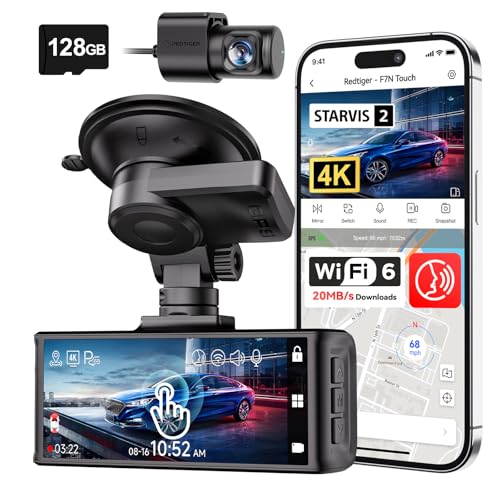
Pros
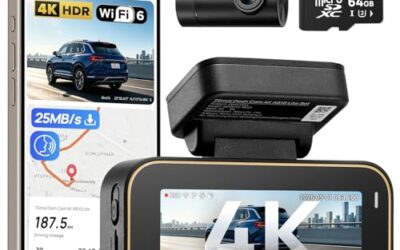
- High-resolution 4K front and 1080P rear recording
- Multiple control options, including voice commands, touchscreen, and physical buttons
- Built-in GPS and wireless smartphone connectivity
- Includes a 128GB card and supports automatic loop recording
- Includes an 18-month guarantee and 24/7 customer support
Cons
- Parking monitoring requires a separate hardwire kit
- Rear camera resolution is limited to 1080P compared with the 4K front camera
Specifications
| Color | Black |
|---|---|
| Dimensions | 2.362204722 x 1.2598425184 x 3.8188976339 inches |
| Weight | 0.25 pounds |
| Product Group | Wireless |
| Binding | Electronics |
Best For / Avoid If
Best for buyers prioritizing
- High-resolution 4K front and 1080P rear recording
- Multiple control options, including voice commands, touchscreen, and physical buttons
- Built-in GPS and wireless smartphone connectivity
Consider another option if
- Parking monitoring requires a separate hardwire kit
- Rear camera resolution is limited to 1080P compared with the 4K front camera

Pros
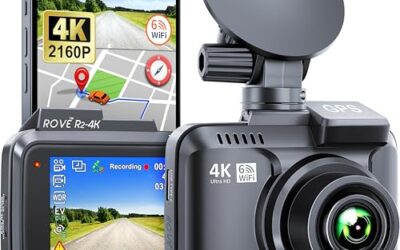
- 4K front and 2.5K rear recording
- Built-in GPS and 5GHz WiFi connectivity
- 64GB SD card included
- G-sensor helps preserve impact-related footage
Cons
- Parking monitoring requires a separately sold hardwire kit
- Some Viidure app features, including video speed adjustment and cloud uploads, require membership
Specifications
| Color | Black |
|---|---|
| Size | A13-WiFi+GPS-64GB |
| Dimensions | 19.49999998011 x 6.49999999337 x 10.49999998929 Inches |
| Product Group | Wireless |
| Binding | Electronics |
Best For / Avoid If
Best for buyers prioritizing
- 4K front and 2.5K rear recording
- Built-in GPS and 5GHz WiFi connectivity
- 64GB SD card included
Consider another option if
- Parking monitoring requires a separately sold hardwire kit
- Some Viidure app features, including video speed adjustment and cloud uploads, require membership

Pros
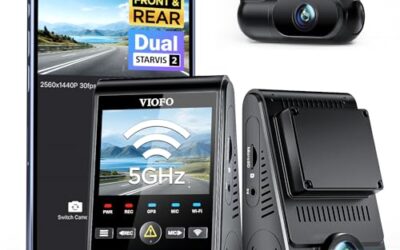
- Provides four-camera coverage around the vehicle
- Includes night vision with eight infrared lights and WDR technology
- Supports time-lapse, loop recording and incident-lock functions
- Offers Wi-Fi app integration for iOS and Android devices
Cons
- GPS tracking requires a separately sold GPS logger
- Parking mode requires a separately sold ACC hardwire kit
Specifications
| Color | Black |
|---|---|
| Size | Compact size |
| Dimensions | 6.5 x 1.8 x 2.5 inches |
| Weight | 0.3125 pounds |
| Product Group | Wireless |
| Binding | Electronics |
Best For / Avoid If
Best for buyers prioritizing
- Provides four-camera coverage around the vehicle
- Includes night vision with eight infrared lights and WDR technology
- Supports time-lapse, loop recording and incident-lock functions
Consider another option if
- GPS tracking requires a separately sold GPS logger
- Parking mode requires a separately sold ACC hardwire kit
FAQ
Can a dash cam record if GPS is off?
Usually, yes. Basic video recording normally continues, but location, speed, route, and GPS-set time data may be missing.
Does GPS improve dash cam video quality?
No. GPS does not raise resolution or improve night vision. Lens quality, image sensor, lighting, compression, and windshield condition affect video quality.
Can a dash cam use phone GPS?
Some systems can use a phone or app for location data. Support depends on the camera, app, phone OS, permissions, and connection method.
Does a dash cam need GPS for parking mode?
Usually, no. Parking mode depends on power, motion or impact settings, and camera firmware. Some cameras disable GPS while parked to reduce power use.
Should GPS stay enabled?
Enable GPS if you want location, speed, route, or automatic time data. Disable it if you prefer a simpler recording file and do not need those features.
Bottom line
A dash cam does not need GPS to record video. GPS adds useful context, but reliable power, suitable storage, correct settings, and compatible firmware control whether recordings are captured and saved.