
Why dash cam footage looks worse on a phone usually comes down to playback, compression, screen scaling, and lighting rather than a failed camera. A phone app may show a lower-quality preview, while the original file on the microSD card looks sharper on a computer or compatible display.
Key takeaways
- Phone previews often use smaller, compressed files to load faster.
- Video resolution does not guarantee readable plates or faces.
- Night scenes, glare, motion, dirty glass, and wide lenses reduce detail.
- Check original files instead of judging footage only inside a camera app.
- Phone OS, app version, Wi-Fi speed, firmware, and storage format can change playback.
Why dash cam footage looks worse on a phone
Dash cams record video for continuous storage, not always for smooth phone viewing. The camera may save a high-resolution original to its microSD card, then create a smaller copy for Wi-Fi playback. That smaller copy reduces transfer time and data use, but it can look soft or pixelated.
Phone screens also change how video appears. A 4K clip may display below its full resolution because the app scales it to fit the screen. A phone with a smaller or lower-resolution display cannot show every pixel captured by the camera. A high-density screen can still reveal compression blocks when the app lowers bitrate.
Some apps show a live preview instead of the recorded file. Live preview often uses lower resolution because the camera must send video over a short-range Wi-Fi connection. This helps the phone connect quickly, but it does not represent the original saved clip.
Preview file versus original recording
| What you view | Typical purpose | What it can look like |
|---|---|---|
| Live view | Camera aiming and setup | Soft, delayed, or low detail |
| App preview | Quick browsing and sharing | Compressed or reduced resolution |
| Downloaded clip | Phone playback and sharing | Better, but possibly re-encoded |
| Original card file | Full-resolution review | Closest to camera output |
The file name, resolution, and file size can help identify what you are viewing. A clip labeled 3840 by 2160 has 4K dimensions. A smaller file with the same event may still have lower bitrate or heavier compression.
Phone apps can reduce video quality
Dash cam apps often prioritize speed. The camera sends files through its own Wi-Fi network, and many systems offer a low-resolution preview before a full download. Some apps also convert video for easier sharing through text messages or social networks.
Sharing services commonly re-encode video. Re-encoding creates a new file with different compression. Fine details such as license plates, road signs, and lane markings can disappear after several conversions. The clip may look acceptable in the camera app, then look worse after upload.
Phone storage can affect the process. A phone with low free space may stop a download, keep only a temporary copy, or prompt the app to reduce file size. iPhone and Android behavior also differs by app permissions, file storage rules, and media handling.
Check whether app download lowers quality
- Open the camera app and note the clip resolution and duration.
- Download one clip using its original or full-quality option.
- Open the saved file in the phone’s file manager or media library.
- Compare file size and image detail with the version inside the app.
- Transfer the same file from the microSD card to a computer.
If the card file looks better, the camera likely works normally. The app, Wi-Fi transfer, phone player, or sharing service caused the visible loss.
Resolution and bitrate are different
Resolution describes pixel dimensions. Bitrate describes how much data the camera uses for each second of video. Two clips can share 4K resolution but show different detail if one uses much lower bitrate.
High compression removes information from busy scenes. Trees, rain, gravel, traffic, and shadows contain many changes between frames. Compression may turn these areas into blocks or smeared textures. A moving license plate can remain unreadable even with high resolution.
Frame rate also matters. A higher frame rate records more moments each second, which can reduce blur during motion. It may also require more storage and data. A camera’s selected resolution and frame-rate combination depends on its firmware, heat limits, memory card support, and recording mode.
Lighting causes most detail loss
Daylight does not guarantee clear evidence. A dirty windshield, dashboard reflection, low sun, tinted glass, or incorrect exposure can reduce contrast. Wide-angle lenses cover more road but make distant objects smaller in the frame.
Night video faces harder limits. The camera must amplify a dark signal, which adds noise. Headlights create bright areas that can cause highlights to clip. License plates may reflect so strongly that characters disappear into white glare. Streetlights can produce halos through glass contamination.
Motion blur can hide detail even when the still frame looks sharp. A car moving across the frame changes position during exposure. Speed, shutter behavior, light level, and camera angle all affect blur. Pausing a video cannot restore detail that motion removed during recording.
Windshield and mounting checks
- Clean both sides of the glass in front of the lens.
- Remove protective film from the lens or camera body.
- Check for suction-cup marks, tint bands, and strong reflections.
- Mount the camera behind the mirror only if its field of view remains clear.
- Keep the lens aimed through clean glass, not across a defroster pattern when possible.
- Check that vibration does not move the camera during driving.
A camera mounted behind heavily tinted glass may record darker video. Windshield tint rules and factory glass vary by vehicle model and model-year. Some vehicles use acoustic or solar glass that can affect reflections or wireless signals.
Phone display and playback settings change the image
Many phone players fit video to the screen. This can add scaling softness, especially when a wide dash cam image does not match the phone’s display shape. Pinching to zoom may enlarge pixels rather than reveal more detail.
High Dynamic Range, or HDR, can also cause confusing results. A dash cam may record HDR video, while a phone player, editing app, or browser handles it differently. Video can appear too dark, too bright, washed out, or heavily contrasted. Support depends on the camera, file format, phone OS, app, and display.
Some phones apply automatic image processing. The player may sharpen edges, change color, or adjust brightness. That processing affects appearance but does not add captured detail.
Storage cards and camera settings can hurt footage
A dash cam needs a compatible microSD card. Capacity, speed class, endurance rating, file system, and camera firmware can affect recording stability. A card that works in one camera may fail in another because supported capacity or formatting rules differ.
When a card struggles with sustained writing, the camera may stop recording, split files, save corrupted clips, or show missing sections. Corruption differs from normal softness. Corrupted video may freeze, show blocks, lose audio, or fail to open.
Check recording settings after installation or a firmware update. Parking mode, dual-camera recording, HDR, resolution, frame rate, and exposure settings can change the image. Front and rear cameras may also use different resolutions. A rear camera connected through a long cable may have lower output quality than the front camera.
Safe troubleshooting order
- Clean the windshield and lens.
- Play the clip from the camera app without judging live preview.
- Download the full-quality file to the phone.
- Review the original card file on a computer or card reader.
- Check resolution, frame rate, HDR, exposure, and camera selection.
- Format the card only after saving important clips.
- Use the camera’s approved format and update path for firmware.
Formatting deletes recordings. Copy evidence first. Follow the camera manual because menu names and card requirements vary by model.
How to tell camera limits from phone problems
Use one daytime clip and one nighttime clip. Compare the original card file with the app preview, downloaded phone file, and any shared copy. Note where quality drops.
| Where quality drops | Likely cause | Next check |
|---|---|---|
| Live view only | Low-resolution preview | Download recorded file |
| Inside app and phone gallery | App download or phone playback | Compare file details and card copy |
| Card and computer too | Camera, lens, lighting, or scene limits | Inspect settings and mounting |
| After text or social sharing | Platform re-encoding | Share original file through file storage |
| Random freezes or blocks | Card, power, heat, or file corruption | Test card and power path per manual |
File quality cannot exceed captured quality. A sharper player can show the same pixels more clearly, but it cannot restore blocked detail, clipped highlights, or motion blur.
Common mistakes
- Judging quality from live preview instead of recorded video.
- Using a screenshot as evidence instead of preserving the original video.
- Sharing through a service that compresses every upload.
- Zooming into a wide-angle frame and expecting distant plates to become readable.
- Changing exposure or HDR without checking day and night results.
- Formatting a card before copying important footage.
- Using a card outside the camera’s supported capacity or speed range.
- Assuming 4K automatically beats a well-exposed lower-resolution clip.
When to get professional help
Seek service when the camera produces repeated corrupted files, stops recording with a known-good compatible card, overheats, loses power, or shows a damaged image in original files. Hardwire kits deserve extra care because wiring depends on vehicle model-year, fuse layout, battery condition, voltage thresholds, and parking-mode settings.
Stop troubleshooting electrical wiring if fuses heat, insulation is damaged, a burning smell appears, or the vehicle shows electrical faults. A qualified installer can check the power connection without guessing at fuse positions or low-voltage cutoff settings.
Contact the camera maker when firmware updates fail, files will not open across multiple players, or app behavior changes after an OS update. Tell support the camera model, firmware version, phone model, phone OS, app version, card type, and whether the original card file works.
Related reading: How To Share Dash Cam Footage With An Insurer.
Gear that can help
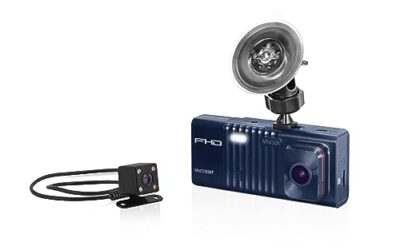
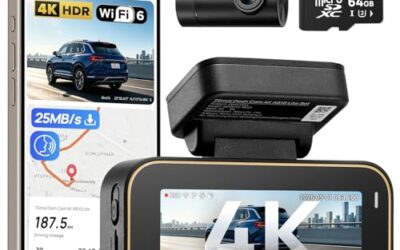
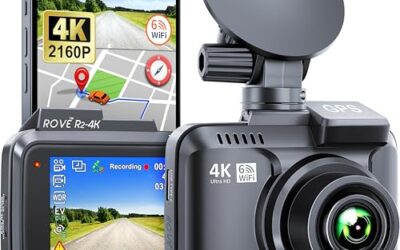
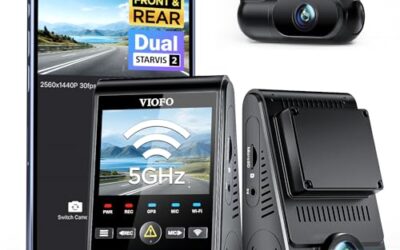
If you need dash cams for this job, these picks already appear in our dash cams guides. Check the full guide for fit and who should skip each one.

Pros
- Provides four-camera coverage around the vehicle
- Includes night vision with eight infrared lights and WDR technology
- Supports time-lapse, loop recording and incident-lock functions
- Offers Wi-Fi app integration for iOS and Android devices
Cons
- GPS tracking requires a separately sold GPS logger
- Parking mode requires a separately sold ACC hardwire kit
Specifications
| Color | Black |
|---|---|
| Size | Compact size |
| Dimensions | 6.5 x 1.8 x 2.5 inches |
| Weight | 0.3125 pounds |
| Product Group | Wireless |
| Binding | Electronics |
Best For / Avoid If
Best for buyers prioritizing
- Provides four-camera coverage around the vehicle
- Includes night vision with eight infrared lights and WDR technology
- Supports time-lapse, loop recording and incident-lock functions
Consider another option if
- GPS tracking requires a separately sold GPS logger
- Parking mode requires a separately sold ACC hardwire kit

Pros
- Three-camera coverage records the road ahead, rear view, and cabin simultaneously
- GPS data is embedded in recordings for route and speed reference
- Includes a 128GB memory card and supports automatic collision footage protection
- Supports wireless control and video downloads through the TERUNSOUl app
Cons
- Parking mode requires a separate hardwire kit
- The listing does not identify the exact iOS or Android version requirements
Specifications
| Color | Black |
|---|---|
| Dimensions | 1.574803148 x 3.149606296 x 1.3779527545 inches |
| Weight | 0.551155655 pounds |
| Product Group | Electronics |
Best For / Avoid If
Best for buyers prioritizing
- Three-camera coverage records the road ahead, rear view, and cabin simultaneously
- GPS data is embedded in recordings for route and speed reference
- Includes a 128GB memory card and supports automatic collision footage protection
Consider another option if
- Parking mode requires a separate hardwire kit
- The listing does not identify the exact iOS or Android version requirements

Pros
- 4K recording is specified for both the front and rear cameras
- Includes a 128GB card for recording out of the box
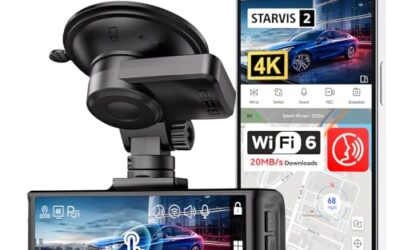
- Provides built-in GPS and dual-band WiFi 6 connectivity
- Includes a stated 3-year guarantee and 24/7 customer support
Cons
- The hardwire kit needed for 24-hour parking monitoring is sold separately
Specifications
| Color | Black |
|---|---|
| Size | 3 |
| Dimensions | 1.3779527545 x 3.7401574765 x 1.7716535415 Inches |
| Weight | 0.3968320716 Pounds |
| Product Group | Electronics |
Best For / Avoid If
Best for buyers prioritizing
- 4K recording is specified for both the front and rear cameras
- Includes a 128GB card for recording out of the box
- Provides built-in GPS and dual-band WiFi 6 connectivity
Consider another option if
- The hardwire kit needed for 24-hour parking monitoring is sold separately
FAQ
Does a dash cam record lower quality than advertised?
It may record at its advertised pixel resolution while using compression that limits fine detail. Check the original file, bitrate where available, lighting, lens cleanliness, and selected recording mode.
Why does dash cam video look clear on a computer but blurry on a phone?
The phone may show a reduced preview, scale video to its screen, or use a different player. Download the full-quality file and compare its file details with the card copy.
Can a phone make dash cam footage sharper?
A phone can improve viewing through a better player or display setting. It cannot recover detail removed by compression, glare, low light, or motion blur.
Should I send the original dash cam file?
Preserve the original card file for important incidents. Make a working copy for editing or sharing, and avoid repeated conversions that replace the original.
Does 4K guarantee readable license plates?
No. Plate size, distance, motion, angle, exposure, glare, lens quality, and compression matter. 4K supplies more pixels, but scene conditions decide how much useful detail remains.
Related CarTechTalk guides
For vehicle-specific camera planning, see the guide to the best dash cam for ford bronco. Hyundai owners can compare mounting and camera layouts in the guide to the best dash cam for hyundai kona.
Browse the Dash Cams & Vehicle Cameras category for related installation and camera topics.