
The best place to place a GPS tracker in a car depends on several factors including the type of vehicle, desired level of concealment, and ease of power connection. For most users, the trunk offers an excellent balance of security and functionality, while under the dashboard provides central location tracking with straightforward installation. Always test signal strength in your chosen spot as environmental factors can affect performance.
Key takeaways
- Choose locations that are difficult for thieves to access quickly
- Ensure the placement allows for a clear view of the sky for GPS signals
- Verify compatibility with your vehicle’s electrical system
- Consider the legal aspects of vehicle tracking in your area
- Plan for potential cable routing and power supply
What is a GPS Tracker and How Does It Work?
A GPS tracker is a compact device that uses the Global Positioning System to monitor the location of a vehicle continuously. It works by receiving signals from multiple satellites to calculate precise coordinates, which are then transmitted via cellular or other networks to a monitoring app or website. These trackers are commonly used for fleet management, parental controls, and personal vehicle security.
They apply to personal vehicles by providing peace of mind against theft or unauthorized use. Limitations include reliance on satellite coverage, which can be obstructed in urban canyons or indoors, and the need for a power source. Common misconceptions include thinking they can be used without any subscription or that they are illegal everywhere, but in the US, they are legal when used responsibly.
Legal Considerations for Installing GPS Trackers
In the United States, installing a GPS tracker in your own vehicle is generally legal, but there are nuances. If the vehicle is shared or leased, consent from all parties may be required. Audio recording laws vary by state, so if the tracker also captures sound, be aware of one-party consent rules in most states. Always check local regulations to avoid potential issues.
Vehicle model-year can affect legality if the car has factory tracking systems that might conflict. For example, newer models may have built-in telematics that interact with aftermarket devices.
Factors Influencing Where to Place a GPS Tracker
Several elements determine the optimal placement. Vehicle interior space varies greatly between sedans, SUVs, and trucks. Power availability is crucial because most trackers need a constant or long-lasting power source. Signal reception depends on the location’s openness to the sky. Aesthetics and concealment are important for stealth, while accessibility allows for easy removal or maintenance.
For different vehicle types:
- Sedans: Limited space may favor under-seat or trunk placement
- SUVs and crossovers: More room behind seats or in cargo area
- Trucks: Easier access in bed or cab
- Electric vehicles: Consider battery management systems to avoid interference
Recommended Placement Locations
The trunk is often recommended as the primary choice because it is naturally hidden from view, stable for mounting, and provides a good vantage point for GPS signals. Under the dashboard near the center console offers central positioning and easy access to the car’s power system. Behind the rear seats is ideal for family vehicles where the space is hidden and signals are strong.
Other options include the glove box for temporary use or under the hood for specific needs, but these have drawbacks like easier access or potential heat issues.
Comparison of GPS Tracker Placement Locations
| Location | Pros | Cons | Best Suited For |
|---|---|---|---|
| Trunk | Highly concealed, stable mount, good signal reception | May require long cables, less central tracking | Sedans, SUVs, most passenger cars |
| Under Dashboard | Central location, easy power connection, minimal cable routing | Less concealed, potential visibility | Drivers prioritizing convenience |
| Behind Rear Seats | Hidden from occupants, good signal, secure | Requires access to rear area, vehicle-specific fit | Minivans, SUVs, family cars |
| Under Hood | Central engine area, strong signals | Heat exposure, more visible, complex routing | Enthusiasts with modified vehicles |
| Glove Compartment | Easy access, concealed | Poor signal in some cases, short battery life | Temporary or secondary tracking |
Mounting Techniques for GPS Trackers
Proper mounting ensures the tracker stays secure and functions well. Adhesive pads or Velcro provide non-invasive options suitable for most surfaces. For permanent installs, small screws or bolts can secure the device to metal or plastic panels. Magnetic mounts are useful for quick removal but may not be as stable. Hardwiring to the vehicle’s wiring harness offers a clean, professional look but requires technical skill.
Always use weatherproof cases if the tracker is exposed to elements, though most are designed for vehicle use.
Power Supply Solutions
Power is a critical factor. Hardwiring to the car’s constant power or ignition-switched circuit is common for long-term use. Using the cigarette lighter outlet provides convenience but may not be ideal for all vehicles due to fuse ratings. Built-in rechargeable batteries allow for portability but need periodic charging. Some trackers use solar panels for maintenance-free operation.
Compatibility depends on the vehicle’s voltage, typically 12V in most cars, but check for hybrids or EVs which may have different systems. Extension cables are often necessary to reach the power source from the placement location.
Step-by-Step Installation Guide
- Determine the best location based on your vehicle and needs.
- Choose a GPS tracker model compatible with your requirements.
- Plan the route for the power cable to avoid interfering with other wires.
- Clean the mounting surface thoroughly for adhesion.
- Attach the tracker using your chosen method.
- Connect the power supply securely.
- Test the GPS signal strength using the companion app.
- Configure the tracking settings and subscription if needed.
- Hide any visible cables or devices.
These steps should be followed carefully to ensure optimal performance. Vehicle model-year specifics may require adjustments, such as routing cables around existing components.
Common Mistakes When Placing GPS Trackers
One common error is placing the tracker in an obvious location, which defeats the purpose of stealth. Another is neglecting to test signal strength in the chosen spot, leading to poor tracking. Ignoring local laws can result in legal troubles. Using incompatible power sources may cause the device to drain quickly or fail. Poor cable management can lead to damage or short circuits.
Additionally, some users forget about the need for a cellular connection or app access, assuming the tracker works standalone.
When to Get Professional Help
Seek professional assistance if you are uncomfortable with electrical work or unsure about vehicle-specific integrations. For complex vehicles like those with advanced driver assistance systems or custom modifications, experts can ensure no interference with safety features. If the vehicle is leased or financed, consult the manufacturer or lender before installation. Professional installers can also provide ongoing support and updates.
Maintaining Your GPS Tracker System
Regular checks for signal strength and battery levels are essential. Update firmware as needed to maintain accuracy. Clean the mounting area periodically to ensure adhesion. Monitor usage to avoid unnecessary drain on the vehicle’s battery. In case of issues, refer to the manufacturer’s troubleshooting guide before attempting repairs.
FAQ
How do I choose the best location for a GPS tracker in my car?
Consider concealment, power access, signal reception, and vehicle type. The trunk is often ideal for most setups.
What are the legal implications of using a GPS tracker in my vehicle?
In the US, it is legal for personal use but confirm local laws, especially regarding shared vehicles or audio capabilities.
Can a GPS tracker be placed in any car model?
Most modern vehicles are compatible, but check for specific electrical systems and space constraints based on model year.
How can I improve GPS signal in my chosen placement?
Ensure the location has an open sky view. Test multiple spots if possible and use external antennas if the tracker supports them.
What should I do if the tracker stops working after installation?
Check power connections, signal strength, and firmware. If issues persist, consult the manufacturer or a professional technician.
Gear that can help
If you need GPS trackers for this job, these picks already appear in our GPS trackers guides. Check the full guide for fit and who should skip each one.

Pros
- Hardwired installation uses a straightforward positive and negative battery connection
- Supports real-time alerts and driving reports
- Subscription has no contract and can be canceled at any time
- Includes harsh driving detection for acceleration, braking, and cornering
Cons
- Requires direct installation on the vehicle's battery
- Ongoing service requires a USD 12.95 monthly subscription
Specifications
| Product Group | Wireless |
|---|---|
| Binding | Unknown Binding |
Best For / Avoid If
Best for buyers prioritizing
- Hardwired installation uses a straightforward positive and negative battery connection
- Supports real-time alerts and driving reports
- Subscription has no contract and can be canceled at any time
Consider another option if
- Requires direct installation on the vehicle's battery
- Ongoing service requires a USD 12.95 monthly subscription
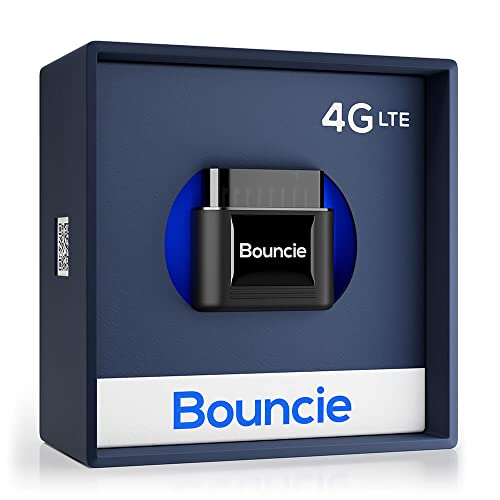
Pros
- Combines location tracking, trip recording, driving insights, and vehicle health monitoring
- Provides geo-fencing and impact-detection alerts
- Plugs directly into an OBD2 port without separate installation details provided
Cons
- A $9.65 monthly subscription is required
Specifications
| Color | Black |
|---|---|
| Size | 1.87 x 1.75 x 1.0 inch |
| Dimensions | 1.75 x 1.87 x 1 Inches |
| Weight | 0.08 Pounds |
| Product Group | Wireless |
| Binding | Electronics |
Best For / Avoid If
Best for buyers prioritizing
- Combines location tracking, trip recording, driving insights, and vehicle health monitoring
- Provides geo-fencing and impact-detection alerts
- Plugs directly into an OBD2 port without separate installation details provided
Consider another option if
- A .65 monthly subscription is required

Pros
- Supports live tracking through the included tracking software
- Offers customizable update intervals up to every 10 seconds
- Includes text and email alert options
- Twin magnet case is included
Cons
- A monthly subscription is required
- Battery life varies with reporting frequency; the stated up-to-two-month figure uses the default one-minute update setting
Specifications
| Color | Black |
|---|---|
| Size | 3.11 x 1.5 x 1.75 inches |
| Weight | 0.5070632026 Pounds |
| Product Group | Wireless |
Best For / Avoid If
Best for buyers prioritizing
- Supports live tracking through the included tracking software
- Offers customizable update intervals up to every 10 seconds
- Includes text and email alert options
Consider another option if
- A monthly subscription is required
- Battery life varies with reporting frequency; the stated up-to-two-month figure uses the default one-minute update setting