How To Check Dash Cam Firmware Version
Check your dash cam firmware version through its screen, phone app, or saved file details. Learn which method fits your camera and what to check before updating.

We independently review automotive electronics and diagnostic tools. When you buy through links on our site, we may earn a commission at no extra cost to you. Learn more ›
Understand recording, storage, camera placement and power options before choosing a vehicle camera. Follow the guides below for setup, saved footage and common recording problems.
Check your dash cam firmware version through its screen, phone app, or saved file details. Learn which method fits your camera and what to check before updating.
You can install a dash cam without hardwiring by using the vehicle’s 12-volt outlet or USB port. This guide covers power choices, cable routing, setup, testing, and limits of parking mode.
Compare eight wireless backup cameras for iPhone and Android use, including hardwired license-plate models, magnetic trailer cameras, and dedicated-screen alternatives.
A dash cam can show power while failing to save usable video. Check its recording indicator, storage status, timestamps, and saved files before relying on footage.
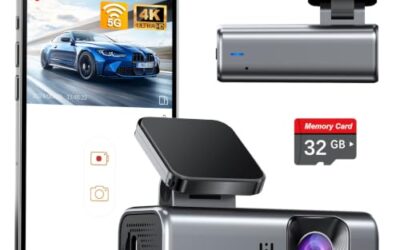
Most dash cams let you stop microphone recording through a menu, phone app, or physical button. These steps explain where to look, how to confirm audio is off, and what changes across models.
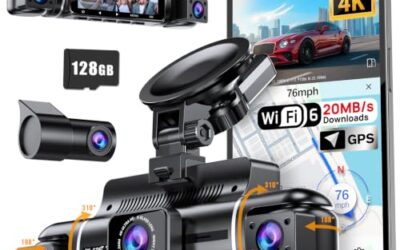
Protect dash cam footage after an accident by stopping recording, locking key files, and making several copies. Follow a careful transfer process so the original files, time data, and surrounding video remain available.
Mounting a dash cam on tinted glass takes the right location, adhesive, and power route. Learn how to avoid tint damage, blocked camera views, weak mounts, and safety problems.
Dash cam video can look soft, dark, or blocky on a phone even when the camera records useful evidence. Screen scaling, app compression, playback settings, lighting, and file transfer limits often cause the difference.
A dash cam can record through many types of tinted glass, but tint reduces light and may add glare or color shifts. Factory privacy glass usually causes fewer problems than dark aftermarket film, especially at night.
Can dash cams record sound inside a car? Many can, but recording depends on the camera, microphone setting, storage, and local privacy rules. Learn how audio capture works, when it helps, and when to turn it off.