How Does a Dash Cam Work
A dash cam is a compact camera designed to record video footage of the road while you drive. It captures images and audio in front of and sometimes behind your vehicle, storing the data on a removable memory card. These devices are powered by your car’s electrical system, allowing them to operate continuously without draining your battery significantly.
Understanding the inner workings of a dash cam helps you choose the right model and install it properly for optimal performance and safety.
Key Takeaways
- Dash cams use lenses, sensors, and processors to capture and process video.
- They require a stable power connection, often via a hardwire kit.
- Storage is typically on an SD card, with options for loop recording.
- Features like GPS and WiFi enhance usability and safety.
- Installation and legal compliance vary by location and vehicle.
What is a Dash Cam?
A dash cam, short for dashboard camera, is an electronic device mounted inside a vehicle to continuously record video of the road ahead. The primary purpose is to provide visual evidence in the event of an accident, theft, or other incidents. Unlike traditional cameras, dash cams are specifically designed for automotive use, with features tailored to the challenges of driving such as varying light conditions, vibrations, and power constraints.
They have become increasingly popular due to the rise in road rage incidents and the need for clear documentation. By recording from the driver’s perspective, they capture not only the road but also any potential hazards or other vehicles involved in an accident.
How Dash Cams Capture Video
The video capture process in a dash cam begins with the lens. The lens is a small optical component that gathers light from the scene in front of the vehicle. It has an adjustable aperture that controls the amount of light entering the camera, similar to how the iris works in the human eye. This helps in adjusting for different lighting conditions, from bright sunlight to low-light night driving.
Once the light passes through the lens, it hits the image sensor. Most dash cams use CMOS (Complementary Metal-Oxide-Semiconductor) sensors because they are efficient and cost-effective. The sensor converts the light into electrical signals, which are then processed into digital video data. The resolution, such as 1080p or 4K, determines the clarity of the recorded footage. Higher resolutions provide more detail but require more storage space.
Frame rate, measured in frames per second (fps), affects the smoothness of the video. A 30fps recording is standard for many models, offering a balance between quality and file size. Some advanced models support 60fps for smoother motion capture.
Audio recording is another important aspect. Microphones inside the dash cam capture sound from the cabin and the external environment. This can be useful for understanding conversations or road conditions, but it may also pick up noise from the engine or other vehicles. Many users choose to disable audio if privacy is a concern.
Key Components of a Dash Cam
Understanding the components helps in appreciating how a dash cam functions as a whole system.
The Lens and Aperture
The lens is the eye of the dash cam, focusing light onto the sensor. It is typically a wide-angle lens to cover a broad field of view, often around 140 degrees or more. This wide view ensures that the camera captures as much of the road as possible without distortion at the edges.
The Image Sensor
The sensor is crucial for converting optical signals into electrical ones. CMOS sensors are common due to their low power consumption and high image quality. Some models may use different types for specific features like night vision.
The Processor
The processor is the brain of the device. It handles the processing of the video signal, including compression to reduce file sizes for storage. It also manages the G-sensor, which detects sudden movements and locks the video file to prevent it from being overwritten.
Storage and Memory Card
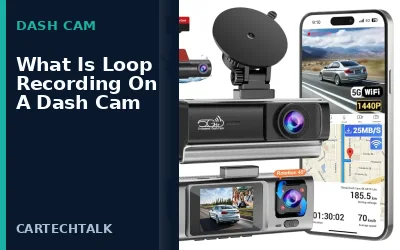
Storage is where the recorded footage is saved. Dash cams typically use microSD cards, which come in various capacities from 32GB up to several terabytes. The card must be formatted correctly for the dash cam’s file system. Loop recording is a key feature where the oldest footage is deleted when the card is full, ensuring continuous recording.
GPS and Navigation
GPS modules allow the dash cam to record the vehicle’s location, speed, and direction. This data can be overlaid on the video or stored separately for mapping purposes. Not all dash cams have GPS; it’s more common in higher-end models.
WiFi and Connectivity
Many dash cams include WiFi modules that allow users to connect to the device via a smartphone app. This enables real-time viewing, downloading videos, and sometimes even firmware updates. Bluetooth may be used for wireless connections as well.
Power Supply and Hardwire Kit
Dash cams are powered by the vehicle’s 12-volt electrical system. A hardwire kit is essential for constant power, connecting to the car’s fuse box to provide power even when the ignition is off. This prevents the battery from draining during long trips or when the car is parked.
G-Sensor and Impact Detection
The G-sensor is a motion detector that senses acceleration and deceleration. When it detects a sudden impact, it locks the current video file, ensuring it’s not overwritten. This is vital for accident evidence.
Backup Battery
Some dash cams have a small built-in battery or supercapacitor to continue recording briefly after power loss, such as during unplugging for charging.
Recording Modes and Operation
Dash cams operate in various modes depending on the model and user settings.
Continuous Recording
In continuous mode, the dash cam records video at all times. This is the most basic and reliable mode, providing a full record of every moment. However, it requires sufficient storage space to avoid frequent overwriting.
Event-Based Recording
Using the G-sensor, the dash cam starts recording when it detects a collision or hard braking. This mode saves storage space by only recording relevant events.
Motion Detection
Some models use motion sensors to start recording when movement is detected, useful for parking surveillance.
Manual Recording
Users can manually trigger recording using buttons or voice commands in some models.
Advanced Features
Modern dash cams include features like:
- Night vision using IR LEDs to illuminate the road in low light.
- Multiple camera support for rear and interior views.
- App integration for remote access and alerts.
- Emergency SOS features in some models.
Installation Guide
Proper installation is key to the dash cam’s performance.
- Choose a mounting location with clear view of the road, avoiding glare from sunlight or dashboard lights.
- Run the power cable to the fuse box, using a hardwire kit to tap into a constant power source.
- Connect the camera unit to the power cable.
- Insert a compatible microSD card and format it if necessary.
- Set up any WiFi or GPS features according to the manual.
- Test the device by driving and checking the recorded footage.
Always ensure the installation does not interfere with vehicle safety features or wiring.
The process of installation requires attention to detail to avoid common pitfalls. For vehicles with specific features like backup cameras or sensors, the dash cam should not obstruct these. It’s also advisable to use a dash cam with a low profile to maintain the vehicle’s aesthetic and functionality.
In terms of compatibility, dash cams are generally compatible with most passenger vehicles from recent model years, but older models may require additional adapters for the power supply. Always check the voltage rating, which is usually 12V, and ensure the connector is suitable for your car’s cigarette lighter or fuse box.
Legal Aspects of Using a Dash Cam
Legality of dash cams depends on your jurisdiction. In the United States, recording video is generally legal as it involves public spaces. However, audio recording laws vary: some states require all-party consent, meaning everyone in the conversation must agree to the recording.
It’s important to check local laws and vehicle regulations before installation. Some areas may have restrictions on mounting or recording.
Common Mistakes
Users often make these errors:
- Using SD cards that are not high-speed or compatible, leading to dropped frames.
- Incorrect power connection that could cause electrical shorts.
- Not updating firmware, which may improve reliability or add features.
- Overlooking the need for a proper hardwire kit, risking battery drain.
- Placing the camera in a location that blocks the view or causes overheating.
When to Get Professional Help
If you are not comfortable with electrical work or unsure about the installation, it’s best to consult a professional. Incorrect installation can lead to power issues, void warranties, or even damage to the vehicle’s electrical system. A professional can ensure the setup is safe and effective.
FAQ
How does a dash cam work?
A dash cam works by using a lens to capture light, a sensor to convert it to signals, a processor to process the video, and storing it on an SD card. It is powered by the car’s battery and can record continuously or on impact.
What are the main components of a dash cam?
The main components include the lens, image sensor, processor, storage card, GPS module, WiFi module, power supply, and G-sensor.
Can dash cams record audio?
Yes, most dash cams can record audio, but it can be disabled in settings if desired.
What is loop recording?
Loop recording is a feature where the dash cam overwrites the oldest footage when the storage is full, ensuring continuous recording.
Are dash cams legal everywhere?
No, legality varies by location. Always check local laws regarding video and audio recording.