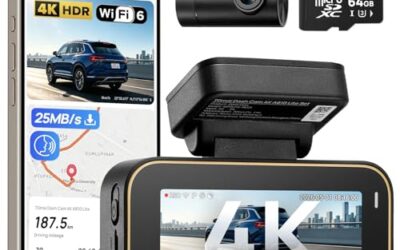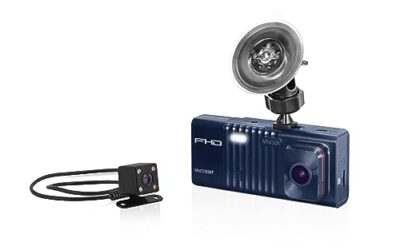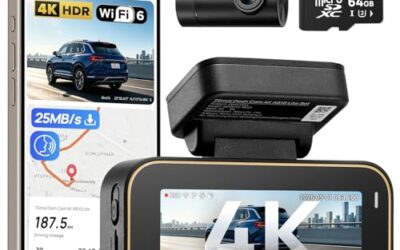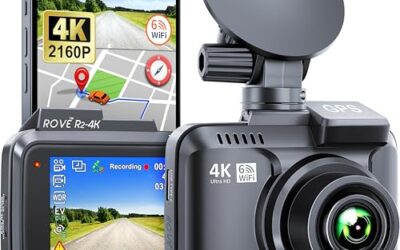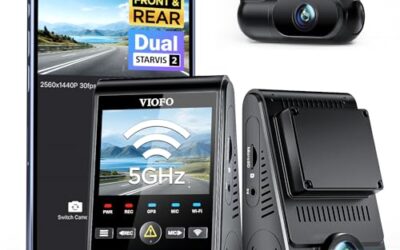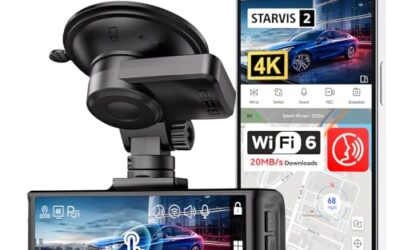

The best mirror dash cam for many drivers is the Pelsee S12 Native 4K + 2.5K Mirror Dash Cam, which pairs a 4K front camera with a 2.5K rear camera and includes GPS and a 64GB card. Its higher-resolution rear feed makes it a stronger fit than 1080p-rear alternatives for drivers who want a detailed live view behind the vehicle. The other picks suit different priorities, from a large 12-inch display to a lower-cost dual-camera setup.

Pros
- Combines native 4K front and native 2.5K rear recording
- Provides app-based video access and GPS detail viewing through Wi-Fi 6
- Rear camera offers a full-time 2.5K view with IP67-rated waterproofing
- Includes an external GPS module and 64GB card
Cons
- A hardwire kit is required for 24/7 parking surveillance
- The included 19.6 ft rear cable may not suit full-size SUVs, extended-cab pickups, RVs, or campers
- The 50 ft replacement rear cable for larger vehicles is listed as coming soon
Specifications
| Color | Black |
|---|---|
| Dimensions | 1.4960629906 x 11.81102361 x 2.9921259812 inches |
| Weight | 2.38 Pounds |
| Product Group | Wireless |
Best For / Avoid If
Best for buyers prioritizing
- Combines native 4K front and native 2.5K rear recording
- Provides app-based video access and GPS detail viewing through Wi-Fi 6
- Rear camera offers a full-time 2.5K view with IP67-rated waterproofing
Consider another option if
- A hardwire kit is required for 24/7 parking surveillance
- The included 19.6 ft rear cable may not suit full-size SUVs, extended-cab pickups, RVs, or campers
- The 50 ft replacement rear cable for larger vehicles is listed as coming soon

Pros
- High-resolution 4K front video and 1080p rear video
- Large 12-inch display with front and rear camera viewing options
- GPS tracking and Wi-Fi access for viewing, playback, and video sharing
- Includes a 32GB card and a 12-month guarantee
Cons
- A hardwire kit is required for 24-hour parking monitoring
Specifications
| Color | Black |
|---|---|
| Size | G840S |
| Dimensions | 11.85037 x 2.83464 x 0.70866 inches |
| Weight | 1.8298367746 pounds |
| Product Group | Wireless |
| Binding | Electronics |
Best For / Avoid If
Best for buyers prioritizing
- High-resolution 4K front video and 1080p rear video
- Large 12-inch display with front and rear camera viewing options
- GPS tracking and Wi-Fi access for viewing, playback, and video sharing
Consider another option if
- A hardwire kit is required for 24-hour parking monitoring
Pros
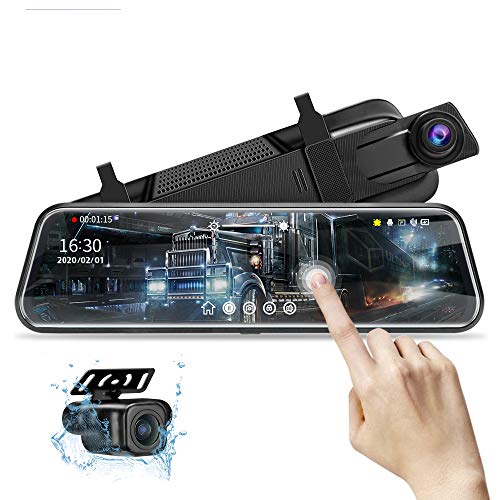
- The front and rear cameras are both listed with 1080P resolution
- The full-touch display supports front/rear camera switching, viewing-angle adjustment, playback, exposure, and brightness controls
- The rear camera is specified as IP68 waterproof
- The G-sensor can automatically lock certain video files after a collision
Cons
- A microSD card is not included
- Time-lapse video and 24-hour parking monitoring require the separately sold Jansite hardwire kit
- The display cannot be used as a mirror when turned off
Specifications
| Color | Black |
|---|---|
| Size | 10 Inch |
| Dimensions | 2 x 10.2 x 3 inches |
| Weight | 0.2821875 Pounds |
| Product Group | Wireless |
| Binding | Electronics |
Best For / Avoid If
Best for buyers prioritizing
- The front and rear cameras are both listed with 1080P resolution
- The full-touch display supports front/rear camera switching, viewing-angle adjustment, playback, exposure, and brightness controls
- The rear camera is specified as IP68 waterproof
Consider another option if
- A microSD card is not included
- Time-lapse video and 24-hour parking monitoring require the separately sold Jansite hardwire kit
- The display cannot be used as a mirror when turned off
Pros
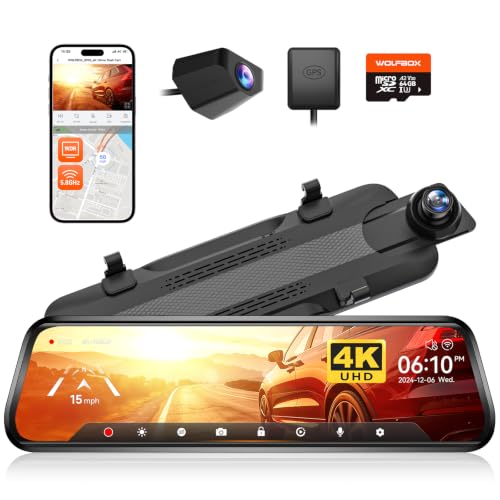
- High front-camera resolution with a 1080P rear camera
- Includes 5.8GHz WiFi and app-based video access
- Provides GPS data, loop recording, and G-sensor video locking
- Includes a 64GB card for recording storage
Cons
- The rear camera resolution is lower than the front camera's 4K resolution
Specifications
| Color | Black |
|---|---|
| Dimensions | 4.724409444 x 13.385826758 x 2.9527559025 inches |
| Weight | 0.74 pounds |
| Product Group | Wireless |
| Binding | Electronics |
Best For / Avoid If
Best for buyers prioritizing
- High front-camera resolution with a 1080P rear camera
- Includes 5.8GHz WiFi and app-based video access
- Provides GPS data, loop recording, and G-sensor video locking
Consider another option if
- The rear camera resolution is lower than the front camera's 4K resolution
Mirror dash cam picks by driving need
- Best front-and-rear resolution: Pelsee S12, with 4K front and 2.5K rear recording.
- Best for a larger display: WOLFBOX G840S, with a 12-inch screen and 4K front video.
- Best budget choice: Jansite 10-inch mirror camera, with 1080p front and rear recording.
- Best compact-screen 4K option: WOLFBOX G930, with a 10-inch display and 4K front video.
CarTechTalk may earn a commission from qualifying purchases made through this page. That does not change the product details or the conditions attached to each recommendation.
Compare the four mirror dash cams
| Model | Front and rear resolution | Screen | GPS | Included card |
|---|---|---|---|---|
| Pelsee S12 | 4K and 2.5K | Mirror display | External module included | 64GB |
| WOLFBOX G840S | 4K and 1080p | 12 inches | External antenna included | 32GB |
| Jansite 10-inch mirror camera | 1080p and 1080p | 10 inches | Not included | |
| WOLFBOX G930 | 4K and 1080p | 10 inches | GPS receiver | 64GB |
The comparison favors fields that can be checked across models without treating resolution as a guarantee of useful evidence. The Jansite row has no GPS entry because GPS details are not part of its described features. Its omission does not imply that another model’s GPS will improve every recording. GPS can add location or speed information, but drivers should consider whether they want those details stored with video.
What matters more than the 4K label
Resolution is a useful starting point, not a promise that a camera will capture a readable plate. A plate can be blurred by motion, washed out by headlights, or softened by exposure choices and compression. The Pelsee has the highest stated rear resolution here, while the WOLFBOX models pair front 4K with 1080p rear video. Jansite records 1080p at both ends. For a collision, useful footage also depends on the scene, camera angle, lighting, and whether the relevant clip remains saved.
Consider the rear camera’s placement before buying. A camera mounted inside the rear glass may be easier to install, but cargo, tint, defroster lines, or a blocked window can affect the view. An exterior camera can provide a different angle but needs an appropriate mounting location and a cable route through the vehicle. The Pelsee’s stated IP67 rating and Jansite’s IP68 rating apply to their rear cameras; follow the installation instructions rather than treating a water-resistance rating as permission to mount either camera anywhere.
Mirror screens can also change how you use the factory mirror. A streaming display shows the camera view, while a dim or powered-off screen may not behave like reflective glass. Jansite explicitly says its display cannot serve as a mirror when off. Before choosing a 10- or 12-inch unit, compare its physical dimensions and mounting approach with the existing mirror and the driver’s sightlines.
Cards, power, and installation tradeoffs
The Pelsee, G840S, and G930 include memory cards. Jansite supports up to 128GB, with the card sold separately. Card capacity affects how much footage can be retained before loop recording overwrites older video, but it does not set a fixed recording time. Recording length depends on bitrate, camera settings, and usable card space. Check the camera’s manual for supported card types and formatting steps. A high-endurance microSD card is a sensible type to consider for repeated recording, but use a capacity and format supported by the device.
Event locking can protect a clip from normal loop overwriting, but it should not be treated as a backup system. G-sensor sensitivity, storage space, and the camera’s operating state all matter. Save important footage promptly to another device, then check that the saved file opens before clearing or reformatting a card.
Parking recording changes the power question. The G840S requires a hardwire kit for its stated 24-hour parking monitor, and Pelsee requires a hardwire kit for 24/7 parking surveillance. Jansite also ties time-lapse parking monitoring to a hardwire kit. The G930 describes parking surveillance, but the required power arrangement is unclear. None of the published product descriptions establishes low-voltage protection. A parked camera can draw power while the vehicle is off, so do not assume an outlet will shut down at the same time in every car. Some outlets switch off with the ignition; others remain live. Check the vehicle manual and the camera’s power instructions, and use qualified help if a hardwire installation is outside your comfort level.
Front-and-rear systems require cable routing between the mirror unit and rear camera. Plan the path before sticking down a camera or tucking wire into trim. Keep wiring clear of airbags and moving parts, and avoid blocking the driver’s view. For a related rear-camera installation overview, see how to install an aftermarket backup camera. A dash cam records road scenes, which may include other people and license plates; use footage responsibly and check applicable local rules before sharing it.
Which mirror dash cam should you buy?
Choose the Pelsee S12 if rear resolution is your priority and its cable length suits the vehicle. Pick the G840S if the larger screen matters more than rear resolution. Jansite is the budget-minded choice for drivers satisfied with 1080p front and rear video and a separate card purchase. The G930 suits buyers who want front 4K and a 10-inch screen, but its parking power details call for extra care.
Some drivers should buy none of these. If you need a front-only camera, cabin recording for rideshare work, a compact unit that leaves the factory mirror untouched, or parking surveillance with confirmed low-voltage cutoff, look for a model whose specifications explicitly match that need. For a broader overview of camera configurations, read CarTechTalk’s guide to three-channel dash cams. Drivers diagnosing an app or recording problem may also find the dash cam troubleshooting guide useful.