To troubleshoot public EV charging payment failures, check the payment method, charging account, and station status before trying another start method. A declined payment does not always mean your bank card is at fault; the charger, network, or account authorization can also stop a session.
- Check whether the station accepts your chosen payment method and whether your charging account is active.
- Use one start method at a time: station app, RFID account card, contactless bank card, or the station’s instructions.
- Look for a pending authorization separately from a completed charge. A temporary hold is not the same as a final charge.
- If payment succeeds but charging does not start, diagnose the connector and vehicle separately from the payment issue.
- Never share a payment PIN or account password with someone offering unsolicited help at a station.
Quick symptom-to-cause checklist
| What you see | Possible cause | First check |
|---|---|---|
| App says payment failed before session starts | Expired card, billing address mismatch, issuer decline, or account restriction | Review the payment method and account alerts in the network’s official app |
| Card reader rejects contactless payment | Reader issue, unsupported card, or issuer authorization decline | Check station instructions, then try the network app or another supported method |
| RFID card does not start charger | Card not linked to an active account, wrong network, or reader problem | Confirm card status and network compatibility in your account |
| Payment appears accepted, but charger stays idle | Session authorization, charger communication, connector, or vehicle handshake problem | Read the screen and app status; do not assume a payment retry will fix it |
| Payment works at one station but not another | Station-specific fault, roaming limitation, or different payment rules | Check the station’s posted instructions and availability in the network app |
| Two pending amounts appear | Separate authorization attempts or a temporary bank hold | Record times and amounts; ask the network and card issuer to identify each entry |
How to troubleshoot public EV charging payment failures
Start with the least disruptive checks. Keep your vehicle parked safely, read the charger screen, and note the station ID, connector number, time, and exact error message. Those details help network support tell a billing problem from a station or charging problem.
1. Check station instructions and payment options
Public chargers may accept different combinations of app payment, contactless bank cards, RFID cards, or roaming accounts. A payment method that works elsewhere may not be available at this station. Follow the instructions displayed on the unit or in the network’s official app.
Check that you selected the right charger and connector in the app. Stations can have several units, and starting a session for the wrong connector may fail even when your account is valid. If a QR code appears damaged, covered, or inconsistent with the station’s instructions, use the app’s station search or contact the network through its official support channel rather than scanning an unfamiliar code.
2. Check your account and payment method
Open the charging network’s app or account page and look for an expired card, billing alert, unpaid balance, or account restriction. Re-entering card details may help if the card expired or changed, but it will not fix an issuer block or network outage.
If your bank or card app shows a declined transaction, contact the issuer using the number on your card or its official app. Ask whether it blocked an authorization from the charging network. Banks may treat a charging authorization differently from a familiar retail purchase, but the issuer can identify the reason for a specific decline.
Do not keep repeating the same failed payment attempt. Repeated attempts can create more authorization entries or trigger account controls. Make one careful retry after checking the details, or switch to another payment method the station explicitly supports.
3. Confirm account, card, and network compatibility
An RFID card usually works only when it is linked to an account that supports the station’s network or roaming arrangement. A network app may show stations operated by partners, but access, pricing, and payment rules can differ by station. Check the station’s details in the app rather than assuming every listed charger accepts every account feature.
Contactless acceptance can also depend on the reader and payment card. A card accepted for other purchases may still be declined for a particular station authorization. If contactless fails, use another method only if the station provides it. Do not insert a card into a damaged or unfamiliar reader.
Phone compatibility matters when you use an app. App menus and account settings can vary by phone operating system and app version. Update the official app through your phone’s app store if practical, check that cellular data is available, and make sure you are signed into the correct account. Avoid deleting an account or removing a payment method while a charge or disputed transaction remains open.
4. Separate payment authorization from charging startup
A successful payment authorization does not prove that electricity is flowing. The vehicle and charger still need to communicate and begin the session. Check whether the screen says the session is starting, waiting for the vehicle, or stopped. Check the app for an active session and confirm the vehicle’s charging display, if available.
If there is no active session, follow the station’s displayed instructions to end or cancel the attempt before trying again. Avoid starting a second session while the first one still appears active. If the charger shows an active session but the vehicle is not charging, contact network support and give them the station ID and session details. A payment retry cannot repair a connector, charger, or vehicle communication fault.
Connector fit depends on the vehicle model year, charging inlet, and station connector. Adapter support also varies by vehicle and charging equipment. Use only an adapter approved for the vehicle and charging situation, and follow its instructions. A connector mismatch is not a payment failure, even if it prevents a session from starting.
5. Check for a station or network outage
Look at the station’s status in the official app, then check the charger display for an error or out-of-service message. Status information can lag behind conditions at the unit, so a listing that says available is not proof that its reader or network connection is working.
If the station appears faulty, try another connector at the same site only if its display and instructions show it is available. Otherwise, move to another location. Check whether the alternative charger has a connector supported by your vehicle and whether its payment method works for your account.
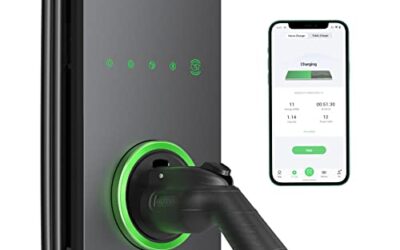
Drivers planning a home charging setup can read CarTechTalk’s home EV charger setup guide for a separate look at home equipment. Home charging equipment does not resolve public station billing or account access problems.
6. Understand pending holds and final charges
A bank account or card statement may show a pending authorization while the network calculates the final session cost. Pending entries can change or disappear as the issuer processes the transaction. The timing depends on the network and card issuer, so a pending amount alone does not show that you were charged twice.
Save the receipt and compare it with the final posted transaction once it appears. If a charge posts for a session that never started, or two charges remain after pending entries settle, contact the charging network first. Include the session ID, station ID, date, time, and receipt. Contact the issuer if the network cannot resolve a posted billing error or if the issuer still shows a disputed transaction.
Decision tree: retry, switch methods, or leave
- App or reader reports payment failure: Check account status and station payment instructions. Correct an obvious card or account issue, then make one retry.
- Payment still fails: Use a different method only if the station supports it. If available options all fail, contact the network or move to another station.
- Payment is accepted but charging does not begin: Check for an active session and read the charger and vehicle messages. Do not start another session until the first attempt is clearly ended.
- Charger reports a fault or shows no usable payment option: Stop using that unit and report its ID to the network. Use another compatible station if available.
- Vehicle reports a charging-system warning or connector will not release: Follow the vehicle manual and the station’s emergency instructions. Do not force the connector or open electrical equipment.
Common mistakes
- Blaming the bank for every decline. The account, reader, station connection, or network authorization may be responsible.
- Repeating payment attempts without checking session status. This can create confusion around authorizations and active sessions.
- Treating a pending hold as a completed charge. Wait for the entry to post, then compare it with the charging receipt.
- Assuming all chargers on one app accept the same payment method. Station operators and roaming arrangements can set different rules.
- Assuming a payment error explains a vehicle charging warning. Payment and vehicle faults can happen separately. Read both sets of messages.
- Scanning an unknown QR code or sharing login details. Use station information from the operator’s official app or support channel.
When to get professional help
Contact the charging network when its reader, app, or station repeatedly rejects valid payment, when a session appears active but does not charge, or when a posted charge does not match the receipt. Provide the station ID, connector number, session reference, time, error text, and relevant transaction details. Keep account passwords, full card numbers, and security codes private.
Contact the vehicle manufacturer or a qualified EV service provider if the vehicle reports a charging-system fault across different working stations, the charge port appears damaged, or the connector will not release after you follow the owner’s manual. Do not force a connector, open a charger cabinet, or touch exposed wiring. If there is smoke, unusual heat, or a burning smell, move away and contact emergency services or the site operator as appropriate.
Readers weighing these picks also look at Portable EV Charger Buying Guide and Best Portable EV Charger Under $400.
Frequently asked questions
Why does my card work elsewhere but fail at an EV charger?
The charger may use a different authorization process, the reader may be offline, or the station may not support that card or payment method. Check the station instructions and ask your card issuer about the specific declined authorization.
Can I pay for a public charging session without the network app?
Sometimes. Some stations offer contactless payment or another method, while others require an app or linked account. Use the options shown on that station, not assumptions based on another location.
Will a pending charge disappear if the charging session failed?
A pending authorization may be adjusted or removed as the card issuer processes it. Timing varies. If it posts as a charge for a session that did not occur, contact the charging network with the session details, then ask your issuer about unresolved billing issues.
Should I unplug and reconnect after payment fails?
Follow the station’s instructions and check whether a session is active first. If the screen reports a connector or vehicle fault, repeated reconnecting may not help. Stop if the connector appears damaged or will not release normally.
Related reading
- EV Charging & Automotive Power guides for related vehicle charging and electrical topics.