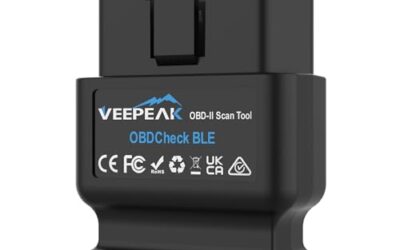
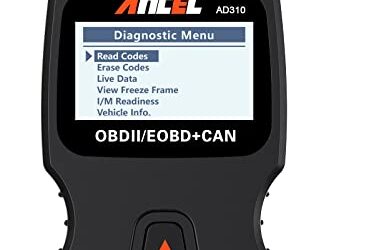
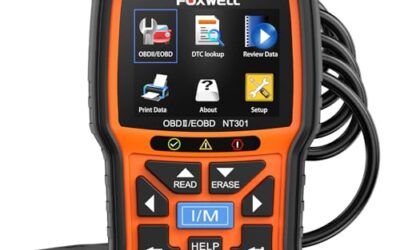
OBD2 live data is the real-time stream of information from a vehicle’s electronic control units accessed through the standard OBD2 diagnostic port. This data includes parameters such as engine speed, coolant temperature, and fuel trims, which update continuously as the vehicle operates. Mechanics, enthusiasts, and DIYers use it to monitor performance, diagnose problems, and ensure emissions compliance.
By connecting an OBD2 scanner to the port, users can view live parameters without needing to interpret static codes alone. This technology has been part of vehicle diagnostics since the early 2000s, evolving from earlier OBD standards.
Key Takeaways
- OBD2 live data provides continuous monitoring of vehicle systems.
- It is essential for both professional diagnostics and hobbyist tuning.
- Compatibility depends on your vehicle’s model year and the scanner’s capabilities.
- Always check for diagnostic trouble codes before interpreting live data.
How OBD2 Live Data Works
The OBD2 port, located under the dashboard near the driver’s side, serves as the interface for accessing vehicle data. Vehicles manufactured after 1996 in the US must comply with this standard, which includes a 16-pin connector.
Scanners communicate with the vehicle’s ECUs using specific protocols such as Controller Area Network (CAN), which is common in modern vehicles. Each parameter has a unique Parameter ID (PID) that the scanner requests from the ECU. The data is transmitted in a standardized format, allowing for consistent interpretation across compatible devices.
For example, to read engine speed, the scanner sends a request for PID 0x0C, and the ECU responds with the current RPM value. This process happens in real time, updating every few milliseconds or seconds depending on the scanner and vehicle. The communication is bidirectional, meaning the scanner can also send commands to some systems, such as resetting the ECU or activating components for testing. However, not all scanners support bidirectional control, and it varies by vehicle.
Common OBD2 Live Data Parameters
Here is a table of frequently monitored parameters:
| Parameter | Description | Example Use |
|---|---|---|
| RPM (PID 0x0C) | Engine revolutions per minute | Checking for misfires or performance issues |
| Vehicle Speed (PID 0x0D) | Current speed in km/h or mph | Speedometer verification |
| Coolant Temperature (PID 0x05) | Engine coolant temp in Celsius | Overheating diagnosis |
| Throttle Position (PID 0x11) | Throttle pedal position percentage | Idle control issues |
| Fuel Trim (PID 0x06) | Air-fuel mixture adjustment | Emissions testing |
Each parameter is identified by a specific PID, which is a hexadecimal value that the scanner uses to request data from the ECU. For instance, PID 0x0C is for engine RPM. The response from the ECU is usually a 2-byte or 4-byte value that the scanner decodes into meaningful units like revolutions per minute or kilometers per hour. Modern vehicles use CAN bus for communication, which allows multiple ECUs to communicate efficiently. Older vehicles might use different protocols like ISO 9141 or KWP2000. It’s important to select the correct protocol when using a scanner.
Where OBD2 Live Data Applies
OBD2 live data is widely used in automotive diagnostics. For professional mechanics, it helps pinpoint issues like faulty sensors or wiring problems by observing unusual values in real time. For example, if RPM fluctuates erratically, it might indicate a loose connection or failing ignition coil.
Enthusiasts use it for performance tuning, adjusting parameters to optimize power output or fuel efficiency. In emissions testing, live data helps verify that the vehicle meets regulatory standards by monitoring fuel trims and other parameters.
It’s also valuable for tracking modifications, such as after installing a performance exhaust or intake, to see how they affect engine behavior. In the context of California emissions testing, live data is used to monitor the effectiveness of the catalytic converter and oxygen sensors by observing the fuel trims and other parameters.
The Evolution of OBD2 and Live Data
OBD2 was mandated by the Clean Air Act in 1996 for light-duty vehicles in the US. It built on OBD1 introduced in 1988. Live data capabilities expanded with the introduction of more advanced protocols and standardized PIDs in later years.
Today, with the rise of connected vehicles and telematics, live data is increasingly integrated into infotainment systems, but the core OBD2 standard remains the foundation for independent diagnostics.
Limitations of OBD2 Live Data
While powerful, OBD2 live data has limitations. Not all vehicles provide access to every parameter; some ECUs may not support certain PIDs. The data available depends on the vehicle’s model year, make, and model. For instance, pre-OBD2 vehicles lack this capability entirely.
Scanner compatibility is crucial. Basic scanners may only read a subset of parameters, while advanced ones support more protocols and deeper data. Voltage considerations: The OBD2 system operates on the vehicle’s 12-volt electrical system, so low battery voltage can affect readings.
Regional differences exist; some countries have additional requirements or different standards. Always ensure your scanner supports the vehicle’s specific protocol to avoid inaccurate data. Additionally, some vehicles may require specific scanner software versions to access all features. Firmware updates for scanners can also add support for newer vehicle models and protocols.
Common Misconceptions About OBD2 Live Data
A frequent misunderstanding is that OBD2 live data can fix problems on its own. It is a diagnostic tool, not a repair method. Clearing codes or making repairs requires addressing the root cause.
Another myth is that live data is the same as reading diagnostic trouble codes (DTCs). While related, live data shows current conditions, whereas DTCs indicate stored faults with possible freeze frame data.
Some believe any OBD2 scanner can provide all live data. In reality, the scope varies greatly between entry-level and professional-grade tools.
Troubleshooting with OBD2 Live Data
OBD2 live data supports troubleshooting by providing real-time insights into system behavior. Begin with a symptom-to-cause checklist:
- Check for codes first to establish context.
- Observe RPM for idle issues or misfires.
- Monitor temperature for cooling system problems.
- Look at fuel trims for air-fuel ratio issues.
- Check throttle position for actuator or sensor faults.
If a parameter shows abnormal values, correlate it with other readings and the vehicle’s operating conditions. For instance, high RPM with normal speed might point to a transmission issue or sensor problem.
Common Mistakes When Using OBD2 Live Data
- Interpreting live data without first checking for stored codes. Codes can provide context for abnormal parameters.
- Assuming all data is accurate without considering environmental factors like temperature or load.
- Ignoring freeze frame data, which captures conditions at the time of a fault.
- Using the same scanner for all vehicles without verifying compatibility.
- Over-relying on live data for complex issues that require advanced tools or lab testing.
When to Get Professional Help
Seek expert assistance if live data reveals persistent issues that DIY methods can’t resolve, such as intermittent faults or those affecting multiple systems. Professional diagnostics may involve oscilloscopes or other specialized equipment to trace signals.
If you’re unsure about interpreting data or dealing with safety-critical systems like ABS or airbags, consult a certified technician. For emissions-related concerns, professional testing might be required by law in some areas.
Benefits of Using OBD2 Live Data
Using OBD2 live data offers several advantages. It enables early detection of problems before they lead to costly repairs or safety issues. It provides cost savings by allowing owners to diagnose faults at home. The technology improves vehicle performance through informed tuning adjustments. It also serves an educational purpose, helping users learn about their vehicle’s systems. Finally, it supports compliance with emissions regulations in regions that require periodic testing.
FAQ
What is OBD2 live data?
OBD2 live data is real-time diagnostic information from a vehicle’s ECUs accessed via the OBD2 port, allowing monitoring of parameters like engine speed and temperature.
How do I access OBD2 live data?
Connect an OBD2-compatible scanner to the port under the dashboard, power it on, and select the vehicle make, model, and year. Then, browse available live data parameters.
Is OBD2 live data the same as reading diagnostic trouble codes?
No. Live data shows current operating conditions, while DTCs are stored fault indicators. They are complementary tools.
What are some common OBD2 live data parameters?
Common parameters include RPM, vehicle speed, coolant temperature, throttle position, and fuel trims.
Can OBD2 live data be used on any vehicle?
No, it depends on the model year (post-1996 for full OBD2), scanner compatibility, and vehicle-specific supported parameters.