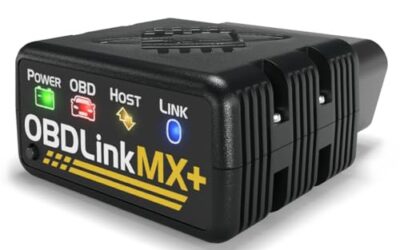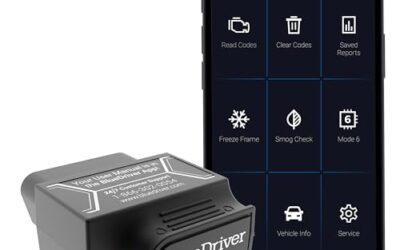

Freeze-frame data is a snapshot of supported operating parameters stored with an emissions-related diagnostic event. It can show conditions such as engine speed, temperature or load when the fault was recorded. It is not a continuous recording, and the available parameters depend on the vehicle.
Understanding freeze frame data empowers vehicle owners to interpret check engine lights more effectively and make informed decisions about repairs. Whether you’re dealing with a simple misfire or a complex emissions-related problem, this data can provide valuable clues. Freeze frame data is stored in the vehicle’s OBD-II module and can be retrieved using compatible diagnostic tools.
Key takeaways
- Freeze frame data is a snapshot of vehicle performance at the time a code is set.
- It is essential for diagnosing check engine lights and other OBD-II issues.
- Access it with an OBD-II scanner or diagnostic app.
- Be aware of limitations like data overwriting.
- It does not replace professional diagnosis for complex problems.
What Is Freeze Frame Data?
Freeze frame data refers to a set of parameter values that the engine control module (ECM) stores when it detects a fault and sets a diagnostic trouble code (DTC). The term “freeze frame” indicates that these values are captured at a specific instant in time and “frozen” for later analysis. This feature was standardized with the OBD-II system to improve the accuracy and efficiency of vehicle diagnostics.
In simple terms, when something goes wrong with your vehicle’s engine or emissions system, the computer takes a picture of the conditions at that moment and stores it. This helps technicians understand the context of the problem, such as whether the vehicle was running at a high speed or idling when the fault occurred.
How Freeze Frame Data Works
The process begins when the vehicle’s onboard computer monitors multiple sensors. These sensors measure everything from engine temperature to oxygen levels in the exhaust. If a sensor reading falls outside the acceptable range, the computer sets a DTC and simultaneously stores the freeze frame data.
Freeze frame data is saved in non-volatile memory, which means it is retained even after the vehicle is turned off. This allows the data to be accessed later for diagnosis. The data is not stored continuously but only when a code is set, which helps focus on actual problems rather than normal variations.
Freeze frame data applies to all OBD-II equipped vehicles, which includes most passenger cars, light trucks, and some motorcycles sold in the US since 1996. Earlier vehicles may have similar systems but under different standards like OBD-I or OBD-II precursors.
What Information Does Freeze Frame Data Include?
Freeze frame data typically includes a variety of parameters that describe the vehicle’s operating conditions at the time the code was set. The exact parameters stored can vary depending on the vehicle manufacturer and model year. Here is a table of common freeze frame parameters:
| Parameter | Description | Example Value |
|---|---|---|
| Engine RPM | Revolutions per minute of the engine crankshaft | 2500 |
| Vehicle Speed | Speed of the vehicle in miles per hour | 45 |
| Engine Coolant Temperature | Temperature of the engine’s coolant | 85°C |
| Fuel Trim | Adjustment to the air-fuel mixture | 0.5 |
| Throttle Position | Position of the throttle valve | 25% |
| Intake Air Temperature | Temperature of air entering the engine | 20°C |
| Barometric Pressure | Atmospheric pressure | 101 kPa |
| Calculated Load | Calculated engine load | 45% |
Each of these parameters provides insight into the vehicle’s state. For instance, a high engine RPM with low vehicle speed might indicate a transmission issue. A low fuel trim value could suggest a problem with the fuel system or oxygen sensors.
Accessing Freeze Frame Data
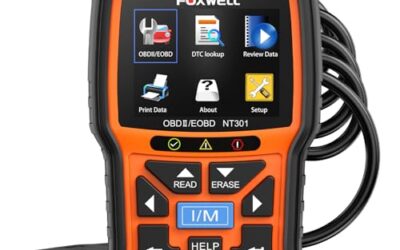
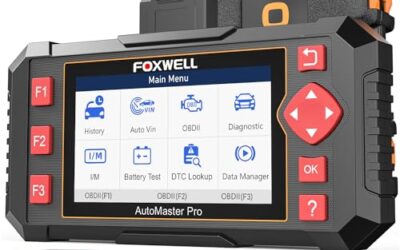
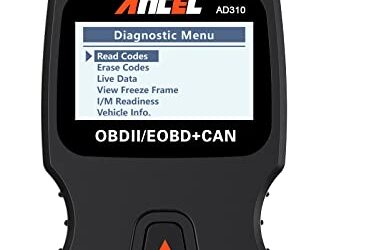
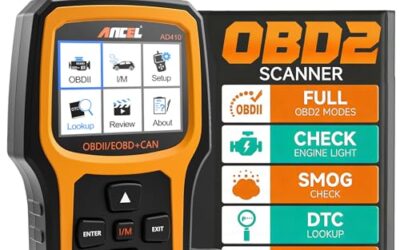
Accessing freeze frame data requires an OBD-II scanner that is compatible with your vehicle’s diagnostic protocol. The OBD-II port is typically located under the dashboard on the driver’s side. Connect the scanner, turn the ignition to the ON position (without starting the engine), and navigate to the freeze frame data section in the scanner’s menu.
Some diagnostic apps for smartphones can connect via Bluetooth to OBD-II adapters to retrieve this data. However, ensure the app and adapter support the necessary protocols for your vehicle. Freeze frame data can often be viewed alongside the specific DTC code to provide context.
Compatibility is important: Scanners must match the vehicle’s year, make, model, and engine type. For example, a 2010 Honda Civic may use different protocols than a 2020 Toyota Camry. Always check the scanner’s compatibility list for your vehicle.
Limitations of Freeze Frame Data
Freeze frame data has several limitations that users should be aware of. First, it is only stored when a DTC is set, so it may not capture every condition or minor issue. Second, new codes can overwrite existing freeze frame data, so it’s important to address problems as soon as they appear.
Additionally, freeze frame data does not include the exact cause of the fault; it provides context. The data is limited to the parameters monitored by the ECU. Some manufacturers may store more or less data, and enhanced systems in newer vehicles may include additional parameters like those related to hybrid or electric powertrains.
Freeze frame data is also not a substitute for live data, which shows current readings. It is a historical record and may not reflect the current state of the vehicle.
Common Misconceptions About Freeze Frame Data
A frequent misconception is that freeze frame data can diagnose any problem. In reality, it only applies to codes that have been set by the vehicle. Another myth is that clearing a code will remove the freeze frame data. Clearing a code typically does not erase the freeze frame data immediately, but it can be overwritten by new codes.
Some people confuse freeze frame data with live data, thinking they are the same. While both are diagnostic tools, freeze frame data is a snapshot at a specific time, whereas live data provides real-time information. Finally, freeze frame data does not indicate the severity of the fault; that is determined by the code itself and other diagnostic information.
When to Get Professional Help
If you are unable to interpret the freeze frame data or if multiple codes are present, it is best to consult a professional mechanic. They have the tools and expertise to analyze the data in the context of the entire vehicle system. For complex issues involving the transmission, ABS system, or hybrid components, professional assistance is recommended.
Freeze frame data is a valuable starting point for diagnosis but not a complete solution. It can help you avoid unnecessary repairs by confirming if the code is legitimate. However, for persistent or recurring issues, seeking professional help ensures accurate repairs and prevents further damage to your vehicle.
Freeze Frame Data and Emissions Testing
Freeze frame data is often used in emissions testing to verify if the vehicle was operating within specifications at the time of inspection. It can help determine if the check engine light was due to a temporary condition or a persistent fault. This information is crucial for passing emissions tests and avoiding fines.
Understanding freeze frame data can also help you maintain your vehicle more effectively by identifying potential issues before they become major problems. It is particularly useful for vehicles subject to regular inspections.
The Role of Freeze Frame Data in Modern Diagnostics
In the era of increasingly complex vehicles, freeze frame data remains an important diagnostic tool. As vehicles incorporate more electronic systems, the amount of data available has grown, but the core concept remains the same. Freeze frame data helps mechanics and owners alike to make sense of the vast amount of information generated by modern vehicle computers.
Whether you are a DIY enthusiast or a professional technician, freeze frame data provides a window into the vehicle’s past performance at the time of a fault. This can lead to more efficient repairs and better understanding of your vehicle’s systems.
Gear that can help
If you need OBD2 scanners for this job, these picks already appear in our OBD2 scanners guides. Check the full guide for fit and who should skip each one.
Pros
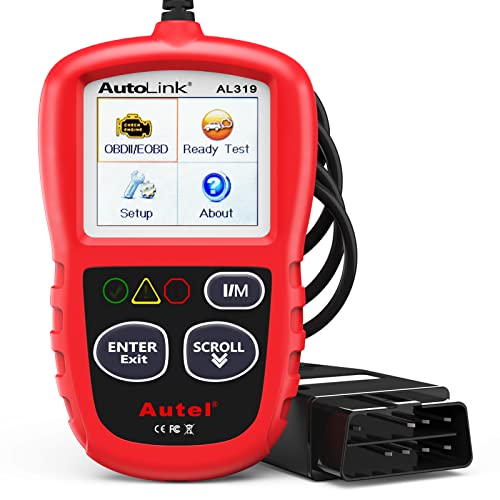
- Supports multiple diagnostic functions beyond basic code reading
- No batteries are needed for operation
- Offers seven language options, including English, French, and Spanish
- Designed with a plug-and-play interface for end users and DIYers
Cons
- The listing does not identify all seven supported languages
Specifications
| Color | OBD2 Scanner |
|---|---|
| Size | AL319 |
| Dimensions | 4.61 x 2.83 x 0.71 inches |
| Weight | 0.39021820374 pounds |
| Product Group | Automotive Parts and Accessories |
| Binding | Automotive |
Best For / Avoid If
Best for buyers prioritizing
- Supports multiple diagnostic functions beyond basic code reading
- No batteries are needed for operation
- Offers seven language options, including English, French, and Spanish
Consider another option if
- The listing does not identify all seven supported languages

Pros
- Supports code scanning and code resets without requiring an expert
- Tracks vehicle-specific scans, mileage-based reminders, and shared results
- Compact 1.75 x 0.75 x 1.6-inch sensor is designed to stay under the dash
Cons
- Advanced features require an optional premium subscription after the 14-day trial
- Features may vary by vehicle make and model
Specifications
| Color | White |
|---|---|
| Size | 1 Pack |
| Dimensions | 1.75 x 0.75 x 1.6 inches |
| Weight | 0.06 pounds |
| Product Group | Automotive Parts and Accessories |
| Binding | Automotive |
Best For / Avoid If
Best for buyers prioritizing
- Supports code scanning and code resets without requiring an expert
- Tracks vehicle-specific scans, mileage-based reminders, and shared results
- Compact 1.75 x 0.75 x 1.6-inch sensor is designed to stay under the dash
Consider another option if
- Advanced features require an optional premium subscription after the 14-day trial
- Features may vary by vehicle make and model

Pros
- Provides diagnostics for four major vehicle systems
- Includes useful functions such as live data and I/M readiness
- Supports automatic VIN retrieval and manual vehicle selection
- Lifetime updates and a protective case are included
Cons
- Does not support oil reset, battery registration, ABS bleeding, throttle body relearn, or ABS relearn
- SRS crash or collision data cannot be cleared
- Vehicle compatibility varies by make, model, and year, and AUTOVIN may not work on some older vehicles or brands
Specifications
| Color | red |
|---|---|
| Dimensions | 7.68 x 3.54 x 1.18 Inches |
| Product Group | Automotive Parts and Accessories |
| Binding | Automotive |
Best For / Avoid If
Best for buyers prioritizing
- Provides diagnostics for four major vehicle systems
- Includes useful functions such as live data and I/M readiness
- Supports automatic VIN retrieval and manual vehicle selection
Consider another option if
- Does not support oil reset, battery registration, ABS bleeding, throttle body relearn, or ABS relearn
- SRS crash or collision data cannot be cleared
- Vehicle compatibility varies by make, model, and year, and AUTOVIN may not work on some older vehicles or brands
FAQ
What is freeze frame data?
Freeze frame data is a snapshot of vehicle parameters at the time a diagnostic trouble code is set.
How does freeze frame data help diagnose a check engine light?
It provides specific values that can help identify the cause of the light by showing the vehicle’s conditions at the time the fault occurred.
Can I clear freeze frame data myself?
Yes, but it may not remove the data immediately and can be overwritten by new codes.
Is freeze frame data the same as live data?
No, freeze frame data is a historical snapshot, while live data shows current readings.
What vehicles have freeze frame data?
Most vehicles with OBD-II since 1996, including passenger cars, light trucks, and some motorcycles.
How do I access freeze frame data?
Use an OBD-II scanner or diagnostic app compatible with your vehicle to retrieve the data from the OBD-II port.