Battery registration after replacement is a vehicle-computer update that records installation of a new battery. Some vehicles use that information to manage charging; others do not need registration at all.
- Registration is most relevant on vehicles with battery monitoring and managed charging systems.
- The required procedure varies by make, model, year, powertrain, and battery type.
- Registration does not charge a weak battery, repair a bad connection, or prove that a replacement battery is correct.
- Some vehicles need a battery reset or configuration step instead of, or in addition to, registration.
What battery registration means after replacement
Battery registration is a service procedure that tells a vehicle’s control system that its battery has been replaced. Depending on the vehicle, the procedure may record the new battery’s type or capacity and reset learned battery data. The exact functions differ by manufacturer and system.
Many newer vehicles monitor battery condition and control charging based on electrical demand, battery temperature, state of charge, or other inputs. A battery sensor, often located at or near the negative battery terminal, can report information to vehicle electronics. If the system continues using assumptions based on the old battery, charging strategy or battery-life estimates may not match the new one.
Registration does not mean every car battery has a code that must be entered. It is not a universal requirement, and it does not describe one standard procedure. A vehicle may need a scan-tool command, a manufacturer-specific sequence, battery configuration, or no electronic action. The owner’s manual and service information for the specific vehicle determine the requirement.
Which vehicles may need battery registration?
Some vehicles with a battery management system require registration after replacement. This is more common on vehicles with electronically managed charging, start-stop operation, or a battery sensor, but those features alone do not prove that a particular model requires the procedure.
Vehicle model year matters. A procedure can change between model years or trim levels, even when vehicles share a name. Engine and powertrain options can also affect battery configuration. Check the exact year, make, model, engine, and battery type in the service procedure rather than relying on a general rule for a brand.
Many older vehicles with a simpler charging system do not use a battery registration process. Disconnecting and reconnecting a battery can still reset settings or trigger relearn steps on some vehicles, but that is different from registering a replacement battery. Do not assume that every lost radio preset or warning light means registration is required.
What registration changes, and what it does not
On vehicles that require registration, the procedure updates battery-related information in one or more control modules. The system may then adjust how it monitors or charges the replacement battery. The available fields and effects depend on the vehicle. Some systems ask for battery technology or capacity; others only record that replacement occurred.
Registration cannot fix an incorrectly sized battery, reversed polarity, loose terminal, damaged cable, charging-system fault, or parasitic electrical draw. It also cannot restore a battery that is discharged or defective. If the vehicle has a charging warning or repeated starting trouble after replacement, diagnose the electrical fault rather than repeating a registration command without checking the cause.
A battery can physically fit yet still be the wrong specification. Chemistry, capacity, dimensions, terminal layout, and required venting can matter. Vehicles originally equipped with an absorbed glass mat battery, for example, may require a replacement of the specified type. Follow the vehicle’s battery requirements; do not change battery chemistry or capacity based only on what fits in the tray.
Registration, reset, coding, and relearn: what is different?
| Term | Typical meaning | Why it matters |
|---|---|---|
| Battery registration | Records that a battery has been replaced. | The system can update battery-related data where the vehicle supports this function. |
| Battery reset | Clears or restarts learned battery-monitoring data. | Some vehicles use a reset procedure rather than a separate registration command. |
| Battery coding or configuration | Sets battery details, such as a supported type or capacity. | Incorrect configuration can leave the vehicle using settings that do not match the installed battery. |
| Relearn | Allows a vehicle system to adapt after power loss or service. | Items such as windows, steering, or engine controls may have their own procedures; these are not battery registration. |
Service tools may use these terms differently. A scan tool’s menu label does not establish what a particular vehicle needs. Check the service instructions for that exact application, including whether the battery must be connected to a support supply during programming.
How to find out whether your vehicle needs registration
- Identify the vehicle precisely. Record model year, make, model, engine or powertrain, and trim when relevant. Do not rely on a broad fitment lookup alone.
- Check the owner’s manual and service procedure. Look for battery replacement, battery monitoring, or battery management instructions. If the owner’s manual does not cover registration, consult qualified service information.
- Match the replacement battery to the vehicle. Compare the required battery type and specifications with the installed unit. A registration step does not correct a mismatch.
- Check tool coverage before starting. A basic code reader may not offer battery registration. Scan-tool functions vary by vehicle coverage, software version, and sometimes subscription or update status.
- Follow the exact procedure. Use the vehicle’s specified steps and any required voltage support. Do not guess a menu selection or use a procedure written for a different year or model.
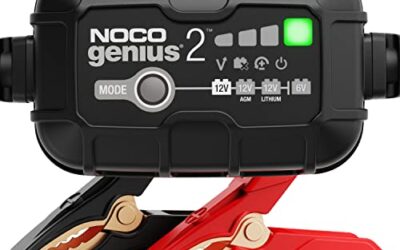
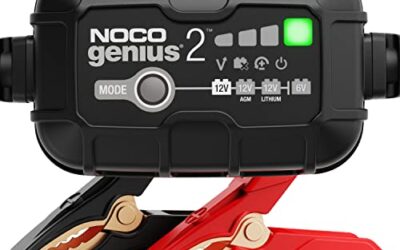
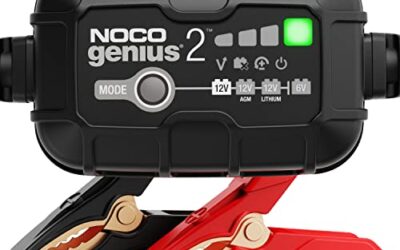
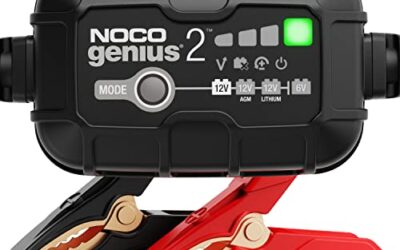
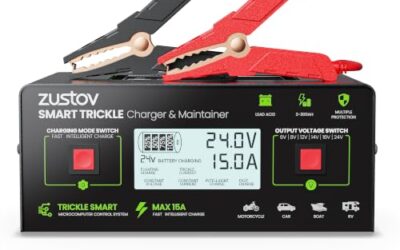
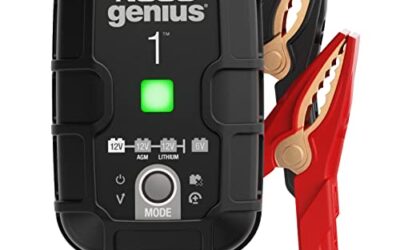
If you are choosing charging equipment for routine battery care, our guide to NOCO GENIUS and Battery Tender chargers explains charger differences. A charger maintains or replenishes charge; it does not replace a scan tool or perform registration unless its manufacturer and vehicle instructions explicitly say so.
Can a scan tool register a battery?
Some scan tools can perform battery registration or related service functions, but support varies. A tool may cover engine codes yet lack battery configuration. Even when a function appears in its menu, coverage can differ by vehicle year and system. Check the tool maker’s application list for the exact vehicle and function before relying on it.
A phone-based OBD2 adapter and app may offer limited service functions. Connector fit alone does not guarantee the app can communicate with the required module or write battery data. Phone operating system, app version, adapter firmware, and vehicle coverage can all affect operation. Do not treat a successful connection to the engine computer as proof of battery-registration support.
Some vehicles allow a specified manual reset or dashboard sequence. Such procedures are model-specific. Do not copy an online sequence unless it matches the vehicle and is supported by its instructions. An incorrect selection can change settings or leave the process incomplete.
What can happen if a required registration is skipped?
Possible effects depend on the vehicle. The battery monitor may continue using its old estimate, charging control may not reflect the new battery, or a battery-related warning may remain. In some vehicles, there may be no obvious symptom. A car starting normally does not prove that a required procedure was completed.
Do not assume that skipping registration will always damage a battery, or that registering always solves a charging problem. Those claims are too broad. Battery condition, installation, vehicle design, and charging-system health all matter. Use the model-specific service information to decide whether registration is required and what symptoms call for diagnosis.
Common mistakes
- Assuming every vehicle needs registration. Many do not. Check the exact application first.
- Assuming every new battery needs the same procedure. Requirements vary by vehicle, model year, and system.
- Choosing a different battery specification because it fits. Physical fit does not confirm correct chemistry or capacity.
- Using a basic code reader as if it were a service tool. Reading diagnostic codes and changing battery data are separate capabilities.
- Clearing warning lights instead of diagnosing them. Clearing a code does not repair its cause and may erase useful diagnostic information.
- Disconnecting the battery without checking vehicle instructions. Power loss can affect settings and may require separate relearn procedures.
When to get professional help
Ask a qualified technician to handle the replacement or registration when the vehicle’s procedure is unclear, the required tool is unavailable, or the battery is difficult to access. Stop if the battery is swollen, leaking, unusually hot, or damaged. Lead-acid batteries can release hazardous material and gas; follow the vehicle and battery safety instructions, and keep sparks and flames away.
Professional diagnosis also makes sense if the vehicle still has starting trouble, a charging warning, repeated battery drain, or electrical faults after replacement. Those symptoms can point to a weak battery, poor connection, alternator or charging-system issue, or an electrical draw. Registration alone cannot distinguish among them.
For general battery-care information, see Battery Council International. For long storage periods, our article on battery maintainers for winter storage covers a separate issue: keeping a battery charged while a vehicle sits.
Gear that can help
If you need OBD2 scanners for this job, these picks already appear in our OBD2 scanners guides. Check the full guide for fit and who should skip each one.

Pros
- Broad basic OBD2 diagnostic function set
- Built-in code definitions can help explain fault codes
- Supports major protocols including CAN, ISO9141, KWP2000, J1850 VPW and J1850 PWM
- Color display, multilingual support and on-screen code definitions
Cons
- Limited to engine and emission-related codes
- Does not support ABS, SRS, transmission, bidirectional control or service reset functions
- Vehicle compatibility should be checked before purchase
Specifications
| Color | yellow |
|---|---|
| Dimensions | 9 x 6.3 x 1.6 inches |
| Weight | 0.66 Pounds |
| Product Group | Automotive Parts and Accessories |
| Binding | Automotive |
Best For / Avoid If
Best for buyers prioritizing
- Broad basic OBD2 diagnostic function set
- Built-in code definitions can help explain fault codes
- Supports major protocols including CAN, ISO9141, KWP2000, J1850 VPW and J1850 PWM
Consider another option if
- Limited to engine and emission-related codes
- Does not support ABS, SRS, transmission, bidirectional control or service reset functions
- Vehicle compatibility should be checked before purchase

Pros
- Supports check-engine code reading and clearing
- Provides live data features including engine speed, vehicle speed, coolant temperature, and calculated load value
- Includes a 2.5-foot cable and six-button control layout
- Compact 6.02 x 2.75 x 0.91-inch design
Cons
- Does not support ABS, airbag, oil service light, or other non-OBDII systems
- Vehicle compatibility is described as supporting most applicable vehicles rather than every vehicle
- Requires connection to a vehicle’s OBDII port for power
Specifications
| Color | Yellow |
|---|---|
| Size | Portable |
| Dimensions | 6.02 x 2.75 x 0.91 inches |
| Weight | 0.6375 Pounds |
| Product Group | Automotive Parts and Accessories |
| Binding | Automotive |
Best For / Avoid If
Best for buyers prioritizing
- Supports check-engine code reading and clearing
- Provides live data features including engine speed, vehicle speed, coolant temperature, and calculated load value
- Includes a 2.5-foot cable and six-button control layout
Consider another option if
- Does not support ABS, airbag, oil service light, or other non-OBDII systems
- Vehicle compatibility is described as supporting most applicable vehicles rather than every vehicle
- Requires connection to a vehicle’s OBDII port for power

Pros
- Includes code reading, code clearing, live data, freeze-frame, I/M readiness, and vehicle information functions
- Supports VIN, Calibration ID, and Calibration Verification Number retrieval
- Lists compatibility with post-1996 US-based, post-2006 EU-based, and post-2009 Asian-based OBDII vehicles
- Offers a built-in DTC definition database and support for six languages
- Includes a stated five-year warranty
Cons
- The display is described as a two-line LCD screen, which may provide less viewing space than larger scan-tool displays
Specifications
| Color | Blue |
|---|---|
| Dimensions | 9.79921258843 x 6.692913379 x 1.57874015587 inches |
| Product Group | Automotive Parts and Accessories |
| Binding | Unknown Binding |
Best For / Avoid If
Best for buyers prioritizing
- Includes code reading, code clearing, live data, freeze-frame, I/M readiness, and vehicle information functions
- Supports VIN, Calibration ID, and Calibration Verification Number retrieval
- Lists compatibility with post-1996 US-based, post-2006 EU-based, and post-2009 Asian-based OBDII vehicles
Consider another option if
- The display is described as a two-line LCD screen, which may provide less viewing space than larger scan-tool displays
FAQ
Is battery registration the same as installing a battery?
No. Installation connects the replacement battery to the vehicle. Registration is an electronic service procedure required by some vehicles after installation.
Can I drive without registering a new battery?
That depends on the vehicle. Some do not require registration, while others specify it. Check the exact vehicle instructions rather than assuming it is safe or required across all models.
Does battery registration charge the battery?
No. Registration updates vehicle data; it does not supply charging current. Use a suitable charger when charging is needed, following battery and vehicle instructions.
Will a battery disconnect reset register the new battery?
Not necessarily. Disconnecting power is not a universal registration method. Some vehicles use a scan-tool function, a specific reset, or no registration procedure.
Do hybrid and electric vehicles use the same registration process?
Do not assume so. Their low-voltage battery systems and service procedures can differ from conventional vehicles. Follow the exact model’s instructions and use a qualified technician when the procedure involves high-voltage components.