How to position a dash cam for the best view: mount it high behind the rearview mirror, keep its lens level with the road, and aim it so the horizon sits near the middle of the frame. Place the camera inside the windshield where the wipers clear the glass, while keeping it outside airbag paths and the driver’s forward view.
Mounting position affects evidence quality, night visibility, glare, and legal safety. Vehicle model year, windshield shape, mirror design, camera size, and local rules can change the best location. Check your vehicle manual and dash cam manual before attaching anything near sensors, wiring, or airbags.
Key takeaways
- Use a high central position behind or beside the rearview mirror.
- Keep the lens level instead of pointing sharply toward the hood.
- Place the lens inside the windshield wiper sweep.
- Leave space around forward cameras, rain sensors, toll tags, and inspection stickers.
- Set the view after sitting in your normal driving position.
- Check the image during daylight, darkness, rain, and low sun.
How to position a dash cam for the best view
Start with the area behind the rearview mirror. This location gives the camera a central view and hides much of the device from the driver’s sightline. It also keeps the lens close to the windshield center, which reduces the side-to-side distortion common with corner mounting.
The exact spot depends on your vehicle. Some newer vehicles place a large camera housing, rain sensor, light sensor, or driver-assistance hardware behind the mirror. A dash cam should not block these systems. The camera should also avoid covering the vehicle identification label, inspection sticker, toll transponder, or other required items.
Most drivers should place the lens on the passenger side of the mirror housing if the mirror assembly leaves little room on the driver side. The camera can sit slightly below the mirror if that position gives the lens a clear view and keeps the display out of sight. The best mount is the one that gives a clean image without interfering with driving.
Use this position checklist
- Park on level ground with the vehicle pointed straight ahead.
- Clean the inside and outside glass around the planned mount.
- Sit in your normal driving position and check the forward view.
- Hold the camera high behind the mirror or near its passenger side.
- Confirm that the lens sits inside the windshield’s wiped area.
- Check for forward sensors, mirror housings, labels, and glass tint.
- Mount the camera according to its adhesive or suction-cup instructions.
- Adjust the lens after powering the camera and viewing its live image.
- Route the cable away from the driver’s sightline and airbag paths.
- Test the image before permanent cable installation.
How high should a dash cam sit?
Mount the camera high enough to hide it behind the rearview mirror, but not so high that the windshield edge blocks the image. The top of the visible road should include sky and signs, while the bottom should show enough hood or nearby road to establish vehicle position.
A high mount lowers the chance that the dashboard fills the frame. It also reduces glare from the dashboard and keeps the camera less distracting. A very high mount can create problems if the lens points into the tinted upper windshield area or sits above the wiper sweep.
Use the camera preview to judge the result. The horizon should look level. Lane lines should not run sharply upward or downward because of a tilted mount. The camera should capture traffic lights, signs, and vehicles ahead without requiring a narrow digital crop.
How to aim the dash cam
Keep the lens close to level with a slight downward angle. Too much sky wastes recording area. Too much pavement hides traffic lights, signs, and distant vehicles.
As a starting point, frame the road so the horizon sits around the upper-middle portion of the image. A small amount of hood can help show where the vehicle sits, but a large hood section reduces useful road coverage. Wide-angle lenses change how much sky and hood appear, so use the live view instead of a fixed angle rule.
Check the left and right edges. The image should cover your lane and nearby traffic without placing a large portion of the vehicle’s interior in view. Extreme corner mounting can make one side of the image dominate and may leave the opposite side poorly covered.
Front and rear camera positioning
A front camera needs a clear forward view through the windshield. A rear camera needs a clear view through the rear glass or from its exterior mounting point, depending on the camera system. Rear glass tint, defroster lines, wiper coverage, hatch movement, and license-plate trim can affect the image.
Mount an interior rear camera where the rear wiper clears the glass. An exterior camera may need a weather-rated housing and a protected cable path. Hatchbacks, SUVs, and vans can require extra cable length through a moving hatch boot. Do not pinch the cable where the hatch opens and closes.
Rear camera placement also depends on whether the system flips or mirrors the image. Some cameras show a view like a mirror, while others show a direct camera image. Set the correct orientation in the camera menu and test it with a stationary object behind the vehicle.
Windshield wipers, tint, and glass features
The lens needs clean glass. Place it inside the zone cleared by the windshield wipers because rain, road spray, and dirt can obscure recordings. A camera outside that zone may look clear while parked but lose detail during a storm.
Windshield tint can darken footage, especially at night. Some vehicles use a shaded band or dotted frit around the rearview mirror. Avoid placing the lens across a heavily tinted section unless the camera manual allows it and the preview remains clear.
Heated windshields, metallic coatings, acoustic glass, and replacement windshields can affect GPS reception, wireless signals, or image quality. These features vary by vehicle model and year. If GPS becomes unreliable after mounting, test another legal position within the clear windshield area.
Keep the dash cam clear of safety equipment
Do not block forward collision warning cameras, lane sensors, rain sensors, or light sensors. These systems vary by vehicle model year and trim. A dash cam mount can also interfere with a rearview mirror’s auto-dimming function or electronic display.
Keep cables away from curtain airbags in the headliner and from the deployment path of front airbags. A cable tucked behind trim can become a hazard if routed across an airbag module. Follow the vehicle and camera instructions for trim removal. Do not force trim panels or place wiring where it can fall near pedals.
Some states and cities restrict objects on windshields or limit placement near the driver’s view. Rules differ by location and may change. Check current local requirements before installation, especially if the camera sits outside the mirror area.
How to reduce glare and reflections
Clean both sides of the windshield before final adjustment. Fingerprints, dust, and film create halos around headlights and bright signs. Clean the lens with the method recommended in the camera manual.
Adjust the camera to avoid the dashboard reflection. A lower camera angle may show more dashboard glare, while a higher angle may catch the roof liner. A polarizing filter can reduce some reflections, but it can also darken the image and may need rotation after installation. Use only a filter compatible with that camera lens.
Test the position during sunrise, sunset, and nighttime driving from a safe parked location or with another person operating the vehicle. Bright low sun can reveal glare that does not appear during midday testing. Headlights from oncoming traffic can expose lens flare or windshield streaks.
Camera settings that affect the view
Resolution and frame rate affect detail and storage, but they cannot fix a badly aimed camera. Set the highest mode supported by the camera and memory card combination. Some cameras reduce features, viewing angle, or HDR behavior in higher modes.
Use a normal field of view for balanced coverage unless your driving environment calls for a wider view. A wide setting captures more side activity but can make distant plates and signs appear smaller. A narrow setting gives larger distant objects but leaves less side coverage.
HDR or high dynamic range can help balance bright sky and darker road areas, though results vary by camera and lighting. Exposure controls can improve a washed-out image, but lowering exposure too far can hide dark objects at night. Review sample clips from the actual mounting position.
Set the correct time zone, date, and daylight-saving option when available. A timestamp can help organize footage, but it does not prove every detail of an incident. GPS speed and location data can also be wrong if reception is weak or the device time is incorrect.
Common mistakes
- Mounting too low: The dashboard takes up useful frame space and increases reflections.
- Pointing too far downward: Nearby pavement fills the image while distant traffic disappears.
- Pointing too far upward: Sky and glare reduce road detail.
- Mounting outside the wiper area: Rain and spray cover the lens view.
- Placing the camera behind dark tint: Night footage can become too dark.
- Hiding the cable across an airbag path: The cable may create a deployment hazard.
- Trusting the preview while parked: Motion, vibration, glare, and rain can change the recording.
- Ignoring the rear camera angle: Hatch movement, tint, or trim can block the rear view.
- Using digital zoom: Zoom removes scene coverage and cannot restore missing detail.
- Leaving protective film on the lens: The image can look soft or hazy.
Quick decision guide
| Problem | Likely adjustment | Limit |
|---|---|---|
| Too much dashboard | Raise the camera or aim slightly higher | Do not enter tinted glass or block sensors |
| Too much sky | Aim slightly downward | Keep traffic lights and signs visible |
| Rain blocks image | Move the lens into wiper coverage | Check the mount and windshield shape |
| Night glare | Clean glass and reduce reflections | Headlight flare may remain with damaged or marked glass |
| Camera distracts driver | Move it behind or beside the mirror | Follow local windshield-placement rules |
| Rear view looks reversed | Change mirror or flip setting | Follow the camera manual |
When to get professional help
Ask an installer for help if the camera requires trim removal near airbags, a hardwire kit, fuse-panel access, or a connection to a vehicle-specific circuit. Modern vehicles can use different fuse layouts, low-voltage shutoff systems, and ignition signals across model years and trims.
Professional help also makes sense when the vehicle has a large sensor housing behind the mirror, a complex hatch wiring path, or a windshield that needs replacement. Windshield replacement can change camera alignment for factory driver-assistance systems. A dash cam should not be used as a substitute for recalibrating those systems.
Stop installation if a cable interferes with pedals, steering, mirror movement, airbag trim, or visibility. Disconnect power before changing hardwire connections, and use the fuse type and voltage method required by the camera instructions.
Gear that can help
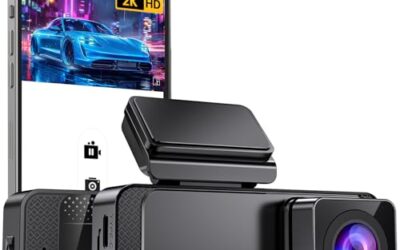
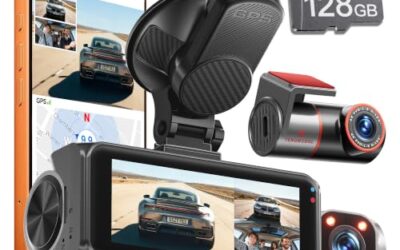
If you need dash cams for this job, these picks already appear in our dash cams guides. Check the full guide for fit and who should skip each one.

Pros
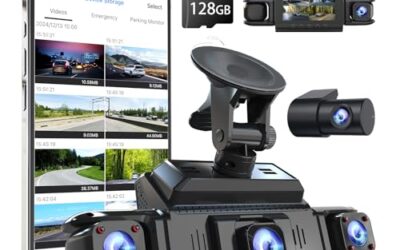
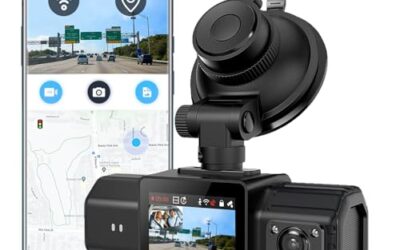
- Multiple camera views are designed to reduce blind spots and capture more driving footage
- GPS data can be reviewed through the app or GPS player
- The included 128GB card reduces the need to purchase storage separately
- Adjustable cameras are listed as compatible with sedans, SUVs, trucks, vans, and rideshare vehicles
Cons
- A hardwire kit is required for 24-hour parking mode and is not included
Specifications
| Color | Black |
|---|---|
| Dimensions | 1 x 1 x 1 inches |
| Product Group | Wireless |
Best For / Avoid If
Best for buyers prioritizing
- Multiple camera views are designed to reduce blind spots and capture more driving footage
- GPS data can be reviewed through the app or GPS player
- The included 128GB card reduces the need to purchase storage separately
Consider another option if
- A hardwire kit is required for 24-hour parking mode and is not included

Pros
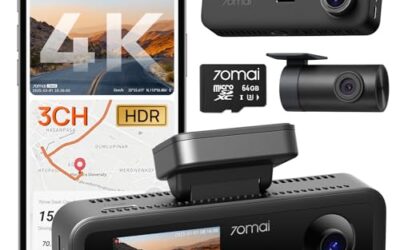
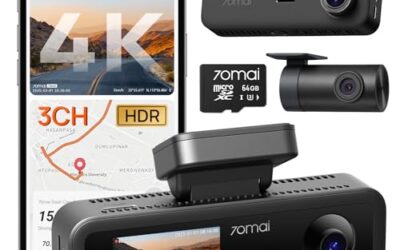
- Four-camera coverage records the front, rear, and both sides of the vehicle
- A 64GB memory card is included for immediate recording
- GPS and 5GHz Wi-Fi support app-based video management and location tracking
- The G-sensor automatically locks footage when sudden shakes or collisions are detected
Cons
- The parking monitoring function requires a separately purchased hardwire kit
Specifications
| Color | Gold |
|---|---|
| Dimensions | 1.5 x 2.2 x 6.3 inches |
| Product Group | Electronics |
Best For / Avoid If
Best for buyers prioritizing
- Four-camera coverage records the front, rear, and both sides of the vehicle
- A 64GB memory card is included for immediate recording
- GPS and 5GHz Wi-Fi support app-based video management and location tracking
Consider another option if
- The parking monitoring function requires a separately purchased hardwire kit

Pros
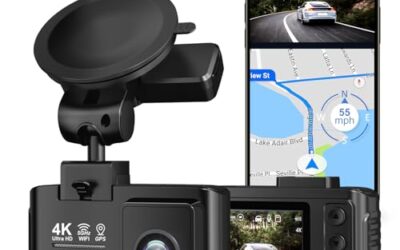
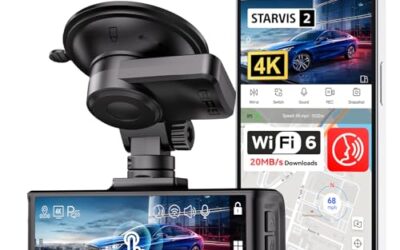
- High-resolution 4K front and 1080P rear recording
- STARVIS 2 sensor with WDR and HDR features for varied lighting conditions
- Supercapacitor design is specified as more heat-resistant than a lithium battery
- Includes an 18-month warranty and customer support
Cons
- A hardwire kit is needed for the listed parking modes
Specifications
| Color | black |
|---|---|
| Size | F7NP-128GB SD Card |
| Dimensions | 3.7401574765 x 1.46062991977 x 0.79133858187 inches |
| Weight | 0.25 Pounds |
| Product Group | Electronics |
| Binding | Electronics |
Best For / Avoid If
Best for buyers prioritizing
- High-resolution 4K front and 1080P rear recording
- STARVIS 2 sensor with WDR and HDR features for varied lighting conditions
- Supercapacitor design is specified as more heat-resistant than a lithium battery
Consider another option if
- A hardwire kit is needed for the listed parking modes
For a closer look at a related choice, see Dash Cam WiFi Explained, Dash Cam GPS Explained and Dash Cam Buying Guide for Beginners.
FAQ
Should a dash cam sit behind the rearview mirror?
Usually, yes. This position gives a centered view and keeps the device less distracting. Move it to the passenger side if the mirror housing or factory sensors leave no clear space.
Should the dash cam show the hood?
A small amount of hood can help show vehicle position, but it is not required. Too much hood means the camera points too low and loses useful road coverage.
Can a dash cam be mounted on the dashboard?
Some cameras support dashboard mounting, but this position often increases reflections and lowers the camera’s view. It may also place the device in an airbag deployment area. Follow the camera and vehicle manuals.
Does windshield tint affect dash cam footage?
Yes. Dark tint or a shaded windshield band can reduce brightness, especially at night. Check the live image before fixing the mount in place.
Where should a rear dash cam go?
Place it where the rear wiper clears the glass and where hatch movement does not pull the cable. Exterior mounting requires weather protection and a secure cable route.
Sources and further reading
- Check for Recalls (NHTSA): Check whether a vehicle has safety recalls before working around vehicle safety equipment.