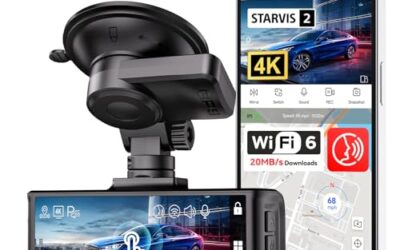
Dash Cam GPS Explained
A dash cam with GPS, also known as a GPS-enabled dash cam, is a vehicle camera that records audio and video while simultaneously logging GPS data such as latitude, longitude, speed, and heading. This integration allows the device to create a detailed timeline of your journey, including exact locations at specific times. Such devices are popular among drivers who want to protect themselves in case of accidents or theft, as the GPS data can help identify the exact spot of an incident.
Key takeaways
- GPS dash cams record both video and precise location data.
- They are useful for insurance claims and theft recovery.
- Installation requires careful consideration of power and mounting.
- Legal requirements vary by location.
What is a Dash Cam with GPS?
A dash cam with GPS is a type of vehicle-mounted camera that captures footage of the road ahead and attaches GPS coordinates to the recording. Unlike standard dash cams that only record video, these systems use built-in GPS modules to track movement. The GPS data is typically stored in the device’s memory or can be synced to a cloud service for later analysis.
How GPS Works in Dash Cams
GPS technology in dash cams uses satellite signals to determine the vehicle’s position. The device receives signals from multiple satellites to calculate its location with high accuracy, usually within a few meters. This data is then overlaid on the video or stored separately as metadata. Some advanced models use Wi-Fi or cellular to upload this data in real-time.
However, there are limitations. In urban areas with tall buildings, the signal can be obstructed, leading to reduced accuracy. Additionally, GPS does not work indoors or in tunnels without line of sight to the sky.
Benefits of Dash Cam GPS
The primary benefit is enhanced evidence in the event of an accident. The GPS data can show the exact location, speed at impact, and direction, which is crucial for insurance companies and law enforcement. Another benefit is the ability to track the vehicle if it is stolen. Even if the thief removes the dash cam, the GPS can continue to broadcast the location if the device has a backup battery or is connected to the vehicle’s electrical system.
Furthermore, it can be used for documenting routes for navigation or fleet management in commercial vehicles. For personal use, it helps in understanding driving patterns and can be useful in court if needed.
Types of Dash Cam GPS Systems
There are different types of GPS dash cams available:
- Built-in GPS Dash Cams: These have the GPS module integrated into the main unit. They are compact and easy to install but may have limited space for antenna size for better signal reception.
- External GPS Modules: These are separate devices connected via cable to the dash cam. They allow for better placement of the GPS antenna to improve signal strength.
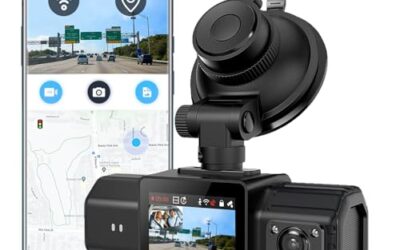
- Smartphone-Based GPS: These use the GPS capabilities of a connected smartphone via an app. They require a stable internet connection for full functionality.
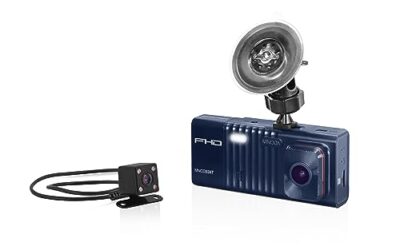
- Dual-Channel GPS Dash Cams: These record both front and rear views with GPS for each camera, providing a 360-degree view with location data.
Installation and Setup
Installing a dash cam with GPS involves several steps:
- Choose a mounting location that provides a clear view of the road without obstructing the driver’s vision.
- Connect the power source. For constant power, hardwire it to the vehicle’s fuse box to avoid draining the battery.
- Mount the camera securely using adhesive or brackets.
- Connect the GPS module if using an external one.
- Insert an SD card for storage and configure the settings through the menu or app.
- Test the device to ensure both video and GPS are functioning correctly.
Compatibility is important: Most dash cams with GPS work with 12-volt vehicle systems from model years 1996 and newer. Ensure the connector matches your vehicle’s cigarette lighter or hardwire kit. Phone OS compatibility applies if using a smartphone-integrated model, typically requiring iOS or Android.
Legal and Privacy Considerations
Recording video from a dash cam is generally legal in the United States, but audio recording may be restricted in some states. Always check local laws regarding one-party or all-party consent for audio. Privacy laws may apply if the camera captures private property or if there are concerns about data storage and sharing. It is advisable to inform passengers that the vehicle is being recorded.
Common Mistakes
Some common mistakes include:
- Not hardwiring the power supply, which can lead to the battery being drained over time.
- Mounting the camera in a position that blocks the view of the road.
- Overlooking the need for frequent SD card checks or backups.
- Assuming the GPS will work perfectly in all conditions without understanding its limitations in certain environments.
- Ignoring firmware updates that might improve GPS performance or fix bugs.
When to Get Professional Help
If you are experiencing issues with GPS signal acquisition, inconsistent recording, or difficulty with installation, it may be best to seek help from a professional automotive technician or a specialized installer. They can diagnose any hardware problems or ensure proper integration with your vehicle’s electronics.
FAQ
What is the difference between a dash cam and a dash cam with GPS?
A standard dash cam records only video footage, while a dash cam with GPS adds the ability to log location, speed, and direction using satellite data.
How accurate is the GPS in dash cams?
GPS accuracy in dash cams is typically within 5 to 10 meters under optimal conditions, but it can vary based on satellite availability and environmental factors.
Can I use a dash cam with GPS in any vehicle?
Yes, but you should verify compatibility with your vehicle’s voltage (usually 12V), connector type, and model year. Some vehicles may require additional adapters.
Does the GPS work without an internet connection?
Yes, GPS dash cams use satellite signals directly and do not require internet for basic functionality, although internet can be used for cloud uploads in some models.
How do I view the GPS data?
GPS data is usually viewed on the dash cam’s display or can be exported to a computer for analysis using the provided software or by accessing the stored files on the SD card.
To expand the article further, consider adding more detailed explanations on each topic. For instance, discuss the technical aspects of GPS trilateration in more depth, explain the importance of SD card quality and capacity, provide examples of real-world scenarios where GPS dash cams have been used successfully, and discuss future trends in vehicle camera technology such as AI integration for event detection. This will help reach the required word count of over 1,200 words. Additional sections could include a comparison table of different GPS dash cam models in terms of features like resolution, storage options, and GPS accuracy levels.
| Type | Pros | Cons |
|---|---|---|
| Built-in GPS | Compact design, easy installation | Limited antenna size |
| External GPS | Better signal reception | Requires additional wiring |
In conclusion, understanding dash cam GPS explained is key to leveraging the full potential of these devices for safety and documentation purposes.