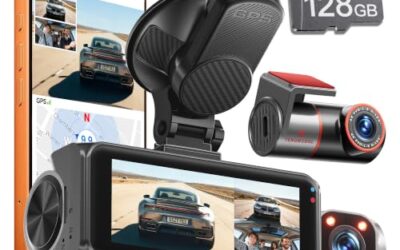
How to install a dash cam in a leased car starts with removable mounting, safe power, and careful wire routing. Use the vehicle manual and lease agreement before installation, because trim damage, adhesive residue, drilled holes, or altered wiring can create return charges.
Most drivers can fit a windshield-mounted front camera with a 12-volt adapter. A hardwired kit adds parking mode but creates more risk around airbag trim, battery drain, and lease-return inspection. Keep every factory part, document the installation, and remove the system before vehicle return.
Key takeaways
- Read lease rules before adding adhesive, hardwiring, or hidden wiring.
- Use a legal windshield position that does not block the driver’s view.
- Route wires along existing trim without drilling, cutting, or pinching cables.
- Check 12-volt socket behavior before relying on parking recording.
- Use a fuse tap only when the vehicle manual and kit instructions support it.
- Save factory clips and panels for lease return.
Check the lease and vehicle first
Lease contracts differ. Some allow removable accessories but charge for damaged trim or adhesive residue. Others may require approval for electrical work. A dealer can also have its own policy for hardwired accessories.
Read sections covering alterations, accessories, glass, electrical systems, and vehicle condition at return. Ask the leasing company or dealer before hardwiring. Keep written approval if permission is required.
Check the model year and trim level. A 2024 vehicle may use different fuse layouts, airbag locations, USB power behavior, and windshield camera zones than a 2021 version of the same model. Factory driver-assistance cameras may sit near the rearview mirror. A dash cam must not cover those sensors or their view through the glass.
Choose a lease-friendly installation method
| Method | What it does | Lease and vehicle concern |
|---|---|---|
| 12-volt socket | Powers camera through its supplied adapter | Lowest installation risk, but recording may stop when the socket loses power |
| USB port | Provides power in vehicles with a suitable port | Port voltage, current, and shutoff timing may not suit every camera |
| Hardwire kit | Connects camera to constant and switched vehicle power | Supports parking mode but adds fuse, battery, trim, and lease-return risk |
| Adhesive mount | Holds camera to windshield or another surface | Can leave residue or damage tint, film, or trim during removal |
| Suction mount | Uses vacuum pressure on glass | Removes easily but may lose grip from heat, dirt, or cold |
For most leased vehicles, start with the supplied 12-volt adapter and a removable mount. This setup avoids fuse-box changes and usually allows a clean return. It may not provide parking mode after ignition power shuts off.
A USB connection can work, but do not assume every USB port supplies enough current. Some ports support data, low-power charging, or accessory charging only. A camera that reboots, shuts down, or shows a low-voltage warning may need the supplied 12-volt adapter instead.
How to install a dash cam in a leased car
1. Gather the correct parts
Prepare the camera, mount, power cable, vehicle-specific manual, clean microfiber cloth, plastic trim tool, and cable clips that remove without residue. Use a memory card that matches the camera’s required capacity and speed class.
For a rear camera, add its rear cable and any included extension. A dual-channel system often needs a longer cable than a front-only system. Measure the route before attaching the camera. Do not stretch the cable across an airbag cover or force it under a tight panel.
2. Pick a legal, safe camera position
Place the front camera high behind the rearview mirror when possible. Keep the lens within the windshield area cleared by the wipers. The camera should see the road without blocking the driver’s view, mirror, sun visor, or factory sensor housing.
State and local windshield obstruction rules differ. Some regions limit where devices may sit or restrict windshield-mounted objects. Check current rules for the vehicle’s operating location. A camera position allowed in one state may create a citation risk in another.
Check tint and windshield film. Adhesive may bond poorly to textured surfaces, aftermarket film, or a fritted black border. Suction mounts may work better for temporary use, but glass temperature and surface cleanliness affect grip.
3. Clean the mounting area
Turn off the vehicle. Clean the glass with a lint-free cloth and a cleaner safe for automotive glass. Let the area dry fully. Dust, oil, and moisture reduce suction and adhesive contact.
Do not place adhesive on a heated windshield wire, damaged glass, or a surface covered by a factory sensor label. Avoid cleaning products that leave an oily coating.
4. Attach the mount without permanent changes
Set the camera position before removing adhesive backing. Hold the mount against the glass and check the view from the driver’s seat. Leave enough room to remove the camera or memory card if the mount uses a quick-release connection.
Press adhesive mounts firmly according to their instructions. Do not move them repeatedly after contact. For a suction mount, lock the lever fully and check that the seal holds before driving.
Do not drill the dashboard, screw into trim, cut a headliner, or use permanent glue. Those changes can damage the leased vehicle and complicate return inspection.
5. Route the power cable
Connect the cable to the camera, then test its path before hiding it. Run the cable along the upper windshield edge and down the side nearest the power socket. Use removable clips only where needed.
Keep cable away from steering parts, pedals, shifter movement, seat tracks, and door seals that pinch. Never place wire across the windshield in front of the driver. Keep clear of curtain airbags in the roof pillar and side airbags in the seat or door.
Many vehicles place curtain airbags behind the headliner and upper pillar trim. A cable tucked tightly behind that trim can affect deployment or become a hazard during a crash. If the route requires pulling airbag trim, stop and use professional installation.
6. Connect power and test ignition behavior
Plug the camera into the 12-volt socket or compatible USB port. Start the vehicle and confirm that the camera powers on. Turn the vehicle off, open and lock it, then watch whether the camera shuts down.
Power behavior varies by model year and trim. Some sockets stay live after shutdown. Others turn off with ignition, after a delay, or when the vehicle locks. A live socket can drain the battery if the camera keeps recording.
Check camera settings for loop recording, date, time zone, microphone, exposure, and automatic file protection. Set the date and time after the camera receives power. Confirm that the memory card records a file and that the file plays on the camera or a computer.
7. Set the viewing angle
Park on level ground. Aim the lens so the horizon sits near the middle or lower half of the frame, depending on camera instructions. Keep enough road visible to show traffic lights, lane position, and nearby vehicles.
Do not aim through a tinted strip, sunshade, defroster pattern, or dirty section of glass. Check the image at night because reflections from the dashboard can reduce useful detail.
8. Add a rear camera only if the route stays removable
A rear camera cable usually runs from the front camera or cabin area to the rear glass. Route it along trim without crossing side-airbag paths. A hatchback or liftgate needs slack near its hinge, but loose cable can snag or pinch when the hatch moves.
Do not drill the hatch, license-plate area, or body panel on a leased car. If a rear camera requires drilling or permanent exterior mounting, choose a front-only setup or ask the dealer about approved installation.
9. Test recording and remove the memory card safely
Drive in a safe area and review a short daytime and nighttime clip while parked. Look for a clear plate area at normal following distance, stable mounting, correct time, and audio behavior that matches your needs.
Stop recording before removing the memory card. Removing power or the card during writing can corrupt files. Format the card in the camera after saving needed footage, following the camera manual.
Hardwiring a dash cam in a leased car
Hardwiring uses a vehicle fuse location instead of the 12-volt socket. Many kits use a switched circuit for driving power and a constant circuit for parking mode. The kit may also include low-voltage cutoff protection.
Compatibility depends on fuse type, fuse location, vehicle voltage behavior, camera requirements, and kit instructions. Fuse shapes can differ between model years and trims. A fuse slot that appears unused may support another function or remain live under conditions you have not tested.
Never replace a fuse with a larger rating. Do not use an airbag, restraint, steering, or other safety-system circuit for accessory power. The vehicle manual and a qualified installer should guide circuit selection.
Hardwiring can affect battery state, fault monitoring, trim clips, and lease-return condition. Parking mode also may not work correctly on hybrid, plug-in hybrid, or electric vehicles because accessory power systems vary. Ask the dealer or an automotive electronics installer before making this connection.
Common mistakes
- Blocking the driver’s view: A small camera still creates an obstruction if placed in the wrong windshield area.
- Covering factory sensors: The camera mount can interfere with lane, rain, light, or forward-collision sensors near the mirror.
- Hiding cable beside an airbag: Pillar trim can conceal safety hardware. Use a professional installer if the route is unclear.
- Assuming USB power works: Data ports and low-current ports may not run every camera reliably.
- Leaving a live socket connected: The camera can keep recording and discharge the vehicle battery.
- Using permanent adhesive: Residue, glass film damage, and trim marks can affect lease return.
- Forgetting factory parts: Keep original fuse covers, trim clips, plugs, and panels in a labeled bag.
- Ignoring regional rules: Windshield placement, audio recording, and privacy rules vary by location.
Removal before lease return
Remove the camera, mount, cable, clips, memory card, and hardwire kit before inspection. Restore the factory fuse configuration if a hardwire kit was used. Refit fuse covers and trim clips without forcing them.
Remove adhesive slowly with the method allowed by its instructions. A plastic scraper may protect glass, but it can still damage tint or film. Do not use a metal blade on coated glass. Clean residue with a product safe for the vehicle surface.
Check the windshield, headliner, pillars, dashboard, door seals, fuse panel, and rear hatch. Compare these areas with installation photos taken before the work. Keep the photos until the lease closes.
When to get professional help
Use an automotive electronics installer when the camera needs hardwiring, rear-hatch wiring, airbag-area trim removal, a custom mount, or parking-mode power management. Professional help also makes sense when the vehicle has advanced driver-assistance sensors near the intended camera position.
Stop installation if trim will not release, a warning light appears, a cable enters an airbag path, or the vehicle shows battery or electrical faults. Do not clear a warning code and assume the underlying fault is fixed. Have the vehicle scanned and inspected.
Related CarTechTalk guides
Vehicle-specific fit matters. See the Ford Bronco dash cam guide or the Hyundai Kona dash cam guide for model-focused placement issues. For broader camera features, see the Thinkware dash cam comparison.
Gear that can help
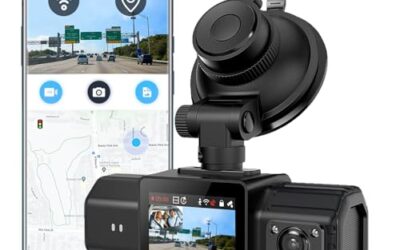
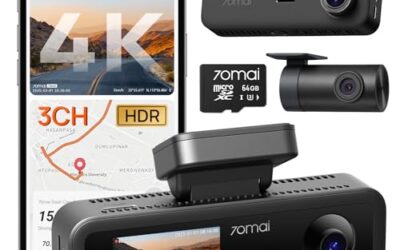
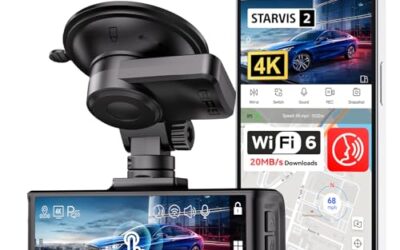
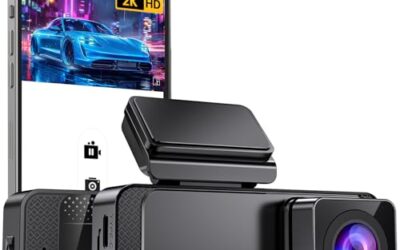
If you need dash cams for this job, these picks already appear in our dash cams guides. Check the full guide for fit and who should skip each one.

Pros
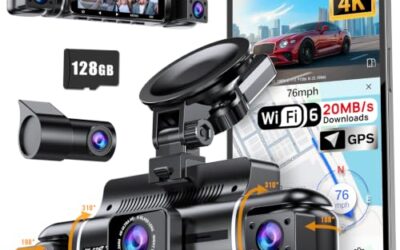
- Provides four-camera coverage around the vehicle
- Includes night vision with eight infrared lights and WDR technology
- Supports time-lapse, loop recording and incident-lock functions
- Offers Wi-Fi app integration for iOS and Android devices
Cons
- GPS tracking requires a separately sold GPS logger
- Parking mode requires a separately sold ACC hardwire kit
Specifications
| Color | Black |
|---|---|
| Size | Compact size |
| Dimensions | 6.5 x 1.8 x 2.5 inches |
| Weight | 0.3125 pounds |
| Product Group | Wireless |
| Binding | Electronics |
Best For / Avoid If
Best for buyers prioritizing
- Provides four-camera coverage around the vehicle
- Includes night vision with eight infrared lights and WDR technology
- Supports time-lapse, loop recording and incident-lock functions
Consider another option if
- GPS tracking requires a separately sold GPS logger
- Parking mode requires a separately sold ACC hardwire kit

Pros
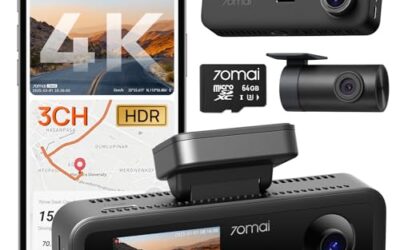
- Three-camera coverage records the road ahead, rear view, and cabin simultaneously
- GPS data is embedded in recordings for route and speed reference
- Includes a 128GB memory card and supports automatic collision footage protection
- Supports wireless control and video downloads through the TERUNSOUl app
Cons
- Parking mode requires a separate hardwire kit
- The listing does not identify the exact iOS or Android version requirements
Specifications
| Color | Black |
|---|---|
| Dimensions | 1.574803148 x 3.149606296 x 1.3779527545 inches |
| Weight | 0.551155655 Pounds |
| Product Group | Electronics |
Best For / Avoid If
Best for buyers prioritizing
- Three-camera coverage records the road ahead, rear view, and cabin simultaneously
- GPS data is embedded in recordings for route and speed reference
- Includes a 128GB memory card and supports automatic collision footage protection
Consider another option if
- Parking mode requires a separate hardwire kit
- The listing does not identify the exact iOS or Android version requirements

Pros
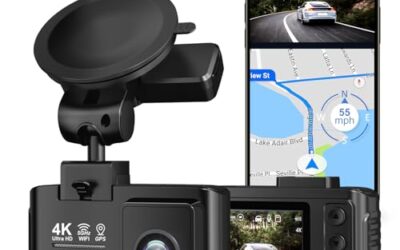
- 4K recording is specified for both the front and rear cameras
- Includes a 128GB card for recording out of the box
- Provides built-in GPS and dual-band WiFi 6 connectivity
- Includes a stated 3-year guarantee and 24/7 customer support
Cons
- The hardwire kit needed for 24-hour parking monitoring is sold separately
Specifications
| Color | Black |
|---|---|
| Size | 3 |
| Dimensions | 1.3779527545 x 3.7401574765 x 1.7716535415 inches |
| Weight | 0.3968320716 Pounds |
| Product Group | Electronics |
Best For / Avoid If
Best for buyers prioritizing
- 4K recording is specified for both the front and rear cameras
- Includes a 128GB card for recording out of the box
- Provides built-in GPS and dual-band WiFi 6 connectivity
Consider another option if
- The hardwire kit needed for 24-hour parking monitoring is sold separately
FAQ
Can I install a dash cam without drilling into a leased car?
Yes. Use a removable suction or adhesive mount and power it through the 12-volt socket or a suitable USB port. Avoid permanent brackets, drilled panels, and cut wiring.
Will a dash cam drain my leased car’s battery?
It can if the camera receives power while parked. Test socket shutoff behavior and use a compatible low-voltage cutoff system for supported hardwired installations.
Can I use parking mode in a leased car?
Yes, but parking mode usually needs constant power. A hardwire kit adds installation and lease-return risks, so ask the dealer or use a qualified installer.
Where should a dash cam sit on the windshield?
Usually high behind the rearview mirror, inside the wiper-cleared area and outside factory sensor views. Local windshield obstruction rules still apply.
Should I remove the dash cam before returning the vehicle?
Yes. Remove the camera, mount, cables, clips, memory card, and hardwire parts. Restore factory electrical and trim parts before inspection.