Before clearing OBD2 codes, save the scan report and available freeze-frame data, diagnose the fault and follow the applicable repair procedure. Use the scanner’s erase command only when appropriate. Clearing diagnostic information can reset readiness and does not repair the underlying cause or erase a permanent code.
Key takeaways
- Clearing OBD2 codes resets the check engine light but does not fix the fault causing it.
- Use a compatible OBD2 scanner or smartphone app for the process.
- Always fix the underlying issue before clearing codes to prevent the light from returning.
- Compatibility is generally high for vehicles from 1996 onward in the US.
- Professional help is recommended if codes persist or you’re unsure.
What Are OBD2 Codes?
OBD2 stands for On-Board Diagnostics version 2. It is a standardized system in vehicles that monitors the performance of various systems and components. When a system detects a fault, it stores a diagnostic trouble code (DTC) in the vehicle’s computer memory. These codes are identified by a letter and number combination, such as P0300 or C1234.
The OBD2 system was mandated by the EPA for all new vehicles sold in the US starting in 1996. It allows mechanics and owners to diagnose problems efficiently. There are different types of codes: Powertrain (P), Chassis (C), Body (B), and Network (U). Understanding these helps in pinpointing the issue.
Common misconceptions include thinking that clearing the code will make the problem disappear. In reality, the code indicates a specific fault that needs to be addressed. Clearing the code is like resetting a warning light on your dashboard without fixing the bulb that is on.
Why Clear OBD2 Codes?
Clearing OBD2 codes is often done to turn off the check engine light after diagnosing and fixing a problem. It can also be done to reset the vehicle’s computer for other reasons, but this is not recommended without fixing the issue.
Reasons to clear OBD2 codes include:
- After completing repairs to reset the system.
- To test if the light returns, indicating if the fix was successful.
- For emissions testing in some states.
However, clearing codes without fixing the problem can lead to the light returning and potential safety issues. The check engine light is a warning that your vehicle may not be operating optimally, and ignoring it can lead to more serious problems.
Tools and Equipment Needed
To clear OBD2 codes safely, you need the following:
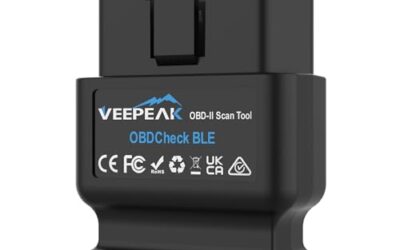
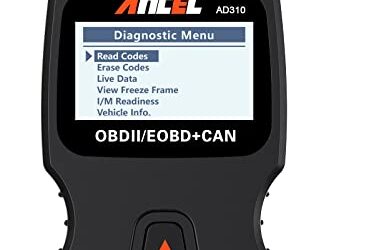
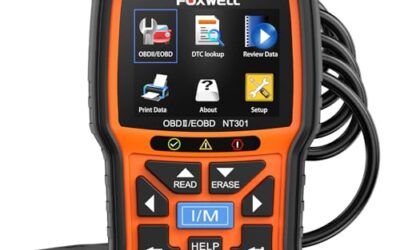
- An OBD2 scanner compatible with your vehicle.
- A smartphone or tablet with a compatible app and Bluetooth adapter if using wireless.
- Access to the OBD2 port, usually located under the dashboard near the driver’s side.
- Basic tools like a screwdriver if needed to access the port.
Important: Ensure the scanner supports your vehicle’s protocol, such as ISO 15765-4 for CAN bus systems in newer vehicles. Most generic scanners work for basic clearing, but advanced ones may be needed for some models. The OBD2 port is powered by the vehicle’s 12V battery, so ensure your scanner is compatible with that voltage.
Step-by-Step Guide to Clearing OBD2 Codes Safely
Step 1: Prepare Your Vehicle
Ensure the vehicle is parked in a safe location. Turn off the engine and remove the key from the ignition. Note any symptoms or the specific code if known. This preparation ensures you are ready to proceed without interruptions.
Step 2: Locate the OBD2 Port
Open the driver’s side door and look under the dashboard for the OBD2 port. It is a 16-pin connector. In some vehicles, it may be under the hood or in the engine bay. Familiarize yourself with the location to save time.
Step 3: Connect the Scanner
Plug the OBD2 scanner into the port. For wireless, pair the Bluetooth adapter with your phone. Make sure the connection is secure to avoid data loss.
Step 4: Turn on the Ignition
Turn the key to the ON position without starting the engine. This powers the OBD2 system without draining the battery. Some apps may prompt you to start the engine for full functionality.
Step 5: Read the Codes
Use the scanner to read the diagnostic trouble codes. Note the codes and their descriptions. This step is crucial to understand what the vehicle is telling you about the issue.
Step 6: Fix the Underlying Issue
Address the problem indicated by the code. This could involve replacing a sensor, repairing wiring, or other repairs. Do not skip this step, as clearing codes without fixing the problem can lead to the light returning and potential safety issues.
Step 7: Clear the Codes
Once the issue is fixed, use the scanner to clear the codes. Follow the on-screen instructions. The process typically takes a few seconds.
Step 8: Verify the Fix
Start the engine and check if the check engine light is off. Drive the vehicle and monitor for any return of the light. Repeat the process if the light returns to confirm the fix. This verification step ensures the clearing was successful.
Compatibility and Limitations
OBD2 code clearing is compatible with most vehicles manufactured since 1996 in the United States. However, some newer vehicles may require manufacturer-specific tools or have additional security features that prevent easy clearing. For example, some luxury vehicles may have encrypted systems.
Limitations include:
- Certain codes may not be clearable without addressing the root cause.
- Some vehicles have multiple ECUs (electronic control units) that may need separate clearing.
- Exotic or imported vehicles may have different protocols.
Always check your vehicle’s manual for specific instructions. If in doubt, consult a professional mechanic. Compatibility can vary based on vehicle model year, so research your specific make and model.
Common Mistakes to Avoid
Many people make these errors when clearing OBD2 codes:
- Clearing codes without fixing the problem, leading to the light returning.
- Using a scanner that is not compatible with the vehicle’s system.
- Disconnecting the battery to clear codes, which can cause other issues like resetting radio presets.
- Ignoring the code description and not understanding what it means.
- Clearing codes while the vehicle is in a state where it could cause harm, such as driving with a faulty sensor.
Always read the code definitions and research the meaning before clearing. Another common mistake is assuming that clearing codes will make the vehicle run better immediately. It only resets the memory.
When to Get Professional Help
Seek professional help if:
- The codes persist after clearing.
- You are not comfortable with the process or lack the necessary tools.
- The vehicle is under warranty or has complex issues.
- You suspect a serious problem that could affect safety.
Professional mechanics have access to advanced diagnostic equipment and can provide accurate repairs. They can also perform advanced diagnostics that may not be possible with a basic scanner.
Additional Tips for Safe OBD2 Code Clearing
Always work in a well-ventilated area and avoid working near hot components. If using a phone app, ensure the app is from a reputable source to avoid security risks. Some apps may require an internet connection, which could be a consideration in remote areas.
Remember that OBD2 is part of the vehicle’s emissions control system, and clearing codes may affect emissions testing results. In some states, you may need to pass an emissions test, so be aware of that.
For vehicles with hybrid or electric components, the process may be similar but the systems are more complex. Always refer to the owner’s manual for your specific vehicle.
FAQ
What does clearing OBD2 codes do?
It resets the vehicle’s computer memory, turning off the check engine light and allowing the vehicle to operate normally until the light returns if the issue isn’t fixed. It does not repair the fault.
Can I clear OBD2 codes without a scanner?
Some newer vehicles may allow clearing through the dashboard menu or via a smartphone app, but a scanner is generally required for most vehicles. Check your vehicle’s manual for options.
Is it safe to clear OBD2 codes?
Yes, it is safe as long as you follow the steps and fix the underlying issue. Clearing without fixing can lead to safety risks and the light returning.
How often should I clear OBD2 codes?
Clear codes only after fixing the problem. Regular clearing without addressing issues is not recommended as it can mask problems.
Do all vehicles have OBD2 ports?
Most vehicles sold in the US since 1996 have OBD2 ports, but some may have additional ports or different configurations. Always locate the correct port.
What if the code won’t clear?
If the code won’t clear, it may indicate that the underlying issue is not resolved or the scanner is not compatible. Try a different scanner or consult a professional.