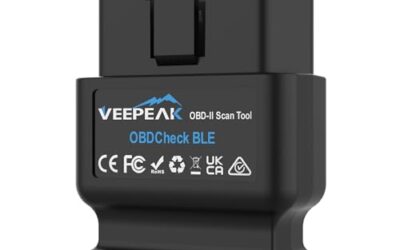
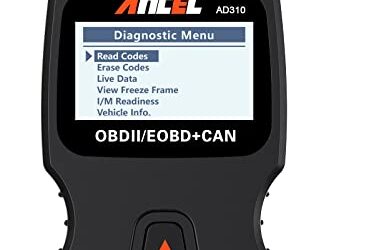
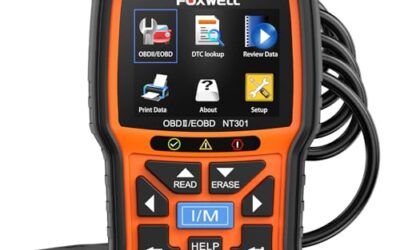
To check emissions readiness, connect a compatible scanner and open its I/M readiness or emissions-monitor screen without erasing codes. Record the supported monitors that are complete and incomplete. Then compare those results with the inspection rules for the vehicle and location; a generic scanner summary is not an official pass result.
In this guide, we’ll cover what emissions readiness means, the tools you’ll need, a detailed step-by-step process, how to interpret the results, and common mistakes to avoid. By the end, you’ll have the knowledge to check your vehicle’s emissions readiness confidently.
Key Takeaways
- Emissions readiness indicates if your vehicle’s emission control systems have completed necessary tests.
- An OBD2 scanner that supports readiness monitors is required for accurate checks.
- Follow the steps carefully to avoid misinterpretation of results.
- Drive your vehicle normally to allow monitors to complete.
- Professional help may be needed if issues persist after checking.
What is Emissions Readiness?
Emissions readiness is a term used in vehicle diagnostics to describe the status of the onboard diagnostic (OBD) system’s monitors. These monitors are designed to test various components of the vehicle’s emissions control system. If all monitors are complete, the vehicle is considered “ready” for an emissions test.
The concept applies to vehicles manufactured after 1996 in the United States, which are equipped with OBD2 systems. Older vehicles may have different diagnostic protocols or lack this feature. Readiness monitors help ensure that the vehicle meets environmental regulations by verifying that emissions are being controlled effectively.
Common misconceptions include thinking that clearing a check engine light automatically makes the vehicle ready. In reality, readiness is about completing specific tests, not just resetting codes. Another misconception is that any scanner can check readiness; only those that support the specific monitors for your vehicle will provide accurate information.
How Emissions Readiness Works
Emissions readiness works by having the vehicle’s computer system run specific tests on its components. These tests are designed to ensure that the systems are operating within normal parameters. For instance, the catalyst monitor measures the efficiency of the catalytic converter by comparing the oxygen levels before and after it. If the readings are not within expected ranges, the monitor is not ready.
Similarly, the EVAP monitor pressurizes the fuel system and checks for leaks. If it detects any leak, the monitor won’t be ready until the issue is fixed and the test is re-run.
This system is part of the OBD2 standard, which was introduced to help monitor and control vehicle emissions. It provides a way for both the driver and mechanics to check the health of the emissions system without specialized equipment. The monitors run automatically under normal driving conditions, but drivers can trigger them manually through a scanner to verify status.
Understanding this mechanism helps explain why some monitors take time to complete. They require the vehicle to operate in various scenarios, such as acceleration, deceleration, and steady speeds, to fully test the components.
Why Check Emissions Readiness?
Checking emissions readiness is important for several reasons. In many states, vehicles must pass an emissions test to register or renew their license plates. If the test fails due to incomplete readiness, you may face fines or have to repair the vehicle.
Additionally, ensuring your emissions systems are ready can improve fuel efficiency and reduce environmental impact. By performing this check, you can identify potential issues early, such as faulty sensors or leaking systems, before they lead to more expensive repairs.
It’s also a proactive step for vehicle owners in areas with strict emissions regulations, like California or parts of the Northeast. Understanding this process empowers you to maintain your vehicle properly and stay compliant with local laws. Regular checks can also help prevent larger problems that might affect drivability or increase repair costs.
Prerequisites and Compatibility
To check emissions readiness with an OBD2 scanner, you need a few things. First, your scanner must support the OBD2 protocol and specifically the readiness monitors feature. Not all basic scanners do this; look for ones that mention “readiness” or “emissions” in their capabilities.
Compatibility depends on your vehicle model year. Most vehicles from 1996 onward have OBD2, but the number and type of monitors can vary. For example, some older models may have fewer monitors, while newer ones have more advanced ones like those for hybrid or electric vehicles.
Ensure your scanner is compatible with your vehicle’s make, model, and year. Voltage is typically 12V from the car battery, and the connector is the standard OBD2 port located under the dashboard. If using a smartphone app-based scanner, make sure your phone’s operating system is compatible and the app has the necessary permissions.
Regional factors also play a role. In the US, emissions tests are common in certain states, but the exact requirements may differ. Always confirm compatibility with your specific vehicle to avoid errors. Some scanners may require firmware updates to access all monitors for newer vehicles.
Step-by-Step Guide to Checking Emissions Readiness
Step 1: Gather Your Tools and Prepare Your Vehicle
Before starting, ensure your OBD2 scanner is charged or has fresh batteries. Park your vehicle in a safe, well-ventilated area. Make sure the ignition is off initially, and the vehicle is turned off for at least 10 seconds to reset any previous states. This preparation ensures accurate readings and prevents interference from prior diagnostic sessions.
Step 2: Connect the OBD2 Scanner
Locate the OBD2 port under the dashboard on the driver’s side. Plug the scanner into the port firmly. Some scanners have an extension cable for better access. Ensure the connection is secure to avoid false readings or disconnections during the process.
Step 3: Turn On the Ignition
Turn the key to the ON position without starting the engine. This powers the scanner but doesn’t run the vehicle. Avoid starting the engine yet, as that could trigger additional systems and affect the monitor status.
Step 4: Select Your Vehicle
Follow the scanner’s instructions to select your vehicle make, model, and year. This ensures the correct protocol and monitors are displayed. Incorrect selection can lead to wrong information about readiness status.
Step 5: Access the Readiness Monitors Menu
Navigate to the diagnostics or vehicle information menu. Look for “Readiness” or “Emissions Readiness” or “OBD Monitors.” Select this option. The menu will display a list of available monitors specific to your vehicle.
Step 6: Review Each Monitor
The scanner will list several monitors. Check the status of each one. Common monitors include:
- MIL – Malfunction Indicator Lamp: Checks if the check engine light is illuminated.
- Misfire – Detects if any cylinders are misfiring.
- Fuel System – Monitors the fuel trim and oxygen sensors.
- Components – Tests various emission components like the EGR valve.
- Catalyst – Checks the efficiency of the catalytic converter.
- Heated Catalyst – Specific to vehicles with heated catalysts.
- EVAP – Tests for evaporative emissions leaks.
- Secondary Air – Checks the air injection system.
- A/C System – Related to the air conditioning system’s impact on emissions.
- O2 Sensor Heater – Tests the heating elements in oxygen sensors.
Note the status for each: “Ready” or “Not Ready.” Record this information for later reference.
Step 7: Drive the Vehicle to Complete Monitors
If some monitors are not ready, drive your vehicle normally for a period. Typically, 10-20 minutes of mixed driving can help complete them. Avoid short trips or idling excessively, as this may not complete the monitors. Normal driving conditions allow the systems to perform their tests effectively.
Step 8: Re-check the Readiness
After driving, turn off the vehicle for a few minutes, then reconnect the scanner and recheck the monitors. Some monitors may take longer to complete. This step confirms if the driving has allowed the necessary tests to finish.
Step 9: Interpret the Results
If all monitors show “Ready,” your vehicle is emissions ready and should pass the test. If any are “Not Ready,” the test may fail. In some cases, you may need to address the underlying issue causing the monitor to be incomplete.
Remember, readiness is not the same as fixing a fault. Clearing a code does not complete the monitor; you must drive to allow it to run. This distinction is important to avoid false assumptions about vehicle health.
Understanding Readiness Monitors in Detail
Each monitor serves a specific purpose in ensuring your vehicle’s emissions system is effective. The MIL monitor checks if the check engine light is on, which could indicate a problem. If it’s not ready, it means the system hasn’t confirmed the light’s status.
The misfire monitor detects if combustion is improper in any cylinder, which can lead to increased emissions and engine damage. The fuel system monitor verifies that the engine is running optimally by checking oxygen sensor readings and fuel mixture.
Catalyst monitors ensure the catalytic converter is reducing harmful emissions effectively. If not ready, it might mean the converter isn’t functioning as designed. EVAP monitors test the entire fuel vapor system for leaks, which is critical for preventing hydrocarbon emissions.
Other monitors like secondary air and A/C system are less common but important for certain vehicle types. For vehicles with advanced systems, such as those with particulate filters in diesel models, additional monitors may exist. Manufacturer-specific monitors can also be present depending on the vehicle.
It’s important to note that the exact monitors available can vary by manufacturer and model. Always refer to your scanner’s manual for specifics. This variation means that checking readiness is best done with a scanner tailored to your vehicle.
Interpreting Results and Passing the Emissions Test
When you check emissions readiness, the goal is often to pass a state emissions test. If all monitors are ready, you’re good to go. However, even if ready, other issues like visible smoke or high readings might still cause failure.
If monitors are not ready, the test will fail. You may need to drive more or have a mechanic diagnose why a monitor isn’t completing. In some cases, the vehicle may need repairs before it can pass. It’s important to understand that readiness alone does not guarantee a passing emissions test.
Keep in mind that emissions tests can include other checks like tailpipe emissions readings, not just readiness. A vehicle might have ready monitors but still fail if emissions are too high. Combining readiness checks with other diagnostic methods provides a more complete picture of vehicle performance.
Common Mistakes When Checking Emissions Readiness
One common mistake is clearing diagnostic trouble codes (DTCs) without fixing the underlying issue. This can make monitors appear ready prematurely, but the problem may persist, leading to test failure. Always address the root cause before clearing codes.
Another mistake is not driving the vehicle enough to complete the monitors. Short trips or constant idling won’t allow the systems to run their tests fully. Normal driving patterns are essential for accurate results.
Using an incompatible scanner can lead to incorrect information. Ensure the scanner supports your vehicle’s year and the specific monitors. Incompatible devices may not display all monitors or may show inaccurate statuses.
Some owners ignore non-readiness monitors and focus only on the check engine light. This can miss issues that affect emissions. Comprehensive checks of all monitors are necessary for complete readiness verification.
Finally, not resetting the readiness after repairs. After fixing a problem, you may need to clear codes and then drive to re-complete the monitors. Skipping this step can lead to false readiness readings.
When to Get Professional Help
If after checking and driving, some monitors remain not ready, or if you suspect a specific issue, it’s time to consult a professional. A mechanic with advanced diagnostic tools can pinpoint problems and perform repairs that DIY methods might miss. Professional diagnosis can also provide insights into why monitors are not completing.
Professional help is also recommended if your vehicle has complex systems, like those with multiple sensors or hybrid technology. They can also perform emissions testing at a certified facility if needed. Don’t attempt to ignore failed tests; persistent issues can lead to bigger problems or legal consequences.
Certified technicians can also perform a full emissions test that includes readiness checks along with actual emissions measurements. This combination provides the most accurate assessment of your vehicle’s compliance with environmental standards.
Readiness Monitors Table
| Monitor Name | Description | Typical Status |
|---|---|---|
| MIL | Checks if the Malfunction Indicator Lamp is on | Ready or Not Ready |
| Misfire | Detects misfiring in engine cylinders | Ready or Not Ready |
| Fuel System | Monitors fuel system performance and sensors | Ready or Not Ready |
| Components | Tests emission control components | Ready or Not Ready |
| Catalyst | Checks catalytic converter efficiency | Ready or Not Ready |
| Heated Catalyst | Tests heated catalyst system | Ready or Not Ready |
| EVAP | Checks evaporative emission system for leaks | Ready or Not Ready |
| Secondary Air | Tests secondary air injection system | Ready or Not Ready |
| A/C System | Checks air conditioning related emissions | Ready or Not Ready |
| O2 Sensor Heater | Tests oxygen sensor heating elements | Ready or Not Ready |
Tips for Successful Readiness Checks
Always ensure your vehicle is in good condition before checking. A well-maintained vehicle is more likely to have all monitors ready. If you have recently had repairs done, allow time for the monitors to reset and complete. Proper maintenance ensures the systems are functioning as intended.
Keep a log of your checks and any repairs performed. This can help track progress and identify patterns in your vehicle’s performance. Logging information can be useful for future reference or when discussing issues with mechanics.
If you live in a state with strict emissions laws, consider scheduling the test after completing the readiness check to maximize your chances of passing. Planning ahead can save time and reduce stress during the testing process.
Be patient with the driving step. Some monitors require specific driving cycles that may take longer than expected. Rushing the process can lead to incomplete tests and inaccurate results.
FAQ
What does it mean if a readiness monitor is not ready?
It means the vehicle’s system hasn’t completed the necessary test for that component. You may need to drive the vehicle to allow it to run or address a fault that prevents completion. Understanding the specific monitor helps identify potential areas for investigation.
How often should I check emissions readiness?
It’s a good idea to check before any emissions test or if you notice issues like the check engine light coming on. Regular checks can help maintain compliance and vehicle health. Periodic checks are especially useful for vehicles in areas with frequent emissions testing requirements.
Can I check emissions readiness without a scanner?
Generally, no. A scanner is required to access the readiness monitors. Some advanced tools or dealer diagnostics might offer similar functions, but a standard OBD2 scanner is usually sufficient. Without a scanner, you won’t have access to this diagnostic information.
Does clearing codes make the vehicle ready?
No, clearing codes does not complete the readiness monitors. You must drive the vehicle to allow the systems to perform their tests. Clearing codes is a separate step that resets fault codes but does not run the diagnostic tests.
What if my scanner doesn’t show readiness monitors?
This could mean your scanner doesn’t support them or it’s not compatible with your vehicle. Check the scanner’s features or try a different model. Ensuring compatibility is key to getting accurate diagnostic information.
Conclusion
Checking emissions readiness with an OBD2 scanner is an essential skill for vehicle owners in emissions-regulated areas. By following the steps outlined, you can ensure your vehicle is ready for testing and avoid unnecessary fines. Remember to use a compatible scanner, drive appropriately, and seek professional help when needed. This proactive approach will keep your vehicle running efficiently and legally compliant.
With this knowledge, you can confidently handle emissions readiness checks and maintain your vehicle’s performance. Regular practice of these techniques will help you stay informed about your vehicle’s health and meet all regulatory requirements.