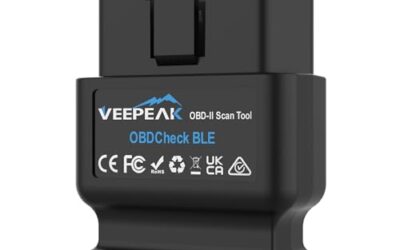
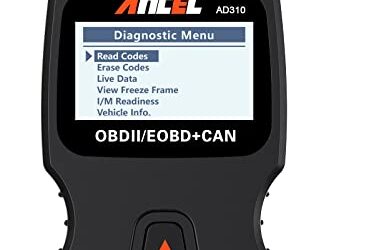
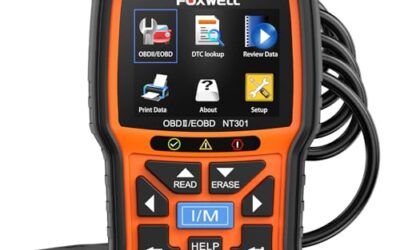
No, an OBD2 scanner cannot damage a car. These diagnostic tools are designed to read data from your vehicle’s electronic systems without making any permanent changes or causing harm. They operate within the standard 12-volt electrical system of modern vehicles and are built to be safe for everyday use. That said, there are situations where misuse or incompatibility could lead to frustration or minor issues, though actual damage is extremely rare.
Key Takeaways
- OBD2 scanners are safe tools for reading diagnostic information on compatible vehicles.
- They do not alter vehicle systems or cause physical damage.
- Compatibility with your vehicle’s year, model, and protocol is essential to avoid issues.
- Always use a quality scanner with proper firmware and follow usage guidelines.
- Clearing diagnostic trouble codes does not repair underlying problems but resets the warning light.
How OBD2 Scanners Work
The OBD2 standard, introduced in 1996 for most vehicles sold in the United States, requires all new cars to have a standardized diagnostic port. This port, located under the dashboard near the driver’s side, allows mechanics and owners to connect devices that communicate with the vehicle’s engine control unit and other modules.
An OBD2 scanner plugs into this port and uses protocols like CAN, ISO 15765, or others to request data. It can read parameters such as engine speed, fuel trim, and stored fault codes. Some advanced scanners can also perform tests like idle relearn or monitor readiness status. The process is non-invasive, meaning it doesn’t send commands that change the vehicle’s behavior permanently. This design ensures that the scanner can gather information without risking any damage to the car’s electronic systems.
The benefits of OBD2 include easier diagnosis of issues, improved emissions control, and better vehicle performance tracking. By connecting a scanner, owners can monitor their vehicle’s health in real-time, catching problems early before they become major repairs. This proactive approach saves money and extends the life of the vehicle.
Why the Concern About Damage
Concerns about OBD2 scanners damaging cars often stem from myths or experiences with incompatible tools. Some people worry that connecting anything to the OBD2 port could short-circuit the system or interfere with other electronics. However, the OBD2 connector is designed with specific pins and voltage levels to prevent such problems. The system is isolated and operates at safe voltage levels matching the vehicle’s 12-volt battery.
Potential risks include using a scanner on a vehicle not equipped with OBD2, such as pre-1996 models, which may require an adapter or different tool. Applying excessive force when plugging in the device, which could damage the port or cable. Using low-quality scanners that might have faulty circuitry or outdated software. Clearing codes on a vehicle with an active fault, which might not resolve the issue but could mask it temporarily.
These risks are manageable with proper care and selection of tools. Even in cases where the scanner is used incorrectly, the worst outcome is usually an inaccurate reading or a reset of the check engine light without fixing the root cause. The OBD2 system is built to handle data requests without feedback loops that could lead to damage.
Compatibility Considerations
Compatibility is key to safe and effective use. OBD2 scanners work on most vehicles manufactured from 1996 onward in North America, but protocols vary by manufacturer and region. For example, vehicles in Europe or Asia might use different standards, requiring specific adapters or scanners. Always check the manufacturer’s specifications for your specific make, model, and year to ensure the scanner can communicate properly.
Vehicle model year plays a role: Newer vehicles have more advanced systems, and some may require updated firmware for the scanner to communicate properly. For instance, vehicles equipped with more complex electronics might need scanners that support the latest protocols like CAN bus. For phone-based scanners, ensure compatibility with your operating system, Android or iOS, and that the app is from a reputable developer. Firmware updates are important to maintain security and functionality across different vehicle models.
Regional differences also matter. In the US, OBD2 is mandatory, but in other countries, the implementation might differ slightly. Always verify compatibility to prevent any potential communication errors that could be mistaken for damage.
Safe Usage Practices
To minimize any potential issues, follow these guidelines:
- Read the manual that comes with your scanner to understand its capabilities and limitations. This helps you use the tool correctly and avoid common pitfalls.
- Ensure the scanner is compatible with your vehicle’s OBD2 protocol and version. Checking this beforehand prevents frustration and potential errors.
- Connect the device only when the vehicle is off and in a safe location. This prevents any accidental activation during driving.
- Do not force the connection; it should fit snugly. Using excessive force could damage the connector or the port.
- Update the scanner’s firmware before use if available. Updates often improve compatibility and add new features.
- Interpret the data correctly and address any issues professionally if needed. Understanding what the readings mean is crucial for accurate diagnosis.
Following these steps ensures that your OBD2 scanner remains a helpful tool without any risk of causing harm to your vehicle.
Common Mistakes to Avoid
Many users make errors that can lead to confusion or minor inconveniences:
- Assuming that clearing a code will fix the car permanently, it only resets the light, but the issue may return if not addressed.
- Using the scanner during a drive to monitor live data, which can be distracting and unsafe.
- Ignoring error codes that indicate real problems, such as those related to emissions or safety systems.
- Using multiple incompatible devices simultaneously, which could cause communication conflicts.
- Neglecting to check for software updates, leading to outdated or unreliable readings.
- Using the scanner on vehicles outside its compatibility range, such as older models without the OBD2 standard.
Avoiding these mistakes helps maintain the integrity of both your scanner and your vehicle’s systems.
When to Seek Professional Help
While OBD2 scanners are reliable for basic diagnostics, they are not a substitute for a professional mechanic in all cases. If you encounter persistent warning lights, unusual engine behavior, or codes that do not correspond to obvious issues, it’s best to consult a qualified technician. Professional tools can access deeper systems like ABS, airbags, and transmission controls that basic scanners might not reach.
Additionally, if your vehicle is modified or has aftermarket parts, compatibility might be an issue, and a professional can help diagnose complex scenarios. For vehicles with complex electronics or those requiring specialized knowledge, a mechanic’s expertise ensures accurate diagnosis and repair.
FAQ
Does an OBD2 scanner actually damage the car?
No, when used correctly on compatible vehicles, it does not. The tool is designed for non-invasive data retrieval and operates safely within the vehicle’s electrical system.
Can I clear codes with an OBD2 scanner?
Yes, but it’s important to fix the underlying problem first, as clearing codes without repair can lead to the issue returning and potentially causing further complications.
Is it safe to use an OBD2 scanner on any vehicle?
No, only on vehicles with the OBD2 port and compatible protocols. Older vehicles may need different tools or adapters, and using the wrong device could lead to inaccurate results or other issues.
What should I do if my scanner shows an error?
Check for updates, ensure compatibility, and consult the manual or a professional if the issue persists. This helps maintain the tool’s reliability and prevents any potential problems.
How often should I update my OBD2 scanner’s software?
Regularly, as manufacturers release updates for better compatibility and security. Keeping your scanner updated ensures it works optimally with your vehicle’s systems.
| Factor | Consideration | Impact |
|---|---|---|
| Model Year | 1996+ | Standard OBD2 |
| Protocol | CAN, etc. | Scanner must support |
| Region | US, EU | Possible adapter needed |
| Vehicle Type | Cars, trucks | Most are compatible |