Finding the best OBD2 iOS app starts with a hardware decision most shoppers skip: iPhones cannot connect to the classic Bluetooth radios used by many budget ELM327-style adapters. To diagnose your car from an iPhone, you need an adapter that supports Bluetooth Low Energy or ships with its own iOS app, and the software on top of that adapter decides what you can actually do, read and clear check-engine codes, stream live sensor data, check smog readiness, or code modules on certain brands.

Pros
- Supports 1996 and newer vehicles according to the product title
- Provides live data, freeze-frame data, and engine code interpretation
- Offers app-based diagnostic reports that can be shared by email
- Includes performance, trip analysis, and voice alert features
Cons
- The battery function cannot perform charge tests, cranking tests, or battery resets
Specifications
| Color | Black+Red |
|---|---|
| Dimensions | 2.9527559025 x 1.1417322823 x 4.330708657 inches |
| Product Group | Automotive Parts and Accessories |
| Binding | Automotive |
Best For / Avoid If
Best for buyers prioritizing
- Supports 1996 and newer vehicles according to the product title
- Provides live data, freeze-frame data, and engine code interpretation
- Offers app-based diagnostic reports that can be shared by email
Consider another option if
- The battery function cannot perform charge tests, cranking tests, or battery resets

Pros
- Offers multiple diagnostic and performance-monitoring functions
- Supports both iOS and Android devices through a dedicated app
- Includes chart-based data visualization and access to diagnostic reports
- Lists broad vehicle coverage and support for nine protocols
Cons
- The vehicle must be started and the phone's Bluetooth must be enabled for use
- The listing recommends unplugging the scanner after use to avoid consuming the vehicle battery
- Fault codes can only be cleared after the vehicle is repaired; the listing says an unrepaired fault may require clearing by a 4S shop computer
Specifications
| Color | black |
|---|---|
| Dimensions | 3.8 x 2.5 x 3.8 Inches |
| Product Group | Automotive Parts and Accessories |
| Binding | Automotive |
Best For / Avoid If
Best for buyers prioritizing
- Offers multiple diagnostic and performance-monitoring functions
- Supports both iOS and Android devices through a dedicated app
- Includes chart-based data visualization and access to diagnostic reports
Consider another option if
- The vehicle must be started and the phone's Bluetooth must be enabled for use
- The listing recommends unplugging the scanner after use to avoid consuming the vehicle battery
- Fault codes can only be cleared after the vehicle is repaired; the listing says an unrepaired fault may require clearing by a 4S shop computer

Pros
- Supports both iOS and Android phones
- Offers multiple diagnostic functions, including code reading, code erasing, and real-time data
- Compatible with a range of third-party OBD2 apps
- The product listing states compatibility with 1996 US-based, 2000 EU-based and Asian, and newer OBDII 12V gas-powered and light-diesel vehicles
Cons
- Vehicle compatibility is limited to compatible OBDII vehicles and the listed 12V gas-powered or light-diesel categories
- The dedicated YMOBD app is required for the automatic connection process
Specifications
| Color | Light Blue for iOS Android |
|---|---|
| Product Group | Automotive Parts and Accessories |
| Binding | Automotive |
Best For / Avoid If
Best for buyers prioritizing
- Supports both iOS and Android phones
- Offers multiple diagnostic functions, including code reading, code erasing, and real-time data
- Compatible with a range of third-party OBD2 apps
Consider another option if
- Vehicle compatibility is limited to compatible OBDII vehicles and the listed 12V gas-powered or light-diesel categories
- The dedicated YMOBD app is required for the automatic connection process

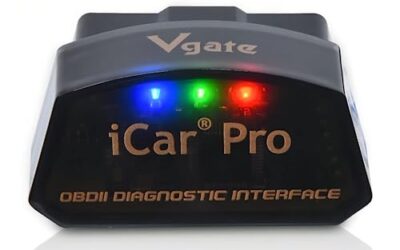
Pros
- Supports multiple operating systems and third-party diagnostic apps
- Provides standard OBD2 functions such as code reading, code clearing and real-time data viewing
- Advertises compatibility with OBD2-compliant vehicles from 1996 onward
- Includes a one-year warranty and after-sales service
Cons
- Wireless wake-up is not supported for hybrid or electric cars
- Advanced functions such as ABS, airbag and manufacturer-specific data are available only on select vehicles through certain apps
- Some compatible app features or software may require an additional fee
Specifications
| Color | black |
|---|---|
| Size | iCar Pro 4.0-Android & iOS & Windows |
| Dimensions | 1.8503936989 x 0.9448818888 x 1.0629921249 inches |
| Product Group | Automotive Parts and Accessories |
Best For / Avoid If
Best for buyers prioritizing
- Supports multiple operating systems and third-party diagnostic apps
- Provides standard OBD2 functions such as code reading, code clearing and real-time data viewing
- Advertises compatibility with OBD2-compliant vehicles from 1996 onward
Consider another option if
- Wireless wake-up is not supported for hybrid or electric cars
- Advanced functions such as ABS, airbag and manufacturer-specific data are available only on select vehicles through certain apps
- Some compatible app features or software may require an additional fee

Pros
- Supports common generic engine diagnostic functions
- Provides live sensor data for Android app-based monitoring
- Compatible with several popular Android diagnostic apps
- Works with most 1996+ US cars and light trucks
Cons
- Not compatible with iPhone or iPad
- Does not support advanced systems such as ABS, SRS, TPMS, transmission, or HVAC
- Requires a compatible third-party Android app and may not support Android car stereos or head units
Specifications
| Color | Blue |
|---|---|
| Size | Bluetooth 3.0 for Android ONLY |
| Dimensions | 1.89 x 0.98 x 1.26 inches |
| Weight | 0.07 Pounds |
| Product Group | Automotive Parts and Accessories |
| Binding | Automotive |
Best For / Avoid If
Best for buyers prioritizing
- Supports common generic engine diagnostic functions
- Provides live sensor data for Android app-based monitoring
- Compatible with several popular Android diagnostic apps
Consider another option if
- Not compatible with iPhone or iPad
- Does not support advanced systems such as ABS, SRS, TPMS, transmission, or HVAC
- Requires a compatible third-party Android app and may not support Android car stereos or head units
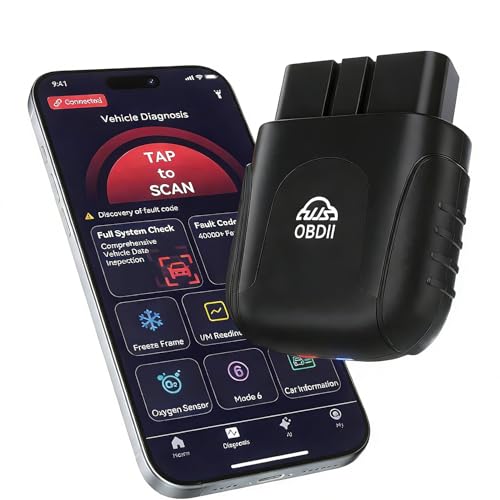
Pros
- Supports both iOS and Android devices
- Compact 0.98-ounce design with no cable or battery required
- Includes a lifetime warranty according to the product listing
- Offers live data visualization and AI-assisted diagnostic reports
Cons
- The product dimensions are listed as 3.43 x 0.94 x 6.1 inches, but the data does not identify which measurement corresponds to each side
Specifications
| Color | Black |
|---|---|
| Dimensions | 3.43 x 0.94 x 6.1 inches |
| Product Group | Automotive Parts and Accessories |
Best For / Avoid If
Best for buyers prioritizing
- Supports both iOS and Android devices
- Compact 0.98-ounce design with no cable or battery required
- Includes a lifetime warranty according to the product listing
Consider another option if
- The product dimensions are listed as 3.43 x 0.94 x 6.1 inches, but the data does not identify which measurement corresponds to each side

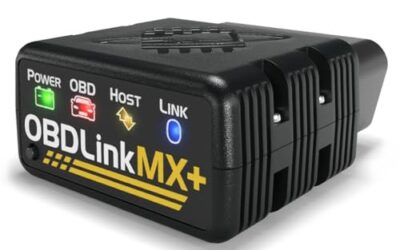
Pros
- Supports BimmerCode coding for BMW and Mini vehicles
- Compatible with iOS and Android devices
- Includes sleep mode and overvoltage protection
- OBDLink app is included for diagnostics and live data
Cons
- BimmerCode app is not included and must be purchased separately
- Vehicle compatibility and available features should be confirmed through the troubleshooting guide and BimmerCode app
Specifications
| Dimensions | 1.8110236202 x 1.2992125971 x 0.9055118101 inches |
|---|---|
| Product Group | Automotive Parts and Accessories |
| Binding | Automotive |
Best For / Avoid If
Best for buyers prioritizing
- Supports BimmerCode coding for BMW and Mini vehicles
- Compatible with iOS and Android devices
- Includes sleep mode and overvoltage protection
Consider another option if
- BimmerCode app is not included and must be purchased separately
- Vehicle compatibility and available features should be confirmed through the troubleshooting guide and BimmerCode app

Pros
- Supports multiple operating systems and diagnostic apps
- Offers live sensor data and battery-voltage readings
- Includes code reading, code erasing and check-engine-light functions
- Lists support for OBDII protocols including J1850 PWM, J1850 VPW, ISO9141-2, ISO14230-4 KWP and ISO15765-4 CAN-BUS
Cons
- Motorcycles, 24V diesel vehicles, new-energy vehicles, hybrid vehicles and vehicles that do not meet the OBDII agreement are not supported
- For iOS devices, the scanner must connect through a compatible app rather than the device's Bluetooth settings
- Available functions may vary by vehicle model, ECU and diagnostic app
Specifications
| Color | Black&Orange |
|---|---|
| Size | Bluetooth for iOS Android Windows |
| Dimensions | 2.9 x 1.65 x 0.75 inches |
| Product Group | Automotive Parts and Accessories |
| Binding | Automotive |
Best For / Avoid If
Best for buyers prioritizing
- Supports multiple operating systems and diagnostic apps
- Offers live sensor data and battery-voltage readings
- Includes code reading, code erasing and check-engine-light functions
Consider another option if
- Motorcycles, 24V diesel vehicles, new-energy vehicles, hybrid vehicles and vehicles that do not meet the OBDII agreement are not supported
- For iOS devices, the scanner must connect through a compatible app rather than the device's Bluetooth settings
- Available functions may vary by vehicle model, ECU and diagnostic app
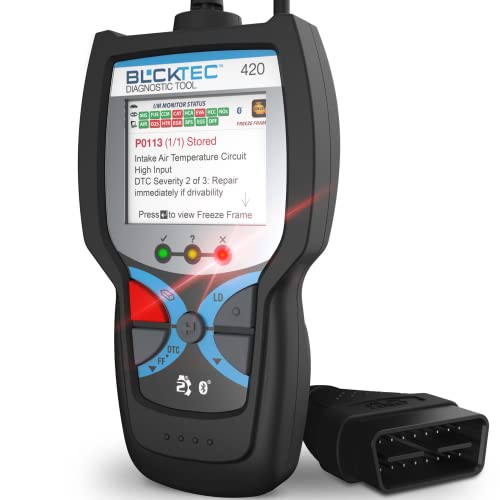
Pros
- Combines code reading and erasing with live data and battery or alternator tests
- Includes access to maintenance schedules, dealer recalls, technical service bulletins, and RepairPal
- Supports multiple languages and iOS or Android devices
- Uses a 1.8-inch screen and has compact listed dimensions of 4.72 x 2.41 x 0.89 inches
Best For / Avoid If
Best for buyers prioritizing
- Combines code reading and erasing with live data and battery or alternator tests
- Includes access to maintenance schedules, dealer recalls, technical service bulletins, and RepairPal
- Supports multiple languages and iOS or Android devices

Pros
- Supports both iOS and Android devices
- Compatible with multiple popular OBD2 apps
- Compact design with low-power sleep mode
- Supports firmware upgrades
Cons
- Limited to standard OBD2 functions and does not support ABS, SRS, or TPMS diagnostics
- MS-CAN protocol is not supported
- Not suitable for 24V diesel vehicles, and auto-wake may not work on electric or hybrid vehicles
Specifications
| Color | ICAR PRO BLE4.0 - Android, iOS & Windows |
|---|---|
| Size | ICAR PRO BLE4.0 - iOS, Android & Windows |
| Dimensions | 1.85 x 0.94 x 1.06 inches |
| Weight | 0.1322773572 pounds |
| Product Group | Automotive Parts and Accessories |
| Binding | Automotive |
Best For / Avoid If
Best for buyers prioritizing
- Supports both iOS and Android devices
- Compatible with multiple popular OBD2 apps
- Compact design with low-power sleep mode
Consider another option if
- Limited to standard OBD2 functions and does not support ABS, SRS, or TPMS diagnostics
- MS-CAN protocol is not supported
- Not suitable for 24V diesel vehicles, and auto-wake may not work on electric or hybrid vehicles
At a Glance
- Best overall iPhone pairing: ANCEL BD200, Bluetooth 5.0 hardware with a dedicated iOS app, live data, battery-voltage charts, and performance tests.
- Best budget dedicated-app setup: UMEIJA V011, a $21.99 Bluetooth 5.4 adapter that runs only its OBD Home app.
- Best for mixed iPhone, Android, and Windows households: Vgate iCar Pro (BT3.0/ BLE4.0), documented across three platforms.
- Best for BMW and Mini coding: OBDLink CX, made for and recommended by the BimmerCode team.
- Best guided DIY experience: BLCKTEC 420, whose app adds technician-verified fixes, service bulletins, and recall data.
- Best simple starter with app choice: Panlong, ELM327-style operation plus third-party iOS apps.
- Best low-power leave-in adapter: Vgate iCar Pro Bluetooth 4.0 (BLE), with a listed 3mA sleep draw and firmware updates.
- Best for always-connected monitoring: UJS Rocco, an ultra-compact Bluetooth 5.4 adapter positioned for continuous use.
- Cheapest way to try iOS OBD2: LJPXHHU at $11.98, with a long list of supported iOS apps.
Quick comparison
The table compares every adapter in this guide on the criteria that shape the best OBD2 iOS app experience: iPhone transport, app route, and disclosed watch-outs. All prices are observed figures and can change.
| Adapter | Observed price | iPhone support | Bluetooth | App route | Key watch-out |
|---|---|---|---|---|---|
| ANCEL BD200 | $33.99 | Yes, dedicated app | 5.0 | Dedicated ANCEL app | No battery charge, cranking, or reset tests |
| UMEIJA V011 | $21.99 | Yes | 5.4 | OBD Home app only | Unplug after use; codes return if unrepaired |
| Panlong | $25.99 | Yes | – | YMOBD plus third-party apps | Bluetooth version not stated |
| Vgate iCar Pro (BT3.0/ BLE4.0) | $34.99 | Yes (BLE) | BT3.0/BLE4.0 | Third-party apps | Some app features cost extra |
| Veepeak Mini | $14.99 | No, Android only | Classic Bluetooth | Android apps | Not an iPhone option |
| UJS Rocco | $29.99 | Yes | 5.4 | Dedicated free app | AI-report claims are manufacturer statements |
| OBDLink CX | $79.95 | Yes | 5.1 | BimmerCode (sold separately) plus OBDLink app | Highest cost; BMW/Mini focus |
| LJPXHHU | $11.98 | Yes via app | – | Third-party apps | Hybrids, 24V diesel, motorcycles excluded |
| BLCKTEC 420 | $39.99 | Yes | – | Dedicated app | Third-party support not stated |
| Vgate iCar Pro BLE | $34.99 | Yes | 4.0 (BLE) | Third-party apps | No MS-CAN; no ABS/SRS/TPMS |
Key Criteria for OBD2 Scanners & Diagnostics
This guide is an editorial evaluation of the manufacturer-listed specifications, compatibility statements, app requirements, warranty terms, and disclosed limitations for each adapter. It is not a lab or road test, and we do not present it as one. We weighted four questions: whether iPhone support is documented, which app or apps the adapter runs, which functions it actually covers (codes, live data, readiness, battery checks, coding), and how it behaves if left plugged in. Where a claim comes from the manufacturer rather than independent verification, the text says so.
What to Verify Before You Buy
Why adapter choice decides your iOS app options
iPhone does not support the classic Bluetooth serial connection many cheap ELM327 clones rely on. The clearest evidence in this group is the Veepeak Mini, whose listing states it is not compatible with iPhone or iPad and points iOS buyers to a Bluetooth LE model instead. Every iPhone pick above either uses Bluetooth Low Energy or manages the connection inside its own app. Practical habit: do not pair the adapter in iOS Bluetooth settings, UMEIJA, LJPXHHU, and Vgate all instruct users to connect from inside the app.
Count the total cost, not just the adapter
The best OBD2 iOS app setup is priced as a pair. Panlong and Vgate note that third-party apps come in free and paid versions, and Vgate warns that some features require additional fees paid to the software company. The OBDLink CX is the clearest example: BimmerCode is not included in the purchase price. Decide which app you want first, then buy hardware it supports.
Match the adapter to your vehicle
- Model year and market: every pick targets 1996-and-newer OBD2-compliant US vehicles; UMEIJA claims coverage of more than 96 percent of makes.
- Fuel type: the Vgate BLE model covers light-duty diesel up to 6.5 tons; the LJPXHHU listing excludes hybrids and 24V diesels; Vgate notes wake behavior differs on hybrids and EVs.
- System depth: generic OBD2 covers engine diagnostics. ABS, airbag, TPMS, and transmission data require select apps and vehicles, and the Vgate BLE model explicitly lacks MS-CAN, which some apps use for deeper access.
- Smog checks: the Panlong, Vgate, and LJPXHHU listings include I/M readiness screens for pre-inspection checks.
Leaving it plugged in
Several adapters are built to stay installed: both Vgate models list a 3mA sleep draw with auto-sleep, and OBDLink CX advertises a sleep mode for permanent placement. UMEIJA, by contrast, recommends unplugging after each use to protect the car battery. Because auto-wake is documented as unavailable or unreliable on hybrids and EVs, owners of those vehicles should plan to reinsert the adapter manually.
Narrowing Down an OBD2 App Setup for iOS
- Confirm the vehicle. Check model year (1996 or newer for US cars), fuel type, and any listing exclusions against your specific car.
- Pick your app model. A dedicated app is simpler but locks you to one ecosystem; third-party support costs more in fees but lets you switch apps later.
- Verify the iPhone transport. Look for a stated Bluetooth version with LE support or an app-managed connection. A classic-Bluetooth-only adapter will not pair with an iPhone.
- Rank the functions you need. Codes and freeze frame are universal; live data, readiness monitors, battery voltage, and module coding are where listings diverge.
- Decide the duty cycle. Occasional use favors any compact adapter; leave-in use demands documented sleep behavior and honest battery-drain caveats.
- Read the exclusions. Every listing above discloses what its adapter cannot do, treat those limits as dealbreakers when they match your car.
Buyer Questions Answered
Do all Bluetooth OBD2 adapters work with iPhone?
No. Adapters that use only classic Bluetooth, such as the Veepeak Mini in this comparison, are Android-only by design. iPhone-compatible models use Bluetooth Low Energy or a dedicated app that manages the connection.
Do I need to pair the adapter in iOS Bluetooth settings?
Usually not. UMEIJA, LJPXHHU, and Vgate all instruct iPhone users to leave the adapter unpaired in iOS Settings and connect from inside the diagnostic app instead.
Are the iOS apps free?
It varies. Dedicated apps like ANCEL’s and the BLCKTEC app are free downloads per their listings, third-party apps such as Car Scanner and OBD Fusion offer free and paid tiers, and BimmerCode for the OBDLink CX is sold separately.
Will clearing a check engine code fix the car?
No. Clearing a code only turns off the warning light. The UMEIJA listing notes the fault code can only stay cleared once the car is actually repaired, otherwise the light returns.
Can an iPhone OBD2 app read ABS, airbag, or TPMS codes?
Generally not through generic OBD2, which covers the engine. Vgate states these systems require specific apps and vehicles, and its BLE model explicitly does not support ABS, SRS, or TPMS at all.
Readers weighing these picks also look at OBD2 Scanner Buying Guide for Beginners, Best OBD2 App iOS and Best Rated OBD2 Scanner.
Final Recommendation
The best OBD2 iOS app pairing depends on what you drive and how deep you want to go. For most iPhone owners, the ANCEL BD200 is the simplest complete package; the UMEIJA V011 and LJPXHHU cover tight budgets; Vgate’s two adapters reward app tinkerers, with the BLE model best suited to staying plugged in; the BLCKTEC 420 and UJS Rocco compete on software guidance; and the OBDLink CX is the only justifiable choice here for BMW or Mini coding. Whichever direction you take, check your vehicle against the listed exclusions, budget for any app fees, and confirm current pricing, the observed prices in this guide can change at any time.