The right OBD2 Bluetooth adapter turns the phone you already own into a capable scan tool; the wrong one wastes money on a device that cannot reach the modules you need or run the app you already like. This guide compares ten current adapters on Bluetooth type, phone platform support, diagnostic depth, vehicle limits, and price. The short answer: the BlueDriver OBD2 Scanner Bluetooth is our editorial pick for no-subscription enhanced diagnostics, the OBDLink MX+ is the strongest choice for demanding third-party apps, and the Vgate iCar Pro(BT3.0/ BLE4.0) is the most flexible budget option for iPhone and Android owners. Prices below were observed at the time of writing and can change, so confirm the current price before ordering.

Pros
- Offers more system coverage than basic engine-code readers
- Includes repair reports with definitions, possible causes, and confirmed fixes
- Wireless design connects to the vehicle's OBDII port without a cable to the phone or tablet
- Supports a broad range of listed vehicle makes, including GM, Ford, Toyota, Honda, BMW, and VW
Cons
- The published compatibility information covers gas-powered vehicles only
- Specific iOS and Android requirements are not provided
- A compatible phone or tablet is required for wireless use
The BlueDriver Pro-S is a Bluetooth OBD2 scanner and diagnostic tool for gas-powered vehicles made in 1996 or newer and sold in the United States, Canada, or Mexico. It connects to a vehicle's OBDII port and communicates wirelessly with a phone or tablet.
The scanner can read and clear codes for Check Engine, ABS, SRS, Airbag, TPMS, and transmission systems. Its app provides technician-verified repair reports matched to the vehicle identification number, along with live data, freeze frames, smog-readiness checks, and Mode 6 test results. The purchase includes full feature access, free app updates, and no subscription fees.
Specifications
| Size | Pro-S |
|---|---|
| Product Group | Automotive Parts and Accessories |
| Binding | Automotive |
Verify the current product variation before purchase; specifications may change.
Detailed Review
What stands out in the currently available product data:
- Reads and clears enhanced codes for Check Engine, ABS, SRS, Airbag, TPMS, and transmission systems
- Provides technician-verified repair reports matched to the vehicle identification number
- Displays live vehicle data, freeze frames, smog readiness, and Mode 6 test results
- Connects wirelessly through Bluetooth to a phone or tablet
- Supports gas-powered vehicles made in 1996 or newer and sold in North America
- Includes full feature access, app updates, and support without subscription fees
Best For / Avoid If
Best for buyers prioritizing
- Offers more system coverage than basic engine-code readers
- Includes repair reports with definitions, possible causes, and confirmed fixes
- Wireless design connects to the vehicle's OBDII port without a cable to the phone or tablet
Consider another option if
- The published compatibility information covers gas-powered vehicles only
- Specific iOS and Android requirements are not provided
- A compatible phone or tablet is required for wireless use

Pros
- Supports iPhone, Android, and Windows devices
- Works with a range of named diagnostic applications
- Offers enhanced OEM support for several vehicle brands
- Includes protection against over-voltage and battery drain
Cons
- Vehicle compatibility and available features should be confirmed in the troubleshooting guide before purchase
- Specific operating-system versions and supported vehicle years are not provided
- The published data does not include customer review excerpts
The OBDLink MX+ is a black, small Bluetooth OBD2 scanner for use with iPhone, Android, and Windows devices. It is recommended for FORScan, Torque, BimmerCode, Dashcommand, AlfaOBD, Carista, and other compatible applications.
The scanner provides enhanced OEM support for Ford, GM, Mazda, Nissan/Infiniti, Toyota/Lexus/Scion, Honda, Hyundai, and Kia vehicles. Listed functions include clearing check engine lights and viewing live parameters such as ABS, SRS, and TPMS data. Over-voltage and battery drain protection, along with firmware updates, are included. Check the troubleshooting guide to confirm vehicle compatibility and available features before purchase.
Dimensions: 2.0078740137 x 0.9055118101 x 1.8110236202 inches. Weight: 0.06172943336 pounds.
Specifications
| Color | Black |
|---|---|
| Size | Small |
| Dimensions | 2.0078740137 x 0.9055118101 x 1.8110236202 Inches |
| Weight | 0.06172943336 pounds |
| Product Group | Automotive Parts and Accessories |
| Binding | Automotive |
Verify the current product variation before purchase; specifications may change.
Detailed Review
What stands out in the currently available product data:
- Connects with iPhone, Android devices, and Windows PCs
- Recommended for FORScan, Torque, BimmerCode, Dashcommand, AlfaOBD, Carista, and other compatible apps
- Provides enhanced OEM support for select Ford, GM, Mazda, Nissan/Infiniti, Toyota/Lexus/Scion, Honda, Hyundai, and Kia vehicles
- Can clear check engine lights and access live parameters including ABS, SRS, and TPMS data
- Includes over-voltage and battery drain protection
- Includes firmware updates
Best For / Avoid If
Best for buyers prioritizing
- Supports iPhone, Android, and Windows devices
- Works with a range of named diagnostic applications
- Offers enhanced OEM support for several vehicle brands
Consider another option if
- Vehicle compatibility and available features should be confirmed in the troubleshooting guide before purchase
- Specific operating-system versions and supported vehicle years are not provided
- The published data does not include customer review excerpts

Pros
- Supports both Android and Windows platforms
- Includes software for Android and Windows
- Works with third-party diagnostic apps
- Offers MotoScan compatibility for supported motorcycles
Cons
- Not compatible with Apple iOS devices
- Vehicle coverage excludes hybrid and electric vehicles
- The published data does not provide a connector type or supported protocol list
The OBDLink LX is a Bluetooth 3.0 OBD2 diagnostic scanner for Windows PCs, laptops, and Android phones. It includes the OBDLink app for Android and OBDwiz software for Windows, and it is compatible with third-party apps such as Torque and DashCommand.
The adapter is listed as supporting 1996 and newer cars and light trucks sold in the United States, except hybrid and electric vehicles. It is also compatible with MotoScan-supported motorcycles. The published specifications list dimensions of 1.77 x 0.91 x 1.97 inches and a weight of 0.06875 pounds.
Apple iOS devices are not supported.
Detailed Review
What stands out in the currently available product data:
- Bluetooth 3.0 wireless diagnostic connection
- Works with Windows PCs, laptops, and Android phones
- Includes the OBDLink app for Android and OBDwiz software for Windows
- Compatible with third-party apps including Torque and DashCommand
- Supports 1996 and newer cars and light trucks sold in the United States, with stated vehicle exceptions
- Compatible with MotoScan-supported motorcycles
Best For / Avoid If
Best for buyers prioritizing
- Supports both Android and Windows platforms
- Includes software for Android and Windows
- Works with third-party diagnostic apps
Consider another option if
- Not compatible with Apple iOS devices
- Vehicle coverage excludes hybrid and electric vehicles
- The published data does not provide a connector type or supported protocol list

Pros
- Supports multiple operating systems and third-party diagnostic apps
- Provides standard OBD2 functions such as code reading, code clearing and real-time data viewing
- Advertises compatibility with OBD2-compliant vehicles from 1996 onward
- Includes a one-year warranty and after-sales service
Cons
- Wireless wake-up is not supported for hybrid or electric cars
- Advanced functions such as ABS, airbag and manufacturer-specific data are available only on select vehicles through certain apps
- Some compatible app features or software may require an additional fee
The Vgate iCar Pro is a wireless OBD2 code reader and diagnostic scan tool with BT3.0/BLE4.0 connectivity. It supports Android, iOS and Windows devices and is designed to work with third-party apps including Car Scanner, BimmerCode, Torque, JScan, Auto Doctor and OBD Fusion.
- Functions: Reads and clears engine diagnostic trouble codes, displays freeze frame data and real-time sensor readings, checks I/M readiness and supports customized dashboards and fuel-economy estimates.
- Vehicle compatibility: Supports OBD2-compliant models from 1996 onward, including fuel and hybrid models. Advanced ABS, airbag and manufacturer-specific functions depend on vehicle and app support.
- Power features: Includes auto-sleep, wireless wake-up for gasoline cars and a 3mA low-power consumption mode. Hybrid and electric cars do not support the wake-up function.
- Protection: Over-voltage, over-heat and over-current protection are listed.
- Size: 1.8503936989 x 0.9448818888 x 1.0629921249 inches.
- Warranty: One-year warranty and after-sales service are listed.
Specifications
| Color | black |
|---|---|
| Size | iCar Pro 4.0-Android & iOS & Windows |
| Dimensions | 1.8503936989 x 0.9448818888 x 1.0629921249 inches |
| Product Group | Automotive Parts and Accessories |
Verify the current product variation before purchase; specifications may change.
Detailed Review
What stands out in the currently available product data:
- Supports Bluetooth 3.0 and BLE 4.0 wireless connections
- Compatible with iOS, Android and Windows operating systems
- Works with third-party apps including Car Scanner, BimmerCode, Torque, JScan, Auto Doctor and OBD Fusion
- Reads and clears engine diagnostic trouble codes and freeze frame data
- Displays real-time sensor readings and I/M readiness information
- Includes over-voltage, over-heat and over-current protection
Best For / Avoid If
Best for buyers prioritizing
- Supports multiple operating systems and third-party diagnostic apps
- Provides standard OBD2 functions such as code reading, code clearing and real-time data viewing
- Advertises compatibility with OBD2-compliant vehicles from 1996 onward
Consider another option if
- Wireless wake-up is not supported for hybrid or electric cars
- Advanced functions such as ABS, airbag and manufacturer-specific data are available only on select vehicles through certain apps
- Some compatible app features or software may require an additional fee

Pros
- Supports common generic engine diagnostic functions
- Provides live sensor data for Android app-based monitoring
- Compatible with several popular Android diagnostic apps
- Works with most 1996+ US cars and light trucks
Cons
- Not compatible with iPhone or iPad
- Does not support advanced systems such as ABS, SRS, TPMS, transmission, or HVAC
- Requires a compatible third-party Android app and may not support Android car stereos or head units
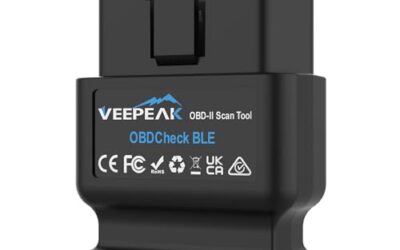
The Veepeak Mini Bluetooth OBD2 Scanner is a blue code reader with Bluetooth 3.0 connectivity for Android phones and tablets only. It is designed for generic engine diagnostics on most 1996+ cars and light trucks in the US, excluding OBD-I vehicles, heavy-duty trucks, and motorcycles.
Using a compatible Android app such as Car Scanner, Torque, OBD Fusion, or Dr. Prius, the scanner can read and clear check-engine trouble codes, display live engine data, show freeze-frame data, and check I/M readiness. Supported data may include vehicle speed, engine RPM, coolant temperature, throttle position, O2 sensor readings, fuel trim, and mass airflow.
The scanner does not support iOS devices, advanced diagnostics such as ABS, SRS, TPMS, transmission, or HVAC systems, or manufacturer-specific functions including oil light resets, injector coding, EPB resets, and relearning. EV and hybrid support depends on the app. The device measures 1.89 x 0.98 x 1.26 inches and weighs 0.07 pounds.
Specifications
| Color | Blue |
|---|---|
| Size | Bluetooth 3.0 for Android ONLY |
| Dimensions | 1.89 x 0.98 x 1.26 inches |
| Weight | 0.07 Pounds |
| Product Group | Automotive Parts and Accessories |
| Binding | Automotive |
Verify the current product variation before purchase; specifications may change.
Detailed Review
What stands out in the currently available product data:
- Reads and clears generic check-engine trouble codes
- Displays live engine data such as RPM, coolant temperature, throttle position, O2 readings, and fuel trim
- Supports freeze-frame data and I/M readiness checks
- Compatible with Android phones and tablets through Classic Bluetooth
- Works with most 1996+ cars and light trucks in the US for generic engine diagnostics
- Compatible with Android apps including Car Scanner, Torque, OBD Fusion, and Dr. Prius
Best For / Avoid If
Best for buyers prioritizing
- Supports common generic engine diagnostic functions
- Provides live sensor data for Android app-based monitoring
- Compatible with several popular Android diagnostic apps
Consider another option if
- Not compatible with iPhone or iPad
- Does not support advanced systems such as ABS, SRS, TPMS, transmission, or HVAC
- Requires a compatible third-party Android app and may not support Android car stereos or head units

Pros
- Supports BimmerCode coding for BMW and Mini vehicles
- Compatible with iOS and Android devices
- Includes sleep mode and overvoltage protection
- OBDLink app is included for diagnostics and live data
Cons
- BimmerCode app is not included and must be purchased separately
- Vehicle compatibility and available features should be confirmed through the troubleshooting guide and BimmerCode app
- Specific iOS and Android version requirements are not provided
The OBDLink CX is a Bluetooth 5.1 OBD2 adapter for BMW and Mini vehicles. It is made for BimmerCode and supports the vehicles, protocols, and advanced features supported by the app. The adapter works with iOS and Android devices through in-app pairing and includes advanced sleep mode and overvoltage protection.
The included OBDLink app supports live parameter monitoring, vehicle diagnostics, and clearing the check-engine light. The BimmerCode app is sold separately. Vehicle compatibility and available features should be confirmed through the troubleshooting guide and BimmerCode app.
- Dimensions: 1.8110236202 x 1.2992125971 x 0.9055118101 inches
- Product group: Automotive Parts and Accessories
- Binding: Automotive
Specifications
| Dimensions | 1.8110236202 x 1.2992125971 x 0.9055118101 inches |
|---|---|
| Product Group | Automotive Parts and Accessories |
| Binding | Automotive |
Verify the current product variation before purchase; specifications may change.
Detailed Review
What stands out in the currently available product data:
- Designed for BimmerCode and recommended by the BimmerCode Team
- Works with iOS and Android devices through in-app pairing
- Supports the vehicles, protocols, and advanced features supported by BimmerCode
- Advanced sleep mode and overvoltage protection support leaving the adapter plugged in
- Rock-solid connection is designed to help avoid data corruption and dropped packets
- Includes the OBDLink app for live parameter monitoring, diagnostics, and clearing the check-engine light
Best For / Avoid If
Best for buyers prioritizing
- Supports BimmerCode coding for BMW and Mini vehicles
- Compatible with iOS and Android devices
- Includes sleep mode and overvoltage protection
Consider another option if
- BimmerCode app is not included and must be purchased separately
- Vehicle compatibility and available features should be confirmed through the troubleshooting guide and BimmerCode app
- Specific iOS and Android version requirements are not provided

Pros
- Supports both iOS and Android devices
- Compatible with multiple popular OBD2 apps
- Compact design with low-power sleep mode
- Supports firmware upgrades
Cons
- Limited to standard OBD2 functions and does not support ABS, SRS, or TPMS diagnostics
- MS-CAN protocol is not supported
- Not suitable for 24V diesel vehicles, and auto-wake may not work on electric or hybrid vehicles
The Vgate iCar Pro Bluetooth 4.0 is an OBD2 fault code reader designed for 12V gasoline vehicles manufactured after 1996 with standard OBD2 support. It is also compatible with light-duty diesel vehicles weighing 6.5 tons or less from 1996 onward, but it is not suitable for 24V diesel vehicles.
The adapter works with iOS and Android devices and is compatible with apps including Torque, Car Scanner ELM327, OBD Fusion, OBD JScan, and Dr. Prius. Advanced app functions may require in-app purchases. The device supports standard OBD2 functions only; ABS, SRS, TPMS, and MS-CAN functions are not supported.
Features include Bluetooth 4.0 connectivity, auto-sleep and auto-wake functionality, LED status indicators, and firmware updates through the VgateFwUpdater app or Windows PCs. Dimensions are 1.85 x 0.94 x 1.06 inches, and listed weight is 0.1322773572 pounds.
Specifications
| Color | ICAR PRO BLE4.0 - Android, iOS & Windows |
|---|---|
| Size | ICAR PRO BLE4.0 - iOS, Android & Windows |
| Dimensions | 1.85 x 0.94 x 1.06 inches |
| Weight | 0.1322773572 pounds |
| Product Group | Automotive Parts and Accessories |
| Binding | Automotive |
Verify the current product variation before purchase; specifications may change.
Detailed Review
What stands out in the currently available product data:
- Supports standard OBD2 functions for compatible vehicles
- Works with iOS and Android devices
- Compatible with selected apps including Torque, Car Scanner ELM327, OBD Fusion, OBD JScan, and Dr. Prius
- Bluetooth 4.0 connectivity uses less power than Wi-Fi OBD2 readers
- Auto-sleep and auto-wake functionality can draw as little as 3mA in sleep mode
- Compact plug-and-play design for insertion into an OBD2 port
Best For / Avoid If
Best for buyers prioritizing
- Supports both iOS and Android devices
- Compatible with multiple popular OBD2 apps
- Compact design with low-power sleep mode
Consider another option if
- Limited to standard OBD2 functions and does not support ABS, SRS, or TPMS diagnostics
- MS-CAN protocol is not supported
- Not suitable for 24V diesel vehicles, and auto-wake may not work on electric or hybrid vehicles

Pros
- Works with iOS and Android phones and tablets
- Provides live data, fault-code scanning, and emissions-readiness checks
- Supports a broad range of post-1996 12V vehicle types
- Compatible with several third-party diagnostic apps
Cons
- Does not read EV or electric battery systems
- Hybrid support is limited to gas-engine faults
- Specific iOS and Android device or app requirements are not provided
The MOCATEC Bluetooth ELM327 OBD2 Scanner is a code reader and diagnostic adapter for 12V cars, SUVs, pickups, and light trucks manufactured after 1996. It connects through Bluetooth 5.1 dual-mode technology and is described as compatible with iOS and Android phones and tablets.
- Functions include fault-code scanning, live engine-data monitoring, emissions-readiness checks, and fault-code clearing.
- Suggested apps include Car Scanner, Infocar, and Car Mate for iOS, plus Torque, Car Scanner, OBD Mary, OBD Android, and FASLINK X for Android.
- Hybrid vehicles are supported for gas-engine faults, but the adapter does not read EV or electric battery systems.
- Dimensions: 2.755905509 x 1.7716535415 x 0.9842519675 inches.
- Weight: 0.06875 pounds.
Specifications
| Dimensions | 2.755905509 x 1.7716535415 x 0.9842519675 Inches |
|---|---|
| Weight | 0.06875 Pounds |
| Product Group | Automotive Parts and Accessories |
Verify the current product variation before purchase; specifications may change.
Detailed Review
What stands out in the currently available product data:
- Scans vehicle fault codes through a compatible phone or tablet app
- Displays live engine parameters for monitoring vehicle data
- Can clear fault codes and turn off the check engine light after repairs
- Checks emissions readiness before smog checks and safety inspections
- Supports 12V cars, SUVs, pickups, and light trucks manufactured after 1996
- Supports hybrid vehicles for diagnosing gas-engine faults
Best For / Avoid If
Best for buyers prioritizing
- Works with iOS and Android phones and tablets
- Provides live data, fault-code scanning, and emissions-readiness checks
- Supports a broad range of post-1996 12V vehicle types
Consider another option if
- Does not read EV or electric battery systems
- Hybrid support is limited to gas-engine faults
- Specific iOS and Android device or app requirements are not provided

Pros
- Supports both iPhone and Android devices
- Provides wireless access to standard engine diagnostics and live vehicle data
- Compatible with the YMOBD app and several listed third-party apps
- Includes support for nine common OBD-II protocols
Cons
- Mainly supports standard OBD-II engine system diagnostics
- Advanced systems such as ABS, SRS, TPMS, airbags, transmission data, and body control modules may not be supported
- Vehicle, app, and operating-system compatibility can affect available functions and data
The ViaBecs Bluetooth 5.1 OBD2 scanner is a wireless code reader for compatible 12V gasoline-powered vehicles equipped with a standard OBD-II port. It can read and clear standard engine fault codes, check engine light codes, freeze frame data, and other basic diagnostic information.
The adapter connects through the YMOBD app and works with listed third-party apps including Car Scanner, Torque Lite, DashCommand, inCarDoc, Auto Doctor, PCMScan, and ScanMaster. Available functions and data may vary by vehicle, app version, and phone system.
Supported live data may include engine RPM, vehicle speed, coolant temperature, battery voltage, sensor status, VIN, CID, and CVN. The scanner supports nine common OBD-II protocols, including SAE J1850 PWM, SAE J1850 VPW, ISO9141-2, ISO14230-4 KWP, and ISO15765-4 CAN.
Advanced manufacturer-specific functions, including transmission, ABS, SRS, TPMS, airbag, body control module, and special reset functions, may not be supported by every vehicle or app.
Specifications
| Color | blue |
|---|---|
| Product Group | Automotive Parts and Accessories |
| Binding | Automotive |
Verify the current product variation before purchase; specifications may change.
Detailed Review
What stands out in the currently available product data:
- Reads and clears standard OBD-II engine fault codes and check engine light codes
- Uses Bluetooth 5.1 for wireless connection with compatible iPhone and Android devices
- Works with the YMOBD app and listed third-party OBD-II apps
- Displays available live data such as RPM, vehicle speed, coolant temperature, battery voltage, VIN, CID, and CVN
- Supports nine common OBD-II protocols, including ISO15765-4 CAN and SAE J1850 PWM
- Designed for compatible 12V gasoline-powered vehicles with a standard OBD-II port
Best For / Avoid If
Best for buyers prioritizing
- Supports both iPhone and Android devices
- Provides wireless access to standard engine diagnostics and live vehicle data
- Compatible with the YMOBD app and several listed third-party apps
Consider another option if
- Mainly supports standard OBD-II engine system diagnostics
- Advanced systems such as ABS, SRS, TPMS, airbags, transmission data, and body control modules may not be supported
- Vehicle, app, and operating-system compatibility can affect available functions and data

Pros
- Supports multiple operating systems and several diagnostic apps
- Provides enhanced vehicle-system diagnostics beyond basic code reading
- Includes over-voltage protection, automatic sleep mode and free firmware updates
- Supports both 12V and 24V automotive systems
Cons
- Some compatible software or software features may require separate fees
- The published product data does not specify an iOS version requirement
- The warranty is limited to one year
The Vgate vLinker FS Bluetooth is an OBD2 adapter for vehicle diagnostics and FORScan programming. It supports Android, iOS and Windows devices and is compatible with apps including FORScan, BimmerCode, Torque, JScan, Auto Doctor and OBD Fusion.
- Reads and clears codes from systems including ABS, SRS and TPMS
- Supports FEPS 18V programming voltage output in FORScan
- Up to 3Mbps baud rate and OBD request bytes up to 4K
- Automatic sleep and wake modes, over-voltage protection and battery-drain protection
- Operating current: 28mA; sleep current: as low as 3mA
- Compatible with 1996 and newer cars and light trucks sold in the United States
- Supports 12V and 24V automotive systems
- Dimensions: 4.72 x 2.75 x 1.37 inches
- Color: Black
- Warranty: One year
Specifications
| Color | black |
|---|---|
| Dimensions | 4.72 x 2.75 x 1.37 inches |
| Product Group | Automotive Parts and Accessories |
Verify the current product variation before purchase; specifications may change.
Detailed Review
What stands out in the currently available product data:
- Supports Android, iOS and Windows devices
- Reads and clears codes from systems including ABS, SRS and TPMS
- Supports FEPS 18V programming voltage output in FORScan
- Offers up to 3Mbps baud rate and OBD request bytes up to 4K
- Includes automatic sleep and wake modes with battery-drain protection
- Compatible with FORScan, BimmerCode, Torque, JScan, Auto Doctor and OBD Fusion
Best For / Avoid If
Best for buyers prioritizing
- Supports multiple operating systems and several diagnostic apps
- Provides enhanced vehicle-system diagnostics beyond basic code reading
- Includes over-voltage protection, automatic sleep mode and free firmware updates
Consider another option if
- Some compatible software or software features may require separate fees
- The published product data does not specify an iOS version requirement
- The warranty is limited to one year
The Short Answer
- Best for enhanced diagnostics without a subscription: BlueDriver OBD2 Scanner Bluetooth ($94.95). The manufacturer lists ABS, SRS, airbag, TPMS, and transmission coverage plus VIN-matched repair reports.
- Best for advanced third-party apps: OBDLink MX+ OBD2 Bluetooth Scanner for iPhone ($139.95), listed as recommended for FORScan, Torque, BimmerCode, DashCommand, AlfaOBD, and Carista on iPhone, Android, and Windows.
- Best for BMW and Mini coding: OBDLink CX Bimmercode Bluetooth 5.1 OBD2 Adapter ($79.95), built for BimmerCode (app sold separately).
- Best for Ford FORScan work: Vgate vLinker FS Bluetooth FORS-can OBD2 Adapter ($66.99), with listed FEPS 18V programming voltage and 12V/24V support.
- Best for Android and Windows: OBDLink LX Bluetooth 3.0 OBD2 Adapter ($89.95), which the manufacturer describes as safe to leave plugged in.
- Best budget pick for both phone platforms: Vgate iCar Pro(BT3.0/ BLE4.0) ($34.99).
- Best cheap reader for iOS and Android: Bluetooth OBD2 Scanner ELM327 Code Reader Adapter ($22.89) with Bluetooth 5.1 dual-mode.
- Simplest budget pairing for iPhone: Vgate iCar Pro Bluetooth 4.0 (BLE) ($34.99), generic OBD2 functions only.
- Best budget Android-only pick: Veepeak Mini Bluetooth OBD2 Scanner Code Reader ($14.99).
- Lowest-priced engine-code reader: ViaBecs OBD2 Scanner Bluetooth 5.1 Adapter ($14.99).
What to Look For in OBD2 Scanners & Diagnostics
CarTechTalk did not evaluate these adapters on vehicles. We evaluated the manufacturer-listed specifications and compatibility notes for each product: the Bluetooth standard and whether it supports Bluetooth LE, phone and PC platform support, which systems the adapter can reach beyond generic engine codes, power-management and protection features, stated vehicle and protocol limits, and observed price. Where a maker notes that a feature is app- or vehicle-dependent, we treat that as a limitation rather than a selling point. Listed review counts were not available at the time of writing, so this comparison rests on documented specifications, not user scores.
OBD2 Bluetooth Adapter Comparison
| Adapter | Price | Bluetooth | Platforms | Coverage beyond engine codes | Main caveat |
|---|---|---|---|---|---|
| BlueDriver | $94.95 | Bluetooth | Not provided | ABS, SRS, airbag, TPMS, transmission (manufacturer lists) | Gas vehicles, 1996+, North America |
| OBDLink MX+ | $139.95 | Bluetooth | iPhone, Android, Windows | ABS, SRS, TPMS parameters; enhanced OEM support listed | Confirm per-vehicle features first |
| OBDLink LX | $89.95 | Bluetooth 3.0 | Android, Windows (no iOS) | Not provided | No hybrid or EV support |
| Vgate iCar Pro(BT3.0/ BLE4.0) | $34.99 | BT 3.0 + BLE 4.0 | iOS, Android, Windows | ABS/SRS app- and vehicle-dependent | No wake-up on hybrid or EV |
| MOCATEC ELM327 | $22.89 | Bluetooth 5.1 dual-mode | iOS, Android | Not provided | No EV battery-system data |
| ViaBecs | $14.99 | Bluetooth 5.1 | iPhone, Android | Not provided; advanced data may not be supported | 12V gasoline vehicles only |
| Veepeak Mini | $14.99 | Classic Bluetooth | Android only | None (explicitly unsupported) | No iOS; no BimmerCode or ABRP |
| OBDLink CX | $79.95 | Bluetooth 5.1 | iOS, Android | Full BimmerCode feature coverage (manufacturer lists) | BimmerCode app sold separately |
| Vgate vLinker FS | $66.99 | Bluetooth | iOS, Android, Windows | ABS, SRS, TPMS (manufacturer lists) | Some software features cost extra |
| Vgate iCar Pro Bluetooth 4.0 (BLE) | $34.99 | BLE 4.0 | iOS, Android | None (generic OBD2 only) | No MS-CAN; 12V only |
Buying Advice and What to Check
- Match your phone first. iPhones cannot pair with Classic Bluetooth adapters such as the Veepeak Mini; iOS users need a BLE or dual-mode device, which every other pick here provides.
- Check vehicle age and type. All ten target 1996-and-newer OBD2 vehicles, but details matter: BlueDriver lists gas vehicles only, ViaBecs lists 12V gasoline cars, the OBDLink LX excludes hybrids and EVs, the vLinker FS includes them, and MOCATEC reads hybrid gas-engine faults but not EV battery systems.
- Know what generic means. Every adapter here reads engine and emissions codes, but only BlueDriver, the OBDLink MX+, and the vLinker FS list ABS/SRS/TPMS access. Vgate marks those systems app- and vehicle-dependent, and the Veepeak Mini and iCar Pro BLE exclude them entirely.
- Budget for the app. Several adapters depend on third-party software: BimmerCode is sold separately, and Vgate notes some app features require additional payment to the software maker.
- Think about leaving it plugged in. OBDLink and Vgate list sleep modes (Vgate cites 3mA) and protection circuits, but these are manufacturer claims and any plugged-in device draws some current. Unplug the adapter if your vehicle will sit for weeks.
- Install it properly. The OBD2 port is usually under the driver-side dash, and compact adapters may need to be pressed in firmly for a stable connection, per Veepeak’s own guidance.
Picking the Right Adapter
- Start with your phone. iPhone buyers should shortlist BLE or dual-mode adapters; Android and Windows users have the widest choice.
- Decide the diagnostic depth you need. Occasional check engine lights need only generic OBD2; recurring ABS, SRS, or TPMS faults need enhanced coverage.
- Verify your vehicle. Use the maker’s compatibility guidance, such as OBDLink’s troubleshooting guide or BlueDriver’s coverage charts, before ordering.
- Pick the adapter for your app, not the reverse. FORScan users should look at the vLinker FS or MX+, BimmerCode users at the CX, and general users at the adapters with the broadest app lists.
- Decide whether it stays in the port. If yes, favor models with documented sleep modes and over-voltage protection.
For related guidance on this topic, see OBD2 Scanner Buying Guide for Beginners, Best Rated OBD2 Scanner and Best iPhone OBD2 App.
Frequently Asked Questions
Do all of these OBD2 Bluetooth adapters work with an iPhone?
No. The Veepeak Mini is Android-only via Classic Bluetooth, and the OBDLink LX supports Android and Windows but not iOS. Every other adapter in this guide lists iOS support through Bluetooth LE or dual-mode wireless.
Can a Bluetooth adapter turn off the check engine light?
Yes, for engine codes. All ten adapters list reading and clearing generic OBD-II trouble codes as a core function. Clearing the light does not fix the underlying fault, and the code will return if the problem persists. ABS, airbag, and other module codes depend on the adapter’s enhanced coverage.
Will one drain my car battery if I leave it plugged in?
Possibly, over long periods. OBDLink and Vgate list auto-sleep modes and over-voltage or battery-drain protection, with Vgate citing sleep current as low as 3mA, but these are manufacturer claims. If your vehicle sits for weeks at a time, unplugging the adapter is the safest habit.
Do these adapters work on hybrids and electric vehicles?
It varies. The OBDLink LX excludes hybrids and EVs, the vLinker FS lists coverage including hybrids and EVs, Vgate warns that auto-wake may not function on hybrid or EV platforms, and MOCATEC supports hybrid gas-engine faults but not EV battery systems. Always confirm your specific vehicle with the manufacturer.
Can I check whether my car will pass a smog check?
Most can. BlueDriver lists smog readiness and Mode 6 results, while the Vgate models, Veepeak Mini, and MOCATEC list I/M readiness monitors, which indicate whether your car’s emissions systems are ready for inspection.
Our Verdict
There is no single best OBD2 Bluetooth adapter for everyone, because the right choice depends on your phone, your app, and how deep you need to diagnose. If you want the most complete out-of-the-box diagnostic experience without a subscription, the BlueDriver is our editorial pick. If you run demanding third-party software, shortlist the OBDLink MX+ for multi-brand use, the OBDLink CX for BMW and Mini coding, or the Vgate vLinker FS for Ford FORScan work. If you mainly want check engine codes, freeze frames, and emissions readiness, the Vgate iCar Pro(BT3.0/ BLE4.0) handles both platforms for $34.99, and on Android the Veepeak Mini costs half that. Verify your vehicle and app against the maker’s compatibility documentation, and remember that prices move, so confirm the current price before you order.