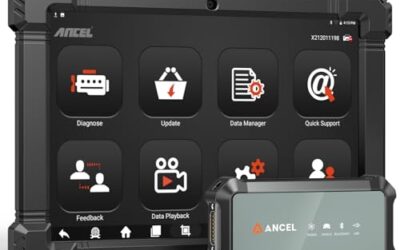
When a check engine light illuminates on your instrument cluster, finding the best OBD2 app paired with a reliable diagnostic adapter can save you hundreds of dollars in shop diagnostic fees. Rather than dealing with bulky, dedicated diagnostic consoles, mobile OBD2 applications turn your iPhone, iPad, or Android smartphone into a full-featured digital dashboard, freeze-frame analyzer, and code reader. However, software is only as capable as the diagnostic hardware communicating with your vehicle’s engine control unit (ECU).
Modern diagnostic solutions split into two primary architectures: dedicated closed-loop systems that rely on manufacturer-designed proprietary apps, and open-standard wireless adapters that connect to established third-party platforms such as Torque, Car Scanner ELM OBD2, and OBD Fusion. Choosing the right hardware and software combination depends on your vehicle’s make and model, your mobile operating system, whether you need maintenance functions like oil light resets, and whether you prefer an app-driven workflow or a standalone handheld interface.
Quick Verdict: Which OBD2 App and Scanner Setup Fits Your Needs?
For drivers seeking verified repair solutions backed by real-world ASE technician records, the Innova 5210 OBD2 Scanner & Engine Code Reader paired with the RepairSolutions2 app delivers the most practical maintenance utility, including ABS scanning and oil light resets. If your priority is live telemetry, battery voltage graphing, and zero subscription fees, the ANCEL BD200 OBD2 Scanner Bluetooth offers a seamless first-party app experience on both iOS and Android. Meanwhile, dedicated Android enthusiasts who prefer customizable third-party apps like Torque or Dr. Prius will find exceptional open-source flexibility in the Veepeak Mini Bluetooth OBD2 Scanner Code Reader. For those who want the freedom to choose between a physical screen and an app HUD, the ANCEL BD310 Bluetooth OBD2 Scanner bridges both worlds with its 2-in-1 hybrid design.

Pros
- Provides both direct device operation and Bluetooth app access
- Supports all 10 OBDII diagnostic modes
- Includes emissions-readiness checks for inspection preparation
- Offers battery and vehicle-performance monitoring features
- Free lifetime app updates are listed without subscription fees
Cons
- ABS, SRS, and transmission code clearing are not supported
- The listing specifies compatibility with most 1996+ OBDII vehicles rather than every vehicle
Specifications
| Color | Yellow |
|---|---|
| Size | BD310 |
| Dimensions | 5 x 2 x 1 inches |
| Weight | 0.1763698096 pounds |
| Product Group | Automotive Parts and Accessories |
| Binding | Automotive |
Best For / Avoid If
Best for buyers prioritizing
- Provides both direct device operation and Bluetooth app access
- Supports all 10 OBDII diagnostic modes
- Includes emissions-readiness checks for inspection preparation
Consider another option if
- ABS, SRS, and transmission code clearing are not supported
- The listing specifies compatibility with most 1996+ OBDII vehicles rather than every vehicle

Pros
- Supports wireless Bluetooth pairing with a smartphone or computer
- Provides fault-code reading and clearing functions
- Plug-and-play installation does not require extra tools
- Listed as compatible with most vehicles’ OBD-II ports
Cons
- A companion app is required to read the data
Specifications
| Product Group | Automotive Parts and Accessories |
|---|
Best For / Avoid If
Best for buyers prioritizing
- Supports wireless Bluetooth pairing with a smartphone or computer
- Provides fault-code reading and clearing functions
- Plug-and-play installation does not require extra tools
Consider another option if
- A companion app is required to read the data

Pros
- Supports 1996 and newer vehicles according to the product title
- Provides live data, freeze-frame data, and engine code interpretation
- Offers app-based diagnostic reports that can be shared by email
- Includes performance, trip analysis, and voice alert features
Cons
- The battery function cannot perform charge tests, cranking tests, or battery resets
Specifications
| Color | Black+Red |
|---|---|
| Dimensions | 2.9527559025 x 1.1417322823 x 4.330708657 inches |
| Product Group | Automotive Parts and Accessories |
| Binding | Automotive |
Best For / Avoid If
Best for buyers prioritizing
- Supports 1996 and newer vehicles according to the product title
- Provides live data, freeze-frame data, and engine code interpretation
- Offers app-based diagnostic reports that can be shared by email
Consider another option if
- The battery function cannot perform charge tests, cranking tests, or battery resets

Pros
- Offers live data viewing, recording, graphing, replay, and printing
- Covers many U.S., European, and Asian OBDII vehicles when the required protocols are supported
- Provides built-in code definitions to help explain detected DTCs
- Includes multiple diagnostic functions beyond basic code reading
Cons
- Only supports emission-related engine diagnostics
- Does not support vehicles with OBDI interfaces, even with an OBDII adapter
- The code reader can clear codes after the underlying issue is resolved but does not have a reset function
Specifications
| Product Group | Automotive Parts and Accessories |
|---|
Best For / Avoid If
Best for buyers prioritizing
- Offers live data viewing, recording, graphing, replay, and printing
- Covers many U.S., European, and Asian OBDII vehicles when the required protocols are supported
- Provides built-in code definitions to help explain detected DTCs
Consider another option if
- Only supports emission-related engine diagnostics
- Does not support vehicles with OBDI interfaces, even with an OBDII adapter
- The code reader can clear codes after the underlying issue is resolved but does not have a reset function

Pros
- Combines an OBD2 scanner and battery tester in one tool
- Provides live engine data and emissions-readiness status
- Includes oil reset functionality and access to RepairSolutions2 repair guidance
- Vehicle coverage includes many US, Asian, and European models from 1996 and newer
Cons
- ABS and other diagnostic features may vary by make, model, and year
- Compatibility should be verified with Innova's Coverage Checker before purchase
- Emission-readiness monitors reset after a battery disconnect or code clear and require a complete drive cycle to repopulate
Specifications
| Dimensions | 5.99 x 2.99 x 0.99 inches |
|---|---|
| Product Group | Automotive Parts and Accessories |
| Binding | Automotive |
Best For / Avoid If
Best for buyers prioritizing
- Combines an OBD2 scanner and battery tester in one tool
- Provides live engine data and emissions-readiness status
- Includes oil reset functionality and access to RepairSolutions2 repair guidance
Consider another option if
- ABS and other diagnostic features may vary by make, model, and year
- Compatibility should be verified with Innova's Coverage Checker before purchase
- Emission-readiness monitors reset after a battery disconnect or code clear and require a complete drive cycle to repopulate

Pros
- Supports common generic engine diagnostic functions
- Provides live sensor data for Android app-based monitoring
- Compatible with several popular Android diagnostic apps
- Works with most 1996+ US cars and light trucks
Cons
- Not compatible with iPhone or iPad
- Does not support advanced systems such as ABS, SRS, TPMS, transmission, or HVAC
- Requires a compatible third-party Android app and may not support Android car stereos or head units
Specifications
| Color | Blue |
|---|---|
| Size | Bluetooth 3.0 for Android ONLY |
| Dimensions | 1.89 x 0.98 x 1.26 inches |
| Weight | 0.07 Pounds |
| Product Group | Automotive Parts and Accessories |
| Binding | Automotive |
Best For / Avoid If
Best for buyers prioritizing
- Supports common generic engine diagnostic functions
- Provides live sensor data for Android app-based monitoring
- Compatible with several popular Android diagnostic apps
Consider another option if
- Not compatible with iPhone or iPad
- Does not support advanced systems such as ABS, SRS, TPMS, transmission, or HVAC
- Requires a compatible third-party Android app and may not support Android car stereos or head units

Pros
- Wireless Bluetooth design avoids the need for a diagnostic cable
- Free AutoOBDII app provides access to listed diagnostic functions without a subscription
- Compact dimensions of 2.95 x 1.77 x 0.78 inches
- Supports multiple device operating systems, including iOS, Android, and Windows
Cons
- Does not support ABS, SRS, EPB, TPMS, transmission, or service reset functions
- Not compatible with hybrid, plug-in electric, or fully electric vehicles
Specifications
| Color | Black |
|---|---|
| Dimensions | 2.95 x 1.77 x 0.78 inches |
| Weight | 0.069666074792 Pounds |
| Product Group | Automotive Parts and Accessories |
Best For / Avoid If
Best for buyers prioritizing
- Wireless Bluetooth design avoids the need for a diagnostic cable
- Free AutoOBDII app provides access to listed diagnostic functions without a subscription
- Compact dimensions of 2.95 x 1.77 x 0.78 inches
Consider another option if
- Does not support ABS, SRS, EPB, TPMS, transmission, or service reset functions
- Not compatible with hybrid, plug-in electric, or fully electric vehicles

Pros
- Supports multiple operating systems and diagnostic apps
- Offers live sensor data and battery-voltage readings
- Includes code reading, code erasing and check-engine-light functions
- Lists support for OBDII protocols including J1850 PWM, J1850 VPW, ISO9141-2, ISO14230-4 KWP and ISO15765-4 CAN-BUS
Cons
- Motorcycles, 24V diesel vehicles, new-energy vehicles, hybrid vehicles and vehicles that do not meet the OBDII agreement are not supported
- For iOS devices, the scanner must connect through a compatible app rather than the device's Bluetooth settings
- Available functions may vary by vehicle model, ECU and diagnostic app
Specifications
| Color | Black&Orange |
|---|---|
| Size | Bluetooth for iOS Android Windows |
| Dimensions | 2.9 x 1.65 x 0.75 inches |
| Product Group | Automotive Parts and Accessories |
| Binding | Automotive |
Best For / Avoid If
Best for buyers prioritizing
- Supports multiple operating systems and diagnostic apps
- Offers live sensor data and battery-voltage readings
- Includes code reading, code erasing and check-engine-light functions
Consider another option if
- Motorcycles, 24V diesel vehicles, new-energy vehicles, hybrid vehicles and vehicles that do not meet the OBDII agreement are not supported
- For iOS devices, the scanner must connect through a compatible app rather than the device's Bluetooth settings
- Available functions may vary by vehicle model, ECU and diagnostic app
Pros
- Combines code reading and erasing with live data and battery or alternator tests
- Includes access to maintenance schedules, dealer recalls, technical service bulletins, and RepairPal
- Supports multiple languages and iOS or Android devices
- Uses a 1.8-inch screen and has compact listed dimensions of 4.72 x 2.41 x 0.89 inches
Best For / Avoid If
Best for buyers prioritizing
- Combines code reading and erasing with live data and battery or alternator tests
- Includes access to maintenance schedules, dealer recalls, technical service bulletins, and RepairPal
- Supports multiple languages and iOS or Android devices
How We Chose These OBD2 App and Adapter Combinations
Selecting an OBD2 software and hardware setup requires evaluating how well the adapter firmware bridges vehicle network buses to mobile operating systems. Because diagnostic tools vary wildly in how they handle protocols, data polling rates, and app interfaces, our editorial team evaluated this nine-product selection based strictly on manufacturer technical documentation, protocol support, hardware architecture, and companion software capabilities.
Our evaluation framework centered on five core criteria:
- App Ecosystem and Operating System Support: We evaluated whether the device pairs with a dedicated, proprietary application (such as ANCEL or RepairSolutions2) or relies on open third-party software (such as Torque, Car Scanner, or DashCommand). We verified explicit iOS, Android, and PC compatibility limitations.
- Protocol and Vehicle Coverage: We confirmed compliance with core OBD-II standards, including CAN (ISO 15765-4), KWP2000 (ISO 14230-4), ISO 9141-2, J1850 VPW, and J1850 PWM for 1996 and newer US vehicles.
- Diagnostic Depth: We examined whether tools read and clear standard generic and manufacturer-specific diagnostic trouble codes (DTCs), display live sensor PIDs, capture freeze-frame snapshots, check I/M readiness monitors, or extend into specialized modules like ABS or battery health.
- Hardware Connectivity and Power: We assessed connection methods, including Bluetooth 5.0, Classic Bluetooth, and wired harnesses, along with vehicle port fitment and operational stability.
- Ongoing Ownership Costs: We confirmed whether the companion mobile application requires recurring subscriptions, in-app purchases, or unlocks to access critical repair databases.
Detailed Reviews: The 9 Best OBD2 App Adapters and Diagnostic Tools
1. ANCEL BD310 Bluetooth OBD2 Scanner – Best Hybrid Wired and Bluetooth App Tool
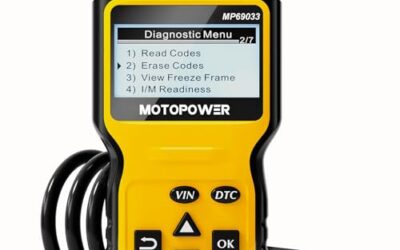
The ANCEL BD310 Bluetooth OBD2 Scanner solves a common diagnostic frustration: relying entirely on a smartphone when you just need a fast DTC read, or being trapped by a short cord when you want real-time telemetry while driving. The manufacturer built the BD310 with a 2-in-1 architecture that works as a standalone wired code reader with an integrated screen or transforms into a wireless Bluetooth scanner when paired with the free ANCEL mobile app on iOS or Android.
According to manufacturer specifications, the companion app provides real-time battery voltage monitoring, trip analysis, acceleration and braking performance tests, and a customizable heads-up display (HUD) mode that projects speed and engine RPM onto a windshield. The tool covers all 10 standard OBD-II operational modes, including O2 sensor verification, EVAP testing, and emissions I/M readiness status for all 1996 and newer compliant vehicles. The app includes lifetime updates without recurring subscription fees.
- Best for: DIYers who want the speed of a plug-in wired reader for quick checks alongside wireless smartphone HUD dashboards.
- Avoid if: You need deep bi-directional control, transmission diagnostics, or ABS/SRS airbag trouble code clearing, which the manufacturer states are unsupported.
2. KAUEGOW OBD2 Bluetooth Scanner for Car – Best Entry-Level Ultra-Budget Wireless Scanner
Priced at an entry-level observed cost of $3.60, the KAUEGOW OBD2 Bluetooth Scanner for Car is designed for motorists who need a minimalist, ultra-affordable tool to pull generic check engine codes. The manufacturer lists a compact ABS plastic housing measuring 1.77 by 2.76 by 0.98 inches, pairing wirelessly over Bluetooth to smartphones and personal computers without bulky harnesses.
The device operates via a companion mobile app to identify engine fault codes, display basic operating parameters, and clear diagnostic codes once mechanical repairs are completed. Its plug-and-play operation pulls power directly from the 16-pin vehicle diagnostic port. While it provides basic fault code clearing, the manufacturer advises buyers to consult vehicle protocol compatibility charts before purchase to confirm communication with their specific car model.
- Best for: Glovebox emergency kits and cost-conscious vehicle owners seeking basic fault-code reads.
- Avoid if: You expect advanced guided repair procedures, verified mechanics’ fix databases, or guaranteed high-frequency PID graphing.
3. ANCEL BD200 OBD2 Scanner Bluetooth – Best for Battery Health and Real-Time Performance Telemetry
The ANCEL BD200 OBD2 Scanner Bluetooth is engineered around wireless stability, utilizing Bluetooth 5.0 to establish fast ECU pairing on both iOS and Android platforms. The manufacturer provides a dedicated, crash-resistant ANCEL companion app packed with beginner-friendly repair guides, video tutorials, and plain-English fault code explanations.
Beyond standard emissions and engine DTC retrieval, the manufacturer highlights the BD200’s real-time battery voltage tracking with graphical curve displays. This allows drivers to monitor voltage stability during cold-weather starts, though the manufacturer notes it cannot perform dedicated battery cranking tests, charging tests, or battery registrations. The app also integrates driving safety voice alerts for coolant temperature and speed, trip logging, and vehicle performance tests tracking acceleration and braking distances.
- Best for: Commuters and DIYers seeking responsive Bluetooth 5.0 connectivity, live gauge monitoring, and battery voltage tracking.
- Avoid if: You need specialized service resets, such as electronic parking brake (EPB) retraction, steering angle calibration, or starter load testing.
4. LAUNCH OBD2 Scanner CR329 Check Engine Code – Best Standalone Alternative Without Phone or App Dependency
While mobile apps dominate modern vehicle diagnostics, smartphones bring distinct pain points: depleted phone batteries, Bluetooth pairing drops, and app store operating system updates. The LAUNCH OBD2 Scanner CR329 Check Engine Code serves as the direct hardware benchmark for car owners who prefer a dedicated, screen-equipped tool that requires zero mobile apps, internet connections, or wireless setup.
The manufacturer equips the CR329 with a 2.8-inch color display featuring a built-in diagnostic trouble code library, translating alphanumeric codes into plain-language explanations immediately on screen. The scanner supports all major OBD-II protocols (CAN, ISO9141, KWP2000, J1850 VPW, and J1850 PWM), live sensor data graphing, freeze-frame inspection, O2 sensor checks, EVAP monitor tests, and 12V battery health checks. Powered directly by the vehicle’s OBD-II port, it is ready instantly upon connection.
- Best for: Mechanics and vehicle owners who want immediate, self-contained engine diagnostics without smartphone pairing or app installation.
- Avoid if: You require mobile dashboard customization, driving route trip recording, or diagnosis of non-emissions-related systems.
5. Innova 5210 OBD2 Scanner & Engine Code Reader – Best for Verified Repair Guidance and Maintenance Resets
The Innova 5210 OBD2 Scanner & Engine Code Reader represents a hybrid bridge between professional shop-level databases and consumer hardware. Operating as a standalone handheld unit that syncs wirelessly via Bluetooth to the RepairSolutions2 app on iOS and Android, this tool is backed by a database of verified fixes curated from ASE-certified master technicians.
Unlike basic code readers, the Innova 5210 reads and erases both check engine and anti-lock brake system (ABS) codes on supported domestic and import vehicles (coverage verification recommended). The manufacturer integrates a dedicated oil maintenance light reset procedure, battery and alternator health tests, and smog check I/M readiness indicators. The companion RepairSolutions2 application provides vehicle-specific repair guidance, probable parts lists, and repair cost estimates without recurring subscription fees.
- Best for: Dedicated DIY mechanics who want verified repair recommendations, step-by-step guidance, ABS code access, and routine oil service resets.
- Avoid if: Your vehicle is older than 1996 or not verified on Innova’s online vehicle coverage checker tool.
6. Veepeak Mini Bluetooth OBD2 Scanner Code Reader – Best Android Adapter for Third-Party Diagnostic Apps
The Veepeak Mini Bluetooth OBD2 Scanner Code Reader is designed specifically for enthusiasts who want the freedom to choose their own diagnostic software. Built exclusively for Android phones and tablets using Classic Bluetooth, this compact dongle does not lock you into a proprietary environment. Instead, it pairs directly with leading third-party OBD2 applications, including Torque Pro, Car Scanner ELM OBD2, OBD Fusion, and Dr. Prius.
The manufacturer states the hardware reads generic check engine trouble codes, clears the malfunction indicator lamp (MIL), accesses freeze-frame data, and tracks live sensor metrics such as mass airflow (MAF), coolant temperature, fuel trims, and throttle position. Because it relies on external apps, the user can turn any Android device into a custom racing gauge cluster or hybrid battery monitor. However, the manufacturer explicitly warns that iOS devices are not supported.
- Best for: Android power users seeking an affordable, flexible hardware adapter for open-source and popular third-party diagnostic apps.
- Avoid if: You use an Apple iPhone or iPad, require manufacturer-level ABS/SRS resets, or want to use specialized coding tools like BimmerCode.
7. OBD2 Scanner Bluetooth Wireless Car Diagnostic – Best Budget Adapter with Subscription-Free Dedicated App
The OBD2 Scanner Bluetooth Wireless Car Diagnostic (LONAUTO LB03) provides a streamlined entry point for motorists tired of apps that demand in-app purchases or subscriptions to access basic diagnostic functions. Pairing across iOS, Android, and Windows platforms via Bluetooth, it connects directly to the free “AutoOBDII” mobile app.
According to manufacturer documentation, the LB03 supports live sensor data streams, freeze-frame records, EVAP system status, and I/M readiness tests. The application includes driving habit and route analysis tools to help improve fuel economy. The manufacturer explicitly notes universal OBD-II protocol compatibility across North American cars built after 1996, Asian vehicles after 2000, and European vehicles after 2003, while cautioning that hybrid and fully electric vehicles are unsupported.
- Best for: Drivers seeking a completely free, cross-platform mobile diagnostic app without recurring subscription charges.
- Avoid if: You drive a hybrid, plug-in hybrid (PHEV), or fully electric vehicle (EV), or need advanced chassis and transmission diagnostics.
8. OBD2 Bluetooth Scanner Car Code Reader for iOS – Best Low-Cost Cross-Platform Adapter for Open-Source Apps
The OBD2 Bluetooth Scanner Car Code Reader for iOS from LJPXHHU delivers multi-platform flexibility at an accessible $11.98 price point. Unlike single-ecosystem scanners, this adapter is engineered to communicate across iOS, Android, and Windows systems through widely available third-party software like Car Scanner, DashCommand, OBD Auto Doctor, inCarDoc, and Torque.
The manufacturer lists broad protocol support spanning all nine standard OBD-II communication networks, including J1850 PWM/VPW, ISO9141-2, ISO14230-4 KWP, and ISO15765-4 CAN. It delivers real-time sensor streams (RPM, calculated load, intake manifold pressure, and fuel system status), checks smog inspection readiness, and measures acceleration and braking performance. For iOS users, the manufacturer specifies that pairing must be initiated within the chosen diagnostic app rather than the system’s standard Bluetooth settings menu.
- Best for: Multi-car households using both Apple and Android devices who want to experiment with various independent diagnostic apps.
- Avoid if: You operate heavy-duty 24V diesel trucks, commercial equipment, motorcycles, or hybrid/electric models.
9. BLCKTEC 420 Bluetooth OBD2 Scanner Diagnostic Tool – Best for TSBs, Maintenance Schedules, and Repair Estimates
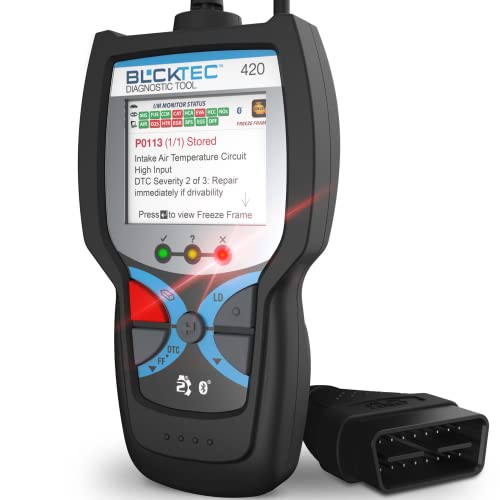
The BLCKTEC 420 Bluetooth OBD2 Scanner Diagnostic Tool stands out in the consumer wireless category by pairing an OBD-II interface with a professional-grade automotive data suite. Designed with input from Master Technicians in Southern California, this Bluetooth scanner connects to a dedicated mobile app on iOS and Android.
Manufacturer specifications indicate the tool reads and erases diagnostic codes, tracks live streaming data, assesses code severity levels, and tests alternator and battery health. Where the BLCKTEC 420 differentiates itself is in ownership maintenance intelligence: its mobile app grants users access to factory Technical Service Bulletins (TSBs), official dealer recalls, scheduled maintenance intervals, and RepairPal integration for transparent local repair estimates. The software also provides multilingual diagnostics in English, Spanish, and French.
- Best for: Vehicle owners who want clear repair estimates, recall notices, factory service bulletins, and verified technician guidance.
- Avoid if: You want a minimalist dongle restricted purely to open-source software like Torque or require heavy commercial truck coverage.
Feature Comparison: Diagnostic Adapters and App Ecosystems
The table below provides a verified comparison of connectivity, companion app architecture, operating system compatibility, and manufacturer-listed pricing across all nine evaluated diagnostic tools. Note that pricing reflects current market observations and is subject to change.
| Product Name | Connection Type | App Ecosystem | Supported OS |
|---|---|---|---|
| ANCEL BD310 Bluetooth OBD2 Scanner | Wired & Bluetooth | Dedicated ANCEL App | iOS & Android |
| KAUEGOW OBD2 Bluetooth Scanner for Car | Bluetooth Wireless | Exclusive Companion App | Phone & PC |
| ANCEL BD200 OBD2 Scanner Bluetooth | Bluetooth 5.0 | Dedicated ANCEL App | iOS & Android |
| LAUNCH OBD2 Scanner CR329 Check Engine Code | Wired OBD-II Cable | None (Integrated Display) | Standalone (No OS needed) |
| Innova 5210 OBD2 Scanner & Engine Code Reader | Wired & Bluetooth | RepairSolutions2 App | iOS & Android |
| Veepeak Mini Bluetooth OBD2 Scanner Code Reader | Classic Bluetooth | Third-Party (Torque, Car Scanner) | Android only (No iOS) |
| OBD2 Scanner Bluetooth Wireless Car Diagnostic | Bluetooth Wireless | AutoOBDII Free App | iOS, Android & Windows |
| OBD2 Bluetooth Scanner Car Code Reader for iOS | Bluetooth Wireless | Third-Party (Car Scanner, DashCommand) | iOS, Android & Windows |
| BLCKTEC 420 Bluetooth OBD2 Scanner Diagnostic Tool | Bluetooth Wireless | Exclusive BLCKTEC App | iOS & Android |
How to Choose the Best OBD2 App and Adapter for Your Vehicle
Before purchasing an OBD2 scanner or downloading diagnostic software, consider the practical technical trade-offs between hardware architectures, protocols, and data limitations.
1. Proprietary First-Party Apps vs. Third-Party Open Platforms
Diagnostic solutions generally fall into two categories:
- Dedicated Systems (Innova, ANCEL, BLCKTEC): These adapters pair with a tailor-made mobile application designed by the hardware manufacturer. Setup is straightforward, customer support is centralized, and features often include verified repair solutions, maintenance schedules, or recall databases. However, you are locked into that brand’s interface.
- Open Adapters (Veepeak, LJPXHHU): These devices act as generic ELM327-compatible hardware bridges. They allow you to connect to third-party mobile apps such as Torque Pro, Car Scanner ELM OBD2, OBD Fusion, or Dr. Prius. This approach provides immense customization and multi-vehicle tracking, but app configuration and troubleshooting fall entirely on the user.
2. Operating System and Bluetooth Pairing Nuances
One of the most frequent setup hurdles involves operating system compatibility. Apple’s iOS ecosystem historically handled Bluetooth connections differently than Android. Basic “Classic Bluetooth” adapters, such as the Veepeak Mini, function exclusively on Android devices and will fail to pair with an iPhone or iPad. Conversely, modern cross-platform wireless adapters use Bluetooth Low Energy (BLE) or Bluetooth 5.0. On iOS, BLE devices typically connect directly inside the diagnostic app rather than pairing through the iPhone’s system-level Bluetooth settings menu.
3. Diagnostic Depth: Generic Powertrain vs. Enhanced Systems
Every tool listed here reads generic OBD-II powertrain codes (P0xxx series) and turns off the Malfunction Indicator Lamp (Check Engine Light). However, standard OBD-II regulations only mandate emissions-related powertrain reporting. If you need to diagnose anti-lock brakes (ABS), supplemental restraint systems (SRS airbags), or reset an oil change maintenance light, basic dongles will not suffice. For those tasks, an enhanced tool like the Innova 5210 is necessary, provided your specific vehicle make and model are supported by the manufacturer’s coverage database.
4. Vehicle Drive Cycles and Smog Inspection Readiness
When you use an OBD2 app to clear a trouble code or disconnect your car’s 12V battery, the vehicle’s engine control module resets all internal emissions readiness monitors to an “incomplete” or “not ready” state. These include the catalytic converter monitor, evaporative emission system (EVAP), and oxygen sensor heaters. Before taking a vehicle for a mandatory state smog inspection, use your app or scanner to verify that all I/M readiness monitors have completed their required drive cycle, preventing an automatic smog test rejection.
For a closer look at a related choice, see OBD2 Scanner Buying Guide for Beginners, Best Rated OBD2 Scanner and Best OBD2 App iOS.
Frequently Asked Questions
Can an OBD2 app diagnose ABS or airbag (SRS) warning lights?
Most entry-level OBD2 apps and wireless dongles only communicate with the primary engine control module to read emissions-related powertrain codes. Diagnosing safety systems like ABS or airbags requires an enhanced scan tool with dedicated multi-system software coverage, such as the Innova 5210 (coverage varies by vehicle make and year).
Will an OBD2 Bluetooth adapter drain my car’s battery if left plugged in?
Most 16-pin OBD-II ports provide continuous unswitched 12-volt battery power to Pin 16, even when the vehicle’s ignition is turned off. While modern Bluetooth low-energy dongles draw minimal standby current, leaving an adapter plugged into an infrequently driven vehicle over several weeks can gradually drain the 12V battery. It is best practice to unplug wireless dongles when not actively logging trips or diagnosing faults.
Why won’t my iPhone connect to a Bluetooth OBD2 scanner?
If your adapter utilizes Classic Bluetooth (like the Veepeak Mini), it is physically incompatible with iOS. If the device uses Bluetooth Low Energy (BLE) or Bluetooth 5.0, Apple requires the connection to be negotiated directly within the compatible OBD2 mobile application rather than through the iOS Bluetooth settings menu.
Do I have to pay monthly subscriptions to use an OBD2 app?
None of the nine diagnostic tools evaluated here require mandatory monthly subscriptions for core check engine code diagnostics, live data streams, or basic sensor graphing. Apps like RepairSolutions2 (Innova) and the ANCEL companion app provide their core databases without recurring fees, though certain specialized third-party apps available in app stores may offer optional paid “Pro” upgrades.
Final Verdict
Selecting the best OBD2 app depends on the level of guidance you need when a trouble code appears. If your goal is to understand exact repair costs, review technical service bulletins, and complete DIY maintenance resets, the Innova 5210 paired with RepairSolutions2 stands as the most complete diagnostic package. Drivers who prioritize high-speed telemetry, responsive live gauges, and battery health tracking on both iPhone and Android will get outstanding value from the ANCEL BD200. Finally, if you are an Android user seeking total control over your dashboard gauges through independent apps like Torque Pro or Car Scanner, the Veepeak Mini Bluetooth remains the premier hardware choice for open third-party software.