To compare OBD2 live data before and after a repair, save a baseline scan, repeat the same test conditions, and compare the readings tied to the original fault. Similar readings can support a repair diagnosis, but one improved value does not prove the cause is fixed or that every system works correctly.
- Record codes, freeze-frame data, vehicle conditions, and live readings before repairs.
- Repeat the same scan with the same tool, PID selection, engine temperature, and operating conditions.
- Compare patterns and trends, not one number against a universal target.
- Check pending codes and readiness monitors separately from live data.
- Use service information for vehicle-specific specifications and test conditions.
What you need before comparing live data
You need an OBD2 scanner that can display the relevant data, a way to save or record readings, and a clear repair question. A basic code reader may show generic engine data. Some vehicles and scanners also support manufacturer-specific data, enhanced modules, or more PIDs than others.
Compatibility depends on vehicle model year, market, diagnostic connector, control module, and scanner support. OBD2 rules cover emissions-related diagnostics, but they do not mean every scanner can access every vehicle system. A generic scanner may not show ABS, airbag, transmission, or manufacturer-specific values. Phone-based scanners also depend on the adapter, app, phone OS, and sometimes firmware.
Before clearing codes or disconnecting the battery, save diagnostic trouble codes, pending codes, freeze-frame data, and monitor status. Clearing diagnostic information can erase useful evidence and normally resets emissions-related readiness monitors. It does not repair the fault.
If choosing a scanner, compare its supported data and vehicle coverage with the job. Our guides to OBD2 scanners for live data and fuel trim and scanners for advanced diagnostics cover those differences.
How to compare OBD2 live data before and after a repair
- Write down the complaint and repair question. Note the symptom, when it occurs, and the system being checked. For example, ask whether a repair changed a fuel-trim pattern at warm idle and steady cruise. Avoid treating a trouble code as proof that a named part failed.
- Scan before repairs. Record current, pending, and permanent codes when the scanner supports them. Save freeze-frame data, which captures selected operating conditions associated with a fault. Record which monitors show ready, incomplete, or unsupported.
- Choose relevant data items. Select PIDs connected to the suspected system and repair. Depending on vehicle support, these might include engine coolant temperature, short-term and long-term fuel trim, oxygen-sensor data, mass airflow, or engine speed. Do not collect a long list without knowing what each value tests.
- Record test conditions. Note whether the engine was cold or warm, whether it was idling or under load, and whether accessories were operating. Also record ambient conditions when they could affect the comparison. Use the same conditions after repair where practical.
- Perform the repair using service information. Follow vehicle-specific procedures. A repair can change other conditions, so note related work such as a battery disconnect, software update, or replacement of additional parts. These changes can affect codes, learned values, or readiness.
- Repeat the scan in a comparable state. Use the same scanner and data items if possible. Match engine temperature, RPM, load, and drive state. If the original problem happened only during a particular drive condition, a stationary idle comparison cannot establish whether that symptom is gone.
- Compare the full record. Check whether the original code returned, whether related pending codes appeared, and whether relevant data changed in the expected direction. Review monitor status separately. Record differences rather than relying on memory.
- Repeat a safe road test when needed. Follow the vehicle’s service procedure and local safety rules. Do not watch a handheld scanner while driving. Use a passenger to monitor equipment or record data, or use a properly mounted logging setup that does not distract the driver.
Use comparable conditions, not just matching numbers
Live data changes with engine temperature, RPM, load, throttle position, fuel control state, and sensor strategy. Comparing a cold-engine reading before repair with a warm-engine reading afterward can create a false impression of improvement. A meaningful comparison controls the conditions that matter to the fault.
Some values are expected to move. Short-term fuel trim can change as the engine controller responds to current conditions. Oxygen-sensor signals vary by sensor type and operating state. A single snapshot may therefore tell little. Look for a pattern across the same test period, and use vehicle service information to interpret expected behavior.
Scanners may refresh at different speeds, display different units, or label PIDs differently. Even the same scanner can show a different selection of data on another model year or engine. Keep the tool and displayed items consistent when possible. If the scanner cannot show the needed data, the comparison has a limit, not proof that the system is normal.
What should change after a repair?
The answer depends on the fault and the repair. A successful repair may stop a code from returning under the conditions that originally set it. Related live data may move toward the vehicle’s specified range or show a more stable pattern. But some faults take multiple trips or specific enabling conditions to reappear, and some monitors need a drive cycle before they can run.
Use this practical comparison table as a record template. It does not supply universal pass values; check specifications and test procedures for the exact vehicle.
| What to record | Before repair | After repair | How to read the difference |
|---|---|---|---|
| Diagnostic codes | Code, status, and module | Same scan details | A returning code matters; a cleared code alone does not prove repair. |
| Freeze-frame conditions | RPM, temperature, load, and related data shown | Record any new freeze frame | Different conditions can explain different readings. |
| Selected live PIDs | Values and test state | Same PIDs and test state | Compare trends and relationships with vehicle specifications. |
| Monitor status | Ready, incomplete, or unsupported | Record status again | Incomplete does not mean passed; unsupported differs from incomplete. |
| Driver symptom | When and how it occurred | Whether it recurred under similar use | A scan cannot replace checking the original complaint. |
How to interpret common live-data examples
Fuel trims
Short-term and long-term fuel trims show how the engine controller adjusts fueling relative to its base strategy. Their meaning depends on engine design, operating state, and manufacturer specifications. Compare bank-specific readings, engine temperature, and load under matching conditions. A change after repairing an air leak may support the diagnosis, but fuel-trim data alone cannot identify every cause of an abnormal mixture.
For more detail on scan-tool access and fuel-trim data, see our fuel-trim live-data scanner guide.
Coolant temperature
Coolant temperature helps establish whether the engine reached the operating state required for a test. Compare the scan reading with the engine’s actual warm-up conditions and any service specification. A value taken shortly after startup should not be judged against a warm-engine reading.
Oxygen sensor or air-fuel sensor data
Sensor behavior depends on sensor type, location, fuel-control mode, and scan-tool support. Some displays show a voltage, while others show current, equivalence ratio, or a manufacturer-specific value. Do not apply one generic voltage pattern to every vehicle or sensor.
Common mistakes
- Clearing codes before saving records. This can erase freeze-frame information and reset readiness. Save the full scan first.
- Calling a repair successful because the warning light went out. The code may have been cleared, or the fault may not yet have met conditions to return.
- Comparing different operating states. Cold versus warm, idle versus load, or different accessory use can change readings.
- Assuming every scanner PID is universal. Data availability, labels, units, and update rates vary by vehicle and tool.
- Treating a code as a parts order. Codes point to a monitored condition or circuit. Wiring, connectors, air leaks, mechanical faults, and other causes may need checking.
- Confusing monitor status with repair status. An incomplete monitor has not completed its test. An unsupported monitor is not applicable or available through that test path. Neither means the vehicle passed.
- Expecting one road trip to complete every monitor. Monitors require their own enabling conditions. Inspection rules vary by location, and a scan tool cannot guarantee a pass.
When to get professional help
Seek a qualified technician when a warning light flashes, the vehicle runs poorly, or the fault affects braking, steering, engine temperature, or safe control. Stop driving when the owner’s manual or vehicle behavior indicates a safety risk.
Professional diagnosis also makes sense when the scanner cannot access the needed module, readings conflict, a code returns after repair, or a fault requires wiring tests, a scope, pressure testing, or a manufacturer-specific procedure. Provide the saved scan, conditions, symptoms, and repair history. That record can help narrow the next test.
Do not perform a road test while watching a scanner. Secure any equipment and keep attention on driving, or have another person handle the scan. Follow service precautions around hot parts, moving belts, and fans that may start automatically.
Gear that can help
If you need OBD2 scanners for this job, these picks already appear in our OBD2 scanners guides. Check the full guide for fit and who should skip each one.

Pros
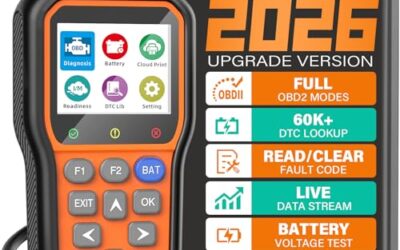
- Supports check-engine code reading and clearing
- Provides live data features including engine speed, vehicle speed, coolant temperature, and calculated load value
- Includes a 2.5-foot cable and six-button control layout
- Compact 6.02 x 2.75 x 0.91-inch design
Cons
- Does not support ABS, airbag, oil service light, or other non-OBDII systems
- Vehicle compatibility is described as supporting most applicable vehicles rather than every vehicle
- Requires connection to a vehicle’s OBDII port for power
Specifications
| Color | Yellow |
|---|---|
| Size | Portable |
| Dimensions | 6.02 x 2.75 x 0.91 inches |
| Weight | 0.6375 Pounds |
| Product Group | Automotive Parts and Accessories |
| Binding | Automotive |
Best For / Avoid If
Best for buyers prioritizing
- Supports check-engine code reading and clearing
- Provides live data features including engine speed, vehicle speed, coolant temperature, and calculated load value
- Includes a 2.5-foot cable and six-button control layout
Consider another option if
- Does not support ABS, airbag, oil service light, or other non-OBDII systems
- Vehicle compatibility is described as supporting most applicable vehicles rather than every vehicle
- Requires connection to a vehicle’s OBDII port for power

Pros
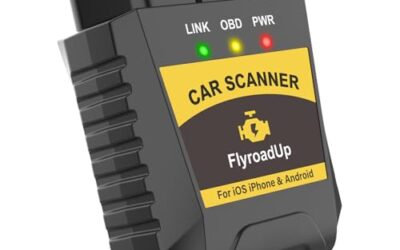
- Includes code reading, code clearing, live data, freeze-frame, I/M readiness, and vehicle information functions
- Supports VIN, Calibration ID, and Calibration Verification Number retrieval
- Lists compatibility with post-1996 US-based, post-2006 EU-based, and post-2009 Asian-based OBDII vehicles
- Offers a built-in DTC definition database and support for six languages
- Includes a stated five-year warranty
Cons
- The display is described as a two-line LCD screen, which may provide less viewing space than larger scan-tool displays
Specifications
| Color | Blue |
|---|---|
| Dimensions | 9.79921258843 x 6.692913379 x 1.57874015587 inches |
| Product Group | Automotive Parts and Accessories |
| Binding | Unknown Binding |
Best For / Avoid If
Best for buyers prioritizing
- Includes code reading, code clearing, live data, freeze-frame, I/M readiness, and vehicle information functions
- Supports VIN, Calibration ID, and Calibration Verification Number retrieval
- Lists compatibility with post-1996 US-based, post-2006 EU-based, and post-2009 Asian-based OBDII vehicles
Consider another option if
- The display is described as a two-line LCD screen, which may provide less viewing space than larger scan-tool displays

Pros
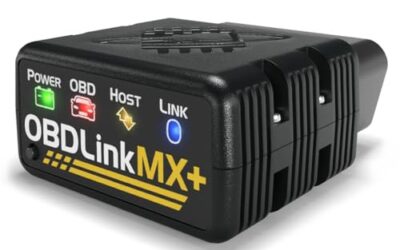
- Supports iPhone, Android, and Windows devices
- Works with a range of named diagnostic applications
- Offers enhanced OEM support for several vehicle brands
- Includes protection against over-voltage and battery drain
Cons
- Vehicle compatibility and available features should be confirmed in the troubleshooting guide before purchase
Specifications
| Color | Black |
|---|---|
| Size | Small |
| Dimensions | 2.0078740137 x 0.9055118101 x 1.8110236202 Inches |
| Weight | 0.06172943336 pounds |
| Product Group | Automotive Parts and Accessories |
| Binding | Automotive |
Best For / Avoid If
Best for buyers prioritizing
- Supports iPhone, Android, and Windows devices
- Works with a range of named diagnostic applications
- Offers enhanced OEM support for several vehicle brands
Consider another option if
- Vehicle compatibility and available features should be confirmed in the troubleshooting guide before purchase
FAQ
Should I clear codes before the post-repair comparison?
First save codes, freeze-frame data, and monitor status. After the repair, clearing codes may be part of a vehicle-specific verification procedure, but it erases diagnostic information and normally resets emissions readiness. Follow service information, then scan again and distinguish cleared codes from tests that have completed.
How long should I drive before scanning again?
There is no universal drive time. Some checks need a specific engine temperature, speed, load, or start-up sequence. Follow the vehicle’s service procedure and monitor status. A code that has not returned yet does not prove the fault is gone.
Can a basic code reader compare live data?
Some basic readers display generic live engine data, while others only read codes. Access depends on the reader and vehicle. Enhanced data for other modules or manufacturer-specific PIDs may need a more capable scanner.
What if readings differ but the code does not return?
Check whether test conditions, units, selected PIDs, or tool refresh rates changed. Review pending codes and monitor status, then repeat the relevant test under matching conditions. A different reading may be normal variation or a new issue; use vehicle specifications to decide.
Sources and further reading
- J1962 Diagnostic Connector standard (SAE International): Standard information on the diagnostic connector used for vehicle communications.
- J1979 E/E Diagnostic Test Modes standard (SAE International): Standard information on emissions-related diagnostic test modes and data.