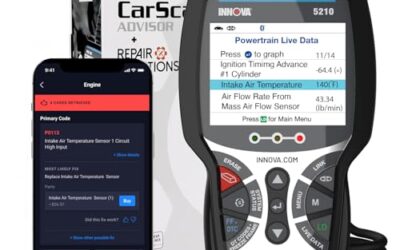
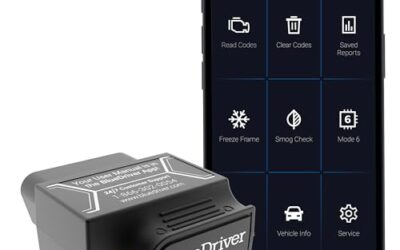
An OBD2 app can turn any Android phone into a live dashboard and a check-engine-light translator, but the app is only half of the equation. Every Android diagnostic app still needs a Bluetooth adapter plugged into the car’s OBD2 port, and those adapters split into two camps: dongles locked to one manufacturer’s app and open adapters built to feed third-party apps such as Torque, Car Scanner, or OBD Fusion. This guide compares nine Bluetooth OBD2 adapters that document Android support, with observed prices from $11.98 to $139.95, and matches each one to the app, vehicle, and budget it actually fits.

Pros
- Provides both direct device operation and Bluetooth app access
- Supports all 10 OBDII diagnostic modes
- Includes emissions-readiness checks for inspection preparation
- Offers battery and vehicle-performance monitoring features
- Free lifetime app updates are listed without subscription fees
Cons
- ABS, SRS, and transmission code clearing are not supported
- The listing specifies compatibility with most 1996+ OBDII vehicles rather than every vehicle
Specifications
| Color | Yellow |
|---|---|
| Size | BD310 |
| Dimensions | 5 x 2 x 1 inches |
| Weight | 0.1763698096 pounds |
| Product Group | Automotive Parts and Accessories |
| Binding | Automotive |
Best For / Avoid If
Best for buyers prioritizing
- Provides both direct device operation and Bluetooth app access
- Supports all 10 OBDII diagnostic modes
- Includes emissions-readiness checks for inspection preparation
Consider another option if
- ABS, SRS, and transmission code clearing are not supported
- The listing specifies compatibility with most 1996+ OBDII vehicles rather than every vehicle

Pros
- Supports iPhone, Android, and Windows devices
- Works with a range of named diagnostic applications
- Offers enhanced OEM support for several vehicle brands
- Includes protection against over-voltage and battery drain
Cons
- Vehicle compatibility and available features should be confirmed in the troubleshooting guide before purchase
Specifications
| Color | Black |
|---|---|
| Size | Small |
| Dimensions | 2.0078740137 x 0.9055118101 x 1.8110236202 Inches |
| Weight | 0.06172943336 pounds |
| Product Group | Automotive Parts and Accessories |
| Binding | Automotive |
Best For / Avoid If
Best for buyers prioritizing
- Supports iPhone, Android, and Windows devices
- Works with a range of named diagnostic applications
- Offers enhanced OEM support for several vehicle brands
Consider another option if
- Vehicle compatibility and available features should be confirmed in the troubleshooting guide before purchase

Pros
- Offers multiple diagnostic and performance-monitoring functions
- Supports both iOS and Android devices through a dedicated app
- Includes chart-based data visualization and access to diagnostic reports
- Lists broad vehicle coverage and support for nine protocols
Cons
- The vehicle must be started and the phone's Bluetooth must be enabled for use
- The listing recommends unplugging the scanner after use to avoid consuming the vehicle battery
- Fault codes can only be cleared after the vehicle is repaired; the listing says an unrepaired fault may require clearing by a 4S shop computer
Specifications
| Color | black |
|---|---|
| Dimensions | 3.8 x 2.5 x 3.8 Inches |
| Product Group | Automotive Parts and Accessories |
| Binding | Automotive |
Best For / Avoid If
Best for buyers prioritizing
- Offers multiple diagnostic and performance-monitoring functions
- Supports both iOS and Android devices through a dedicated app
- Includes chart-based data visualization and access to diagnostic reports
Consider another option if
- The vehicle must be started and the phone's Bluetooth must be enabled for use
- The listing recommends unplugging the scanner after use to avoid consuming the vehicle battery
- Fault codes can only be cleared after the vehicle is repaired; the listing says an unrepaired fault may require clearing by a 4S shop computer

Pros
- Supports both Android and Windows platforms
- Includes software for Android and Windows
- Works with third-party diagnostic apps
- Offers MotoScan compatibility for supported motorcycles
Cons
- Not compatible with Apple iOS devices
- Vehicle coverage excludes hybrid and electric vehicles
Best For / Avoid If
Best for buyers prioritizing
- Supports both Android and Windows platforms
- Includes software for Android and Windows
- Works with third-party diagnostic apps
Consider another option if
- Not compatible with Apple iOS devices
- Vehicle coverage excludes hybrid and electric vehicles

Pros
- Supports common generic engine diagnostic functions
- Provides live sensor data for Android app-based monitoring
- Compatible with several popular Android diagnostic apps
- Works with most 1996+ US cars and light trucks
Cons
- Not compatible with iPhone or iPad
- Does not support advanced systems such as ABS, SRS, TPMS, transmission, or HVAC
- Requires a compatible third-party Android app and may not support Android car stereos or head units
Specifications
| Color | Blue |
|---|---|
| Size | Bluetooth 3.0 for Android ONLY |
| Dimensions | 1.89 x 0.98 x 1.26 inches |
| Weight | 0.07 Pounds |
| Product Group | Automotive Parts and Accessories |
| Binding | Automotive |
Best For / Avoid If
Best for buyers prioritizing
- Supports common generic engine diagnostic functions
- Provides live sensor data for Android app-based monitoring
- Compatible with several popular Android diagnostic apps
Consider another option if
- Not compatible with iPhone or iPad
- Does not support advanced systems such as ABS, SRS, TPMS, transmission, or HVAC
- Requires a compatible third-party Android app and may not support Android car stereos or head units

Pros
- Supports code scanning and code resets without requiring an expert
- Tracks vehicle-specific scans, mileage-based reminders, and shared results
- Compact 1.75 x 0.75 x 1.6-inch sensor is designed to stay under the dash
Cons
- Advanced features require an optional premium subscription after the 14-day trial
- Features may vary by vehicle make and model
Specifications
| Color | White |
|---|---|
| Size | 1 Pack |
| Dimensions | 1.75 x 0.75 x 1.6 inches |
| Weight | 0.06 pounds |
| Product Group | Automotive Parts and Accessories |
| Binding | Automotive |
Best For / Avoid If
Best for buyers prioritizing
- Supports code scanning and code resets without requiring an expert
- Tracks vehicle-specific scans, mileage-based reminders, and shared results
- Compact 1.75 x 0.75 x 1.6-inch sensor is designed to stay under the dash
Consider another option if
- Advanced features require an optional premium subscription after the 14-day trial
- Features may vary by vehicle make and model

Pros
- Supports BimmerCode coding for BMW and Mini vehicles
- Compatible with iOS and Android devices
- Includes sleep mode and overvoltage protection
- OBDLink app is included for diagnostics and live data
Cons
- BimmerCode app is not included and must be purchased separately
- Vehicle compatibility and available features should be confirmed through the troubleshooting guide and BimmerCode app
Specifications
| Dimensions | 1.8110236202 x 1.2992125971 x 0.9055118101 inches |
|---|---|
| Product Group | Automotive Parts and Accessories |
| Binding | Automotive |
Best For / Avoid If
Best for buyers prioritizing
- Supports BimmerCode coding for BMW and Mini vehicles
- Compatible with iOS and Android devices
- Includes sleep mode and overvoltage protection
Consider another option if
- BimmerCode app is not included and must be purchased separately
- Vehicle compatibility and available features should be confirmed through the troubleshooting guide and BimmerCode app

Pros
- Supports multiple operating systems and diagnostic apps
- Offers live sensor data and battery-voltage readings
- Includes code reading, code erasing and check-engine-light functions
- Lists support for OBDII protocols including J1850 PWM, J1850 VPW, ISO9141-2, ISO14230-4 KWP and ISO15765-4 CAN-BUS
Cons
- Motorcycles, 24V diesel vehicles, new-energy vehicles, hybrid vehicles and vehicles that do not meet the OBDII agreement are not supported
- For iOS devices, the scanner must connect through a compatible app rather than the device's Bluetooth settings
- Available functions may vary by vehicle model, ECU and diagnostic app
Specifications
| Color | Black&Orange |
|---|---|
| Size | Bluetooth for iOS Android Windows |
| Dimensions | 2.9 x 1.65 x 0.75 inches |
| Product Group | Automotive Parts and Accessories |
| Binding | Automotive |
Best For / Avoid If
Best for buyers prioritizing
- Supports multiple operating systems and diagnostic apps
- Offers live sensor data and battery-voltage readings
- Includes code reading, code erasing and check-engine-light functions
Consider another option if
- Motorcycles, 24V diesel vehicles, new-energy vehicles, hybrid vehicles and vehicles that do not meet the OBDII agreement are not supported
- For iOS devices, the scanner must connect through a compatible app rather than the device's Bluetooth settings
- Available functions may vary by vehicle model, ECU and diagnostic app
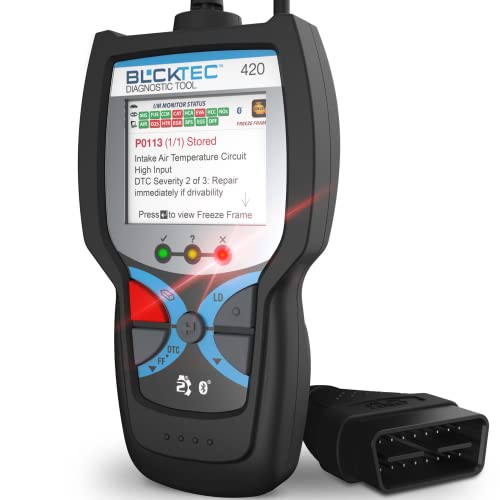
Pros
- Combines code reading and erasing with live data and battery or alternator tests
- Includes access to maintenance schedules, dealer recalls, technical service bulletins, and RepairPal
- Supports multiple languages and iOS or Android devices
- Uses a 1.8-inch screen and has compact listed dimensions of 4.72 x 2.41 x 0.89 inches
Best For / Avoid If
Best for buyers prioritizing
- Combines code reading and erasing with live data and battery or alternator tests
- Includes access to maintenance schedules, dealer recalls, technical service bulletins, and RepairPal
- Supports multiple languages and iOS or Android devices
Our Top Pick
Every adapter in this guide documents Android support, so the real decision comes down to app ecosystem, vehicle coverage, and price:
- Best overall app flexibility: OBDLink MX+, the manufacturer lists it as the recommended adapter for FORScan, Torque, BimmerCode, DashCommand, AlfaOBD, and Carista, with enhanced OEM coverage.
- Best Android-only package: OBDLink LX, includes the OBDLink Android app plus Windows software.
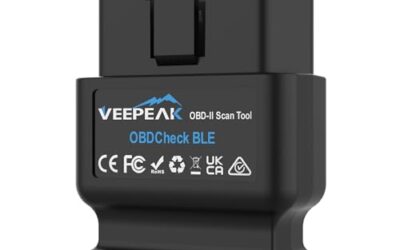
- Best budget pairing for open apps: Veepeak Mini, documented to work with Car Scanner, Torque, OBD Fusion, and Dr. Prius.
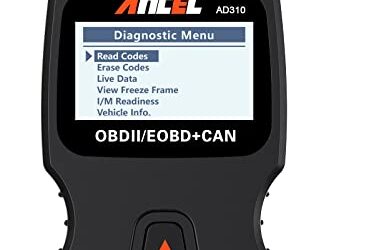
- Best 2-in-1: ANCEL BD310, a standalone wired code reader plus Bluetooth app diagnostics and a HUD mode.
- Best for BMW and Mini owners: OBDLink CX, made for BimmerCode coding.
- Best guided apps: FIXD for maintenance tracking, BLCKTEC 420 for bulletins, recalls, and code severity.
- Cheapest entry: LJPXHHU, with the UMEIJA V011 as the budget dedicated-app alternative.
Quick Comparison
| Adapter | Android Connection | Manufacturer-Listed Android Apps | Key Limitation |
|---|---|---|---|
| ANCEL BD310 Bluetooth OBD2 Scanner | Bluetooth or wired handheld | ANCEL’s free app | No ABS, SRS, or transmission code clearing |
| OBDLink MX+ OBD2 Bluetooth Scanner for iPhone | Bluetooth | OBDLink app; FORScan, Torque, BimmerCode, DashCommand, AlfaOBD, Carista | Highest price; compatibility guide check advised |
| OBD2 Scanner Diagnostic Tool | Bluetooth 5.4 | Dedicated OBD Home app only | Locked to its own app |
| OBDLink LX Bluetooth 3.0 OBD2 Adapter | Bluetooth 3.0 | OBDLink app, Torque, DashCommand, MotoScan | Android only; no hybrid or EV support |
| Veepeak Mini Bluetooth OBD2 Scanner Code Reader | Classic Bluetooth | Car Scanner, Torque, OBD Fusion, Dr. Prius | Generic engine codes only; not for BimmerCode or ABRP |
| FIXD Bluetooth OBD2 Scanner | Bluetooth | FIXD app | Premium features move to a subscription after the trial |
| OBDLink CX Bimmercode Bluetooth 5.1 OBD2 Adapter | Bluetooth 5.1 | OBDLink app; made for BimmerCode (sold separately) | BimmerCode app costs extra; BMW/Mini focus |
| OBD2 Bluetooth Scanner Car Code Reader for iOS | Bluetooth | Torque, DashCommand, Car Scanner, Mini OBD II | No hybrid, EV, or 24V diesel support |
| BLCKTEC 420 Bluetooth OBD2 Scanner Diagnostic Tool | Bluetooth | BLCKTEC’s own app | Proprietary app ecosystem |
Evaluation Criteria for OBD2 Scanners & Diagnostics
CarTechTalk evaluated the nine adapters on manufacturer-documented Android support, breadth of app compatibility, protocol and mode coverage, vehicle restrictions, power-management features, and observed price. We favored open adapters that work with established third-party apps, flagged every documented limitation such as missing ABS support or diesel restrictions, and kept all nine in scope because every listing confirms Android compatibility. This is an editorial analysis of published specifications and product listings, not laboratory or road evaluation, and ratings were not part of the assessment.
Android OBD2 Compatibility and Buying Advice
Match the adapter to the app, not the other way around. Some Android apps demand specific hardware: BimmerCode pairs with the OBDLink CX, while Veepeak explicitly lists BimmerCode, BimmerLink, and ABRP as incompatible with its Mini. Veepeak also warns buyers to download the genuine Car Scanner or Torque app and avoid imitation apps that may require subscriptions.
Bluetooth type decides phone support. The adapters here that use Classic Bluetooth, the Veepeak Mini and the Bluetooth 3.0 OBDLink LX, are Android-only in their listings, because iPhones need Bluetooth LE hardware. Everything else documents both platforms.
Check your vehicle against the exceptions. All nine target 1996-and-newer US OBD2 vehicles for generic engine diagnostics, but OBDLink excludes hybrids and EVs from the LX, LJPXHHU rules out hybrids and new-energy vehicles, FIXD covers diesels only from 2006, Veepeak makes EV and hybrid support app-dependent, and Veepeak also rules out heavy-duty trucks and motorcycles.
Know generic versus enhanced diagnostics. Budget dongles read engine codes only. If you need ABS, SRS, or TPMS data, the OBDLink MX+ is the option here that documents enhanced OEM parameters; the ANCEL BD310 covers all 10 OBDII modes but, per ANCEL, cannot clear ABS, SRS, or transmission codes.
Plan for power. UMEIJA recommends unplugging its adapter after each session to protect the battery, while OBDLink documents sleep mode and over-voltage or battery-drain protection on its adapters and describes the LX as safe to leave plugged in. Keep the ignition on while pairing, per UMEIJA’s setup notes.
Narrowing Down an OBD2 Adapter for Android Apps
- Start from the app. Committed to Torque or Car Scanner? Buy an open dongle such as the Veepeak Mini or LJPXHHU. Want BMW coding? That means the OBDLink CX and the separate BimmerCode purchase. Prefer an app that explains everything for you? FIXD, BLCKTEC, ANCEL, and UMEIJA own that lane.
- Set the budget by capability. Under about $25 buys generic engine diagnostics only. The $40 to $60 range adds guided apps, maintenance tracking, or a 2-in-1 design. Above $80 buys enhanced OEM data and multi-app flexibility.
- Verify the vehicle. Confirm model year, fuel type, and whether you drive a diesel, hybrid, or EV against each listing’s documented restrictions before ordering.
- Decide generic or enhanced. Engine codes and live data cover most DIY needs; ABS, SRS, and TPMS parameters require an adapter such as the MX+.
- Think about duty cycle. Occasional scanning suits any dongle; leaving one plugged in permanently requires documented sleep or over-voltage protection.
Next step: OBD2 Scanner Buying Guide for Beginners, Best Rated OBD2 Scanner and Best OBD2 App iOS.
Common Questions
Which Android OBD2 apps work with these adapters?
It depends on the adapter. Veepeak and LJPXHHU list Torque, Car Scanner, OBD Fusion, and DashCommand. The OBDLink models include the OBDLink app and are compatible with or recommended for third-party apps such as Torque, FORScan, BimmerCode, DashCommand, AlfaOBD, Carista, and MotoScan. FIXD, BLCKTEC, ANCEL, and UMEIJA lock you to their own apps.
Will a Bluetooth OBD2 adapter drain my car battery?
Some can. UMEIJA advises unplugging its adapter after use, while OBDLink documents sleep mode and over-voltage or battery-drain protection and calls the LX safe to leave plugged in. If a listing does not document sleep protection, unplugging between drives is the safer habit.
Does clearing a code fix the problem?
No. Clearing turns off the light without repairing anything, and UMEIJA notes the fault code can only truly be cleared after the car is repaired. If the underlying fault remains, expect the light to return. Use codes to diagnose, complete the fix, then clear and verify.
Can I use an Android-only adapter with an iPhone?
No. The Veepeak Mini and OBDLink LX are documented as Android-only because they use Classic Bluetooth, which iPhones do not pair with for this purpose. The MX+, CX, FIXD, BLCKTEC 420, ANCEL BD310, UMEIJA V011, and LJPXHHU adapters all list iOS support as well.
Do these adapters work on diesels, hybrids, or EVs?
Check each listing. FIXD supports gasoline and hybrid vehicles from 1996 and diesels from 2006. OBDLink LX and the LJPXHHU adapter exclude hybrids and EVs. Veepeak says EV and hybrid support depends on the app. Heavy-duty trucks and motorcycles are outside the scope of the budget dongles.
The Bottom Line
The best OBD2 app and Android pairing depends on what you want the app to do. For cheap, no-lock-in generic diagnostics with apps like Car Scanner or Torque, the Veepeak Mini is the documented budget pairing, with the LJPXHHU as the bare-minimum alternative. If you want one adapter that feeds nearly every serious Android app plus enhanced ABS, SRS, and TPMS data, the OBDLink MX+ justifies its premium, while the Android-only LX delivers a similar experience with included software for less. BMW and Mini owners should shortlist the OBDLink CX, guided-DIY drivers should weigh FIXD against the BLCKTEC 420, and the ANCEL BD310 suits anyone who wants a screen as a backup. Whichever direction you go, confirm the current price and run the manufacturer’s compatibility guidance for your exact vehicle before you buy.