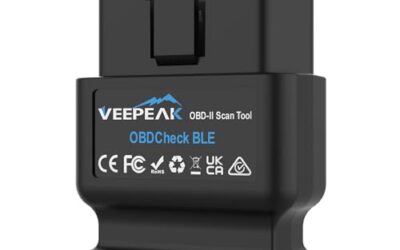
Torque Pro can turn an Android phone into a useful vehicle monitor, but the app still needs a compatible Bluetooth OBD2 adapter. The best Bluetooth OBD2 scanner for Torque Pro should explicitly list Torque support, match your phone’s operating system, work with your vehicle’s OBD-II system, and avoid unnecessary connection or battery-drain concerns.
This guide evaluates the listed 10-product set using manufacturer-listed compatibility, supported protocols, operating-system details, intended use, limitations, and listed prices. Only products with explicit Torque or Torque Pro support are recommendations. Prices below are the listed observed prices and may change.
Affiliate disclosure: CarTechTalk may earn a commission from qualifying purchases made through retailer links, at no additional cost to you.

Pros
- Provides multiple diagnostic functions beyond basic code reading
- Offers real-time vehicle data through a phone or tablet
- Supports gasoline and diesel vehicles from model year 1996 onward when they comply with OBD II protocols
- Includes fault-code definitions and a DTC library
Cons
- Not compatible with hybrid, electric, rechargeable, or pure electric vehicles according to the published product information
- iOS users must use the Car Scanner app and connect through the app rather than pairing directly in the phone's Bluetooth settings
- The scanner cannot read transmission temperature
The SinoTrack V019 is a compact wireless Bluetooth OBD2 scanner for reading vehicle fault codes and monitoring diagnostic information through an iOS or Android device. Listed functions include fault-code definitions, live data, oxygen sensor testing, battery voltage testing, I/M readiness status, vehicle information, freeze-frame data, EVAP testing, and access to a DTC library in 16 languages, including Spanish.
The scanner is listed as compatible with US-market gasoline or diesel cars, light trucks, and other vehicles from 1996 onward that comply with OBD II protocols. The published information states that it does not apply to hybrid, electric, rechargeable, or pure electric vehicles. For iOS use, the instructions specify the Car Scanner app and in-app connection rather than direct Bluetooth pairing.
- Color: Black
- Dimensions: 2.34 x 1.81 x 0.84 inches
- Weight: 0.13 pounds
- Warranty: Stated 2-year quality warranty
- Limitation: Does not read transmission temperature
Specifications
| Color | Black |
|---|---|
| Dimensions | 2.34 x 1.81 x 0.84 inches |
| Weight | 0.13 Pounds |
| Product Group | Automotive Parts and Accessories |
| Binding | Automotive |
Verify the current product variation before purchase; specifications may change.
Detailed Review
What stands out in the currently available product data:
- Reads fault codes and provides code definitions
- Supports live data monitoring, including coolant and oil temperature, O2 readings, and mass airflow
- Includes oxygen sensor, EVAP, battery voltage, and I/M readiness tests
- Works with iOS and Android devices using a compatible app
- Designed for 1996 and newer US-market gasoline or diesel OBD II vehicles
- Compact design measures 2.34 x 1.81 x 0.84 inches and weighs 0.13 pounds
Best For / Avoid If
Best for buyers prioritizing
- Provides multiple diagnostic functions beyond basic code reading
- Offers real-time vehicle data through a phone or tablet
- Supports gasoline and diesel vehicles from model year 1996 onward when they comply with OBD II protocols
Consider another option if
- Not compatible with hybrid, electric, rechargeable, or pure electric vehicles according to the published product information
- iOS users must use the Car Scanner app and connect through the app rather than pairing directly in the phone's Bluetooth settings
- The scanner cannot read transmission temperature

Pros
- Supports both iOS and Android devices
- Compatible with multiple popular OBD2 apps
- Compact design with low-power sleep mode
- Supports firmware upgrades
Cons
- Limited to standard OBD2 functions and does not support ABS, SRS, or TPMS diagnostics
- MS-CAN protocol is not supported
- Not suitable for 24V diesel vehicles, and auto-wake may not work on electric or hybrid vehicles
The Vgate iCar Pro Bluetooth 4.0 is an OBD2 fault code reader designed for 12V gasoline vehicles manufactured after 1996 with standard OBD2 support. It is also compatible with light-duty diesel vehicles weighing 6.5 tons or less from 1996 onward, but it is not suitable for 24V diesel vehicles.
The adapter works with iOS and Android devices and is compatible with apps including Torque, Car Scanner ELM327, OBD Fusion, OBD JScan, and Dr. Prius. Advanced app functions may require in-app purchases. The device supports standard OBD2 functions only; ABS, SRS, TPMS, and MS-CAN functions are not supported.
Features include Bluetooth 4.0 connectivity, auto-sleep and auto-wake functionality, LED status indicators, and firmware updates through the VgateFwUpdater app or Windows PCs. Dimensions are 1.85 x 0.94 x 1.06 inches, and listed weight is 0.1322773572 pounds.
Specifications
| Color | ICAR PRO BLE4.0 - Android, iOS & Windows |
|---|---|
| Size | ICAR PRO BLE4.0 - iOS, Android & Windows |
| Dimensions | 1.85 x 0.94 x 1.06 inches |
| Weight | 0.1322773572 pounds |
| Product Group | Automotive Parts and Accessories |
| Binding | Automotive |
Verify the current product variation before purchase; specifications may change.
Detailed Review
What stands out in the currently available product data:
- Supports standard OBD2 functions for compatible vehicles
- Works with iOS and Android devices
- Compatible with selected apps including Torque, Car Scanner ELM327, OBD Fusion, OBD JScan, and Dr. Prius
- Bluetooth 4.0 connectivity uses less power than Wi-Fi OBD2 readers
- Auto-sleep and auto-wake functionality can draw as little as 3mA in sleep mode
- Compact plug-and-play design for insertion into an OBD2 port
Best For / Avoid If
Best for buyers prioritizing
- Supports both iOS and Android devices
- Compatible with multiple popular OBD2 apps
- Compact design with low-power sleep mode
Consider another option if
- Limited to standard OBD2 functions and does not support ABS, SRS, or TPMS diagnostics
- MS-CAN protocol is not supported
- Not suitable for 24V diesel vehicles, and auto-wake may not work on electric or hybrid vehicles

Pros
- Provides more system-specific diagnostics than basic engine-code readers
- Wireless connection avoids the need for a cable between the scanner and phone or tablet
- Includes live data, freeze-frame information, smog readiness, and Mode 6 functions
- Free app updates and no subscription fees are included with the purchase
Cons
- The published data does not provide iOS or Android operating-system requirements
- The stated compatibility covers gas-powered vehicles from 1996 and newer in North America; compatibility with diesel vehicles is not provided
- A compatible phone or tablet is required for wireless operation
The BlueDriver Pro is a black Bluetooth OBD2 scanner that plugs into a vehicle's OBDII port and connects wirelessly to a phone or tablet. It can read and clear enhanced diagnostic codes for Check Engine, ABS, SRS, airbag, TPMS, and transmission systems.
- Vehicle coverage: Gas-powered vehicles from 1996 and newer sold in the U.S., Canada, and Mexico
- Diagnostic features: VIN-matched repair reports, live data, freeze frames, smog readiness checks, and Mode 6 test results
- Connection: Bluetooth
- Subscription: No subscription fees or add-ons; free app updates are included
- Dimensions: 2.2 x 1.9 x 1 inches
- Weight: 0.13 pounds
Specifications
| Color | Black |
|---|---|
| Size | Pro |
| Dimensions | 2.2 x 1.9 x 1 inches |
| Weight | 0.13 pounds |
| Product Group | Automotive Parts and Accessories |
| Binding | Automotive |
Verify the current product variation before purchase; specifications may change.
Detailed Review
What stands out in the currently available product data:
- Reads and clears enhanced codes for Check Engine, ABS, SRS, airbag, TPMS, and transmission systems
- Provides VIN-matched repair reports with code definitions, possible causes, and verified fixes
- Supports live vehicle data, freeze frames, smog readiness checks, and Mode 6 test results
- Connects wirelessly to a phone or tablet through Bluetooth
- Compatible with gas-powered vehicles from 1996 and newer sold in the U.S., Canada, and Mexico
- Includes full feature access without subscription fees or add-ons
Best For / Avoid If
Best for buyers prioritizing
- Provides more system-specific diagnostics than basic engine-code readers
- Wireless connection avoids the need for a cable between the scanner and phone or tablet
- Includes live data, freeze-frame information, smog readiness, and Mode 6 functions
Consider another option if
- The published data does not provide iOS or Android operating-system requirements
- The stated compatibility covers gas-powered vehicles from 1996 and newer in North America; compatibility with diesel vehicles is not provided
- A compatible phone or tablet is required for wireless operation

Pros
- Supports Android phones and tablets
- Offers code reading, code clearing, and Check Engine Light reset functions
- Lists compatibility with 1996 and newer US vehicles and 2000 and newer EU and Asian vehicles
- Supports multiple compatible third-party diagnostic apps
Cons
- Android-only; iOS support is not provided
- Vehicle compatibility is limited to listed 12V gas-powered and light diesel vehicles and newer OBDII vehicles
- A compatible app is required for operation
The Panlong Bluetooth OBD2 Scanner is an ELM327-compliant code reader for Android phones and tablets. It can read and clear error codes, display code meanings, turn off the Check Engine Light, and show current sensor data through compatible apps.
- Supports 9 OBDII protocols
- Compatible with 1996 US-based vehicles, 2000 EU and Asian-based vehicles, and newer OBDII domestic or import vehicles
- Listed for 12V gas-powered and light diesel vehicles
- Compatible apps include Torque, DashCommand, Car Scanner ELM OBD2, OBD Fusion, OBD Auto Doctor, and Dr. Prius for Toyota and Lexus hybrids
- Android phone or tablet required; iOS support is not provided
- Color: Blue for Android
- Dimensions: 1.88976 x 0.98425 x 1.25984 inches
- Weight: 0.04 pounds
Specifications
| Color | Blue for Android |
|---|---|
| Dimensions | 1.88976 x 0.98425 x 1.25984 inches |
| Weight | 0.04 Pounds |
| Product Group | Automotive Parts and Accessories |
| Binding | Automotive |
Verify the current product variation before purchase; specifications may change.
Detailed Review
What stands out in the currently available product data:
- Reads and clears diagnostic error codes
- Displays error-code meanings and current sensor data
- Supports nine OBDII protocols
- Works with Android phones and tablets
- Compatible with apps including Torque, DashCommand, Car Scanner ELM OBD2, OBD Fusion, and OBD Auto Doctor
- Supports the Dr. Prius app for Toyota and Lexus hybrids
Best For / Avoid If
Best for buyers prioritizing
- Supports Android phones and tablets
- Offers code reading, code clearing, and Check Engine Light reset functions
- Lists compatibility with 1996 and newer US vehicles and 2000 and newer EU and Asian vehicles
Consider another option if
- Android-only; iOS support is not provided
- Vehicle compatibility is limited to listed 12V gas-powered and light diesel vehicles and newer OBDII vehicles
- A compatible app is required for operation

Pros
- Offers more system coverage than basic engine-code readers
- Includes repair reports with definitions, possible causes, and confirmed fixes
- Wireless design connects to the vehicle's OBDII port without a cable to the phone or tablet
- Supports a broad range of listed vehicle makes, including GM, Ford, Toyota, Honda, BMW, and VW
Cons
- The published compatibility information covers gas-powered vehicles only
- Specific iOS and Android requirements are not provided
- A compatible phone or tablet is required for wireless use
The BlueDriver Pro-S is a Bluetooth OBD2 scanner and diagnostic tool for gas-powered vehicles made in 1996 or newer and sold in the United States, Canada, or Mexico. It connects to a vehicle's OBDII port and communicates wirelessly with a phone or tablet.
The scanner can read and clear codes for Check Engine, ABS, SRS, Airbag, TPMS, and transmission systems. Its app provides technician-verified repair reports matched to the vehicle identification number, along with live data, freeze frames, smog-readiness checks, and Mode 6 test results. The purchase includes full feature access, free app updates, and no subscription fees.
Specifications
| Size | Pro-S |
|---|---|
| Product Group | Automotive Parts and Accessories |
| Binding | Automotive |
Verify the current product variation before purchase; specifications may change.
Detailed Review
What stands out in the currently available product data:
- Reads and clears enhanced codes for Check Engine, ABS, SRS, Airbag, TPMS, and transmission systems
- Provides technician-verified repair reports matched to the vehicle identification number
- Displays live vehicle data, freeze frames, smog readiness, and Mode 6 test results
- Connects wirelessly through Bluetooth to a phone or tablet
- Supports gas-powered vehicles made in 1996 or newer and sold in North America
- Includes full feature access, app updates, and support without subscription fees
Best For / Avoid If
Best for buyers prioritizing
- Offers more system coverage than basic engine-code readers
- Includes repair reports with definitions, possible causes, and confirmed fixes
- Wireless design connects to the vehicle's OBDII port without a cable to the phone or tablet
Consider another option if
- The published compatibility information covers gas-powered vehicles only
- Specific iOS and Android requirements are not provided
- A compatible phone or tablet is required for wireless use

Pros
- Supports iPhone, Android, and Windows devices
- Works with a range of named diagnostic applications
- Offers enhanced OEM support for several vehicle brands
- Includes protection against over-voltage and battery drain
Cons
- Vehicle compatibility and available features should be confirmed in the troubleshooting guide before purchase
- Specific operating-system versions and supported vehicle years are not provided
- The published data does not include customer review excerpts
The OBDLink MX+ is a black, small Bluetooth OBD2 scanner for use with iPhone, Android, and Windows devices. It is recommended for FORScan, Torque, BimmerCode, Dashcommand, AlfaOBD, Carista, and other compatible applications.
The scanner provides enhanced OEM support for Ford, GM, Mazda, Nissan/Infiniti, Toyota/Lexus/Scion, Honda, Hyundai, and Kia vehicles. Listed functions include clearing check engine lights and viewing live parameters such as ABS, SRS, and TPMS data. Over-voltage and battery drain protection, along with firmware updates, are included. Check the troubleshooting guide to confirm vehicle compatibility and available features before purchase.
Dimensions: 2.0078740137 x 0.9055118101 x 1.8110236202 inches. Weight: 0.06172943336 pounds.
Specifications
| Color | Black |
|---|---|
| Size | Small |
| Dimensions | 2.0078740137 x 0.9055118101 x 1.8110236202 Inches |
| Weight | 0.06172943336 pounds |
| Product Group | Automotive Parts and Accessories |
| Binding | Automotive |
Verify the current product variation before purchase; specifications may change.
Detailed Review
What stands out in the currently available product data:
- Connects with iPhone, Android devices, and Windows PCs
- Recommended for FORScan, Torque, BimmerCode, Dashcommand, AlfaOBD, Carista, and other compatible apps
- Provides enhanced OEM support for select Ford, GM, Mazda, Nissan/Infiniti, Toyota/Lexus/Scion, Honda, Hyundai, and Kia vehicles
- Can clear check engine lights and access live parameters including ABS, SRS, and TPMS data
- Includes over-voltage and battery drain protection
- Includes firmware updates
Best For / Avoid If
Best for buyers prioritizing
- Supports iPhone, Android, and Windows devices
- Works with a range of named diagnostic applications
- Offers enhanced OEM support for several vehicle brands
Consider another option if
- Vehicle compatibility and available features should be confirmed in the troubleshooting guide before purchase
- Specific operating-system versions and supported vehicle years are not provided
- The published data does not include customer review excerpts

Pros
- Supports multiple operating systems and third-party diagnostic apps
- Provides standard OBD2 functions such as code reading, code clearing and real-time data viewing
- Advertises compatibility with OBD2-compliant vehicles from 1996 onward
- Includes a one-year warranty and after-sales service
Cons
- Wireless wake-up is not supported for hybrid or electric cars
- Advanced functions such as ABS, airbag and manufacturer-specific data are available only on select vehicles through certain apps
- Some compatible app features or software may require an additional fee
The Vgate iCar Pro is a wireless OBD2 code reader and diagnostic scan tool with BT3.0/BLE4.0 connectivity. It supports Android, iOS and Windows devices and is designed to work with third-party apps including Car Scanner, BimmerCode, Torque, JScan, Auto Doctor and OBD Fusion.
- Functions: Reads and clears engine diagnostic trouble codes, displays freeze frame data and real-time sensor readings, checks I/M readiness and supports customized dashboards and fuel-economy estimates.
- Vehicle compatibility: Supports OBD2-compliant models from 1996 onward, including fuel and hybrid models. Advanced ABS, airbag and manufacturer-specific functions depend on vehicle and app support.
- Power features: Includes auto-sleep, wireless wake-up for gasoline cars and a 3mA low-power consumption mode. Hybrid and electric cars do not support the wake-up function.
- Protection: Over-voltage, over-heat and over-current protection are listed.
- Size: 1.8503936989 x 0.9448818888 x 1.0629921249 inches.
- Warranty: One-year warranty and after-sales service are listed.
Specifications
| Color | black |
|---|---|
| Size | iCar Pro 4.0-Android & iOS & Windows |
| Dimensions | 1.8503936989 x 0.9448818888 x 1.0629921249 inches |
| Product Group | Automotive Parts and Accessories |
Verify the current product variation before purchase; specifications may change.
Detailed Review
What stands out in the currently available product data:
- Supports Bluetooth 3.0 and BLE 4.0 wireless connections
- Compatible with iOS, Android and Windows operating systems
- Works with third-party apps including Car Scanner, BimmerCode, Torque, JScan, Auto Doctor and OBD Fusion
- Reads and clears engine diagnostic trouble codes and freeze frame data
- Displays real-time sensor readings and I/M readiness information
- Includes over-voltage, over-heat and over-current protection
Best For / Avoid If
Best for buyers prioritizing
- Supports multiple operating systems and third-party diagnostic apps
- Provides standard OBD2 functions such as code reading, code clearing and real-time data viewing
- Advertises compatibility with OBD2-compliant vehicles from 1996 onward
Consider another option if
- Wireless wake-up is not supported for hybrid or electric cars
- Advanced functions such as ABS, airbag and manufacturer-specific data are available only on select vehicles through certain apps
- Some compatible app features or software may require an additional fee

Pros
- Provides access to engine, ABS, SRS, and transmission diagnostics
- Supports 10 standard OBD protocols and more than 20 OBD2 modes
- Includes live data, AutoVIN, battery voltage testing, and local vehicle-profile storage
- No subscription fees are stated, with free lifetime updates included
Cons
- Compatibility is stated only for 1996 and newer OBDII/EOBD-compliant cars in the US
- Operating-system requirements for the companion app are not provided
- The published data does not specify supported vehicle makes, models, or years beyond the general compatibility statement
The UJS Rocco Pro is a red Bluetooth OBD2 scanner for 1996 and newer OBDII/EOBD-compliant cars in the US. Its stated capabilities include full-system diagnostics for the engine, ABS, airbag/SRS, and transmission/TCM systems, along with support for 10 standard OBD protocols.
The free companion app provides AI diagnostic assistance, interactive Q&A, repair guidance, shareable reports, live data graphing, AutoVIN, battery voltage testing, and local storage for up to 8 vehicle profiles. The scan tool supports more than 20 OBD2 modes, including I/M readiness, EVAP system testing, and O2 sensor monitoring. The product listing states that there are no subscription fees and includes free lifetime updates and a lifetime warranty.
Dimensions: 2.32 x 1.06 x 2.73 inches. Color: Red.
Specifications
| Color | Red |
|---|---|
| Dimensions | 2.32 x 1.06 x 2.73 inches |
| Product Group | Automotive Parts and Accessories |
Verify the current product variation before purchase; specifications may change.
Detailed Review
What stands out in the currently available product data:
- Full-system diagnostics for engine, ABS, airbag/SRS, and transmission/TCM systems
- Free app with no subscription fees
- AI diagnostic assistance with repair guidance, interactive Q&A, and shareable reports
- Live data graphing, AutoVIN, battery voltage testing, and hidden-fault detection features
- Supports more than 20 OBD2 modes, including I/M readiness, EVAP testing, and O2 sensor monitoring
- Stores up to 8 vehicle profiles locally in the companion app
Best For / Avoid If
Best for buyers prioritizing
- Provides access to engine, ABS, SRS, and transmission diagnostics
- Supports 10 standard OBD protocols and more than 20 OBD2 modes
- Includes live data, AutoVIN, battery voltage testing, and local vehicle-profile storage
Consider another option if
- Compatibility is stated only for 1996 and newer OBDII/EOBD-compliant cars in the US
- Operating-system requirements for the companion app are not provided
- The published data does not specify supported vehicle makes, models, or years beyond the general compatibility statement

Pros
- Provides engine fault-code reading and clearing
- Supports several OBD-II communication protocols
- Works with multiple listed diagnostic apps and mobile platforms
- Setup requires plugging into the OBD2 port, turning on the ignition, and pairing via Bluetooth
Cons
- Specific iOS operating-system and app requirements are not provided
- Vehicle compatibility beyond the listed OBD-II protocol support is not provided
- The product data does not specify functions beyond the listed engine diagnostics, real-time data, and system checks
The yorpyep ELM327 V2.1 Bluetooth OBD2 scanner is designed to read and clear engine fault codes, monitor real-time vehicle data, and perform system checks. Listed data includes RPM, speed, and coolant temperature.
The scanner supports Android and iOS devices and is compatible with Torque, OBD Fusion, OBDscope, and ScanMaster-ELM software. Supported OBD-II protocols include ISO15765-4 (CAN), ISO14230-4 (KWP2000), ISO9141-2, J1850 VPW, and J1850 PWM.
Setup involves connecting the scanner to a vehicle's OBD2 port, turning on the ignition, and pairing through Bluetooth with the password 1234. The listed Bluetooth range is 5-10 meters. The scanner is blue and has a compact housing for storage in a glove box or tool bag.
Specifications
| Color | Blue |
|---|---|
| Product Group | Automotive Parts and Accessories |
Verify the current product variation before purchase; specifications may change.
Detailed Review
What stands out in the currently available product data:
- Reads and clears engine fault codes
- Displays real-time RPM, speed, and coolant temperature data
- Supports Android and iOS devices
- Compatible with Torque, OBD Fusion, OBDscope, and ScanMaster-ELM software
- Supports ISO15765-4 (CAN), ISO14230-4 (KWP2000), ISO9141-2, J1850 VPW, and J1850 PWM protocols
- Bluetooth range is listed as 5-10 meters
Best For / Avoid If
Best for buyers prioritizing
- Provides engine fault-code reading and clearing
- Supports several OBD-II communication protocols
- Works with multiple listed diagnostic apps and mobile platforms
Consider another option if
- Specific iOS operating-system and app requirements are not provided
- Vehicle compatibility beyond the listed OBD-II protocol support is not provided
- The product data does not specify functions beyond the listed engine diagnostics, real-time data, and system checks

Pros
- Supports multiple operating systems and diagnostic apps
- Offers live sensor data and battery-voltage readings
- Includes code reading, code erasing and check-engine-light functions
- Lists support for OBDII protocols including J1850 PWM, J1850 VPW, ISO9141-2, ISO14230-4 KWP and ISO15765-4 CAN-BUS
Cons
- Motorcycles, 24V diesel vehicles, new-energy vehicles, hybrid vehicles and vehicles that do not meet the OBDII agreement are not supported
- For iOS devices, the scanner must connect through a compatible app rather than the device's Bluetooth settings
- Available functions may vary by vehicle model, ECU and diagnostic app
The LJPXHHU Bluetooth OBD2 scanner is a code reader for iOS, Android and Windows devices. The product is listed for most OBDII-compliant vehicles from 1996 and newer, including gas and diesel vehicles, with compatibility examples including BMW, Audi, VW, GM, Chrysler, Ford, Honda, Toyota, Mazda and Nissan.
Compatible functions include reading and erasing generic and manufacturer-specific trouble codes, displaying code meanings, showing live sensor data, reading battery voltage, viewing freeze-frame information, checking emissions readiness and turning off the malfunction indicator light. Listed live data includes engine RPM, calculated load value, coolant temperature, vehicle speed, fuel trim, intake manifold pressure, airflow rate, intake air temperature and absolute throttle position.
The scanner lists support for J1850 PWM, J1850 VPW, ISO9141-2, ISO14230-4 KWP and ISO15765-4 CAN-BUS protocols. Compatible apps named in the source data include Torque, DashCommand, Car Scanner, Mini OBD II, OBD Auto Doctor, inCarDoc and OBD Fusion. App compatibility and available functions may vary by vehicle model, ECU and diagnostic app.
It is listed as black and orange and measures 2.9 x 1.65 x 0.75 inches. Motorcycles, 24V diesel vehicles, new-energy vehicles, hybrid vehicles and vehicles that do not meet the OBDII agreement are excluded from the stated compatibility.
Specifications
| Color | Black&Orange |
|---|---|
| Size | Bluetooth for iOS Android Windows |
| Dimensions | 2.9 x 1.65 x 0.75 inches |
| Product Group | Automotive Parts and Accessories |
| Binding | Automotive |
Verify the current product variation before purchase; specifications may change.
Detailed Review
What stands out in the currently available product data:
- Works with most OBDII-compliant cars from 1996 and newer
- Supports iOS, Android and Windows devices through compatible diagnostic apps
- Reads and erases generic and manufacturer-specific trouble codes
- Displays live data including engine RPM, coolant temperature, vehicle speed and fuel trim
- Provides battery voltage, freeze-frame and emissions-readiness information
- Includes more than 3,000 generic code definitions in its database
Best For / Avoid If
Best for buyers prioritizing
- Supports multiple operating systems and diagnostic apps
- Offers live sensor data and battery-voltage readings
- Includes code reading, code erasing and check-engine-light functions
Consider another option if
- Motorcycles, 24V diesel vehicles, new-energy vehicles, hybrid vehicles and vehicles that do not meet the OBDII agreement are not supported
- For iOS devices, the scanner must connect through a compatible app rather than the device's Bluetooth settings
- Available functions may vary by vehicle model, ECU and diagnostic app
Top Picks at a Glance
- Best overall for Torque Pro: OBDLink MX+, because the manufacturer specifically recommends it for Torque and lists Android, iPhone, and Windows support.
- Best value with broader app flexibility: Vgate iCar Pro BT3.0/BLE4.0, which explicitly lists Torque compatibility and includes vehicle-protection features.
- Best low-cost Android option: Panlong OBD2 Scanner, with explicit Torque support and a low listed price, but Android-only operation.
- Cheapest explicit Torque Pro option: yorpyep ELM327 V2.1, listed at $7.99, with basic engine-code and live-data functions.
- Best inexpensive multi-platform alternative: LJPXHHU Bluetooth OBD2 Scanner, which lists Torque for Android and several iOS apps, though available functions vary by vehicle and app.
What to Look For in OBD2 Scanners & Diagnostics
We compared the published manufacturer-listed specifications for all 10 products, prioritizing explicit Torque or Torque Pro compatibility, phone and computer operating systems, vehicle model-year and voltage requirements, OBD protocols, connection instructions, and stated diagnostic functions. The published data contains no usable customer-review excerpts, and the listed review count is zero, so customer feedback did not influence the recommendations. This is a specification-based buying guide, not a laboratory, road, or first-hand evaluation.
Top Picks
OBDLink MX+: Best Overall for Torque Pro
Listed price: $139.95. Best for: Android users who want an adapter explicitly positioned for Torque alongside other diagnostic apps. Avoid if: you only need an inexpensive engine-code reader and will not use the additional app and vehicle-support options.
The manufacturer lists the OBDLink MX+ for iPhone, Android, and Windows and specifically recommends it for Torque, FORScan, BimmerCode, DashCommand, AlfaOBD, Carista, and other apps. It also lists enhanced OEM support for Ford, GM, Mazda, Nissan/Infiniti, Toyota/Lexus/Scion, Honda, Hyundai, and Kia. Other listed functions include clearing the check-engine light and accessing additional live parameters such as ABS, SRS, and TPMS.
Its documented over-voltage and battery-drain protection, plus included firmware updates, make it the strongest fit when Torque Pro is only one part of your diagnostic setup. The manufacturer advises checking its troubleshooting guide for vehicle compatibility and feature availability before purchase. The published data does not specify every supported vehicle year, protocol, connector detail, or whether every enhanced parameter works in Torque Pro itself.
Vgate iCar Pro BT3.0/BLE4.0: Best Value for App Flexibility
Listed price: $34.99. Best for: drivers who want explicit Torque compatibility, multiple connection standards, and low-power behavior at a midrange price. Avoid if: you need confirmed manufacturer-specific ABS, SRS, or transmission diagnostics rather than standard OBD-II functions.
The manufacturer lists compatibility with Torque, Car Scanner, BimmerCode, JScan, Auto Doctor, OBD Fusion, and other third-party apps. Its universal OBD-II functions include reading and clearing engine codes, freeze-frame data, live sensor readings, I/M readiness, custom dashboards, and fuel-economy estimates. It lists Bluetooth 3.0 and BLE 4.0 connectivity, a 38.4Kbps transfer speed, over-voltage, overheat, and over-current protection, plus auto-sleep and wireless wake-up.
The listed sleep-mode consumption is 3mA. The manufacturer notes that wireless wake-up is for gasoline cars and that hybrid and electric vehicles do not support this wake-up function. App features may require separate payment, and the published data does not confirm that every listed app feature is free or available for every vehicle.
Panlong OBD2 Scanner: Best Budget Android Pick
Listed price: $13.99. Best for: Android phone or tablet owners who want basic Torque compatibility at a low price. Avoid if: you use an iPhone or need a documented iOS connection.
The manufacturer lists Torque, DashCommand, Car Scanner ELM OBD2, OBD Fusion, OBD Auto Doctor, and other Google Play apps. The adapter can read and clear error codes, display code meanings, turn off the check-engine light, show current sensor data, and help check why a warning light is illuminated. It is listed as fully ELM327 compliant and supports nine OBD-II protocols.
Compatibility is listed for 1996-and-newer US-based vehicles, 2000-and-newer European and Asian-based 12V gas-powered and light-diesel vehicles, and newer OBD-II domestic and import vehicles. The manufacturer explicitly says this version works with Android phones and tablets only. It also notes that the phone may not show an “OBDII” Bluetooth device and that pairing is handled inside the app. The published information does not list battery-protection features or advanced non-engine system coverage.
yorpyep ELM327 V2.1: Cheapest Explicit Torque Pro Option
Listed price: $7.99. Best for: Android users seeking the lowest listed price for basic Torque Pro monitoring. Avoid if: you need documented enhanced diagnostics, premium support, or a clearly defined vehicle-specific feature set.
The manufacturer lists support for Torque software and describes the adapter as compatible with Android and iOS devices, although Torque Pro itself is generally identified in the listing covered as an Android app. It supports standard protocols including ISO15765-4 CAN, ISO14230-4 KWP2000, ISO9141-2, J1850 VPW, and J1850 PWM. Listed functions include reading and clearing engine fault codes, monitoring RPM, speed, and coolant temperature, and viewing real-time vehicle data.
Setup is described as plugging the device into the OBD2 port, switching on the ignition, and pairing with a listed password of 1234. The manufacturer gives an effective Bluetooth range of 5–10 meters. The product is presented as a basic ELM327 V2.1 tool, so buyers should not assume it provides the broader system diagnostics or protections listed for more expensive adapters.
LJPXHHU Bluetooth OBD2 Scanner: Best Low-Cost Multi-App Alternative
Listed price: $11.98. Best for: owners who want Torque on Android and a choice of other apps across Android, iOS, and Windows. Avoid if: you drive a motorcycle, 24V diesel vehicle, unsupported hybrid or new-energy vehicle, or a model that does not meet the stated OBD-II agreement.
The manufacturer lists Torque among its Android-compatible apps and also lists Car Scanner, DashCommand, Mini OBD II, OBD Auto Doctor, OBD Fusion, inCarDoc, and other software for supported platforms. It can read engine codes, reset the check-engine light, check smog readiness, and display live sensor data. Compatibility is listed for most 1996-and-newer OBD-II vehicles, including numerous domestic and imported makes.
The manufacturer excludes motorcycles, 24V diesel vehicles, new-energy vehicles, hybrids, and models that do not meet the OBD-II agreement. It also states that available features vary by vehicle model, ECU, and diagnostic app. That makes this a flexible budget choice, but not a substitute for confirmed manufacturer-specific diagnostics.
Sizing, Fitment, and Setup Notes
Torque Pro is an app-adapter pairing. A scanner can advertise Bluetooth connectivity without supporting the app you intend to use. For this list, the clearest matches are the OBDLink MX+, Vgate iCar Pro BT3.0/BLE4.0, Panlong, yorpyep, and LJPXHHU products because their listings covered explicitly mention Torque or Torque Pro.
Check the phone platform. Panlong is listed for Android phones and tablets only. OBDLink MX+ lists Android, iPhone, and Windows, while the Vgate, yorpyep, and LJPXHHU listings describe broader device support. That does not guarantee identical app behavior across operating systems, so confirm the app’s current requirements before ordering.
Check the vehicle. Most conventional US vehicles from 1996 onward use OBD-II, but the product listings include important exceptions. Vgate iCar Pro wake-up limitations apply to hybrid and electric vehicles; Panlong is described for 12V gas-powered and light-diesel vehicles; and LJPXHHU excludes several vehicle categories. Vehicle-specific data access also depends on the ECU and app.
Understand standard versus enhanced diagnostics. Basic ELM327-style adapters generally focus on engine codes and live data. OBDLink MX+ lists additional OEM support and parameters such as ABS, SRS, and TPMS, but the published information does not promise that every vehicle or Torque Pro configuration exposes those systems.
Buying Factors That Matter
- Start with explicit Torque support. Prefer a listing that names Torque or Torque Pro rather than assuming any Bluetooth ELM327 adapter will work.
- Match the operating system. Confirm Android, iOS, or Windows support and check whether the app connects through system Bluetooth settings or from inside the app.
- Confirm voltage and vehicle type. Look for 12V and model-year requirements, and pay attention to hybrid, electric, diesel, motorcycle, and 24V exclusions.
- Choose the diagnostic depth you need. For check-engine codes and live data, a budget adapter may be sufficient. For documented OEM support and additional parameters, the OBDLink MX+ is the more capable listed option.
- Consider power protection. Auto-sleep, low-power operation, over-voltage protection, and battery-drain protection are not listed for every product. If the adapter will remain plugged in, give these details extra weight.
The remaining products covered are not recommendations for this specific query because their listings do not explicitly establish Torque or Torque Pro compatibility: BlueDriver products, UJS Rocco Pro, SinoTrack, and Vgate iCar Pro Bluetooth 4.0. They may suit other diagnostic apps or uses, but the listed evidence is insufficient to match them directly to Torque Pro.
For related guidance on this topic, see OBD2 Scanner Buying Guide for Beginners and Best Rated OBD2 Scanner.
Answers to Common Questions
Which Bluetooth OBD2 scanner is best for Torque Pro?
Among the products covered, OBDLink MX+ is the strongest overall match because its manufacturer specifically recommends it for Torque and lists Android support, Windows support, OEM-focused features, firmware updates, and battery-drain protection.
What is the cheapest scanner listed for Torque Pro?
The yorpyep ELM327 V2.1 is listed at $7.99 and explicitly mentions Torque software. It is aimed at basic engine-code and live-data functions, so buyers should not expect the feature depth of a professional-grade adapter.
Can I use Panlong with Torque Pro on an iPhone?
The listed Panlong listing says this version supports Android phones and tablets only. It should not be selected for an iPhone based on the provided information.
Do these scanners read ABS or airbag codes in Torque Pro?
Do not assume that standard Torque Pro compatibility includes ABS or airbag access. The OBDLink MX+ listing mentions additional ABS and SRS parameters, but feature availability depends on the vehicle, ECU, and app. The budget ELM327 listings primarily describe engine diagnostics and live data.
Will every 1996-or-newer vehicle work?
No. Model year alone is not enough. Vehicle voltage, fuel type, protocol, ECU access, and exclusions listed by the manufacturer also matter. Check the specific product and vehicle compatibility information before buying.
Our Verdict
For most Torque Pro buyers who want the clearest documented app match and the broadest stated platform support, the OBDLink MX+ is the best Bluetooth OBD2 scanner in this listed selection. The Vgate iCar Pro BT3.0/BLE4.0 is the more affordable choice when low-power behavior and third-party app flexibility matter. Panlong is a straightforward Android budget option, while yorpyep offers the lowest listed price for basic Torque-compatible monitoring. LJPXHHU is worth considering when multi-app flexibility matters, provided your vehicle falls within its stated compatibility limits.