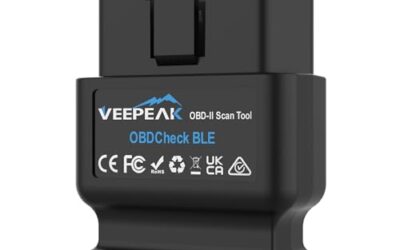
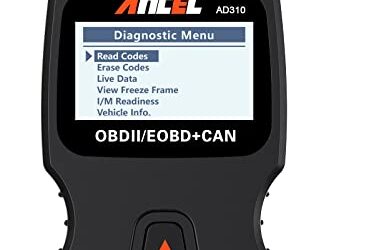
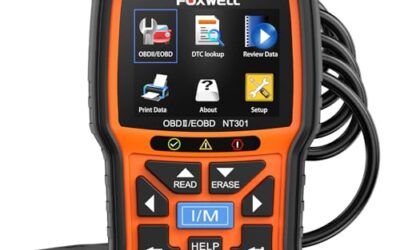
Yes, an OBD2 scanner can test a battery by measuring its voltage and in some cases performing a simulated load test. This capability makes it a useful preliminary tool for checking battery condition. However, the extent of testing depends on the scanner model and vehicle compatibility, and results should always be interpreted carefully.
OBD2 scanners connect to the vehicle’s diagnostic port and read data from the engine control unit. They can display real-time battery voltage, which serves as a key indicator of battery health. Advanced scanners may even apply a simulated load to assess the battery’s ability to deliver power during cranking, though this remains a simulated rather than actual test.
Key Takeaways
- OBD2 scanners can display battery voltage in real time.
- Some scanners offer a battery health test function using simulated load.
- Results must be interpreted in context with other vehicle systems.
- They are not a replacement for professional battery testing equipment.
What is an OBD2 Scanner?
An OBD2 scanner is a device that connects to the On-Board Diagnostics II port in your vehicle to read and interpret diagnostic trouble codes and live data. Introduced as standard equipment in all light-duty vehicles sold in the United States after 1996, OBD2 provides a standardized way to access vehicle systems.
These scanners come in two main forms: hardware devices that plug directly into the port and smartphone applications that use an adapter like an ELM327 to communicate via Bluetooth or WiFi. The technology allows mechanics and owners to access information that was previously only available through specialized dealer tools.
How Does an OBD2 Scanner Test a Battery?
OBD2 scanners test the battery primarily through voltage monitoring. The battery voltage is a parameter that the engine control unit monitors and makes available through the OBD2 protocol. By reading this parameter, the scanner can show if the battery is fully charged, partially charged, or weak.
For scanners that support a battery test, they may apply a simulated load to the battery and observe how the voltage drops. This helps determine if the battery can handle the electrical demands of starting the vehicle. However, this is a simulated test and not a full discharge test that would be done with a battery load tester.
Understanding Battery Voltage Readings
When the engine is off, the voltage should be close to full charge levels. During cranking, it should not drop too low for most vehicles.
Note that these are general guidelines and actual thresholds depend on the vehicle make, model, and year. Always consult your vehicle’s manual for specific recommendations. The OBD2 data provides a snapshot but does not account for temperature effects or long-term degradation.
Limitations of OBD2 Battery Testing
While OBD2 scanners can provide useful information, they have limitations. Not all scanners include a battery test function; many only display live data like voltage. The load test on advanced scanners is simulated and may not accurately reflect the battery’s true capacity, especially for older or deep-cycle batteries.
Additionally, other factors like alternator performance, wiring issues, or even parasitic drains can affect battery voltage readings. An OBD2 scanner cannot distinguish between a weak battery and other charging system problems. Compatibility is another factor. The scanner must support the specific vehicle protocol, such as CAN, KWP2000, or others used by different manufacturers. Phone-based apps may require compatible adapters and firmware updates to access all features.
Common Mistakes When Using an OBD2 Scanner for Battery Testing
- Assuming that a low voltage reading means the battery is bad without checking the engine running voltage.
- Ignoring that the scanner might not be calibrated or updated.
- Using the scanner during a long crank without allowing enough time for the test.
- Confusing OBD2 data with actual battery health, which requires specialized tools.
- Not considering that the test may not work on vehicles with start-stop systems or advanced battery management.
When to Get Professional Help
If your OBD2 scanner indicates a problem with the battery but the vehicle starts normally, or if you see multiple related codes, it may be time to consult a professional mechanic or use a more advanced diagnostic tool. For cases where the battery is suspected to be faulty, a professional can perform a full load test or replacement check.
Also, if you are not comfortable interpreting the results or if the vehicle is under warranty, professional diagnosis is recommended to avoid unnecessary battery replacements. Persistent issues with starting or electrical systems warrant a full diagnostic scan to identify underlying faults in the charging system or wiring.
Step by Step: Using an OBD2 Scanner to Test Battery
- Locate the OBD2 port under the dashboard, usually near the driver’s side.
- Connect the scanner or adapter securely to the port.
- Open the app or software on your device.
- Select live data mode and look for the battery voltage parameter.
- Observe the reading with the engine off and then with the engine running.
- For advanced tests, select any battery health or load test option if available.
Make sure the vehicle is in the correct state for the test, such as key on engine off for off voltage readings. Clean the port connection to avoid false readings from debris. Update the scanner firmware before use to ensure compatibility with newer vehicle models.
Interpreting OBD2 Battery Test Results
Interpreting results requires understanding the context of your specific vehicle. A stable voltage during both engine off and running conditions generally indicates a healthy battery and charging system. However, sudden drops or inconsistent readings may point to issues that need further investigation.
Compare the readings against general expectations for your vehicle type. Sedans and trucks may have slightly different thresholds than SUVs or electric assist models. If the scanner shows normal voltage but the engine cranks slowly, the issue may lie elsewhere, such as in the starter or connections.
Compatibility and Vehicle Factors
OBD2 compatibility varies by model year and manufacturer. Most vehicles from 1996 onward have the port, but protocols differ between domestic and import brands. Some newer vehicles use additional diagnostics beyond basic OBD2, requiring more advanced scanners.
Phone apps work well for many users but may have limited features compared to dedicated hardware. Always check the scanner specifications for your vehicle year to ensure support. Regional differences exist as some countries adopted OBD2 later or use different standards.
Maintenance Tips for Your OBD2 Scanner
Regularly update the scanner software and firmware to maintain accuracy and access new features. Store the device in a dry location away from extreme temperatures. Avoid dropping or exposing it to moisture. For app-based systems, ensure your phone OS is compatible and the adapter is properly paired.
Perform a diagnostic scan periodically to catch any issues early. If the scanner stops responding, check connections and try alternative ports. These small habits ensure reliable performance when you need it most.
FAQ
Can every OBD2 scanner test a battery?
No. Only scanners with a battery monitoring or test feature can perform these functions. Basic scanners may only show voltage.
How do I check if my scanner supports battery testing?
Review the scanner’s specifications or user manual for mentions of battery, cranking, or load test features.
Is an OBD2 scanner as accurate as a multimeter for battery testing?
OBD2 scanners can be accurate for voltage but a digital multimeter provides direct measurement and is often more reliable for confirmation.
Which vehicles can be tested with an OBD2 scanner?
Most vehicles manufactured since 1996 in the US and many others worldwide have OBD2 ports. Always check compatibility with your specific model and year.
Can OBD2 scanners test the battery while the engine is running?
Yes, many scanners can display live data including battery voltage while the engine is running, showing the charging system performance.