Bluetooth vs Handheld OBD2 Scanner
When comparing bluetooth vs handheld obd2 scanner options, bluetooth OBD2 scanners connect wirelessly to your smartphone for real-time diagnostics, while handheld scanners are portable devices that display codes directly on their screens. The primary difference lies in their connectivity and independence from a phone. Bluetooth scanners offer convenience and app integration but require a compatible device and have range limits. Handheld scanners provide standalone operation, making them reliable even without a phone or in areas with weak signals.
Choosing between the two depends on your preference for wireless convenience or independent functionality. This guide explains the differences, compatibility, and how to select the right tool for your vehicle.
Key Takeaways
- Bluetooth scanners use wireless technology to link with your phone’s app.
- Handheld scanners operate independently with their own display and controls.
- Bluetooth offers better portability but depends on phone and signal.
- Handheld is more versatile for various situations.
- Both can read OBD2 codes on compatible vehicles from 1996 onward.
Understanding OBD2 Scanners
OBD2 stands for On-Board Diagnostics II. It is a standardized system that allows vehicle owners and mechanics to access the engine and other systems’ diagnostic information. Since 1996, most vehicles in the United States have been equipped with OBD2 ports to facilitate this.
The OBD2 system was mandated by the Environmental Protection Agency in the United States to reduce vehicle emissions. It allows for the detection of malfunctions in the vehicle’s computer systems. There are different types of codes: generic codes that apply to all vehicles, manufacturer specific codes that are unique to each brand, and enhanced codes that provide more detailed information.
How Bluetooth OBD2 Scanners Work
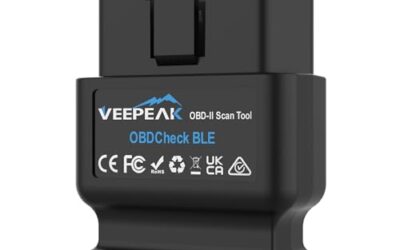
Bluetooth OBD2 scanners typically use a small adapter that plugs into the vehicle’s OBD2 port. This adapter communicates with the vehicle’s Electronic Control Unit (ECU) using the OBD2 protocol. The adapter then transmits data wirelessly to your smartphone via Bluetooth.
On your phone, a dedicated app interprets the data and displays error codes, live data, and other diagnostic information. The process involves the scanner establishing a Bluetooth connection, sending diagnostic requests to the ECU, and receiving responses that the app translates into readable information.
Key components include the OBD2 adapter, Bluetooth module, and the smartphone app. The voltage of the vehicle is usually 12 volts, and the connector is the standard 16-pin OBD2 port located under the dashboard.
How Handheld OBD2 Scanners Work
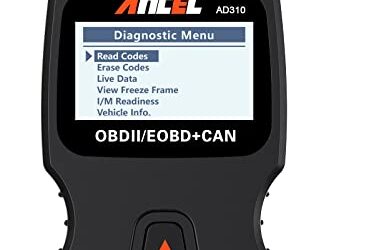
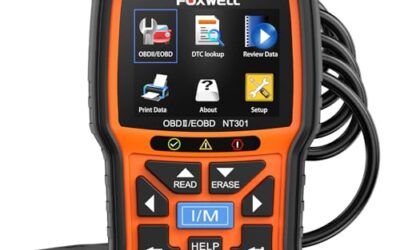
Handheld OBD2 scanners are self-contained units with a screen, buttons, and a built-in processor. You plug the scanner into the OBD2 port, and it reads the diagnostic information directly from the vehicle’s ECU. The data is then displayed on the scanner’s screen without needing any external device.
These scanners often have multiple modes, such as reading trouble codes, viewing live data parameters, and clearing codes. Some advanced models support additional functions like bidirectional control for certain systems.
The handheld device has its own battery, so it doesn’t rely on your phone. It communicates directly with the OBD2 protocol through its internal electronics.
Bluetooth vs Handheld OBD2 Scanner: A Side-by-Side Comparison
The practical difference is clear: Bluetooth scanners are wireless and app-dependent, while handheld scanners are independent and screen-based. Here’s a comparison table:
| Feature | Bluetooth OBD2 Scanner | Handheld OBD2 Scanner |
|---|---|---|
| Connectivity | Bluetooth wireless to phone | Direct connection, no wireless needed |
| Display | Phone screen | Dedicated screen |
| Power | Phone battery or internal | Built-in battery |
| Portability | High (small adapter) | Medium (device size) |
| Cost | $10 to $50 | $20 to $100 |
| App Required | Yes | No |
| Range Limitation | Yes, up to 30 feet | No |
| Vehicle Compatibility | 1996+ with OBD2, phone compatible | 1996+ with OBD2 |
| Advanced Features | Depends on app | Depends on model |
Bluetooth scanners excel in convenience for daily use, especially for tech-savvy users who already have smartphones. Handheld scanners are better for situations where you don’t want to rely on a phone or when the phone is not available.
Compatibility Considerations
Both types of scanners are compatible with most vehicles manufactured since 1996 that have the standard OBD2 diagnostic connector. The connector is typically located under the dashboard on the driver’s side. Voltage compatibility is generally 9-18 volts, though some scanners handle a wider range.
For Bluetooth scanners, your phone must support Bluetooth 4.0 or higher for optimal performance, and the app must be compatible with the specific scanner model. Phone operating system compatibility includes both iOS and Android, but some apps are iOS-only.
Vehicle model year can affect features; newer vehicles may have more advanced systems requiring specific scanner capabilities. Always check the manufacturer’s compatibility list for your vehicle make, model, and year. Regional differences may exist due to varying OBD2 implementations, but the US standard is the most common.
Advantages of Bluetooth OBD2 Scanners
Bluetooth scanners provide wireless freedom, allowing you to read codes while sitting in the vehicle or even outside with the phone nearby. They integrate with smartphone apps that offer additional features like graphing live data, storing history, and sharing results.
They are often more affordable and compact, making them easy to carry in a glovebox or pocket. Many users appreciate the ability to use their phone’s larger screen for better readability of detailed information.
Advantages of Handheld OBD2 Scanners
Handheld scanners do not depend on a phone or Bluetooth signal, making them reliable in garages, outdoors, or where phone reception is poor. They are great for quick checks without pulling out a phone.
Many handheld models have physical buttons for easy navigation and can display information even if the phone is dead or not working. Some include features like printing codes or connecting to a computer for more detailed analysis.
Common Mistakes
One common mistake is assuming that any OBD2 scanner can read all possible codes. Basic scanners may only read generic codes, while advanced ones read manufacturer-specific codes.
Another mistake is not understanding that clearing a code does not fix the underlying problem. Clearing codes is for resetting the check engine light after repairs, but the fault must be addressed first.
Users often overlook compatibility with their specific vehicle. Always verify the scanner supports your vehicle’s model year and systems.
Some people buy the cheapest option without considering the quality of the chip or app support, leading to unreliable readings.
When to Get Professional Help
If you are experiencing frequent check engine lights, unusual vehicle behavior, or if the issue persists after clearing codes, it’s best to consult a professional mechanic. Professional help is also recommended for vehicles with complex electronics or if you are not familiar with reading diagnostic codes.
Scanners are tools to help diagnose, but they are not substitutes for professional diagnosis, especially for issues involving multiple systems or software problems.
FAQ
What is the difference between Bluetooth and handheld OBD2 scanners?
Bluetooth scanners connect wirelessly to your phone, while handheld scanners are independent devices with their own screens. Bluetooth is more convenient for phone users, but handheld offers independence.
Can Bluetooth scanners read all OBD2 codes?
It depends on the scanner and app. Basic models read generic codes, while advanced ones read enhanced and manufacturer-specific codes.
Are Bluetooth scanners compatible with all vehicles?
No, they are compatible with vehicles from 1996 onward with the OBD2 port. Older vehicles may require different adapters.
How do I connect my phone to a Bluetooth OBD2 scanner?
Plug the scanner into the OBD2 port, turn it on, ensure Bluetooth is enabled on your phone, and open the app to pair with the scanner.
Which is better for beginners?
Handheld scanners may be easier for beginners who don’t want to deal with apps and phones, while Bluetooth scanners are great if you are comfortable with smartphones.