
How to Read Live Data on an OBD2 Scanner
Reading live data on an OBD2 scanner allows you to monitor your vehicle’s real-time performance and diagnostics. This guide explains the process step by step, from connecting the device to interpreting the information displayed. Whether you’re a DIY mechanic or a car enthusiast, understanding live data can help you identify issues early.
Key takeaways:
- Connect the OBD2 scanner to the diagnostic port under the dashboard.
- Turn on the ignition and select your vehicle make, model, and year.
- Navigate to the live data function and choose specific PIDs.
- Interpret the numerical values to understand engine and system performance.
What is Live Data on an OBD2 Scanner?
Live data refers to the real-time parameters provided by the vehicle’s onboard computer. These parameters, known as PIDs, include engine speed, vehicle speed, coolant temperature, and more. By reading this data, you can gain insights into how your vehicle is performing and detect early signs of problems. Understanding live data is essential for anyone who wants to take an active role in vehicle maintenance and diagnostics.
Compatibility and Prerequisites
OBD2 scanners are compatible with most vehicles manufactured from 1996 onwards in the United States. The OBD2 port is located under the dashboard, typically 12 to 18 inches from the driver’s side. Your vehicle must support OBD2 for this to work. The system operates on a 12-volt electrical system, which is standard for cars. Ensure your scanner supports the protocol used in your region, such as SAE J1850 or ISO 15765-4. Phone-based scanners require a compatible smartphone OS like Android or iOS. Always check your vehicle’s manual to confirm the OBD2 version it uses, as there are different types like OBD2 and OBD1.
Step-by-Step Guide to Reading Live Data
1. Locate and Connect the OBD2 Port
The OBD2 port is a standardized 16-pin connector under the dash. Plug the scanner into this port firmly. Some vehicles have a cover that needs to be removed. Make sure the scanner is powered on before attempting to read data.
2. Power On the Scanner and Ignition
Turn the ignition key to the ON position without starting the engine. This powers the scanner and allows communication with the ECU. Do not start the engine yet to avoid any potential damage or false readings.
3. Select Your Vehicle
On the scanner interface, choose your vehicle make, model, and model year. This ensures the correct PIDs and units are displayed. If your vehicle is not listed, the scanner may not support it or you may need a more advanced model.
4. Enter Live Data Mode
Navigate to the live data or monitor function. This mode displays real-time information from the vehicle’s sensors. Some scanners have a specific button or menu option for this.
5. Choose a Specific PID
Scroll through available PIDs or use the menu to select one. Common PIDs include engine RPM, vehicle speed, and coolant temperature. You can often filter or search for specific data points.
6. Read and Interpret the Data
Observe the value and its unit. For example, RPM is displayed in revolutions per minute. Note any warnings or out-of-range indicators on the scanner.
Common OBD2 PIDs and Their Meanings
Here is a table of some common PIDs and what they represent:
| PID | Description | Formula | Unit |
|---|---|---|---|
| 0x0C | Engine RPM | Value * 0.25 | RPM |
| 0x0D | Vehicle Speed | Value * 0.01 | km/h |
| 0x05 | Coolant Temperature | Value * 0.1 | °C |
| 0x0B | Intake Manifold Pressure | Value | kPa |
| 0x11 | Throttle Position | Value * 0.3922 | % |
| 0x0F | Intake Air Temperature | Value * 0.1 | °C |
| 0x10 | Engine Load | Value * 0.3922 | % |
| 0x0A | Engine Coolant Temperature | Value * 0.1 | °C |
These formulas help convert the raw hexadecimal values into meaningful units. Always check the scanner’s manual for exact interpretations as they can vary slightly by manufacturer. For instance, some scanners may display RPM directly while others require multiplication. Understanding these conversions is key to accurate readings.
Interpreting the Data Correctly
It’s important to understand the context. For instance, a high coolant temperature might be normal during hard acceleration but indicate a problem if it’s high at idle. Always compare to expected values for your vehicle under similar conditions. Factors like altitude, weather, and driving style can affect readings. Live data can also help in diagnosing issues like misfires or sensor failures by observing abnormal patterns over time. For example, erratic RPM readings might point to a timing issue or electrical problem, while steady but high values could indicate a faulty sensor.
Benefits of Reading Live Data
By monitoring live data, you can ensure your vehicle is running optimally. You can detect potential problems before they become costly repairs. For modified vehicles, it helps in optimizing performance. Additionally, it can aid in complying with emissions testing requirements by verifying that your vehicle meets standards. This proactive approach saves time and money while improving vehicle reliability and safety.
Common Mistakes When Reading Live Data
- Not turning the ignition on before reading data. This is crucial as the ECU must be powered.
- Using incorrect PIDs for your vehicle. Always select the right ones based on your model.
- Ignoring the units and assuming all values are normal. Units provide important context.
- Reading data while the engine is running without understanding context. Running data can be more dynamic.
- Confusing live data with diagnostic trouble codes. They serve different purposes.
- Not considering environmental factors when interpreting readings.
When to Get Professional Help
If the live data shows values outside expected ranges or if you notice unusual patterns, it may indicate a problem that requires a mechanic. Live data alone does not pinpoint the cause of a fault but can guide you to symptoms. If you are not comfortable with the process or if the data suggests a serious issue, seek professional assistance to avoid further damage or safety risks.
Gear that can help
If you need OBD2 scanners for this job, these picks already appear in our OBD2 scanners guides. Check the full guide for fit and who should skip each one.
Pros
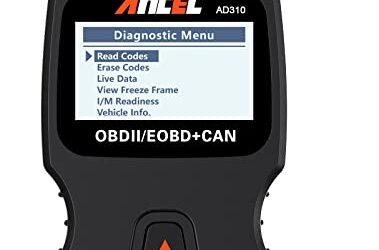
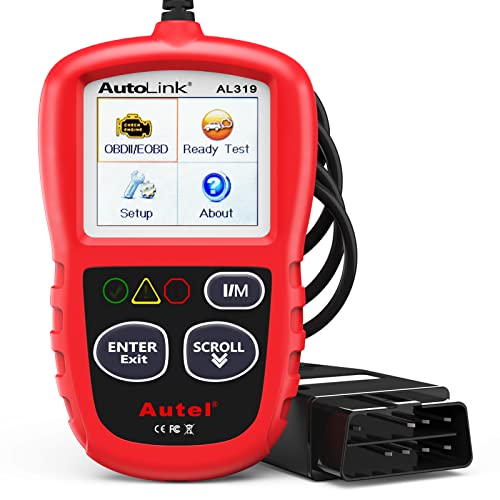
- Supports multiple diagnostic functions beyond basic code reading
- No batteries are needed for operation
- Offers seven language options, including English, French, and Spanish
- Designed with a plug-and-play interface for end users and DIYers
Cons
- The listing does not identify all seven supported languages
Specifications
| Color | OBD2 Scanner |
|---|---|
| Size | AL319 |
| Dimensions | 4.61 x 2.83 x 0.71 inches |
| Weight | 0.39021820374 pounds |
| Product Group | Automotive Parts and Accessories |
| Binding | Automotive |
Best For / Avoid If
Best for buyers prioritizing
- Supports multiple diagnostic functions beyond basic code reading
- No batteries are needed for operation
- Offers seven language options, including English, French, and Spanish
Consider another option if
- The listing does not identify all seven supported languages

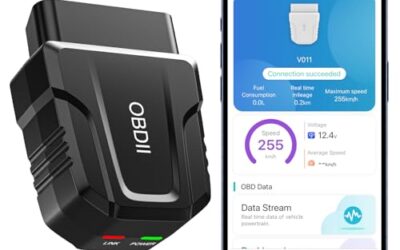
Pros
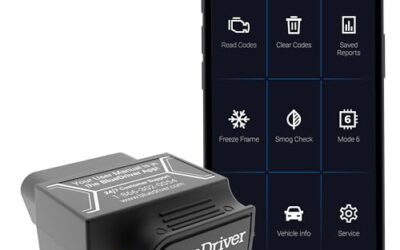
- Supports code scanning and code resets without requiring an expert
- Tracks vehicle-specific scans, mileage-based reminders, and shared results
- Compact 1.75 x 0.75 x 1.6-inch sensor is designed to stay under the dash
Cons
- Advanced features require an optional premium subscription after the 14-day trial
- Features may vary by vehicle make and model
Specifications
| Color | White |
|---|---|
| Size | 1 Pack |
| Dimensions | 1.75 x 0.75 x 1.6 inches |
| Weight | 0.06 pounds |
| Product Group | Automotive Parts and Accessories |
| Binding | Automotive |
Best For / Avoid If
Best for buyers prioritizing
- Supports code scanning and code resets without requiring an expert
- Tracks vehicle-specific scans, mileage-based reminders, and shared results
- Compact 1.75 x 0.75 x 1.6-inch sensor is designed to stay under the dash
Consider another option if
- Advanced features require an optional premium subscription after the 14-day trial
- Features may vary by vehicle make and model

Pros
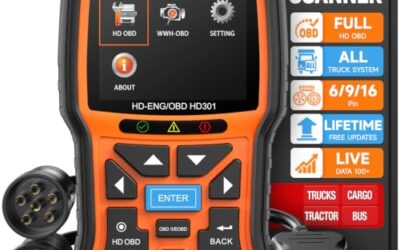
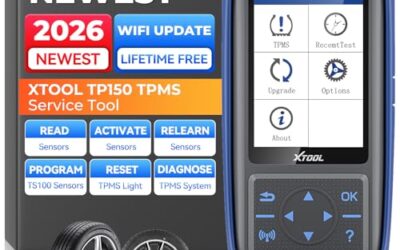
- Provides diagnostics for four major vehicle systems
- Includes useful functions such as live data and I/M readiness
- Supports automatic VIN retrieval and manual vehicle selection
- Lifetime updates and a protective case are included
Cons
- Does not support oil reset, battery registration, ABS bleeding, throttle body relearn, or ABS relearn
- SRS crash or collision data cannot be cleared
- Vehicle compatibility varies by make, model, and year, and AUTOVIN may not work on some older vehicles or brands
Specifications
| Color | red |
|---|---|
| Dimensions | 7.68 x 3.54 x 1.18 Inches |
| Product Group | Automotive Parts and Accessories |
| Binding | Automotive |
Best For / Avoid If
Best for buyers prioritizing
- Provides diagnostics for four major vehicle systems
- Includes useful functions such as live data and I/M readiness
- Supports automatic VIN retrieval and manual vehicle selection
Consider another option if
- Does not support oil reset, battery registration, ABS bleeding, throttle body relearn, or ABS relearn
- SRS crash or collision data cannot be cleared
- Vehicle compatibility varies by make, model, and year, and AUTOVIN may not work on some older vehicles or brands
FAQ
What is an OBD2 scanner?
An OBD2 scanner is a device that connects to your vehicle’s diagnostic port to read and interpret data from the onboard computer.
How do I read a specific PID?
Select the PID from the menu on your scanner and view the corresponding value and unit.
What does live data mean?
Live data means the real-time information being sent from the vehicle’s ECU to the scanner.
Can I read live data without a scanner?
Some advanced systems allow reading via the vehicle’s OBD2 port with a computer, but a dedicated scanner simplifies the process and provides more user-friendly interfaces.
Is live data the same as diagnostic trouble codes?
No, live data shows current operating parameters, while DTCs are stored codes for detected faults.
How can live data help with vehicle maintenance?
Live data can help with vehicle maintenance by allowing you to monitor performance and detect issues early, such as unusual engine temperatures or speeds.
Sources and further reading
- J1962 Diagnostic Connector standard (SAE International): The industry standard that defines the 16-pin OBD2 diagnostic connector.
- J1979 E/E Diagnostic Test Modes standard (SAE International): The standard behind the diagnostic modes and data a generic OBD2 scan tool can request.