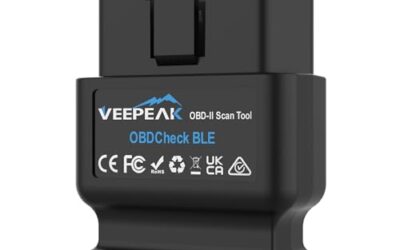
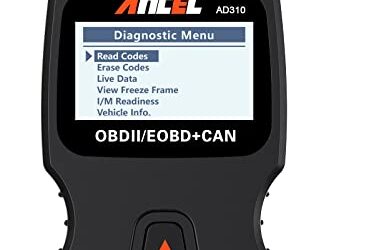
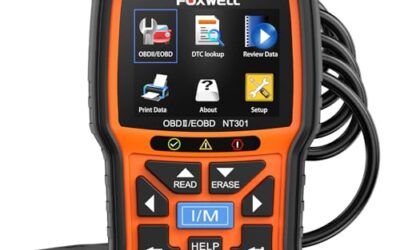
To use an OBD2 scanner, connect it as instructed, identify the vehicle and read the supported diagnostic information before making changes. Save codes and available freeze-frame data first. Reading data is different from clearing codes or running service commands, which can affect vehicle settings and diagnostic history.
Key takeaways
- Locate the OBD2 port under the dashboard.
- Connect the scanner and turn on the ignition.
- Read and interpret diagnostic trouble codes (DTCs).
- Clear codes if necessary, but address the root cause first.
- Check compatibility with your vehicle model year.
What is an OBD2 Scanner?
The OBD2 scanner is a tool designed to interface with the vehicle’s onboard computer system. It uses the OBD2 standard, which was mandated by the EPA for all vehicles sold in the US after 1996. This standard allows for standardized communication between the vehicle and diagnostic tools.
It works by connecting to the OBD2 port, which is a 16-pin connector located under the dashboard. Once connected, the scanner communicates with the vehicle’s electronic control units (ECUs) to retrieve data. The process involves the scanner sending diagnostic requests and receiving responses that are then decoded into human-readable codes and data.
Benefits include identifying check engine lights, monitoring engine performance, and performing basic repairs without a mechanic. It can also help with emissions compliance in many states.
Where is the OBD2 Port Located?
The OBD2 port is typically found under the driver’s side of the dashboard, near the steering column. In some vehicles, it may be under the passenger side or in the center console. Always consult your owner’s manual for exact location to avoid frustration.
Some vehicles have multiple ports or the port may be hidden behind a panel. For trucks or SUVs, it might be in the engine bay or under the hood.
Prerequisites and Compatibility
Before starting, ensure your vehicle is a 1996 or newer model with OBD2 compatibility. The system operates on 12-volt vehicle power. The connector is standardized as OBD2, making it universal for most modern vehicles.
Compatibility: Most cars, trucks, and SUVs from 1996 onwards. For older vehicles, OBD1 may be used, but this guide focuses on OBD2. Phone apps require compatible OS like Android or iOS. Some scanners work with Bluetooth or WiFi for wireless connection.
Limitations include that not all vehicles support all OBD2 functions, such as bidirectional control on some models. Always check the scanner’s specifications for your specific vehicle.
Step-by-Step Guide to Using an OBD2 Scanner
- Locate the OBD2 port. Open the driver’s door and look under the dash for the 16-pin rectangular port with the OBD2 logo. It is usually labeled OBD2 or DLC.
- Connect the scanner. Plug the OBD2 scanner into the port. Ensure it is securely connected and powered on if it has a button.
- Turn on the ignition. Do not start the engine yet. The scanner should power on automatically or via button. The ignition must be on for the scanner to communicate.
- Select your vehicle make, model, and year. Most scanners have a menu for this. Enter the details accurately to ensure correct communication protocols.
- Read the diagnostic trouble codes. Select the read codes option. The scanner will display any stored codes along with their definitions if available.
- Interpret the codes. Use a code definition list or the scanner’s manual. Codes like P0420 indicate catalytic converter efficiency below threshold. Refer to resources like the EPA or manufacturer sites for detailed explanations.
- Clear the codes if needed. Only after diagnosing and fixing the issue. Select clear codes option. Note that clearing may reset some monitors that need to run for a certain distance or time.
- Perform a test drive. Drive the vehicle under normal conditions to see if the codes return. Monitor for warning lights.
Safety warning: Always ensure the vehicle is in park or neutral, and never use the scanner while driving if it requires interaction. Keep the area around the port clear to avoid damage.
Understanding Diagnostic Trouble Codes
OBD2 codes are standardized. They start with letters indicating the system: P for powertrain, B for body, C for chassis, P for powertrain again, U for network. The second character indicates if it’s generic or manufacturer specific.
Examples of common codes:
| Code | Meaning | Possible Cause |
|---|---|---|
| P0300 | Random or multiple cylinder misfire | Ignition issues, fuel problems |
| P0420 | Catalyst system efficiency below threshold | Catalytic converter, oxygen sensors |
| P0171 | System too lean | Leaking vacuum, faulty MAF sensor |
| P0135 | Heater circuit for oxygen sensor | Heating element failure |
These are common examples. Always refer to a reliable source for exact meanings as they vary slightly by manufacturer. Generic codes are more universal, while manufacturer specific may have more details.
Advanced Features of OBD2 Scanners
Many scanners offer live data monitoring, showing real-time parameters like engine RPM, fuel trim, oxygen sensor readings, and more. This helps in diagnosing performance issues without codes.
Freeze frame data captures conditions at the time of the code, such as temperature, RPM, and load. This is useful for recreating the fault conditions.
Some allow for enhanced diagnostics, like resetting adaptive values or performing component tests. However, advanced features may require a more expensive scanner and may not be available on all vehicles.
Compatibility and Limitations
OBD2 scanners work on most vehicles post-1996, but some newer vehicles may have additional protocols like CAN bus that require specific scanners. For electric vehicles or hybrids, it may be limited or require manufacturer-specific tools.
Limitations include that it does not detect all issues, like mechanical problems such as worn belts or leaking hoses. It requires periodic updates for firmware to support new vehicle models. Not all features work on all vehicles, and some scanners may not support all protocols.
Regional compatibility: In the US, it’s widely supported, but in some countries, additional standards may apply.
Common Mistakes When Using an OBD2 Scanner
- Assuming the first code is the only one; multiple codes may exist and indicate related issues.
- Clearing codes without fixing the problem, leading to recurring issues and wasted time.
- Ignoring the code definitions and trying to guess at the cause.
- Not selecting the correct vehicle make, model, and year, resulting in incorrect data.
- Using a scanner without understanding the meaning of the data or freeze frame information.
- Skipping the test drive after clearing codes, missing if the issue returns.
When to Get Professional Help
If you cannot interpret the codes, if the issue persists after clearing, or if you suspect complex problems like transmission or engine control module faults, consult a mechanic. Professional tools and expertise are needed for advanced diagnostics, especially for vehicles with complex electronics or aftermarket modifications.
Also, if the scanner does not communicate properly or shows errors, it may indicate a problem with the scanner or vehicle system.
FAQ
What is the difference between OBD2 and OBD1?
OBD1 was the original standard before 1996, less standardized with fewer parameters. OBD2 is the current standard with more parameters and better communication protocols, making it more universal.
Can I use an OBD2 scanner on any vehicle?
Primarily on 1996 and newer vehicles. For older ones, check compatibility or use OBD1 tools. Some vehicles may require additional hardware or have limited functionality.
How often should I scan my vehicle?
Annually or before emissions testing, or if you notice warning lights on the dashboard. Regular scans can help catch issues early and prevent major repairs.
Do I need to clear codes after reading them?
Not necessarily, but clearing resets some monitors that need to run for a certain distance or time. It may be required for emissions tests in some areas.
Is it safe to use an OBD2 scanner?
Yes, but avoid distractions while driving and ensure proper connection to prevent damage to the port or scanner. Always turn off the ignition before disconnecting.
Sources and further reading
- J1962 Diagnostic Connector standard (SAE International): The industry standard that defines the 16-pin OBD2 diagnostic connector.
- J1979 E/E Diagnostic Test Modes standard (SAE International): The standard behind the diagnostic modes and data a generic OBD2 scan tool can request.